
To build a scalable, reusable email design system, focus on creating modular templates that are flexible and easy to customize. Use responsive layouts, organized modules, and clear naming conventions to streamline updates and guarantee cross-device consistency. Maintain a well-structured library with version control to manage components efficiently. Address common challenges like layout issues and style consistency early on. Keep exploring these strategies, and you’ll discover how to develop a robust system that grows with your needs.

Get business pricing on office and shipping supplies
- Business-only prices and quantity discounts
- Tax-exempt purchasing
- Multiple users, one account, clear invoices
Key Takeaways
- Develop modular, reusable email components aligned with a clear design system for consistent branding and easy updates.
- Organize modules with standardized naming, categorization, and tagging for quick retrieval and efficient management.
- Use responsive grids and flexible layouts to ensure cross-device compatibility and scalable design adaptation.
- Implement version control and documentation to track changes and maintain high-quality, up-to-date template libraries.
- Incorporate automated testing and validation to identify responsiveness issues early and ensure reliable scalability.
As an affiliate, we earn on qualifying purchases.
Benefits of Modular Email Templates for Scalability
Modular email templates substantially enhance scalability by allowing you to quickly customize and deploy messages across large audiences. With this approach, you can maintain consistent branding and messaging, thanks to template consistency. When you use modular components, you streamline the process of email personalization, making it easier to tailor content for different segments without recreating entire designs. This saves time and reduces errors, ensuring every email aligns with your brand standards. As your contact list grows, these templates help you respond faster and more efficiently, supporting large-scale campaigns seamlessly. By focusing on reusable modules, you create a flexible system that adapts easily to various messaging needs while keeping your emails cohesive and professional. Additionally, understanding cloud infrastructure can help optimize visual elements in your campaigns, making your emails more engaging and performance metrics can guide continual improvements. Leveraging scalable design principles ensures your email system remains adaptable as your audience expands, and incorporating dynamic content can further personalize messages to increase engagement.
responsive email template builder
As an affiliate, we earn on qualifying purchases.
As an affiliate, we earn on qualifying purchases.
Designing Cross-Device Reusable Email Components
To guarantee your email components perform well across all devices, you need to design them with responsiveness in mind. Use responsive grids to create flexible layouts that adapt seamlessly to different screen sizes. This approach ensures your content remains accessible and visually appealing, whether viewed on a phone, tablet, or desktop. Establish a clear visual hierarchy by prioritizing key information through size, color, and placement, guiding the reader’s attention effectively. Keep components modular so they can be reused and adjusted easily across various devices without sacrificing design integrity. Remember, simplicity and clarity in your structure help maintain consistency and improve user experience. Incorporating professional-grade tools for testing responsiveness can further enhance your design quality. Additionally, understanding adaptive lighting principles can help optimize visual comfort and readability across devices. Being familiar with design system principles can streamline your workflow and ensure consistency in your components. By focusing on these principles, you’ll develop cross-device email components that are both functional and scalable.
As an affiliate, we earn on qualifying purchases.
Organizing Your Email Template Modules for Easy Customization

Organizing your email template modules effectively makes customization straightforward and efficient. Start by grouping related modules together, so you can quickly find and update them. Use clear naming conventions to label sections, which simplifies navigation and editing. Leverage drag and drop editing tools to rearrange modules effortlessly, helping you visualize the final layout instantly. Maintain color palette consistency across all modules to guarantee a cohesive look and feel, making updates easier and more predictable. Consider creating a modular structure that separates content, styles, and layout components, so you can tweak one area without affecting others. A well-organized system reduces errors, speeds up customization, and assures your email design remains scalable as your needs grow. Additionally, incorporating content management best practices can enhance your ability to update and maintain your templates over time, ensuring your system stays aligned with design consistency principles and best practices. Implementing a clear organization strategy can help mitigate issues like version control and improve collaboration among team members, making your workflow more efficient. Recognizing the importance of cryptid mysteries and other folklore themes can inspire creative elements in your designs, adding unique storytelling aspects to your emails.
email testing and validation tools
As an affiliate, we earn on qualifying purchases.
As an affiliate, we earn on qualifying purchases.
Best Practices for Building and Managing Your Template Library
Building a well-structured template library starts with establishing clear standards for naming, categorizing, and storing your modules. This guarantees easy access and maintains consistency across your projects. To optimize code reuse, document your modules thoroughly and keep naming conventions intuitive. Use version control systems to track changes, facilitate collaboration, and prevent accidental overwrites. Regularly review your library to remove outdated modules and incorporate improvements. Implement a tagging system to quickly locate components by function or style. Maintain a centralized repository to streamline updates and ensure everyone works with the latest versions. Additionally, understanding cookie categories and managing user consent are essential for building user-friendly email templates that respect privacy preferences. Incorporating content relevance and authority into your templates enhances credibility and user engagement. To further support your workflow, consider establishing standardized naming conventions that align with your project structure. Incorporating content personalization techniques can also improve engagement and relevance. By following these best practices, you’ll create a scalable, efficient library that simplifies maintenance and accelerates email template development.
Troubleshooting Common Challenges in Scaling Email Templates
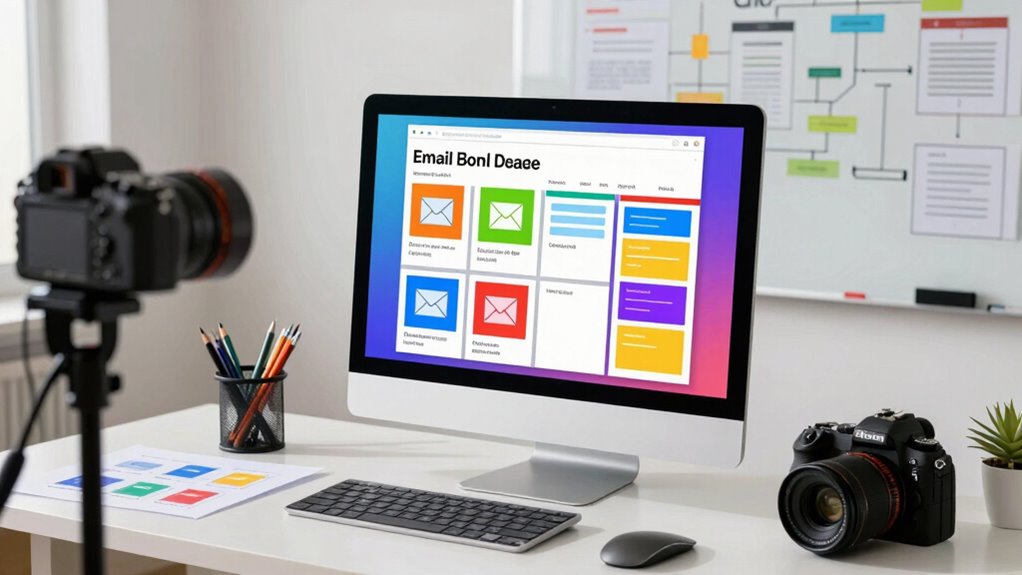
Scaling email templates often introduces challenges that can hinder efficiency and consistency. Responsive issues are common, causing layouts to break or display poorly on different devices. To fix this, test your templates across various screens and use flexible, fluid design techniques. Font consistency is another hurdle; inconsistent fonts can make your emails look unprofessional. Make certain you define font styles clearly within your modules and avoid overriding them unnecessarily. Regularly review your templates for responsiveness and font uniformity, especially after updates or scaling efforts. Automate testing where possible and maintain strict style guidelines. Addressing these issues early keeps your email system reliable, helps preserve your brand identity, and ensures your messages look great everywhere. Additionally, paying attention to content scalability ensures that your templates adapt seamlessly as your email campaigns grow, preventing design breakdowns and maintaining user engagement. Monitoring design consistency during scaling is crucial to uphold a cohesive brand appearance across all communications. Incorporating scalable components into your design system can further enhance adaptability and reduce repetitive work during expansion. Furthermore, implementing adaptive layouts can improve user experience across a wide range of devices and screen sizes.
Frequently Asked Questions
How Do I Ensure Brand Consistency Across All Email Modules?
To guarantee branding alignment and visual consistency across all email modules, you should create a thorough style guide with your brand’s colors, fonts, and logo usage. Use reusable components and templates that adhere to these standards, and regularly review your modules to maintain uniformity. This approach helps keep your branding consistent, professional, and recognizable, regardless of how many different email campaigns you send.
What Tools Can Help Automate Template Module Updates?
Automation tools and version control systems streamline your email template updates, making changes swift and consistent. You can use platforms like Git or content management systems with automation features to track modifications and deploy updates effortlessly. These tools help you manage multiple modules, prevent errors, and maintain brand consistency. By automating updates, you save time and ensure every email aligns with your brand standards, even as your design system scales.
How Do I Handle Personalized Content in Scalable Templates?
To handle personalized content in scalable templates, you should leverage dynamic content features within your email platform. Use personalization strategies like conditional blocks, merge tags, and data-driven content to customize each message. This approach allows you to effectively tailor emails for different segments or individuals without creating multiple templates. By integrating dynamic content, you guarantee your emails feel personalized, engaging, and scalable across your entire audience.
What Are the Security Considerations for Shared Template Libraries?
You should prioritize access control and data encryption in shared template libraries. Limiting access guarantees only authorized users can modify templates, reducing security risks. Encrypt sensitive data both at rest and in transit to protect against breaches. Regularly audit permissions and update security protocols. Implementing these measures confirms that your shared resources stay secure, maintaining trust and compliance across your organization.
How Can I Measure the Performance of Reusable Email Modules?
You can measure the performance of reusable email modules by tracking analytics and monitoring user engagement metrics. Use tools like email analytics tracking to see open rates, click-through rates, and conversion rates for each module. Analyze how users interact with different components, identify which modules drive engagement, and optimize based on this data. Regularly reviewing these metrics helps you improve your email design system’s effectiveness and scalability.
Conclusion
By building a modular email system, you can boost efficiency and guarantee consistency across campaigns. Imagine reducing your email creation time by up to 50%, freeing you to focus on what truly matters—engaging your audience. With a well-organized library of reusable components, scaling becomes seamless and stress-free. Embrace these best practices, and watch your email marketing efforts become more agile, impactful, and ready to grow alongside your business.
Fall Picks
fall essentials
As an affiliate, we earn on qualifying purchases.