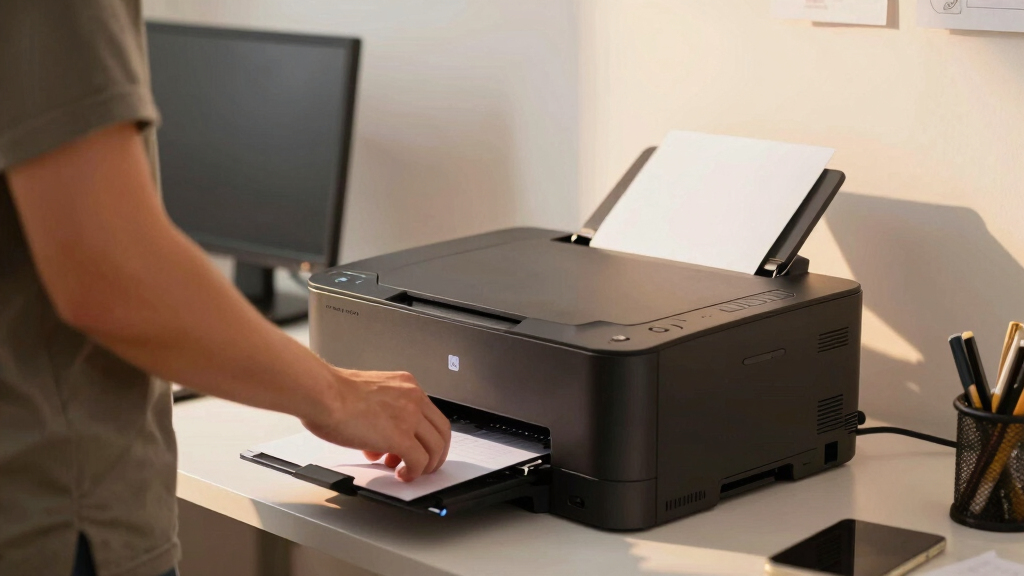

Choosing the best office-grade all-in-one laser printer for duplex document workflows involves balancing speed, print quality, and reliability. The HP LaserJet MFP M235sdw stands out as the overall top pick due to its solid performance and compact design. The Canon Color imageCLASS MF665Cdw offers excellent color accuracy and robust features, making it ideal for color-heavy offices. Meanwhile, the Brother MFC-L2820DW is a budget-friendly monochrome option that doesn’t sacrifice core productivity. Readers should consider tradeoffs like print speed versus initial cost and color versus monochrome printing. Continue reading for a detailed breakdown of each model and how they compare for duplex workflows.
Key Takeaways
- Top picks balance speed, print quality, and cost of ownership, not just initial price.
- Color laser options tend to be more expensive but provide better versatility for varied printing needs.
- Monochrome models often excel in speed and lower running costs, suited for high-volume document printing.
- Features like automatic document feeders and wireless connectivity significantly boost workflow efficiency.
- Durability and warranty support are critical for long-term office use, especially in busy environments.







More Details on Our Top Picks
HP LaserJet MFP M235sdw All-in-One Laser Wireless Printer, Scan/Copy, Black & White, Duplex, Office Use
The HP LaserJet M235sdw shines as the most balanced choice among all-in-one laser printers for duplex workflows. Its fast 28 ppm two-sided printing, combined with reliable wireless and Ethernet connectivity, makes it ideal for small teams that prioritize speed and network flexibility. Unlike the Canon MF665Cdw, it is more compact, which is a real advantage in tight office spaces, but it is limited to monochrome output, which may not suit environments requiring color. Its basic feature set keeps costs down but may lack the advanced functionalities needed by larger or more complex offices. Overall, this model offers a dependable, streamlined option for users who want a straightforward, all-in-one device without unnecessary bells and whistles.
Pros:- Fast two-sided printing at 28 ppm supports efficient workflows
- Wireless and Ethernet options enable flexible placement and sharing
- Compact design fits well into small office spaces
- Built-in security features protect sensitive documents
Cons:- Limited to monochrome output, no color support
- Maximum copy speed of 14 ppm may slow down high-volume tasks
- Basic feature set may fall short for larger, feature-rich offices
Best for: Small offices or teams needing reliable monochrome duplex printing with minimal fuss
Not ideal for: Offices that require color printing or advanced document management features
- Printer Type:Laser
- Print Media:Plain paper
- Maximum Print Speed:28 ppm
- Maximum Copy Speed:14 ppm
- Connectivity:Wi-Fi, Ethernet, USB 2.0
- Scanner Type:Automatic Document Feeder
- Item Weight:20.95 pounds
- Item Dimensions:12.13″D x 16.46″W x 11.59″H
Bottom line: A solid pick for small teams seeking dependable monochrome duplex printing in a compact footprint.
Canon Color imageCLASS MF665Cdw Wireless Duplex Laser Printer All-in-One with Copier, Scanner, Fax, 3-Year Warranty
The Canon imageCLASS MF665Cdw offers a compelling option for offices that need vibrant color output alongside duplex functionality. Its 26 ppm speed in color and monochrome makes it suitable for dynamic environments, but compared with the Canon MF753Cdw II, it has a smaller paper capacity and a slightly less robust feature set. The user-friendly 5-inch color touchscreen simplifies operation, yet the initial setup can be somewhat technical for less experienced users. While its high-capacity toner minimizes replacement downtime, the higher upfront cost and bulkier size may be drawbacks for tight spaces. This model balances color versatility with reliable duplex workflows, ideal for creative or client-facing offices.
Pros:- Fast print speeds of up to 26 ppm in color and black & white
- Wireless setup and mobile printing support
- Intuitive 5-inch color touchscreen for easy operation
- High-capacity toner for fewer replacements
Cons:- Limited to small/office environments, not suitable for high-volume demands
- Initial setup may be complex for some users
- Bulkier design consumes more space
Best for: Small or home offices that require high-quality color printing and multifunction capabilities
Not ideal for: High-volume print environments or offices with space constraints due to its size
- Print Speed:26 ppm
- Print Technology:Laser
- Color:Color
- Connectivity:Wireless, Mobile
- Touchscreen:5-inch Color Touchscreen
- Paper Capacity:250 sheets
- Automatic Document Feeder:50 sheets
- Warranty:3 years
Bottom line: A versatile choice for offices needing vibrant color printing with user-friendly features, but not for high-volume workflows.
Brother MFC-J1360DW Wireless Color Inkjet All-in-One Printer with Duplex Printing and 1.8″ Color Display
The Brother MFC-J1360DW stands out for its affordability and flexibility, especially suited to home or small office environments that need basic duplex printing and scanning. While it offers automatic duplex printing and cloud integration, its 16 ppm black and 9 ppm color speeds are modest compared to laser options like the HP or Canon models, which means it is less suited to high-volume workflows. The small 1.8-inch display can hinder navigation for complex tasks, and the reliance on LC501 ink cartridges may add to ongoing costs. This model is best for those who prioritize cost-effective, multifunction printing without the need for rapid turnaround or large-volume handling.
Pros:- Affordable price point for multifunction capabilities
- Wireless and mobile device printing support
- Automatic duplex printing helps save paper
- Cloud app integration for versatile printing and scanning
Cons:- Relatively slow print speeds, especially in color
- Small display limits ease of use for complex tasks
- Ongoing ink cartridge costs may be higher over time
Best for: Home users or small offices with moderate printing needs and budget constraints
Not ideal for: High-volume or fast-paced office environments that demand quick throughput
- Printer Type:Color Inkjet All-in-One
- Connectivity:Wi-Fi, USB
- Display:1.8-inch color
- Automatic Duplex Printing:Yes
- Automatic Document Feeder:20 sheets
- Paper Capacity:150 sheets
- Print Speed:Up to 16 ppm black, 9 ppm color
- Includes:Refresh Subscription Trial (2 months)
Bottom line: A cost-effective, multifunction inkjet suitable for light-duty duplex workflows in home or small offices.
Canon Color imageCLASS MF753Cdw II – Wireless Duplex Laser Printer, All-in-One with Scanner, Copier, Fax, Auto Document Feeder, 35 PPM
The Canon MF753Cdw II is designed for offices that need rapid, color laser printing alongside duplex capabilities. Its impressive 35 ppm speed surpasses the Canon MF665Cdw, making it suitable for demanding workflows. Its expandable paper capacity and a 5-inch touchscreen streamline operation, but the higher cost of toner and initial setup complexity could be barriers for smaller teams. Compared to the HP LaserJet M235sdw, it provides higher volume capacity and faster speeds, but at a larger footprint and higher price point. This device excels in environments where speed and color output are critical, though it may be overkill for very small offices with lower throughput needs.
Pros:- Fast 35 ppm printing supports high-volume workflows
- Wireless and mobile printing options
- Automatic duplex printing conserves paper
- Expandable paper capacity to 550 sheets
Cons:- Toner cartridges are costly, increasing ongoing expenses
- Initial setup can be complex for less tech-savvy users
- Larger size requires more office space
Best for: Small to medium offices requiring high-speed, high-volume color laser printing
Not ideal for: Very small offices or teams with limited budget or space constraints
- Print Speed:35 ppm
- Color:Yes
- Wireless:Yes
- Duplex Printing:Yes
- Automatic Document Feeder:50 sheets
- Paper Capacity:250 sheets (expandable to 550)
- Touchscreen:5-inch color
- Warranty:3 years
Bottom line: Ideal for offices that prioritize speed and volume in color laser printing, accepting higher costs and larger size.
HP LaserJet Pro MFP 3101fdw Wireless Black & White All-in-One Laser Printer
The HP LaserJet Pro MFP 3101fdw is tailored for small teams requiring quick, secure monochrome duplex printing with integrated scanning, copying, and faxing. With a robust 35 ppm speed, it handles moderate workloads efficiently, outperforming the Brother MFC-L2820DW in speed and security features. Its wireless and Ethernet support make it versatile for team sharing, but limited to black & white printing, which restricts its use for offices needing color. While its security features add value for sensitive documents, the lack of color support and its focus on small team sizes make it less suitable for larger, color-dependent workflows. This model balances speed, security, and simplicity for office environments emphasizing monochrome document management.
Pros:- Fast print speeds of up to 35 ppm support quick turnaround
- Secure printing features for sensitive data
- Wireless and Ethernet connectivity for team sharing
- Auto duplex printing and document feeder improve efficiency
Cons:- Limited to black & white printing, no color support
- Designed for small teams, not scalable for large offices
- No faxing or advanced document management features
Best for: Small teams needing fast, secure monochrome duplex printing with multifunction features
Not ideal for: Offices requiring color printing or high-volume output beyond moderate workloads
- Print Speed:Up to 35 ppm
- Functions:Print, scan, copy, fax
- Auto 2-sided Printing:Yes
- Auto Document Feeder:Yes
- Connectivity:Wi-Fi, Ethernet, Bluetooth
- Supported Devices:Microsoft, Mac, AirPrint, Android, Chromebook
- Ideal for:Up to 7 people
Bottom line: Best suited for small teams that prioritize speed and security in monochrome duplex workflows.
HP Color LaserJet Pro MFP 3301sdw Wireless All-in-One Color Laser Printer
This model stands out for delivering fast, professional-quality color printing at 30 ppm, making it suitable for office environments that need both speed and vibrant output. Compared with monochrome options like the HP LaserJet Pro 3101sdw, its color capability adds significant value for marketing materials or color-coded documents. The automatic duplex feature supports efficient workflows, but the device’s weight and bulk—at over 37 pounds—may require dedicated space, and the reliance on HP cartridges can lead to higher ongoing costs. Its wireless and Ethernet options provide versatile connectivity, ideal for multiple users. However, setup may challenge less tech-savvy users.
Pros:- Fast 30 ppm color and black/white printing for busy offices
- Wireless and Ethernet connectivity for flexible device sharing
- All-in-one functionality with scan, copy, and auto duplex printing
Cons:- Heavy and bulky design requiring ample space
- Higher ongoing costs due to proprietary HP toner cartridges
Best for: Small teams needing high-quality, color document production with flexible connectivity.
Not ideal for: Users who primarily print in black and white or have limited space, due to its size and cost of color cartridges.
- Printer Type:Laser
- Color:Color
- Print Speed:30 ppm
- Maximum Copy Speed:26 ppm
- Resolution:1200 x 1200 dpi
- Paper Capacity:250 sheets
- Connectivity:Wireless, Ethernet
- Automatic Duplex:Yes
- Scanner Type:Flatbed
Bottom line: This printer suits offices that prioritize color quality and speed over compactness and low running costs.
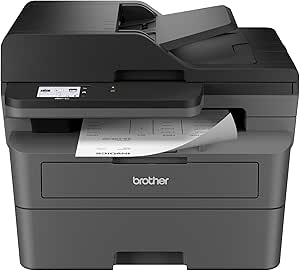
Brother MFC-L2820DW Wireless Monochrome All-in-One Laser Printer
This monochrome laser offers a rapid 36 ppm print speed, making it ideal for small offices that primarily need black-and-white documents. Compared with the color-focused HP Color LaserJet Pro 3301sdw, it sacrifices color but surpasses in speed and cost-efficiency for text-heavy workflows. Its compact design fits well in tight spaces, and the 50-page automatic document feeder enhances productivity. However, its monochrome-only output limits its versatility for offices requiring color, and toner refill costs can add up without a subscription plan. The setup process, especially for cloud integration, might be complex for some users.
Pros:- Fast 36 ppm printing speeds for high-volume output
- Compact size fits small office environments
- Flexible connectivity including wireless, Ethernet, and USB
Cons:- Limited to monochrome printing, reducing versatility
- Toner replacement can be costly without a subscription plan
Best for: Small offices or teams that print predominantly in black and white and value speed and space efficiency.
Not ideal for: Workgroups that need color printing or multifunction features beyond basic scanning and copying.
- Print Speed:Up to 36 ppm
- Scan Speed:23.6/7.9 ipm
- Auto Document Feeder:50 pages
- Paper Capacity:250 sheets
- Connectivity:Wireless (dual-band), Ethernet, USB
- Compatibility:Cloud apps
- Energy Star:Yes
- EPEAT Rating:Silver
Bottom line: This printer is perfect for monochrome workflows where space and speed outweigh color needs.
Brother MFC-L8930CDW Business Color Laser All-in-One Printer with Duplex Print, Scan, Copy, Low-Cost Printing, and Advanced Security Features
This model balances high-speed, full-color printing with advanced security features, making it suitable for busy, security-sensitive workplaces. Its impressive 33 ppm color printing and 104 ipm scan speeds outperform many competitors, including the HP Color LaserJet Pro 3301sdw, in high-volume scenarios. The 7-inch touchscreen simplifies operation, while security features like Triple Layer Security and NFC card reader protect sensitive data. It’s also environmentally conscious, with an EPEAT Gold rating and eco-friendly packaging. The main tradeoff is the complexity of initial setup and the need for additional toner purchases for sustained high-volume use.
Pros:- High-speed 33 ppm color printing and 104 ipm scan speeds
- Robust security features to safeguard sensitive documents
- Cost-efficient with high-yield toner cartridges included
Cons:- Initial setup may be complex due to network and security configurations
- High-volume printing requires additional toner purchases
Best for: Business environments needing fast, secure, and cost-efficient color printing with high-volume capacity.
Not ideal for: Small offices with limited budget or those prioritizing simple, plug-and-play setups over advanced security features.
- Print Speed:Up to 33 ppm
- Scan Speed:Up to 104 ipm
- Auto Document Filler:80 pages
- Connectivity:Wireless dual-band, Gigabit Ethernet
- Security:Triple Layer Security, NFC
- Toner Cartridges:Standard: 3,000 black / 1,800 color
- Size:25% smaller than previous model
- Energy Certification:ENERGY STAR
Bottom line: This printer works best for busy, security-focused offices that demand high-volume, color, and fast document handling.
HP LaserJet Pro MFP 3101sdw Wireless All-in-One Laser Printer
This compact monochrome laser printer offers a swift 35 ppm print speed, making it well-suited for small teams prioritizing speed and simplicity. Its straightforward design, with an LED display, makes basic duplexing and scanning accessible without extra fuss. Compared to larger, feature-rich options like the Brother MFC-L8930CDW, it lacks color but excels in space efficiency and reliability. While it handles high-volume black-and-white documents effectively, its basic display and limited features might fall short for users who want advanced scanning or multi-function controls. Cartridge restrictions with HP chips also mean higher ongoing costs.
Pros:- Fast 35 ppm black-and-white printing for productivity
- Compact size fits in small office spaces
- Automatic duplex printing reduces paper costs
Cons:- Limited to monochrome output, no color option
- Basic display lacks advanced features or customization
Best for: Small teams needing fast, reliable monochrome printing with minimal setup and footprint.
Not ideal for: Offices that require color printing, advanced security, or multifunction features beyond basic copying and scanning.
- Printer Type:Laser
- Functionality:Print, Scan, Copy
- Connectivity:Wireless, Wi-Fi
- Print Speed:35 ppm
- Maximum Copies Per Run:999
- Maximum Resolution:1200 x 1200 dpi
- Input Tray Capacity:250 sheets
- Dimensions:15.7″D x 16.5″W x 12.3″H
Bottom line: This printer is ideal for small, monochrome-focused offices that value speed and space-saving design.
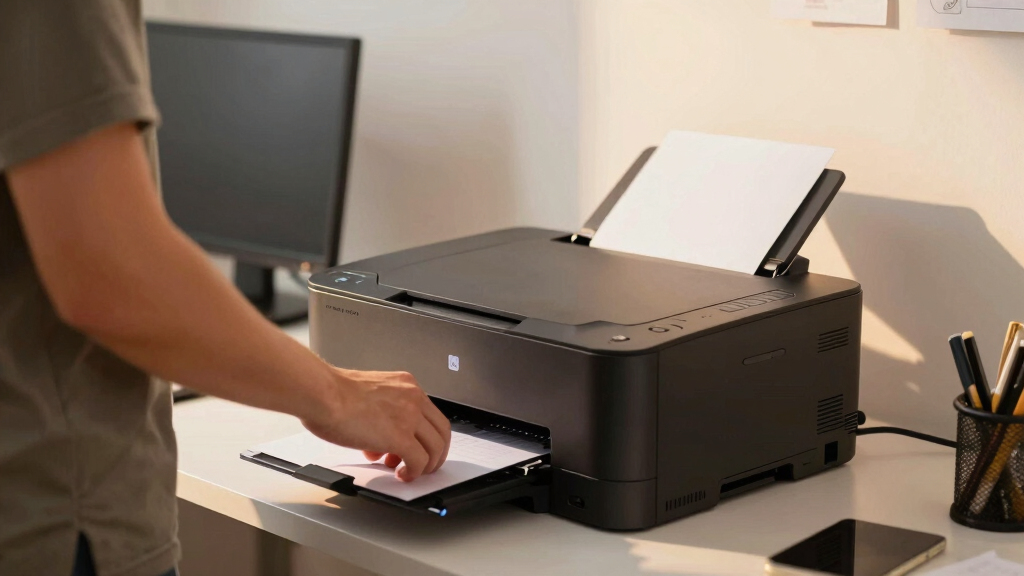
How We Picked
Our evaluation focused on performance metrics such as print speed, duplex efficiency, and print quality, which directly impact workflow productivity. We also considered usability factors like wireless connectivity, touchscreen interfaces, and ease of setup. Build quality and reliability were prioritized, given the demands of office environments, alongside ongoing maintenance costs and consumable prices. Each model was scored based on how well it balances these criteria, with an emphasis on models that excel in duplex document workflows. The ranking reflects a combination of these practical factors to help buyers choose models that deliver consistent performance in real-world office settings.Factors to Consider When Choosing Best Office-grade All-in-one Laser Printer For Duplex Document Workflows
Selecting the right all-in-one laser printer for duplex workflows requires understanding key features and how they impact daily use. Beyond initial cost, factors like print speed, operational costs, and connectivity options significantly influence overall value. Considering your office size, volume, and whether color printing is essential can help narrow choices. Additionally, maintenance features such as automatic document feeders and paper handling capacity can streamline daily tasks. Being aware of common pitfalls, like overestimating initial budget or ignoring long-term supply costs, ensures a smarter purchase that supports ongoing productivity.Print Speed and Duplex Performance
For efficient duplex workflows, a high pages-per-minute (PPM) rate is vital, especially under heavy workloads. Look for models that handle at least 30 PPM in monochrome for quick turnaround. Duplex printing should be fast and reliable, with minimal jams or delays. Pay attention to how well the printer manages continuous duplex printing, as some models slow down or experience paper feed issues over time. Prioritizing speed without sacrificing quality ensures your office remains productive without bottlenecks.
Cost of Supplies and Maintenance
Long-term expenses often outweigh initial purchase price. Toner cartridge yield and replacement costs directly affect the total cost of ownership. Models with high-yield toner options can save money over time, especially in high-volume environments. Additionally, consider the availability of supplies and whether the manufacturer offers easy maintenance features like self-cleaning or remote diagnostics. A printer that requires frequent, expensive repairs may end up costing more than a slightly pricier, more durable alternative.
Connectivity and Workflow Integration
Wireless, Ethernet, and mobile printing capabilities are essential for flexible, modern offices. Features like cloud printing, mobile apps, and secure access can streamline document sharing and reduce downtime. Ensure compatibility with your existing network and devices. Automatic document feeders (ADFs) and touchscreen controls also contribute to smoother operations, especially for multi-page or complex duplex jobs. Investing in a model with robust connectivity options minimizes interruptions and keeps workflow seamless.
Build Quality and Reliability
Office printers endure daily use, so durability is non-negotiable. Metal frames and high-quality components typically last longer and resist wear. Look for brands with strong reputations for support and warranty coverage, which can mitigate downtime. Features like automatic jam recovery and easy paper path access reduce frustration and maintenance time. A reliable model may cost more upfront but pays dividends in consistent performance and lower repair costs over its lifespan.
Size, Footprint, and User-Friendliness
Space constraints are common in offices, so compact models that still offer high capacity are desirable. Consider the footprint in relation to your available space, especially if you need a multifunction device that fits on a desk or shelf. User-friendly interfaces, such as large touchscreens and straightforward controls, reduce training time and errors. For busy environments, a model with high paper capacity and quick access to consumables can keep operations running smoothly without frequent refill interruptions.
Frequently Asked Questions
How does duplex printing impact overall office productivity?
duplex printing significantly enhances productivity by reducing paper consumption and minimizing manual intervention. It allows multiple pages to be printed on both sides automatically, saving time and effort, especially in high-volume settings. When paired with fast print speeds, duplexing can streamline workflows by cutting down the time spent on manual tasks. However, not all models handle duplex printing equally well; choosing a printer with reliable duplex capabilities ensures consistent performance without bottlenecks.
Is color printing necessary for duplex workflows in an office?
Color printing in duplex workflows is only necessary if your office regularly produces documents that benefit from color, such as marketing materials or detailed reports. For most text-heavy, internal documents, monochrome laser printers offer faster speeds and lower running costs. Investing in a color model makes sense if color accuracy and visual impact are priorities, but it often comes with higher initial and consumable costs. Evaluate your typical document needs carefully before choosing color over monochrome.
What’s the best way to lower ongoing printing costs?
Choosing high-yield toner cartridges can drastically reduce per-page costs. Additionally, models with energy-efficient features and low standby power help lower utility bills. Regular maintenance, such as cleaning and timely replacement of consumables, also extends the life of the printer and prevents costly repairs. Some printers offer features like duplex auto-standby and job management tools that optimize resource use, making daily operations more economical over time.
How important is print speed when selecting a duplex laser printer?
Print speed is a key factor when managing high-volume workloads, ensuring your team doesn’t experience delays. For duplex printing, look for models that maintain high PPM rates in both simplex and duplex modes. Slow printers can cause bottlenecks, especially during busy periods, reducing overall productivity. Prioritizing speed, along with reliability, helps your office meet tight deadlines and reduces waiting time for critical documents.
Are automatic document feeders (ADFs) worth it in office printers?
Yes, ADFs are invaluable for automating multi-page document scanning and copying, especially in duplex workflows. They save time by allowing multiple pages to be processed without manual intervention, which is crucial in busy offices. When selecting a model, consider the capacity and speed of the ADF; higher-capacity units prevent frequent refills, maintaining workflow efficiency. A good ADF combined with reliable duplex printing can significantly boost overall productivity.
Conclusion
The best overall choice for most offices is the HP LaserJet MFP M235sdw, thanks to its balanced mix of speed, reliability, and affordability. For offices prioritizing color, the Canon Color imageCLASS MF665Cdw offers vibrant output with robust features. Budget-conscious buyers will find the Brother MFC-L2820DW a solid monochrome option that keeps costs low. If premium features and long-term durability matter, the Brother MFC-L8930CDW delivers advanced security and high-volume capacity. Ultimately, your selection should align with your specific workflow needs, volume demands, and budget constraints.