
When emailing older audiences, focus on clarity with simple fonts, high contrast, and uncluttered layouts to make your message easy to understand. Incorporate trust signals like clear contact info and familiar branding to boost confidence. Use a friendly, respectful tone with plain language, avoiding jargon or complex words. Testing your emails for readability and engagement can help you improve over time. Keep these tips in mind to create more effective, trustworthy emails—more helpful tips await as you continue.
Key Takeaways
- Use simple, large fonts with high contrast and plenty of white space to enhance readability.
- Incorporate clear branding, contact details, and security icons to build trust and credibility.
- Maintain a friendly, respectful tone with straightforward language and personalized content.
- Design uncluttered layouts with visual cues and consistent formatting for easy navigation.
- Share relevant, honest information and respect preferences to foster long-term engagement and loyalty.
Why Readability Is Critical When Emailing Seniors
Since many seniors may have diminishing eyesight or less familiarity with digital text, readability becomes vital when emailing them. You want your message to be easy to read, so focus on font clarity. Choose clean, simple fonts like Arial or Verdana, which are easy on the eyes. Additionally, maintaining a good contrast balance between text and background is essential; dark text on a light background or vice versa helps prevent eye strain. Avoid decorative fonts or small sizes that can be hard to decipher. When your email is clear and legible, it shows respect for their needs and increases the chance they’ll understand and respond. Prioritizing readability ensures your message is accessible and effective for your older audience. Being mindful of visual accessibility can further enhance comprehension and engagement. Understanding personality traits can also help tailor your communication style to better connect with seniors. Incorporating sound healing concepts like calming tones or gentle vibrations can also support their comfort when engaging with digital content. Additionally, considering contrast ratios can significantly improve text visibility and reduce visual fatigue.
How to Design Clear, Legible Emails for Older Audiences
Designing clear, legible emails for older audiences starts with choosing the right layout. Opt for a simple, uncluttered design that guides the reader’s eye naturally. Focus on font choices by selecting large, easy-to-read fonts like Arial or Verdana, avoiding decorative styles. Guarantee high color contrast between text and background to improve visibility. Keep your message direct and organized for quick comprehension. To enhance readability, consider these tips:
Clear, easy-to-read emails for seniors use simple layouts, large fonts, high contrast, and white space for better engagement.
- Use larger font sizes (14-16pt)
- Maintain sufficient color contrast
- Limit the number of font styles
- Add plenty of white space around text
- Incorporate free floating elements to reduce clutter and focus attention on key messages. This approach is especially helpful as it emphasizes visual hierarchy, making your content more accessible. These choices help your email stand out and make it easier for older recipients to engage with your content effectively.
Trust Signals That Build Confidence in Senior Emails
Building trust in your emails is essential, especially when communicating with senior audiences. You can reinforce trust by using clear visual cues, such as consistent formatting, recognizable logos, and professional-looking layouts. These credibility indicators help seniors quickly identify trustworthy sources and feel more comfortable engaging with your message. Including contact information, such as a phone number and physical address, further boosts confidence by showing transparency. Avoid clutter and confusing design elements; simplicity demonstrates respect for their time and attention. When your email looks credible and organized, seniors are more likely to trust your message and respond positively. Using trust signals like these creates a sense of reliability, making your communication more effective and fostering ongoing engagement. Additionally, incorporating familiar payment security icons or encryption symbols can reassure recipients about the safety of their information, which is particularly important given the prevalence of security breaches in payment processing. Incorporating visual cues aligned with accessibility best practices can also enhance clarity and trust for older readers, especially by emphasizing clear typography. Ensuring your emails highlight reliable sources and authoritative content can further strengthen the perception of credibility among senior audiences.
Using a Friendly, Respectful Tone That Engages Older Readers
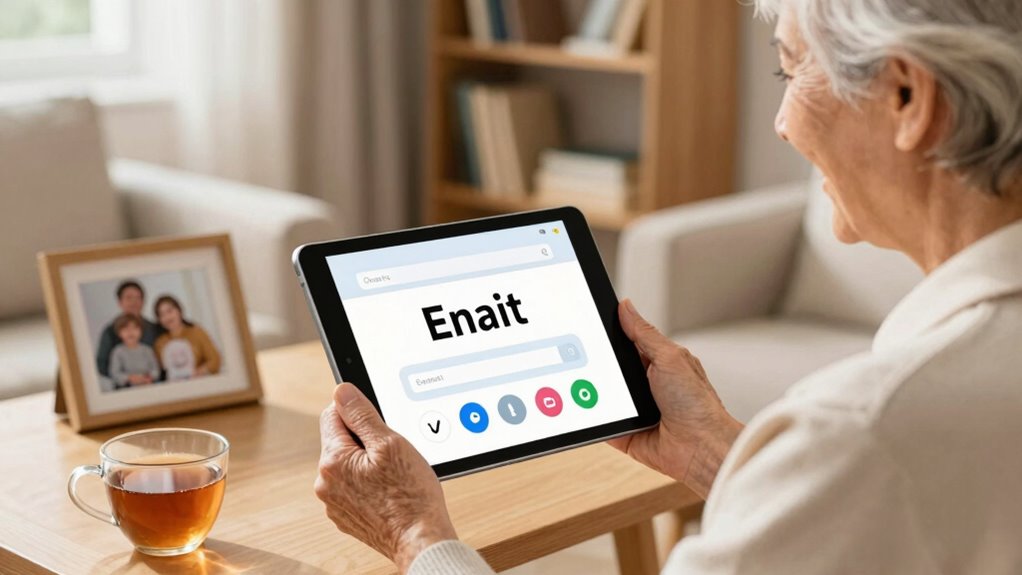
Using a friendly, respectful tone is key to engaging older readers and making your emails feel welcoming. When you communicate with warmth and genuine respect, you foster an emotional connection that encourages trust. Be mindful of cultural sensitivity, ensuring your language respects diverse backgrounds and experiences. To strengthen your tone, consider these approaches:
A warm, respectful tone builds trust and inclusivity with older audiences.
- Use polite, clear language that avoids jargon
- Show empathy and understanding in your messaging
- Personalize your content to make it relevant
- Maintain a positive, approachable voice throughout
- Highlight best vacuum options for dust removal to help older readers find effective cleaning solutions.
- Emphasizing attention to detail in your message helps ensure clarity and demonstrates your commitment to quality communication. Additionally, addressing investment risks with transparency shows respect for your audience’s concerns and encourages informed decisions.
- Incorporating vetted outdoor survival gear can also build trust by providing reliable options tailored to their needs.
- Being aware of piercing care and hygiene information can help reassure readers about safety and proper maintenance, fostering confidence in your recommendations.
Formatting Tips for Simple, Accessible Email Layouts
Choosing a clear, easy-to-read font and leaving plenty of white space makes your email more accessible. These simple steps help older readers focus on your message without distraction. When you prioritize readability, your emails become more inviting and effective.
Clear Font Choice
Opt for clear, easy-to-read fonts like Arial, Helvetica, or Calibri to make your emails accessible to older audiences. Prioritize font clarity and choose a comfortable text size—ideally 12 to 14 points—to make certain of readability. A well-chosen font helps your message come across without strain or confusion. To enhance your email’s effectiveness, consider these tips:
- Use simple, sans-serif fonts for better font clarity
- Keep text size consistent throughout the email
- Avoid overly decorative or thin fonts that can impair readability
- Ensure sufficient contrast between text and background
Ample White Space
Including ample white space in your email layout helps your message breathe and makes it easier for older audiences to focus on the content. White space creates a clear visual hierarchy, guiding readers naturally through your message. It prevents the layout from feeling cluttered, reducing cognitive load. Use consistent, simple margins around text blocks and images to enhance readability. Incorporate good color contrast between text and background to ensure clarity and accessibility. Adequate spacing around headings, paragraphs, and calls to action helps important elements stand out without overwhelming the reader. This clean, uncluttered design not only improves comprehension but also builds trust, showing you value their time and attention. Effective use of white space makes your emails more inviting and easier to navigate for older audiences. Recognizing the significance of plant parts and their proper use in herbal remedies can also improve the clarity of your message. Additionally, thoughtful cookie management can enhance user experience by ensuring your audience feels secure and respected while engaging with your content. Incorporating clear headings further guides readers and improves overall readability. Paying attention to font size and style can also significantly boost accessibility and comprehension.
Keep It Clear: Avoid Jargon and Complex Words
When writing emails for older audiences, it’s best to use simple language that everyone can understand. Avoid technical terms and complex words that might confuse your readers. Instead, use clear examples to explain your points and keep your message straightforward. Incorporating curiosity can also make your content more engaging and help build trust with your audience. Additionally, emphasizing readability ensures your message is accessible and easy to follow for all readers.
Use Simple Language
Clear and simple language makes your emails easier to understand. When you choose your words carefully, your message becomes more accessible. Focus on straightforward language, avoiding complicated terms. Pay attention to font choices and color schemes—they should be easy on the eyes and enhance readability. Here are some tips to keep in mind:
- Use familiar words instead of technical jargon
- Keep sentences short and to the point
- Select clear, legible font choices
- Choose calm, contrasting color schemes for better clarity
Avoid Technical Terms
To keep your emails easy to understand, avoid using technical terms or industry jargon that your audience might not recognize. Many older adults have varying levels of digital literacy, so clear language is essential. Using simple words helps guarantee your message is accessible and reduces confusion. Don’t assume familiarity with tech-specific phrases or abbreviations. Also, keep your email frequency reasonable; bombarding recipients with complex messages can overwhelm them. Clear, straightforward language builds trust and makes your content more inviting. When you stay away from jargon, your emails feel more personal and less intimidating, encouraging engagement. Remember, your goal is to communicate effectively, not impress with technical knowledge. Clear language and appropriate email frequency show respect for your audience’s comfort and understanding.
Clarify With Examples
Using simple examples can make your messages much easier for older adults to understand. For instance, instead of saying “click the submit button,” show a clear image of the button and label it “Click here to submit.” To improve clarity, consider these tips:
- Use easy-to-read font choices like Arial or Verdana
- Guarantee good color contrast between text and background
- Avoid using decorative fonts that can be hard to read
- Keep examples straightforward and relevant to avoid confusion
Test and Optimize Your Emails for Better Engagement

Testing and optimizing your emails is essential to increasing engagement with your audience. Start by experimenting with personalization strategies—use their names, relevant interests, or past interactions to make your messages more relatable. Pay close attention to mobile optimization, ensuring your emails display correctly on smartphones and tablets, since many older adults check emails on these devices. A/B test different subject lines, call-to-action buttons, and layouts to see what resonates best. Track open rates, click-throughs, and other key metrics to identify what works and what doesn’t. Regularly refining your approach helps you better understand your audience’s preferences and improves overall engagement. Remember, small adjustments can lead to significant improvements in how your emails are received.
Build Long-Term Trust With Senior Subscribers

Building long-term trust with senior subscribers requires consistent, honest communication that respects their preferences and needs. Understanding their unique communication habits and generational preferences helps foster loyalty. To build trust, focus on transparency, reliability, and empathy. Keep your messages clear and straightforward, avoiding jargon. Show that you value their input and prioritize their comfort. Consider these strategies:
- Personalize your emails to reflect their interests
- Use a respectful, friendly tone
- Provide easy options to manage subscriptions
- Share helpful, relevant information regularly
Frequently Asked Questions
How Can I Personalize Emails to Better Connect With Older Recipients?
You can personalize emails for older recipients by using effective personalization strategies, like addressing them by name and referencing their preferences or past interactions. Incorporate tailored content that resonates with their interests and needs, making the message more relevant. Simplify your language and avoid jargon, ensuring readability. By showing genuine understanding and providing valuable, customized information, you build trust and foster stronger connections with your older audience.
What Are Common Mistakes to Avoid in Senior Email Communication?
Avoid annoying errors like jargon pitfalls and font inconsistencies that can confuse seniors. Don’t underestimate the importance of clear communication; avoid complicated language and tiny text. Keep your tone trustworthy and respectful, steering clear of overly casual or patronizing language. Remember, simplicity and sincerity strengthen your message. By avoiding these mistakes, you create a confident, comfortable connection, ensuring your email resonates and respects your older audience’s needs.
How Often Should I Send Emails to Older Audiences for Optimal Engagement?
You should aim for a consistent frequency that balances engagement timing without overwhelming your older audience. Typically, sending emails once or twice a week optimizes engagement, allowing you to stay top of mind without causing fatigue. Monitor your open and click rates to refine your frequency over time. Adjust based on their responses, ensuring your communication remains relevant, respectful, and well-timed for maximum impact.
Are There Specific Colors or Images That Resonate Better With Seniors?
You should choose colors with high contrast and softer tones, like blues, greens, and warm neutrals, as they resonate well with seniors. For image selection, opt for clear, relatable visuals that evoke familiarity and trust, such as smiling faces or community scenes. Avoid overly busy or bright images that can be overwhelming. Using these color preferences and thoughtful images helps make your email more appealing and trustworthy for older audiences.
How Can I Measure the Effectiveness of My Emails for Older Subscribers?
You can measure your email effectiveness by tracking click-through rates and open frequency. Higher open rates indicate your subject lines and timing resonate with older subscribers, while increased click-throughs show your content engages them. Use analytics tools to monitor these metrics regularly. Additionally, consider surveys or feedback to gain insights into their preferences, helping you refine your approach for better engagement and trust.
Conclusion
By prioritizing clear, respectful emails with trustworthy signals, you can build strong relationships with older audiences. For example, a healthcare provider simplified their emails, used larger fonts, and included trusted badges, resulting in higher open rates and better patient engagement. Remember, when you make your messages easy to read and respectful, your seniors feel valued and confident in your communication, fostering loyalty that lasts.