

To migrate your ESP without pain, focus on preserving your historical data, tracking, and customer trust from the start. Set clear goals and choose a gradual or parallel approach to minimize disruption. Guarantee data accuracy through validation, verification, and secure transfer methods. Communicate clearly with your audience and monitor progress closely. When you keep these strategies in mind, you’ll ensure a smooth transition—stay with us to learn how to make it even easier.
Key Takeaways
- Conduct thorough data validation and comparison pre- and post-migration to ensure accuracy and integrity.
- Use secure, encrypted transfer methods and proper data mapping to preserve history and prevent data loss.
- Implement automated validation and tracking checks to verify pixel, cookie, and event data functionality.
- Communicate transparently with stakeholders and customers, highlighting data preservation efforts and upcoming changes.
- Continuously monitor key metrics and promptly address discrepancies or issues to maintain trust and engagement.
Why Data Preservation Matters During ESP Migration

Data preservation is essential during ESP migration because losing or corrupting your data can lead to significant setbacks and operational disruptions. Ensuring data integrity is crucial to maintain trust and reliability in your messaging platform. Implementing effective archival strategies helps safeguard historical data and prevents accidental loss during migration. These strategies include creating backups, verifying data consistency, and maintaining detailed records of data states. Preserving your data’s accuracy means you can seamlessly continue operations once the migration completes, without risking data discrepancies. Protecting your data also supports compliance and audit requirements. Additionally, proper documentation ensures that all data handling processes are transparent and reproducible. Incorporating robust validation processes further enhances confidence in data accuracy during migration, reducing potential errors and ensuring integrity throughout the transition. Understanding data integrity principles helps in designing migration procedures that maintain data quality and reliability, especially in cloud-based services which are increasingly reliant on cloud services and their associated vulnerabilities. Moreover, employing performance metrics during migration can help monitor and optimize the process, ensuring minimal disruption.
Define Your Migration Goals and Set Clear Milestones
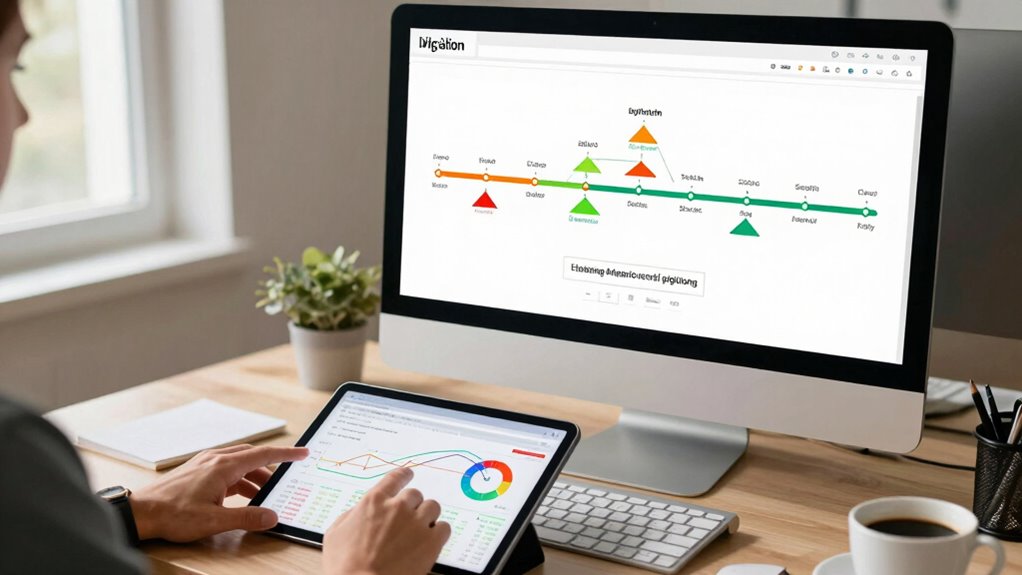
Start by establishing clear objectives for your migration to make certain everyone knows what success looks like. Define measurable criteria so you can track progress and stay on course. Setting these milestones early helps prevent surprises and keeps your project focused. Incorporate Free Floating concepts to allow flexibility and adaptability throughout the migration process. Emphasizing European cloud innovation ensures your goals align with sustainable and secure cloud solutions.
Establish Clear Objectives Early
Before diving into your migration, it’s essential to define your goals and establish clear milestones from the outset. This helps guarantee your team stays aligned and maintains branding consistency throughout the process. Clearly articulated objectives guide your efforts, preventing scope creep and keeping user engagement top of mind. By setting specific milestones, you can track progress effectively and address issues early. Establishing these goals early also clarifies expectations for stakeholders and keeps everyone focused on the desired outcome. Remember, a well-defined plan minimizes surprises and helps you stay on schedule. Ultimately, establishing clear objectives early sets a strong foundation for a smooth migration, ensuring that your brand’s voice remains consistent and your users experience a seamless transition.
Define Measurable Success Criteria
Once you’ve set your objectives and milestones, the next step is to define clear success criteria that will measure how well your migration accomplishes those goals. Establish benchmark metrics that serve as measurable benchmarks, providing concrete data points to track progress. Success indicators should be specific and aligned with your objectives, such as reduced response times, improved user satisfaction, or increased data accuracy. These criteria enable you to assess whether the migration is on track and meeting expectations. By setting quantifiable success measures upfront, you create a transparent framework that guides decision-making and helps identify issues early. Clear success criteria ensure your migration remains goal-oriented, and you can confidently determine when the project has achieved its intended outcomes.
Choose the Best Migration Strategy to Minimize Disruption

Choosing the right migration strategy is essential to minimizing disruption during your ESP migration. You want a plan that preserves your email segmentation and keeps subscriber engagement high. Consider a phased approach, where you migrate segments gradually, reducing risks and allowing adjustments. Alternatively, a parallel migration keeps your current system active while testing the new one, ensuring seamless subscriber experience. Prioritize strategies that offer clear communication, so your audience stays informed and engaged. Avoid sudden switches that could confuse or frustrate your subscribers. Focus on methods that protect your data integrity and maintain trust. Incorporating connected technology can also streamline the process, providing real-time insights and automation to adapt quickly to any issues. Utilizing integrated tools can help coordinate these efforts effectively and maintain a cohesive user experience. Additionally, implementing migration best practices ensures a smoother transition with minimal impact on your overall email deliverability and engagement. Employing automation and AI can further optimize the process by predicting potential challenges and addressing them proactively. Moreover, understanding the importance of data integrity helps safeguard your subscriber information throughout the migration.
Strategies to Preserve Historical Data and Tracking During Migration

Maintaining your historical data and tracking during migration is essential for continuing accurate analytics and personalized marketing efforts. To do this effectively, guarantee data encryption throughout the process to protect sensitive information from breaches. Preserve user segmentation by exporting and mapping existing segments accurately, so your messaging remains targeted. Use secure methods to transfer data, avoiding loss or corruption. Document your migration steps to track data lineage and facilitate troubleshooting. Automate the transfer where possible to minimize manual errors. Regularly verify that tracking pixels, cookies, and event data are intact and functioning post-migration. By prioritizing data encryption and proper segmentation, you help preserve the integrity of your historical data, ensuring consistent insights and continued trust with your audience. Additionally, understanding the different cookie categories ensures you maintain necessary and functional cookies that support site operations and user engagement during migration, which is crucial for website functionality. Incorporating data security best practices throughout the migration process further safeguards your valuable data assets and enhances user trust.
How to Validate Data Accuracy Before and After Migration

Validating data accuracy before and after migration is essential to guarantee your information remains reliable and consistent. Proper data verification helps catch errors early and confirms that your data transfer maintains integrity. To verify accuracy validation, start with thorough checks of source data, then compare pre- and post-migration records. Use tools that flag discrepancies immediately, giving you confidence in your results. Keep these vital points in mind:
- Feel the relief of knowing your data is verified and trustworthy
- Avoid costly mistakes that could compromise your campaign success
- Gain peace of mind with a seamless, error-free migration
- Empower your team with confidence in data integrity
- Trust that your historical data and tracking stay intact
Accuracy validation isn’t just a step; it’s your safeguard against future issues.
Using Automation Tools for Seamless ESP Data Transfer

After verifying your data’s accuracy, the next step is to streamline the transfer process using automation tools. API integration simplifies data movement, reducing manual effort and errors. Automation workflows connect your current ESP with the new platform, ensuring a smooth progression. These workflows automate tasks like data mapping, segmentation, and scheduling, saving you time. To visualize, consider this table:
| Step | Action |
|---|---|
| API connection | Link ESPs via API for real-time data sync |
| Workflow setup | Create automation workflows for transfer |
| Data validation | Automate checks post-transfer |
| Monitoring & adjustments | Continuously optimize automation processes |
Using these tools minimizes disruption, keeps data intact, and maintains trust throughout your migration. Implementing automation workflows can significantly enhance the efficiency of the migration process. Creating calm, clutter-light homes can help reduce stress during complex projects like data migration. Additionally, understanding tax implications related to data transfer can help prevent unforeseen liabilities. Incorporating trusted automation tools ensures a reliable and secure migration experience.
Address Common Challenges and Troubleshoot During Migration

Although automation streamlines most of the migration process, you’re likely to encounter common challenges along the way. These hurdles can threaten user engagement and content personalization. To troubleshoot effectively, stay vigilant for issues like data inconsistencies, broken links, or lost tracking history. Addressing these problems promptly keeps your audience engaged and maintains trust. Be prepared for:
Expect challenges like data inconsistencies and broken links; address them promptly to protect engagement and trust.
- Sudden drops in user engagement metrics
- Disrupted content personalization experiences
- Missing or inaccurate historical data
- Difficulties syncing tracking and analytics
- Confusion among your team about new processes
- Ensuring safe electrical practices are maintained during system updates
Additionally, understanding how to maintain data integrity during migration can significantly reduce potential setbacks. Implementing comprehensive validation procedures can help detect and resolve issues before they impact your live environment.
Communicating Changes Effectively to Your Customers

Effective communication is essential to guarantee your customers understand and smoothly adapt to the upcoming changes. Keep your messaging clear, transparent, and timely to foster trust. Encourage customer feedback throughout the process; it shows you value their input and helps address concerns early. Consistent branding across all communication channels reinforces your message’s reliability and professionalism. Clearly explain the reasons for the migration, what they can expect, and how it benefits them. Avoid technical jargon, and provide simple instructions or resources for assistance. Regular updates demonstrate your commitment to transparency and help manage expectations. When customers feel informed and heard, they’re more likely to accept the transition positively, preserving trust and loyalty during the migration. Incorporating trust-building strategies can further ensure a smooth and positive experience for your users. Additionally, highlighting the history preservation aspect reassures customers that their data and preferences remain intact, which is crucial for maintaining confidence.
Test Your New Platform Early to Detect and Fix Issues

Testing your new platform early is crucial to identifying and resolving issues before the full migration. It allows you to refine platform customization and guarantee a smooth user onboarding experience. By catching problems early, you prevent disruptions that could damage trust and data integrity. During testing, focus on key areas like delivery rates, reporting accuracy, and integration points.
Be sure to:
- Feel confident in your platform’s stability before launch
- Minimize surprises during live deployment
- Boost user onboarding success with seamless functionality
- Save time and resources by fixing bugs upfront
- Build trust with your team and customers through reliable performance
Early testing empowers you to fine-tune your setup, making the transition smoother and more successful, keeping your history, tracking, and trust intact.
Monitor and Optimize Your ESP Post-Migration

After migrating your ESP, it’s essential to keep a close eye on key metrics like open rates and click-throughs. Use data insights to identify areas for enhancement and fine-tune your campaigns. Continually monitoring helps ensure your new platform delivers the results you expect.
Track Key Metrics
Once you’ve completed your ESP migration, closely monitoring key metrics is essential to guarantee everything runs smoothly. Tracking email performance helps you identify strengths and uncover areas for improvement. Focus on audience segmentation to target specific groups effectively, boosting engagement. Use A/B testing to refine subject lines, content, and send times, maximizing open and click-through rates. Keep an eye on deliverability rates, bounce rates, and unsubscribe trends to maintain a healthy list. Regularly analyze these metrics to make informed decisions that enhance your campaigns. Staying proactive ensures your email strategy remains optimized and aligned with your goals, even after migration. Remember, data-driven insights empower you to build trust with your audience and foster long-term success.
Leverage Data Insights
Monitoring and analyzing data insights after your ESP migration allows you to fine-tune your email campaigns for better results. By leveraging customer segmentation, you can target specific groups more effectively and improve engagement. Data visualization tools help you spot trends and identify areas needing improvement quickly. Regularly reviewing open rates, click-throughs, and conversion metrics ensures your campaigns stay optimized. Use the table below to track key metrics and insights:
| Metric | Insight |
|---|---|
| Customer Segmentation | Tailors messaging to different audience groups |
| Data Visualization | Reveals patterns and campaign performance |
| Open & Click Rates | Measures engagement and areas for improvement |
These insights enable you to adapt swiftly, maintaining trust and maximizing your email marketing success.
Frequently Asked Questions
How Long Does an Effective ESP Migration Typically Take?
An effective ESP migration typically takes about 4 to 8 weeks, depending on your migration planning and complexity. Start with a thorough timeline estimation, including data transfer, testing, and staff training. Staying organized and communicating clearly help prevent delays. Remember, a well-structured plan guarantees a smooth handover without losing your history, tracking, or trust. Rushing can cause issues, so allocate enough time for each phase to ensure success.
What Are the Common Risks Associated With Data Loss During Migration?
Data loss risks during migration can feel like a catastrophe waiting to happen. You might face data corruption, which corrupts your entire database, or migration delays that throw off your schedule. These issues can lead to significant setbacks, making it vital to have robust backups and thorough testing. By staying vigilant and planning carefully, you can minimize these risks and guarantee a smooth, trustworthy transition.
How Can I Ensure Customer Trust During the Transition?
To guarantee customer trust during migration, prioritize customer transparency by openly communicating your plans and progress. Keep your messaging consistent to maintain brand integrity, reassuring clients that their data and experience remain secure. Provide clear timelines and support channels, so they feel informed and valued throughout the process. When you demonstrate honesty and consistency, you reinforce trust, making the transition smoother and strengthening your relationship with your customers.
What Are the Best Practices for Backing up Data Before Migration?
Coincidentally, backing up your data right before migration can save your business from chaos. You should encrypt your backups for security and guarantee regular backup frequency to avoid data loss. Use reliable tools to create thorough backups, including all customer histories and tracking info. Confirm the backups are complete and accessible. This way, you protect trust and facilitate a smooth transition, even if unexpected issues arise during migration.
How Do I Handle Integration With Existing Marketing Tools Post-Migration?
You should first verify API compatibility between your new ESP and existing marketing tools to guarantee seamless integration. Then, set up data synchronization processes to keep your contacts, campaigns, and tracking data aligned across platforms. Test integrations thoroughly before going live, and maintain open communication with your team to address any issues promptly. This approach minimizes disruptions and keeps your marketing efforts running smoothly post-migration.
Conclusion
By carefully planning your ESP migration, you guarantee your data, history, and trust stay intact. When you set clear goals, choose the right strategy, and communicate effectively, everything aligns seamlessly—almost like fate guiding your success. Testing early and monitoring closely help you catch issues before they grow. Ultimately, with attention to detail, your migration becomes a coincidence of smooth transitions, preserving your reputation and customer trust without a hitch.