

Using an email priority matrix helps you organize your inbox by quickly identifying which messages are urgent and important, helping you focus on what truly matters. It divides emails into four quadrants, making it easier to see what needs immediate action and what can wait. This structured approach prevents overwhelm, reduces stress, and keeps your workflow balanced. Keep exploring how implementing this simple tool can bring consistent control to your planning and inbox management.
Key Takeaways
- Organizing emails into four quadrants clarifies what requires immediate attention and what can be deferred or ignored.
- Quickly assessing urgency and importance reduces overwhelm and streamlines decision-making.
- Visualizing priorities helps maintain focus on critical tasks, preventing distractions from trivial messages.
- Consistent use of the matrix develops instinctive judgment for efficient email handling.
- Structured categorization fosters a cleaner inbox, boosting overall planning and productivity.
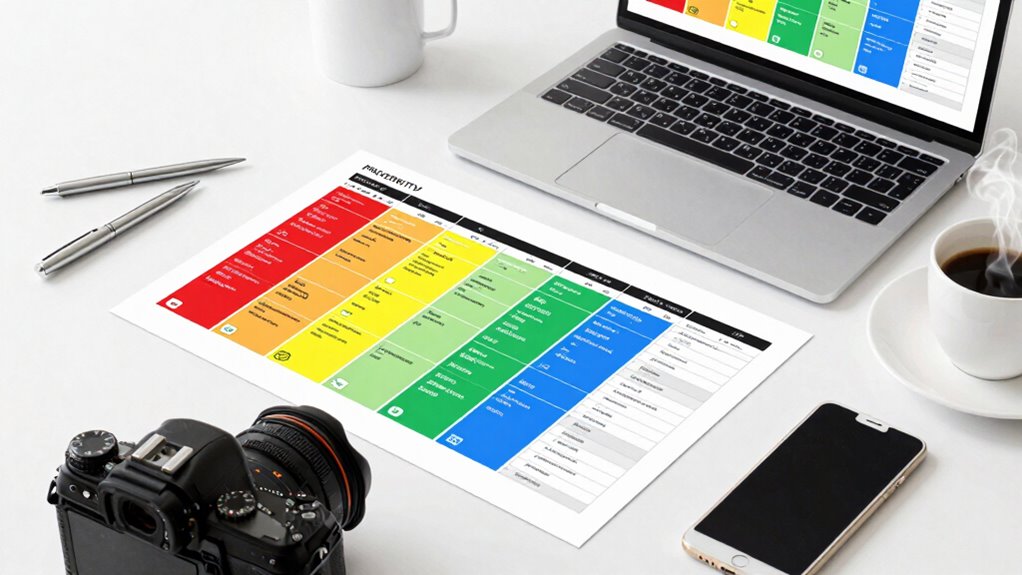
Ever wonder how to manage your overflowing inbox more efficiently? The key lies in mastering your email priority matrix, a tool that helps you organize your inbox and assess the urgency of each message quickly. When your inbox is cluttered with emails demanding immediate attention and others that can wait, it’s easy to feel overwhelmed and lose track of what truly matters. That’s where a well-structured email priority matrix comes in — it guides your actions and helps you regain control over your digital communication. Developing a clear method to categorize your emails can transform your productivity and reduce stress. The first step to effective inbox organization is developing a clear method to categorize your emails. Think of your inbox as a workspace where each message has a designated spot based on its importance and urgency. The email priority matrix divides messages into four quadrants: urgent and important, important but not urgent, urgent but not important, and neither urgent nor important. By visualizing your emails this way, you can instantly see which messages demand immediate action and which can be deferred or deleted.
Master your inbox with the email priority matrix to stay focused and organized amid digital chaos.
Urgency assessment becomes a vital skill in this process. When a new email arrives, ask yourself: Does this need my immediate response? Will delaying it cause problems? If yes, it belongs in the urgent and important quadrant. If not, determine whether it’s important but can wait, placing it in the second quadrant. This quick judgment prevents you from wasting time on trivial messages or reacting impulsively to less critical ones. Over time, you develop an instinct for evaluating urgency, which speeds up your decision-making. Understanding the importance and urgency of each message enables you to prioritize effectively and avoid unnecessary stress. Recognizing the role of context in your decision-making process can further enhance your ability to respond appropriately and maintain a balanced workflow. Incorporating these principles into your daily routine can also enhance your overall workflow and decision-making skills. Additionally, being aware of digital clutter can help you maintain a cleaner, more efficient inbox, reducing the mental load associated with disorganized emails.
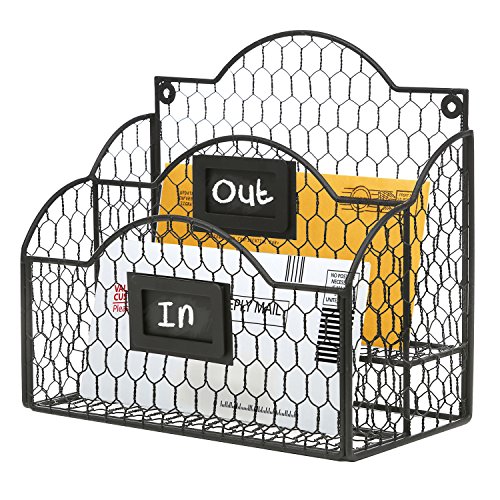
MyGift Metal Wire Basket Desk Organizer, 2 Compartment Inbox/Outbox Black Entryway Wall Mail Sorter, Office Desktop Stationery File Organizer Holder with Chalkboard Labels
Dual-Compartment Design – Clearly separates incoming and outgoing mail with two spacious wire baskets. Includes removable chalkboard labels…
As an affiliate, we earn on qualifying purchases.
As an affiliate, we earn on qualifying purchases.
Frequently Asked Questions
How Often Should I Reassess My Email Priorities?
You should reassess your email priorities daily or at least twice a day, depending on your workload. Regular priority reassessment helps you stay aware of changing email urgency, preventing important messages from slipping through the cracks. By frequently reviewing your email priority matrix, you guarantee your tasks remain aligned with your goals, allowing you to respond efficiently and maintain control over your inbox, reducing stress and increasing productivity.
Can the Matrix Be Customized for Different Industries?
Yes, you can customize the matrix for different industries through industry-specific customization, tailoring priority categories to suit your unique workflows. This approach supports adaptive prioritization, allowing you to adjust your email management strategies as your industry evolves. By aligning the matrix with your industry’s needs, you make your planning more effective, ensuring that urgent and important emails receive the attention they deserve, no matter your field.
What Tools Integrate Well With the Email Priority Matrix?
Getting your tools to work in harmony is the key to seamless email sorting and priority categorization. Popular integrations include task management apps like Trello and Asana, which help you turn email priorities into actionable tasks. Email clients like Outlook and Gmail also offer plugins that sync with your matrix. When everything’s connected, you can hit the ground running, making your planning feel under control rather than a wild goose chase.
How Do I Handle Urgent Emails Outside the Matrix?
When you receive urgent emails outside the matrix, act quickly to address urgent escalation, but avoid emotional triggers that could cloud your judgment. Quickly assess the message’s priority, respond promptly if necessary, and move it to the appropriate category within your matrix. This approach helps you stay in control, guarantees important issues are addressed swiftly, and prevents emotional reactions from interfering with your decision-making process.
Is the Priority Matrix Suitable for Team Collaboration?
Yes, the priority matrix can enhance team collaboration if you adapt it thoughtfully. It influences team dynamics by clarifying priorities, fostering transparency, and aligning communication strategies. When everyone understands what’s urgent versus important, your team works more cohesively and efficiently. But, you need to guarantee the matrix isn’t just a tool for individual tasks—integrate it into your communication flow to truly release its collaborative potential.

THE EISENHOWER MATRIX: Time &Task Management Planner: Urgent,Important Notebook
As an affiliate, we earn on qualifying purchases.
As an affiliate, we earn on qualifying purchases.
Conclusion
Think of your email inbox as a garden. With the right tools—the priority matrix—you can prune the weeds, water the seeds of important messages, and nurture clarity. When you organize your emails effectively, you’re cultivating a space where productivity blooms and chaos withers. Remember, a well-tended garden isn’t left to chance; it’s shaped by your hands. Take control today, and watch your inbox transform into a flourishing landscape of focus and peace.
![Express Schedule Free Employee Scheduling Software [PC/Mac Download]](https://m.media-amazon.com/images/I/41yvuCFIVfS._SL500_.jpg "Email Priority Matrix: What Finally Makes Planning Feel Under Control 6")
Express Schedule Free Employee Scheduling Software [PC/Mac Download]
Simple shift planning via an easy drag & drop interface
As an affiliate, we earn on qualifying purchases.
As an affiliate, we earn on qualifying purchases.
email sorting and categorization apps
As an affiliate, we earn on qualifying purchases.
As an affiliate, we earn on qualifying purchases.