To keep your marketing team productive and secure, aim for a refresh cycle of around three to four years, adjusting based on your hardware’s performance, security needs, and software compatibility. Prioritize laptops with up-to-date processors, ample RAM, and security features like encryption and biometric login. Staying proactive helps avoid costly downtime and vulnerabilities. If you continue exploring, you’ll discover how to tailor these specs to fit your business perfectly.
Key Takeaways
- Aim for a refresh cycle of three to four years to balance performance, security, and cost-efficiency.
- Prioritize laptops with up-to-date processors, ample RAM, and security features like hardware encryption.
- Regularly assess device performance and security vulnerabilities to determine optimal refresh timing.
- Ensure new hardware supports the latest software and security protocols to prevent compatibility issues.
- Stay proactive by planning refreshes around industry standards and evolving cybersecurity threats.
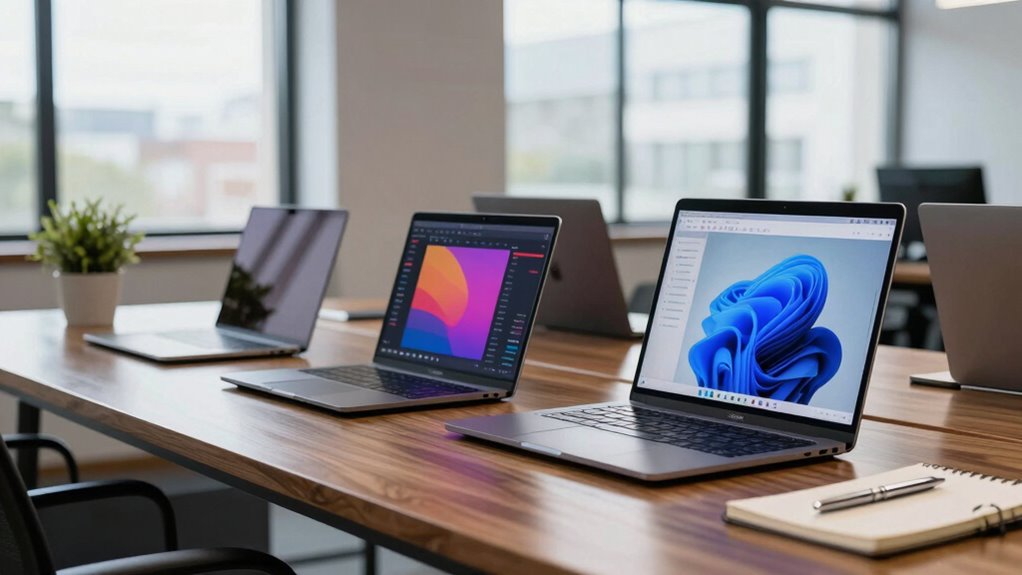
Understanding the refresh cycle for business laptops is essential for maintaining productivity and controlling costs. When planning upgrades or replacements, you need to think about how current hardware impacts your daily operations. A well-timed refresh ensures your team has reliable devices that support enterprise security protocols and software compatibility. Outdated laptops can jeopardize enterprise security by lacking the latest security features, making them vulnerable to cyber threats. They might also struggle with newer software updates, leading to compatibility issues that slow down workflows or require costly workarounds. By staying on top of your refresh cycle, you reduce these risks and keep your business running smoothly.
Staying current with your laptop refresh cycle boosts security, productivity, and cost efficiency.
Knowing when to refresh your laptops depends on several factors. Typically, businesses aim for a cycle of about three to four years, but this can vary based on your industry and specific needs. For example, companies relying heavily on resource-intensive applications might need to refresh sooner, while others with less demanding software can extend their device lifespan. Regular assessments of hardware performance, security vulnerabilities, and software compatibility help determine the best timing. When your devices begin to lag or security patches become less effective, it’s a clear sign that a refresh is overdue. This proactive approach minimizes downtime and keeps your team productive. Additionally, understanding the refresh cycle can help optimize your IT budget and plan for future upgrades more effectively. Staying aware of industry standards and evolving security threats is also crucial for making informed refresh decisions. Regularly reviewing industry technology lifecycle management practices can further enhance your planning process.
Choosing the right specifications during a refresh isn’t just about raw power; it’s about aligning hardware capabilities with your operational requirements. You should prioritize processors that can handle the latest enterprise security measures and software updates without slowing down. Adequate RAM and storage are also critical to ensure smooth multitasking and future-proofing against evolving software demands. Additionally, a focus on enterprise security features like hardware-based encryption and biometric authentication can protect sensitive data and comply with industry standards. These specifications help your team stay efficient and secure, reducing the risk of breaches or compatibility issues that could disrupt your workflow. Incorporating emerging security features into your hardware choices can further safeguard your organization.
Lastly, the decision to refresh isn’t solely driven by hardware age—it’s about the overall performance and security posture of your devices. As new software versions and security threats emerge, your laptops need to stay compatible and protected. Regularly reviewing your refresh cycle allows you to balance costs with performance benefits, avoiding unnecessary upgrades while ensuring your team has the tools they need. In the end, a strategic refresh cycle keeps your enterprise secure, software running seamlessly, and your productivity high. Proper planning around hardware lifecycle management can lead to more cost-effective and secure operations over time.

HP Latest 15.6" FHD Business Laptop, Intel Dual Core Processor Series, 16GB RAM | 512GB PCIe SSD, Wi-Fi 6, Copilot AI, SD Card Reader, Win11 Pro with Microsoft Office 365 for The Web, for Work&Study
Performance:Intel Celeron N4500 processor with Intel UHD Graphics,offering a burst speed of up to 4.4GHz, this laptop delivers…
As an affiliate, we earn on qualifying purchases.
As an affiliate, we earn on qualifying purchases.
Frequently Asked Questions
How Often Should a Business Laptop Be Physically Cleaned?
You should clean your business laptop at least once a month to prevent dust accumulation and maintain keyboard hygiene. Regular cleaning helps remove dirt, oils, and debris that can build up over time. If you notice more dust or spills, clean it more frequently. Use a soft, lint-free cloth and gentle cleaning solutions to avoid damaging your device. Keeping your laptop clean guarantees peak performance and a healthier workspace.
What Are Signs a Laptop Needs a Hardware Refresh?
You’ll know it’s time for a hardware refresh when your laptop struggles to meet performance benchmarks, causing slowdowns or crashes. Signs include frequent overheating, battery life issues, or inability to run new software. Upgrading hardware like RAM or SSD can help temporarily, but if these don’t improve performance, a full hardware upgrade is necessary. Regularly evaluating these indicators guarantees your device keeps up with your business needs efficiently.
How Does Warranty Coverage Impact Refresh Cycles?
Warranty impact plays a significant role in your refresh cycle decisions because it influences coverage considerations. If your laptop’s warranty is nearing expiration, it’s wise to plan for a refresh to avoid unexpected repair costs and downtime. Extending coverage or opting for models with longer warranties can also affect your schedule, ensuring your team stays productive without interruptions. Ultimately, balancing warranty timelines helps you optimize your refresh cycle efficiently.
Are There Specific Refresh Cycles for Different Industries?
Yes, different industries often have specific refresh cycles influenced by industry trends and technology advancements. For example, tech-heavy sectors like finance or creative fields tend to update laptops more frequently to stay current with innovations, while more stable industries like manufacturing may have longer cycles. You should consider these factors to optimize performance, security, and cost, ensuring your business stays competitive without unnecessary upgrades.
What Budget Considerations Influence Refresh Timing Decisions?
Coincidentally, your budget considerations directly influence when you schedule hardware upgrades, impacting employee productivity. If funds are tight, you might delay refreshes, risking older hardware that slows work. Conversely, investing in newer laptops can boost efficiency, justifying earlier refresh cycles. Balancing costs with the need for reliable, up-to-date equipment guarantees your team stays productive without overspending, making budget planning a key factor in refresh timing decisions.

USB Fingerprint Reader for PC & Laptop, Windows Hello Biometric Scanner with 360° Touch, Fast Login <1s, Portable Security Key for Windows 10/11
【360° Recognition & Lightning-Fast Login】 Experience the ultimate convenience with our advanced fingerprint scanner. It offers 360-degree recognition…
As an affiliate, we earn on qualifying purchases.
As an affiliate, we earn on qualifying purchases.
Conclusion
In the end, understanding your refresh cycle keeps your business running like a well-oiled machine, avoiding the chaos of outdated tech. Think of it as your secret weapon—much like a trusty quill in a world of digital pens—to stay competitive and efficient. Don’t let your team be left in the dust, clutching their floppy disks while others embrace the future. Stay savvy, stay ahead, and keep your business humming smoothly through every tech renaissance.

LaCie Rugged Secure 2TB External Hard Drive Portable HDD – USB-C USB 3.0 Drop Shock Dust Rain Resistant Computer Desktop Workstation Laptop Hardware Encryption, 1 Month Adobe CC (STFR2000403)
Protect what matters with Rugged Secure’s AES-256 government-grade hardware encrypted password protection
As an affiliate, we earn on qualifying purchases.
As an affiliate, we earn on qualifying purchases.

Dell Latitude 5420 Laptop – 14" FHD 1080p Display, Intel Core i7-1185G7, 32GB RAM, 1TB SSD, Windows 11 Pro, Backlit Keyboard, Wi-Fi, Webcam, Business Ultrabook Computer (Renewed)
Premium Performance for Demanding Tasks Powered by the 11th Gen Intel Core i7-1185G7 and 32GB RAM for smooth…
As an affiliate, we earn on qualifying purchases.
As an affiliate, we earn on qualifying purchases.