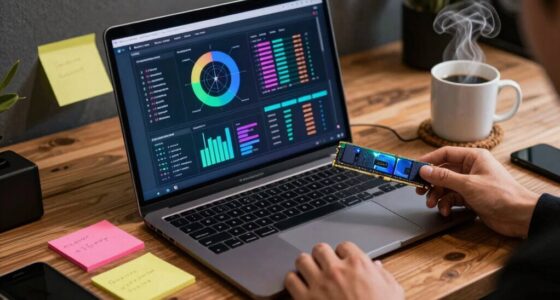
To meet the needs of marketing teams, choose a business laptop with a strong CPU like an Intel i5 or i7 and at least 8GB of RAM for smooth multitasking. Opt for an SSD for faster file access and reliable security features like TPM. Look for an ergonomic design with a high-res display, good connectivity options, and 8-10 hours of battery life. If you want to know more, you’ll find practical tips to help you pick the best fit.
Key Takeaways
- Prioritize a powerful CPU (Intel Core i5/i7) and at least 8GB RAM for smooth multitasking and application performance.
- Opt for an SSD (256GB or more) with security features like TPM for fast, secure data access.
- Choose an ergonomic, lightweight design with a high-resolution display to reduce fatigue and enhance clarity.
- Ensure reliable Wi-Fi 6, long battery life (8-10 hours), and strong connectivity options for remote work flexibility.
- Balance performance, security, and comfort to optimize productivity and safeguard sensitive marketing data.

When choosing a business laptop, understanding its specifications is crucial to guarantee it meets your professional needs. You want a device that balances performance, security, and comfort, especially since you’ll rely on it for daily tasks and sensitive data. One of the first aspects to contemplate is the processor. A powerful CPU, like an Intel Core i5 or i7, ensures your applications run smoothly and efficiently, reducing lag and boosting productivity. Pair this with at least 8GB of RAM to handle multitasking without slowing down, especially if you’re juggling multiple browser tabs, spreadsheets, and communication tools.
Choosing a laptop with a strong CPU and 8GB+ RAM ensures smooth multitasking and enhanced productivity.
Storage capacity matters too. Opt for an SSD (Solid State Drive) over a traditional HDD, as it offers faster boot times, quicker file access, and better overall performance. A 256GB SSD is a good starting point, but if you deal with large files or extensive data, consider 512GB or more. As you choose your device, don’t forget about security features. Cloud security is paramount for safeguarding sensitive business information, so look for laptops with built-in security protocols, such as TPM (Trusted Platform Module) and hardware encryption options. These features help protect your data both at rest and in transit, especially when working across multiple cloud platforms or remote environments.
Comfort and usability are just as important as raw power. An ergonomic design, with features like a comfortable keyboard, adjustable display angles, and a lightweight chassis, will keep you comfortable during long working hours. A well-designed keyboard reduces fatigue and mistakes, while a responsive touchpad or touchscreen can streamline your workflow. Additionally, a good business laptop should have a vibrant, high-resolution display—preferably full HD or higher—to minimize eye strain and improve clarity when reviewing documents or participating in video calls. It’s also important to consider security features, as they play a vital role in protecting sensitive information in today’s digital landscape. Incorporating ergonomic design elements can further enhance comfort, especially during extended work sessions. Furthermore, choosing a device with reliable connectivity options ensures seamless integration with your existing tools, reducing frustration and downtime. Including advanced connectivity standards like Wi-Fi 6 can significantly improve your internet experience, especially in busy network environments. Battery life is another key factor; aim for a device that can last at least 8-10 hours, so you can work on the go without constantly searching for outlets. Additionally, investing in a device with modern security protocols can provide an extra layer of protection for your business data.

Lenovo V15 Gen 4 Business Laptop, 15.6" FHD Display, Intel Core i5-13420H (Beat i7-1355U), HDMI, RJ45, Webcam, Numeric Keypad, Wi-Fi, Windows 11 Pro, Black (16GB RAM | 512GB SSD)
[High Speed RAM And Enormous Space] 4GB high-bandwidth RAM to smoothly run multiple applications and browser tabs all…
As an affiliate, we earn on qualifying purchases.
As an affiliate, we earn on qualifying purchases.
Frequently Asked Questions
How Much Battery Life Is Ideal for Marketing Teams on the Go?
You should aim for a laptop with at least 8-10 hours of battery longevity, especially if you’re on the go. Power efficiency plays a vital role here, ensuring your device lasts longer without frequent recharges. This way, you can confidently attend meetings, work remotely, or travel without constantly hunting for an outlet. Prioritizing these features keeps you productive and connected wherever your marketing efforts take you.
What Security Features Are Most Important for Business Laptops?
Did you know that 83% of data breaches involve weak or stolen passwords? That’s why security features like biometric security and advanced encryption technology are essential for business laptops. Biometric security, such as fingerprint or facial recognition, provides quick, reliable access, while encryption technology safeguards sensitive data even if your device is lost or stolen. Prioritizing these features helps protect your information and maintains your team’s trust.
Are Gaming Laptops Suitable for Marketing Professionals’ Needs?
Gaming laptops aren’t ideal for marketing professionals’ needs. While they excel in gaming performance and offer top-tier graphics capabilities, they tend to be bulkier, less portable, and have shorter battery life. For marketing tasks like presentations, content creation, and remote work, a business laptop with optimized specs offers better reliability, security, and portability. Stick to a device designed for productivity rather than gaming performance.
How Important Is Portability Versus Screen Size for Marketing Teams?
Portability often takes precedence for marketing teams, especially if you’re frequently on the move. However, screen size preferences matter—larger screens boost productivity but can reduce portability due to increased weight and bulk. You need to weigh the portability trade-offs against your work habits. If you often travel or attend meetings, prioritizing portability makes sense. But if detailed visuals are key, a bigger screen could enhance your efficiency despite being less portable.
Should Marketing Teams Prioritize SSD or HDD Storage Options?
You should prioritize SSD storage for your marketing team’s laptops because it offers faster data transfer speeds, which improves overall efficiency. SSDs also enhance storage capacity options, allowing you to manage larger files and projects smoothly. Unlike HDDs, SSDs are more durable and reliable, reducing downtime. While SSDs might be pricier, their speed and durability make them a smarter choice for busy marketing teams needing quick access to data and seamless workflows.

ASUS Daily Vivobook Laptop, 14" FHD Display, Intel Core i3-1215U, 8GB RAM, 256GB SSD, Wi-Fi 6, HDMI, Webcam, Touchpad, Windows 11 Home, Blue
【High Speed RAM And Enormous Space】8GB DDR4 high-bandwidth RAM to smoothly run multiple applications and browser tabs all…
As an affiliate, we earn on qualifying purchases.
As an affiliate, we earn on qualifying purchases.
Conclusion
Think of your business laptop as the sturdy bridge connecting your ideas to reality. When you choose the right specs, you build a reliable pathway that withstands the busiest days and toughest projects. It’s not just about hardware; it’s the foundation for your team’s success. Invest wisely, and your laptop becomes a symbol of productivity and innovation—standing strong and steady, guiding your business across any challenge with confidence.

HP Business Laptop with Microsoft Office 365, 1TB OneDrive and 128GB SSD, 8GB RAM, 4-Core Intel Processor | No Mouse, Fast Response, Long Battery Life, Good Value
【Display】This laptop has a 14-inch LED display with 1366 x 768 (HD) resolution and vivid images to maximize…
As an affiliate, we earn on qualifying purchases.
As an affiliate, we earn on qualifying purchases.

Dell 16 Plus Laptop DB16250-16.0-inch 16:10 2.5K (2560×1600) Display, Intel Core Ultra 7 256V, 16GB LPDDR5X Memory, 1TB SSD, Arc Graphics, Backlit Copilot Key Keyboard, Windows 11 Home
Immerse your senses: Create and edit on an expansive 16:10 screen as you tackle complex data sheets or…
As an affiliate, we earn on qualifying purchases.
As an affiliate, we earn on qualifying purchases.