
Choosing between a new or renewed business laptop depends on your priorities for performance, security, and budget. New laptops offer the latest hardware, security features, and software compatibility right out of the box. Renewed devices can provide reliable performance and cost savings if refurbished properly by reputable sources. By understanding how refurbishment and hardware specs align with your work needs, you can make a smarter choice that balances value and performance—more details will help you decide confidently.

Get business pricing on office and shipping supplies
- Business-only prices and quantity discounts
- Tax-exempt purchasing
- Multiple users, one account, clear invoices
Key Takeaways
- Renewed laptops can offer comparable performance and security if refurbished properly, often at a lower cost than new devices.
- New laptops provide the latest hardware, OS, and security features, ideal for demanding or future-proof work needs.
- Upgrading OS on renewed devices ensures compatibility with current software and minimizes workflow disruptions.
- Refurbishment quality impacts device reliability and long-term durability, making reputable refurbishers a safer choice.
- Budget considerations and specific work requirements help determine whether a new or renewed laptop better matches daily business tasks.
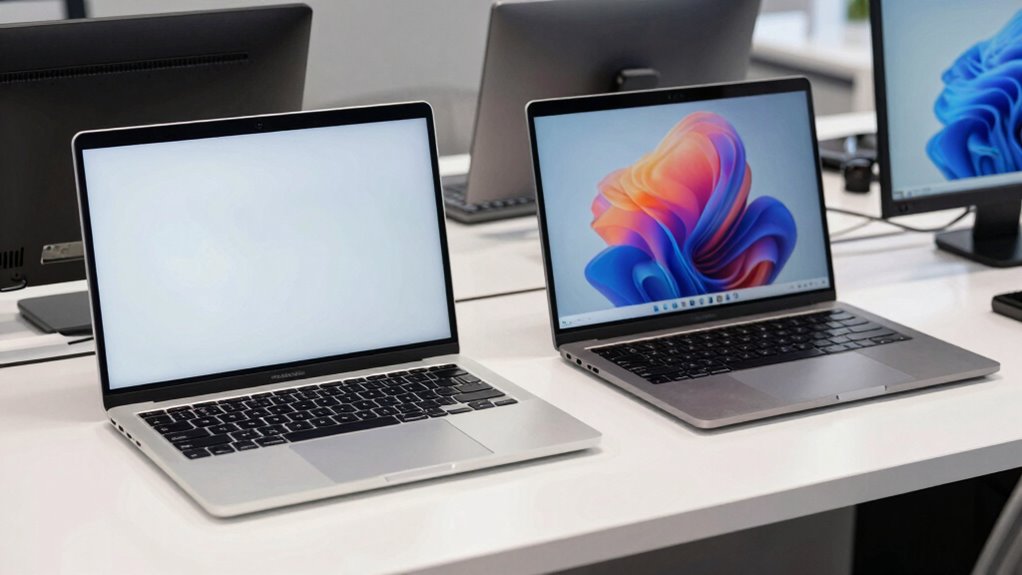
When choosing a business laptop, you might wonder whether to go for a brand-new device or opt for a renewed one. Both options have their merits, but it’s essential to consider how each aligns with your daily work needs. A new laptop guarantees the latest hardware, which can benefit your workflow with cutting-edge features, faster processors, and the newest ports. However, a renewed device often offers substantial savings and reliable performance, especially when properly refurbished. The key is understanding how each choice impacts your work environment, particularly in areas like cloud security and software compatibility.
Choosing between new and renewed business laptops depends on your security, compatibility, and budget priorities.
If you prioritize data security, especially when working with sensitive information, a new laptop might seem appealing because it comes with the latest security features and firmware updates. However, renewed laptops can also be secure, provided they’re refurbished by reputable sources that perform thorough checks and updates. Keep in mind that cloud security plays a vital role here. Whether new or renewed, your device’s ability to securely connect to cloud services hinges on up-to-date software and security protocols. If your renewed laptop is properly refreshed with the latest security patches, it can be just as safe as a new device for cloud-based workflows.
Software compatibility is another critical factor. New laptops typically come with the most recent operating systems and pre-installed software versions, reducing compatibility issues. But, if you’re using specialized or legacy business applications, a renewed device with a slightly older but well-maintained OS might be more suitable. Many refurbished laptops are upgraded with current operating systems, ensuring seamless software compatibility, which helps reduce potential disruptions in your workflow. It’s also important to consider the hardware capabilities, such as processor power and RAM, to ensure smooth performance with your critical business applications. Additionally, understanding the refurbishment process can help you determine how thoroughly a device has been tested and verified for ongoing reliability. Knowing how well a device has been refurbished can provide extra confidence in its long-term durability, especially for intensive business tasks. It’s wise to verify that the renewed device can handle your critical business applications without hiccups, especially if those apps are resource-intensive or require specific hardware features.
Ultimately, your choice should reflect your work demands and budget. If your daily tasks involve frequent cloud interactions, secure data handling, and high software compatibility, a new device might be the safer bet for peace of mind. Conversely, if you’re comfortable with a renewed laptop that’s been certified and tested, you can enjoy substantial savings without compromising performance or security, provided you select a reputable refurbisher. Both options can support your business needs effectively, but understanding the nuances—like how each interacts with cloud security and software compatibility—helps you make a smarter, more informed decision.
Popular right now

Shark Rocket Pet Plus Corded Stick Vacuum, Bordeaux, HV322

Samsung 42-Inch S90H OLED 4K Smart TV Bundle

De'Longhi Linea Classic Espresso Machine with Adjustable Milk Frother
As an affiliate, we earn on qualifying purchases.
Frequently Asked Questions
What Warranties Are Included With Renewed Laptops?
Renewed laptops typically come with warranty coverage that includes repair policies, giving you peace of mind. You usually get limited warranties covering hardware defects and repairs for a specified period, often ranging from 90 days to a year. Some sellers also offer extended warranties or optional service plans. Always check the warranty details before purchasing to understand what’s included and make sure you’re protected against potential issues.
How Do Renewal Processes Impact Device Performance?
Coincidence plays a role in how renewal processes impact device performance—you’ll notice improvements in hardware optimization and performance longevity. When laptops undergo renewal, they often receive upgrades or refurbishments that streamline components, reducing lag and boosting efficiency. This process guarantees your device remains reliable longer, preventing early obsolescence. As a result, a renewed laptop offers a smoother, more consistent performance, aligning perfectly with your daily work needs and extending its useful life.
Are Renewed Laptops Compatible With All Business Software?
Renewed laptops generally support most business software, but you should check their system requirements first. Compatibility depends on the hardware specs, like processor speed, RAM, and operating system version. Before buying, verify that the renewed device meets the software’s system requirements to guarantee smooth performance. If you do your homework, you’ll find a renewed laptop that works seamlessly with your essential business applications.
What Are the Environmental Benefits of Choosing Renewed?
Choosing renewed laptops benefits the environment through eco-friendly manufacturing and waste reduction. By reusing devices, you help decrease e-waste and lower the demand for new product manufacturing, which reduces resource consumption and carbon emissions. This sustainable choice supports global efforts to protect the planet, fosters responsible consumption, and minimizes environmental impact. Plus, it’s a smart way to align your business practices with eco-conscious values.
How Quickly Can I Get a Renewed Laptop Delivered?
You can usually get a renewed laptop delivered within a few days, depending on the shipping options you choose. Standard delivery is often quick and affordable, but expedited shipping might cost a bit more if you need it urgently. Check the seller’s delivery options and shipping costs upfront to pick the best plan for your schedule. Many providers also offer tracking so you know exactly when your renewed laptop will arrive.
Conclusion
Choosing between a new or renewed business laptop is like picking the right tool for your journey—each has its own story to tell. A new laptop gleams like a fresh canvas, ready for your ideas, while a renewed one offers a sturdy bridge built on trusted foundations. Whichever you choose, you’re steering your daily work through the digital landscape—so pick the path that best matches your pace and purpose, and watch your productivity soar like a bird in flight.