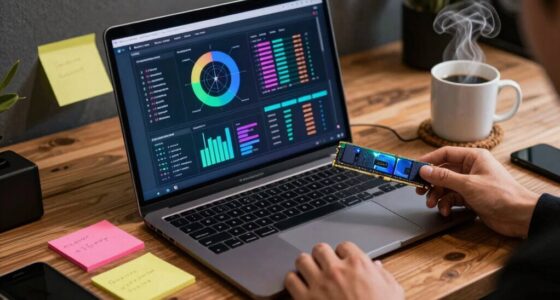

To create a practical travel laptop setup for marketers, focus on lightweight, durable devices with long battery life and fast processors. Use reliable cloud storage and portable Wi-Fi hotspots to stay connected everywhere. Pack compact accessories like external keyboards and portable monitors to boost productivity without bulk. Prioritize essential, cost-effective gear that’s compatible and reliable, ensuring you avoid regretful buys. Want more tips on building a seamless setup? Keep exploring for smarter strategies.
Key Takeaways
- Prioritize lightweight, durable laptops with long battery life and fast processors for portability and multitasking efficiency.
- Select essential, compact accessories like external keyboards, portable monitors, and protective cases to enhance productivity without bulk.
- Use reliable cloud storage and portable Wi-Fi hotspots to ensure seamless file access and stable internet on the go.
- Focus on compatibility between devices and communication tools to prevent setbacks and streamline remote collaboration.
- Maintain a balanced setup emphasizing reliability, flexibility, and data backup strategies to minimize regret and unforeseen issues.

Traveling as a marketer means staying productive on the go, and having the right laptop setup can make all the difference. When you’re constantly moving between meetings, client sites, or co-working spaces, your ability to collaborate remotely becomes essential. A solid setup guarantees you can seamlessly engage in remote collaboration, whether it’s participating in video calls, sharing files, or brainstorming with team members. Make sure your laptop is equipped with the latest communication tools—like a reliable webcam, good-quality microphone, and a stable internet connection—so you can work efficiently without technical hiccups. Cloud storage is another critical element. Relying on local files alone can be risky when you’re traveling; instead, opt for a reputable cloud storage service. This way, all your files are accessible from anywhere, and you minimize the risk of losing important documents if your device gets lost or damaged. It also streamlines collaboration, allowing team members or clients to access and edit shared files in real time. Additionally, ensuring your device has reliable Wi-Fi connectivity can significantly reduce frustrations during travel and improve your overall efficiency. Investing in up-to-date communication tools can further enhance your remote work experience.
Stay productive on the move with reliable tech, cloud storage, and seamless remote collaboration tools.
To keep your setup practical and avoid regretful purchases, focus on portability. Choose a lightweight, durable laptop with a long battery life, so you’re not tethered to power outlets or weighed down by bulky gear. Consider models with fast processors and ample RAM—these specs help you run multiple apps smoothly, from design tools to communication platforms. A reliable Wi-Fi adapter is also a must, especially if you frequently work from different locations. Carrying a portable Wi-Fi hotspot can be a lifesaver when Wi-Fi is spotty or unavailable, ensuring you stay connected no matter where you are. It’s also beneficial to look for compact accessories that don’t compromise on functionality, making your travel setup even more efficient.
Invest in accessories that boost productivity without adding bulk. A compact external keyboard and mouse can make long hours of remote collaboration more comfortable. A high-quality portable monitor can expand your screen real estate for multitasking, while a sturdy, protective carrying case keeps your gear safe during transit. Remember to also back up your data regularly—using encrypted cloud services and external drives—so you’re prepared for any unforeseen mishaps. Being aware of technology compatibility ensures all your devices and accessories work harmoniously together, preventing potential setbacks.
Ultimately, your travel laptop setup should prioritize efficiency, reliability, and flexibility. By focusing on essentials like cloud storage for seamless access and remote collaboration tools, and choosing lightweight, powerful hardware, you’ll be better equipped to handle the demands of marketing on the move. This practical approach helps you avoid unnecessary expenses and ensures you’re always ready to deliver your best work, wherever your travels take you.

Volher Laptop Backpack,Business Travel Anti Theft Slim Durable Laptops Backpack,Water Resistant College Computer Bag for Women & Men Fits 15.6 Inch Laptop and Notebook – Black
Storage Space & Pockets:One separate laptop compartment hold 15.6 Inch Laptop as well as 15 Inch,14 Inch and…
As an affiliate, we earn on qualifying purchases.
As an affiliate, we earn on qualifying purchases.
Frequently Asked Questions
What Is the Ideal Battery Life for Travel Laptops?
You should aim for a travel laptop with at least 8 to 10 hours of battery life. This guarantees your work stays uninterrupted during long meetings or flights. Focus on battery optimization features and power management settings to extend battery life further. Regularly adjusting screen brightness, closing unused apps, and enabling power-saving modes help you maximize your laptop’s battery, so you can stay productive without searching for outlets constantly.
How Do I Ensure Data Security on the Go?
Imagine your data is a treasure chest; you wouldn’t leave it unsecured on a busy street. To secure your data on the go, use strong, unique passwords managed by a reliable password manager. Enable cloud encryption for sensitive files, ensuring they’re protected even if your device is lost. These steps keep your information safe, just like a locked treasure chest, giving you peace of mind during your travels.
Which Operating System Is Best for Marketing Tasks?
You should choose an operating system that seamlessly integrates with cloud storage and your favorite software tools. Windows offers extensive compatibility, making it ideal for marketing tasks involving data analysis and content creation. macOS excels with robust software options and a user-friendly interface. Linux can be a good choice if you prioritize customization and open-source tools. Consider your preferred cloud services and software compatibility to decide which OS best supports your marketing needs.
What Accessories Are Essential for Travel Laptop Setups?
Think of your travel setup as a well-oiled machine—essential accessories keep it humming smoothly. Wireless peripherals like a compact mouse and keyboard free you from tangled cords, while portable chargers act as your power reservoirs, ensuring you never run out of juice mid-task. These essentials are your trusty sidekicks, making sure your workflow stays seamless and efficient, no matter where your travels take you.
How Can I Optimize My Workflow While Traveling?
You can optimize your workflow while traveling by prioritizing travel ergonomics, like using an adjustable laptop stand and ergonomic accessories to reduce strain. Focus on portable productivity tools, such as cloud storage and task management apps, to stay organized and efficient on the go. Minimize distractions, set clear daily goals, and schedule regular breaks. These habits help you maintain focus and comfort, making your travel work seamless and productive.

ProtoArc Foldable Compact Keyboard, XK04 Portable Bluetooth Keyboard with PU Leather Cover, Pocket-Sized Wireless Travel Keyboards for iPad, iPhone, Smartphone, Tablet and Laptop – Black
【Folding Mini Keyboard】 Only a 7.8-ounce palm-sized foldup keyboard is designed in two-fold and compact enough to save…
As an affiliate, we earn on qualifying purchases.
As an affiliate, we earn on qualifying purchases.
Conclusion
By following this travel laptop setup, you’ll be unstoppable—like a marketing superhero armed with the perfect gadgets, ready to conquer every client meeting, presentation, and brainstorm on the go. Say goodbye to regrettable purchases that drain your wallet and ruin your trip. With this plan, you’ll travel lighter, smarter, and more confident than ever—leaving behind the chaos and stepping into every opportunity like a true digital nomad champion. Your ultimate marketing adventure begins now!

MNN Portable Monitor 15.6inch FHD 1080P USB C HDMI Gaming Ultra-Slim IPS Display w/Smart Cover & Speakers,HDR Plug&Play, External Monitor for Laptop PC Phone Mac (15.6'' 1080P)
Full HD Portable Monitor – MNN 15.6inch portable laptop monitor with 1920*1080 resolution, advanced IPS matte screen support…
As an affiliate, we earn on qualifying purchases.
As an affiliate, we earn on qualifying purchases.

RoamWiFi 4G LTE WiFi Hotspot Router, Portable Mobile Hotspot Device for International Travel, Pocket WiFi No SIM Card Needed, Connect 10 Devices, 10GB Local Data Included, 170+ Countries Coverage
【WiFi Hotspot for Global Travel, 170+ Countries】 RoamWiFi 4G LTE mobile hotspot delivers seamless international connectivity without SIM…
As an affiliate, we earn on qualifying purchases.
As an affiliate, we earn on qualifying purchases.