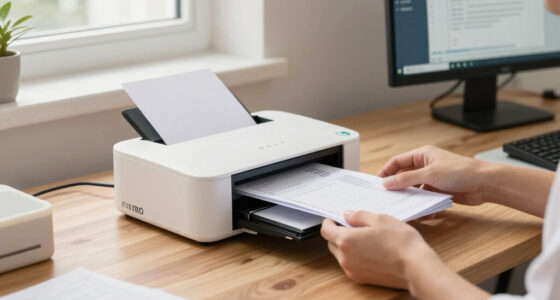
For most small businesses, I’d start with the Epson TM-T88V: its established receipt-printer design and USB and serial connections make it a strong all-around fit for a fixed checkout. The Bixolon SRP-350PLUSIII stands out for shops that need Ethernet as well as USB, while the NETUM portable 58mm makes more sense for mobile sellers who value compactness over full-width receipts. The main tradeoffs are countertop reliability versus portability, 58mm versus 80mm paper, and simple USB setup versus network flexibility. Compatibility with your POS software and operating system matters as much as the printer itself. Read on for how all 13 options compare and which buyer each one suits.

Get business pricing on office and shipping supplies
- Business-only prices and quantity discounts
- Tax-exempt purchasing
- Multiple users, one account, clear invoices
Key Takeaways
- The Epson TM-T88V is the all-around fixed-counter pick in this lineup, with USB and serial connectivity; it lacks the Ethernet option offered by the Bixolon SRP-350PLUSIII.
- The Bixolon SRP-350PLUSIII is the stronger fit for networked checkout because it combines Ethernet and USB, while the USB-only choices suit simpler setups.
- Portable 58mm models trade receipt width for mobility. NETUM, Sunydog, and the generic Bluetooth mini printer fit roaming or temporary sales better than a busy full-service counter.
- 80mm printers better suit detailed receipts and standard checkout counters, but buyers should check their POS software, paper roll size, and available counter space first.
- Renewed models can broaden the choice of established POS hardware, but buyers should verify the included accessories, condition, return terms, and compatibility before choosing them over new alternatives.
| NetumScan 80mm USB Thermal Receipt Printer with Auto Cutter |  | Best for Fast, Simple USB Checkout | Model: 8360 | Printer type: Thermal, monochrome | Paper width: 80 mm | VIEW LATEST PRICE | See Our Full Breakdown |
| Epson TM-T88V Thermal Receipt Printer with USB and Serial Interfaces |  | Best for Established POS Setups | Model: TM-T88V-084 (C31CA85084) | Printer type: Thermal, monochrome | Interfaces: USB, USB 2.0, 25-pin RS-232 serial | VIEW LATEST PRICE | See Our Full Breakdown |
| MUNBYN P047 80mm Bluetooth Thermal Receipt Printer |  | Best for Flexible Multi-Connection Setups | Model: ITPP047P-USEB | Printer type: Thermal receipt printer, monochrome | Paper size: 79.5 mm | VIEW LATEST PRICE | See Our Full Breakdown |
| Bixolon SRP-350PLUSIII Thermal Receipt Printer with Ethernet and USB |  | Best for Networked Tablet POS | Model: SRP-350PLUSIIICOG | Printer type: Direct thermal, monochrome | Print speed: Up to 200 mm/sec | VIEW LATEST PRICE | See Our Full Breakdown |
| NETUM Portable Bluetooth 58mm Thermal Receipt Printer |  | Best for Mobile, Low-Volume Printing | Printer type: Thermal, monochrome | Paper size: 58 × 30 mm thermal paper | Resolution: 203 DPI | VIEW LATEST PRICE | See Our Full Breakdown |
| Sunydog Portable 58mm Thermal Receipt Printer |  | Best for Android-and-Windows Mobile Setups | Printing method: Direct thermal | Paper width: 58 mm | Print resolution: 203 dpi | VIEW LATEST PRICE | See Our Full Breakdown |
| 58mm Bluetooth Mini Portable Thermal Receipt Printer |  | Best for Extended Standby Between Mobile Shifts | Printing method: Direct thermal | Paper: 58 × 30 mm thermal paper | Connectivity: Bluetooth 4.0 | VIEW LATEST PRICE | See Our Full Breakdown |
| Bixolon SRP-350IIICOG USB Thermal Receipt Printer (Renewed) |  | Best for Fast Counter Service on a Renewed Unit | Condition: Renewed | Printing method: Direct thermal | Print speed: Up to 200 mm/s | VIEW LATEST PRICE | See Our Full Breakdown |
| Bixolon SRP-350plusIII Direct Thermal Receipt Printer | 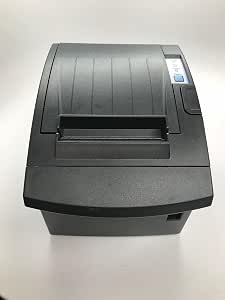 | Best for Wall-Mounted USB Checkout | Printing method: Direct thermal | Output: Monochrome | Resolution: 203 × 203 dpi | VIEW LATEST PRICE | See Our Full Breakdown |
| Epson TM-T20III Monochrome Thermal POS Printer |  | Best for Established Retail and Hospitality Counters | Model number: C31CH51011A0 | Output: Monochrome | Connectivity: USB | VIEW LATEST PRICE | See Our Full Breakdown |
| Tatouhom P80E 80mm Thermal Receipt Printer with USB, Ethernet and RJ11 |  | Best for Kitchen and Countertop Setups | Paper width: 80 mm (3 1/8 in) | Print resolution: 203 dpi | Print speed: Up to 200 mm/s | VIEW LATEST PRICE | See Our Full Breakdown |
| Epson TM-M30II Thermal POS Receipt Printer, Black (Renewed) |  | Best for Bluetooth-Friendly Compact Counters | Model: Epson TM-M30II | Condition: Renewed | Print speed: Up to 250 mm/sec | VIEW LATEST PRICE | See Our Full Breakdown |
| Epson TM-M30II Thermal Receipt Printer with Autocutter, USB and Ethernet (Renewed) |  | Best for Square Register and Stand Setups | Model: Epson TM-M30II | Condition: Renewed | Connectivity: USB, Ethernet | VIEW LATEST PRICE | See Our Full Breakdown |
| thermal receipt printers for small businesse | Connectivity | Warranty |
|---|---|---|
| NetumScan 80mm USB Thermal Rec | USB; 1 USB 2.0 port | — |
| Epson TM-T88V Thermal Receipt | — | 2-year full warranty |
| MUNBYN P047 80mm Bluetooth The | Bluetooth, USB, serial, Ethernet | 2-year limited warranty |
| Bixolon SRP-350PLUSIII Thermal | Ethernet, USB | — |
| NETUM Portable Bluetooth 58mm | Bluetooth 4.0; USB hardware interface | — |
| Sunydog Portable 58mm Thermal | Bluetooth, USB | — |
| 58mm Bluetooth Mini Portable T | Bluetooth 4.0 | — |
| Bixolon SRP-350IIICOG USB Ther | USB; optional Serial, Parallel, or Ethernet | 90-day limited warranty |
| Bixolon SRP-350plusIII Direct | USB | — |
| Epson TM-T20III Monochrome The | USB | 2 years |
| Tatouhom P80E 80mm Thermal Rec | USB, Ethernet, RJ11 | 1-year limited |
| Epson TM-M30II Thermal POS Rec | Bluetooth 3.0, Ethernet 10/100Base-T/TX, USB | 90-day limited |
| Epson TM-M30II Thermal Receipt | USB, Ethernet | 90-day limited |
More Details on Our Top Picks
NetumScan 80mm USB Thermal Receipt Printer with Auto Cutter
For a small business running a fixed checkout station from a Windows, Mac, or Linux computer, the NetumScan 8360 pairs an 80 mm paper path with a stated speed of up to 300 mm/s. That combination suits busy counters where wider receipts and quick printing matter, while the automatic cutter reduces the need to tear each receipt by hand. Compared with the MUNBYN P047, it gives up Ethernet and Bluetooth in exchange for a straightforward USB setup; compared with the Epson TM-T88V, it lists a higher maximum speed but offers fewer connection choices. The tradeoff is strict: there is no network or mobile connectivity, and several popular POS services are explicitly unsupported. I would choose it only after confirming the exact POS and computer setup.
Pros:- Stated print speed of up to 300 mm/s can keep receipt queues moving.
- 80 mm paper width accommodates standard wider POS receipts.
- Automatic cutter and one-touch cover opening simplify checkout and paper changes.
- Thermal printing avoids ink and ribbon replenishment; wall-mount option adds placement flexibility.
Cons:- USB-only connection rules out Ethernet, Wi-Fi, and Bluetooth setups.
- The listed POS and mobile-device incompatibilities sharply limit where it can be deployed.
- Monochrome output cannot print colored receipt elements.
Best for: Small shops with a fixed Windows, Mac, or Linux POS station that need fast 80 mm receipts and a USB connection.
Not ideal for: Businesses using iPads, Android tablets, or unsupported services such as Square, Clover, Shopify, or Lightspeed; it has no wireless or network connection.
- Model:8360
- Printer type:Thermal, monochrome
- Paper width:80 mm
- Print speed:Up to 300 mm/s
- Resolution:300 × 300
- Connectivity:USB; 1 USB 2.0 port
- Compatible operating systems:Windows, Mac, Linux
- Features:Automatic cutter, overheating protection, wall-mount option
Our verdict“Choose the NetumScan for a compatible, computer-based checkout that values speed and wide receipts over network or mobile flexibility.”
Epson TM-T88V Thermal Receipt Printer with USB and Serial Interfaces
The Epson TM-T88V is a practical fit for small businesses whose checkout already relies on a computer or POS system with USB or RS-232 serial. Having both interfaces can make it easier to match an existing setup than the USB-only NetumScan 8360, though it does not offer the Ethernet and Bluetooth options found on the MUNBYN P047. An automatic cutter helps speed routine handoffs, and thermal printing removes ink and ribbon changes from the supply routine. Its stated resolution is 203 × 203 dpi, and output is monochrome, so it is built for legible receipts rather than visual branding. The main setup catch is that no cable is included; a small business should confirm which cable its POS requires before ordering. This is a wired, conventional choice, not a flexible tablet-first printer.
Pros:- USB and 25-pin RS-232 serial interfaces support more than one type of wired POS setup.
- Automatic cutter reduces manual receipt tearing at the counter.
- Thermal operation avoids ink and ribbon purchases.
- Two-year full warranty is specified in the product data.
Cons:- Connection cable is not included, adding a setup requirement.
- No Ethernet, Bluetooth, or Wi-Fi connection is listed.
- Monochrome output offers no color or branded receipt printing.
Best for: Small retailers with an existing PC-based POS or serial-connected checkout that need a conventional wired receipt printer.
Not ideal for: Mobile-first businesses or owners who need wireless networking, an included connection cable, or color output.
- Model:TM-T88V-084 (C31CA85084)
- Printer type:Thermal, monochrome
- Interfaces:USB, USB 2.0, 25-pin RS-232 serial
- Maximum resolution:203 × 203 dpi
- Automatic cutter:Yes
- Compatible devices:Laptops, PCs, POS systems
- Dimensions:7 × 5 × 5 in (D × W × H)
- Warranty:2-year full warranty
Our verdict“Pick the TM-T88V if your existing POS needs USB or serial and you are comfortable sourcing the right cable separately.”
MUNBYN P047 80mm Bluetooth Thermal Receipt Printer
The MUNBYN P047 stands out for small businesses that may change how their checkout connects: it supports Bluetooth, USB, serial, and Ethernet, unlike the USB-only NetumScan 8360. That range can suit a counter that needs a wired fallback alongside a network or Bluetooth option, and its 79.5 mm paper accommodates wider POS receipts. It also supports several operating systems, including Android, Windows, Mac, Linux, and ChromeOS, making it more adaptable than the iOS-restricted NetumScan. But broad connection options do not mean universal POS compatibility: the listing excludes iOS and names Doordash, Grubhub, and Vagaro as unsupported. Shopify POS Bluetooth setup may require renaming the printer. I would verify the exact app and connection method before choosing it; businesses wanting dependable iPad support should look elsewhere.
Pros:- Bluetooth, USB, serial, and Ethernet provide more connection options than the USB-only NetumScan 8360.
- Supports Android, Windows, Mac, Linux, and ChromeOS.
- 79.5 mm paper width fits wider receipt workflows.
- Automatic paper cutter and two-year limited warranty are specified.
Cons:- iOS devices, including iPhone and iPad, are not supported according to the compatibility notes.
- The listing identifies Doordash, Grubhub, and Vagaro as incompatible.
- Shopify POS Bluetooth use may require changing the printer’s Bluetooth name.
Best for: Small businesses using supported Android or computer-based POS systems that want a choice of wired, network, and Bluetooth connections.
Not ideal for: iPad-based shops or businesses that depend on Doordash, Grubhub, or Vagaro; POS app compatibility needs checking before purchase.
- Model:ITPP047P-USEB
- Printer type:Thermal receipt printer, monochrome
- Paper size:79.5 mm
- Resolution:203 × 203 dpi
- Connectivity:Bluetooth, USB, serial, Ethernet
- Compatible systems:Android, Windows, Mac, Linux, ChromeOS
- Dimensions:11.26 × 6.46 × 6.3 in
- Warranty:2-year limited warranty
Our verdict“Choose the P047 when connection flexibility matters and your specific POS app and operating system are confirmed compatible.”
Bixolon SRP-350PLUSIII Thermal Receipt Printer with Ethernet and USB
For a small business with more than one checkout device, the Bixolon SRP-350PLUSIII offers Ethernet and USB rather than the USB-only connection on the NetumScan 8360. Its listed support for iOS, Android, and Windows RT 8.1 also makes it a stronger candidate for tablet-oriented counters, although MFi support is optional and should be checked before relying on an Apple setup. Printing reaches up to 200 mm/sec at 180 × 180 dpi, with a cutter rated for 1.8 million cuts and an MCBF of 70 million lines. Those durability figures may appeal to a steady checkout operation, but the product data does not list Bluetooth, and output remains monochrome. Compared with the more connection-flexible MUNBYN P047, this Bixolon is a wired Ethernet/USB choice with explicit tablet OS support, not a wireless all-rounder.
Pros:- Ethernet and USB support wired POS installation options.
- Lists compatibility with iOS, Android, and Windows RT 8.1 devices.
- Auto cutter is rated for 1.8 million cuts.
- MCBF is listed as 70 million lines, useful context for a regularly used checkout.
Cons:- MFi support for iOS is optional, so Apple-device use may require checking the configuration.
- No Bluetooth connection is listed.
- Monochrome output and 180 × 180 dpi resolution limit print presentation.
Best for: Small retailers with Ethernet-based POS infrastructure and supported iOS or Android devices who want a cutter-equipped counter printer.
Not ideal for: Businesses that need Bluetooth, color receipts, or guaranteed Apple MFi support without checking the optional support configuration.
- Model:SRP-350PLUSIIICOG
- Printer type:Direct thermal, monochrome
- Print speed:Up to 200 mm/sec
- Resolution:180 × 180 dpi
- Connectivity:Ethernet, USB
- Compatible devices:iOS, Android, Windows RT 8.1
- MCBF:70 million lines
Our verdict“Choose this Bixolon for a wired Ethernet or USB counter setup with supported tablets, after confirming any required MFi support.”
NETUM Portable Bluetooth 58mm Thermal Receipt Printer
The NETUM portable 58 mm printer takes a different approach from the counter-focused 80 mm models: it is a 320 g Bluetooth device with a rechargeable battery, intended for receipts and barcodes away from a fixed checkout. Its 2000 mAh battery is listed for up to seven days of standby, which can help when printing is occasional rather than continuous. Compared with the NetumScan 8360 or Epson TM-T88V, it is easier to carry but uses much narrower 58 × 30 mm paper, so receipts have less room for item details. App support is limited to selected Android POS apps, and the supplied compatibility notes exclude services including Square, Clover, and Shopify. I would treat it as a niche mobile tool, not a substitute for a standard small-business counter printer, and confirm POS support before buying.
Pros:- Portable 320 g design and Bluetooth 4.0 suit printing away from a fixed register.
- Rechargeable 2000 mAh battery is listed with up to seven days of standby.
- Thermal printing avoids ink, ribbons, and cartridges.
- Supports ESC/POS and STAR command languages.
Cons:- 58 × 30 mm paper is much narrower and shorter than the 80 mm rolls used by the NetumScan and MUNBYN models.
- App support is limited to selected Android POS apps, with several popular services listed as unsupported.
- Standby time does not indicate continuous printing runtime, which is not specified.
Best for: Android-based market vendors, delivery operators, or service businesses needing occasional portable receipts or barcode printing.
Not ideal for: Retailers needing full-width receipts, frequent fixed-counter printing, or support for Square, Clover, Shopify, iOS, or unverified POS apps.
- Printer type:Thermal, monochrome
- Paper size:58 × 30 mm thermal paper
- Resolution:203 DPI
- Connectivity:Bluetooth 4.0; USB hardware interface
- Compatible systems:Android; Windows as stated in the title
- Battery:2000 mAh rechargeable
- Standby time:Up to 7 days
- Weight:320 g
- Command languages:ESC/POS, STAR
Our verdict“Pick the NETUM portable model for occasional Android-based printing on the move, not as the main printer for a busy retail counter.”
Sunydog Portable 58mm Thermal Receipt Printer
The Sunydog makes the most sense for a small business that needs a receipt printer away from a fixed checkout: it weighs 0.25 kg, has a rechargeable battery, and connects by Bluetooth or USB. Its 70 mm/s speed and 203 dpi resolution suit short, straightforward receipts, while direct thermal printing avoids ink and ribbon supplies. Compared with the 58mm Bluetooth Mini Portable Thermal Receipt Printer, the Sunydog offers USB as well as Bluetooth, but has a smaller 1500 mAh battery than that model’s 2000 mAh unit. The larger limitation is compatibility: it excludes iOS and Square POS, and phone printing depends on a compatible app. I’d choose it for Android-based mobile sales, not as a universal printer for a mixed-device checkout.
Pros:- Lightweight, rechargeable design supports printing away from a fixed counter.
- Bluetooth and USB provide more connection options than Bluetooth-only portable models.
- 203 dpi resolution and speeds up to 70 mm/s suit basic monochrome receipts.
- Direct thermal printing needs no ink, toner, or ribbons.
Cons:- Does not support iOS or Square POS.
- Android phone printing requires a compatible app.
- 58 mm paper and monochrome output limit receipt width and content.
Best for: Android-based market vendors, mobile service businesses, and small shops that need a lightweight printer with both Bluetooth and Windows USB support.
Not ideal for: iPhone or iPad users, Square POS businesses, and sellers who need wide receipts or printing without checking app compatibility.
- Printing method:Direct thermal
- Paper width:58 mm
- Print resolution:203 dpi
- Maximum print speed:70 mm/s
- Connectivity:Bluetooth, USB
- Compatible platforms:Android, Windows, USB-compatible devices
- Battery capacity:1500 mAh
- Weight:0.25 kg
Our verdict“Choose the Sunydog for compact Android or Windows mobile checkout, but skip it if your workflow depends on iOS or Square.”
58mm Bluetooth Mini Portable Thermal Receipt Printer
This mini printer is aimed at Android or Windows sellers who value a compact Bluetooth setup and longer idle time between jobs. Its 2000 mAh battery is rated for up to seven days of standby, giving it an advantage over the Sunydog’s 1500 mAh battery on paper, though standby time is not the same as continuous printing time. It supports ESC/POS and STAR commands, which can suit POS apps that recognize those languages; buyers still need to verify their specific app. Unlike the Sunydog, it has no USB connection listed, and it shares the same major platform exclusions: no iOS, iPad, or Mac support. Its 58 mm paper format keeps the unit portable but is less suited to businesses that want wider, more detailed receipts.
Pros:- 2000 mAh rechargeable battery is rated for up to seven days of standby.
- Bluetooth 4.0 supports a cable-free mobile setup.
- ESC/POS and STAR command support may fit compatible POS applications.
- Direct thermal printing avoids ink, ribbons, and cartridges.
Cons:- No iOS, iPad, or Mac support.
- Bluetooth-only connectivity offers less flexibility than the Sunydog’s Bluetooth and USB options.
- Requires 58 mm thermal paper and prints monochrome only.
Best for: Android or Windows market sellers and mobile operators whose supported POS app uses ESC/POS or STAR commands and who need a compact printer with long standby.
Not ideal for: Businesses using iPhone, iPad, Mac, USB-only workflows, or POS software whose Bluetooth printer support has not been confirmed.
- Printing method:Direct thermal
- Paper:58 × 30 mm thermal paper
- Connectivity:Bluetooth 4.0
- Compatible platforms:Android and Windows
- Battery capacity:2000 mAh
- Standby time:Up to 7 days
- Print commands:ESC/POS, STAR
- Dimensions:4.5 × 3.15 × 2.2 in
Our verdict“Pick this model for an Android or Windows mobile setup that benefits from long standby and confirmed POS-app support.”
Bixolon SRP-350IIICOG USB Thermal Receipt Printer (Renewed)
The renewed SRP-350IIICOG suits a busy fixed checkout where speed and frequent cutting matter more than wireless convenience. It prints at up to 200 mm/s, supports paper up to 3 inches wide, and its auto cutter is rated for 1.8 million cuts. That makes it a more counter-focused choice than the portable Sunydog, which is slower and uses 58 mm paper. The Epson TM-T20III is faster at a rated 250 mm/s and has a longer stated warranty, so it may be a better fit for buyers prioritizing speed and a new retail-oriented unit. Here, the compromise is the renewed condition and a 90-day limited warranty. USB is included; other interfaces are optional, not standard.
Pros:- Print speed up to 200 mm/s supports brisk counter transactions.
- Auto cutter is rated for 1.8 million cuts.
- Supports paper up to 3 inches wide, broader than the portable 58 mm models.
- Power supply is included and USB connectivity is provided.
Cons:- Renewed condition may be less appealing than a new printer for a primary checkout.
- 90-day limited warranty is shorter than the Epson TM-T20III’s stated two-year warranty.
- USB is standard; Serial, Parallel, and Ethernet are optional.
Best for: Small retailers and food-service counters that need fast 3-inch monochrome receipts and are comfortable buying a professionally inspected renewed printer.
Not ideal for: Businesses that need wireless printing, a longer warranty, or the reassurance of a new unit rather than renewed equipment.
- Condition:Renewed
- Printing method:Direct thermal
- Print speed:Up to 200 mm/s
- Print resolution:180 dpi
- Maximum paper width:3 inches
- Connectivity:USB; optional Serial, Parallel, or Ethernet
- Auto-cutter life:1.8 million cuts
- Warranty:90-day limited warranty
Our verdict“Choose this renewed Bixolon for a fast, wide-paper USB counter setup if its condition and shorter warranty suit your business.”
Bixolon SRP-350plusIII Direct Thermal Receipt Printer
The SRP-350plusIII earns a place for shops that want a fixed USB receipt printer with the option to mount it on a wall. Its 203 × 203 dpi resolution and auto cutter cover the basics of monochrome checkout printing, while the included power supply reduces the number of components a small business must source separately. Compared with the renewed Bixolon SRP-350IIICOG, this model’s listed differentiator is its wall-mount feature; the renewed unit has a specified speed of 200 mm/s and a cutter-life rating, neither of which is provided here for this model. The listed speed of 1 page per minute is unusually slow for a receipt-printer specification, so I would verify expected throughput with the seller before relying on it for a busy line. USB-only connectivity also rules out wireless setups.
Pros:- Wall-mount option can free counter space in a compact checkout area.
- Built-in auto cutter separates receipts without manual tearing.
- 203 × 203 dpi resolution supports clear monochrome receipt output.
- Power supply is included.
Cons:- USB-only connectivity does not provide Bluetooth, Wi-Fi, or Ethernet.
- Listed print speed is 1 page per minute, a concern for busy checkout queues.
- Monochrome output cannot print color branding or graphics.
Best for: Small shops with a fixed USB point of sale that need a wall-mountable monochrome printer and have modest receipt volume.
Not ideal for: High-throughput counters, wireless or networked setups, and buyers who need a clearly specified fast receipt-printing speed.
- Printing method:Direct thermal
- Output:Monochrome
- Resolution:203 × 203 dpi
- Connectivity:USB
- Listed print speed:1 page per minute
- Paper size:3.5 inches
- Special features:Auto cutter, wall mount
- Weight:1,560 g
Our verdict“Consider this Bixolon for a space-constrained, low-volume USB checkout, but confirm its stated speed before placing it on a busy counter.”
Epson TM-T20III Monochrome Thermal POS Printer
The Epson TM-T20III is the strongest fit in this group for a fixed retail or hospitality checkout that prioritizes throughput and paper control. Its 250 mm/s rated speed is higher than the renewed Bixolon SRP-350IIICOG’s 200 mm/s, and its paper-saving options are rated to reduce usage by up to 30%, which can matter when a business prints receipts all day. A built-in auto cutter and a stated two-year warranty further suit a regular counter role. The tradeoff is a strict USB connection: unlike the Sunydog and Bluetooth Mini, it cannot serve as a wireless mobile printer. Square use also requires a Square Stand or Square Register; it is not a standalone Bluetooth Square printer. The listed media details should be checked against the business’s receipt-paper needs.
Pros:- Up to 250 mm/s print speed is the fastest specified among these five models.
- Paper-saving options are rated to reduce paper use by up to 30%.
- Auto cutter is rated for 1.5 million cuts.
- Two-year warranty is longer than the renewed Bixolon’s 90-day warranty.
Cons:- USB-only connection lacks Bluetooth and Wi-Fi.
- Square use requires a Square Stand or Square Register.
- Monochrome output does not support color receipts.
Best for: Retail and hospitality businesses with a fixed USB checkout that want fast receipt output, an auto cutter, and paper-saving options.
Not ideal for: Mobile sellers needing Bluetooth, businesses seeking Wi-Fi or Ethernet, and Square users without a Square Stand or Square Register.
- Model number:C31CH51011A0
- Output:Monochrome
- Connectivity:USB
- Maximum print speed:250 mm/s
- Print resolution:203 × 203 dpi
- Auto-cutter life:1.5 million cuts
- Paper savings:Up to 30%
- Warranty:2 years
Our verdict“Choose the TM-T20III for a fixed, high-activity retail or hospitality counter, provided USB and its Square hardware requirement fit your setup.”
Tatouhom P80E 80mm Thermal Receipt Printer with USB, Ethernet and RJ11
The Tatouhom P80E suits small businesses that need a fast, full-width receipt printer with mounting flexibility. Its 200 mm/s output, automatic cutter, and support for standard 80 mm paper can keep busy checkout or kitchen-ticket workflows moving. Compared with the Epson TM-M30II options here, it adds RJ11 and wall mounting, while its oil-resistant ABS housing and audible alerts make it a more kitchen-oriented fit. The tradeoff is compatibility: it relies on ESC/POS software and is explicitly incompatible with several major cloud POS and delivery platforms, as well as Chromebooks and Linux. It also lacks Wi-Fi and Bluetooth, so buyers should confirm their POS setup and plan for a wired connection before choosing it.
Pros:- Prints up to 200 mm/s at 203 dpi on standard 80 mm thermal paper.
- Automatic cutter and quick-open cover support frequent receipt handling and paper changes.
- RGB status lights, audible alerts, and jam and overheat sensors help staff spot interruptions.
- Desktop or wall mounting and oil-resistant ABS housing suit varied counter and kitchen placements.
Cons:- No Wi-Fi or Bluetooth; connections are USB, Ethernet, and RJ11.
- Incompatible with several popular cloud POS and delivery platforms, plus Chromebooks and Linux.
- Requires compatible ESC/POS software, which may add setup work for a small business.
Best for: Small restaurants or shops using compatible ESC/POS software that want an 80 mm printer for a counter or kitchen wall.
Not ideal for: Businesses built around Square, Clover, Toast, Shopify POS, delivery-platform integrations, Chromebooks, or Linux; this printer is listed as incompatible with those systems.
- Paper width:80 mm (3 1/8 in)
- Print resolution:203 dpi
- Print speed:Up to 200 mm/s
- Connectivity:USB, Ethernet, RJ11
- Compatibility:Windows, macOS, OTG Android, and iOS with compatible ESC/POS software
- Cutter:Automatic
- Mounting:Desktop or wall mount
- Dimensions and weight:6.7 × 4.8 × 4.8 in; 1.3 lb
- Warranty:1-year limited
Our verdict“Choose the P80E for a wired, 80 mm checkout or kitchen setup only if your POS software supports ESC/POS.”
Epson TM-M30II Thermal POS Receipt Printer, Black (Renewed)
Among these three choices, this renewed TM-M30II has the clearest appeal for a compact counter that needs Bluetooth as well as Ethernet. It prints at up to 250 mm/sec and includes an auto-cutter, while its paper-saving feature can reduce paper use by up to 30%—a useful distinction from the USB-and-Ethernet-only TM-M30II listed alongside it. That paper capacity is narrower, though: it supports 58 mm thermal paper, not the 80 mm rolls used by the Tatouhom P80E. Wireless operation also requires a separate USB wireless dongle, so Bluetooth connectivity should not be mistaken for built-in Wi-Fi. Since this unit is renewed and carries a 90-day limited warranty, it fits buyers who value a compact, efficient setup and accept less warranty coverage than the P80E offers.
Pros:- Prints up to 250 mm/sec, faster than the Tatouhom P80E’s stated maximum.
- Bluetooth 3.0 and Ethernet provide two connection options.
- Paper-saving technology can reduce paper use by up to 30%.
- Auto-cutter is rated for 1.5 million cuts.
Cons:- Supports paper up to 58 mm wide, narrower than the P80E’s 80 mm format.
- Wireless operation requires a separate USB wireless dongle.
- Renewed condition and a 90-day limited warranty may be less appealing to buyers seeking longer coverage.
Best for: Small retailers or service counters seeking a compact renewed printer with Bluetooth and Ethernet, and whose POS workflow accepts 58 mm receipts.
Not ideal for: Businesses that need full-width 80 mm receipts, built-in Wi-Fi, or the longer stated warranty offered by the Tatouhom P80E.
- Model:Epson TM-M30II
- Condition:Renewed
- Print speed:Up to 250 mm/sec
- Print resolution:203 × 203 dpi
- Maximum paper width:58 mm
- Connectivity:Bluetooth 3.0, Ethernet 10/100Base-T/TX, USB
- Wireless requirement:Wireless operation requires a USB wireless dongle
- Paper-saving feature:Can reduce paper use by up to 30%
- Warranty:90-day limited
Our verdict“Pick this renewed Epson if Bluetooth, compact dimensions, and 58 mm receipts suit your workflow better than the wider-paper P80E.”
Epson TM-M30II Thermal Receipt Printer with Autocutter, USB and Ethernet (Renewed)
This renewed TM-M30II is the most targeted pick here: its listed compatibility with Square Stand and Square Register makes it a practical match for small businesses already using those devices. USB and Ethernet provide straightforward wired connections, and the built-in autocutter helps with repeated checkout printing. Compared with the Bluetooth-equipped TM-M30II in this batch, this version gives up wireless connectivity; compared with the Tatouhom P80E, its stated compatibility is narrower but more specific for Square hardware. The listing identifies support for 3.5- or 4-inch media and a maximum media size of 4 inches, though it does not provide a print speed. It is renewed with a 90-day limited warranty, so buyers should weigh the Square fit against the short stated coverage.
Pros:- Listed as compatible with Square Stand and Square Register.
- USB and Ethernet support wired connection choices.
- Built-in autocutter reduces manual receipt tearing.
- Compact design can fit counters with limited space.
Cons:- No Bluetooth, unlike the other TM-M30II model in this batch.
- Renewed condition comes with a 90-day limited warranty.
- The listing does not state a print speed, making speed comparisons harder.
Best for: Small businesses using Square Stand or Square Register that want a compact, wired Epson printer with an autocutter.
Not ideal for: Owners who need Bluetooth, broad device compatibility beyond the listed Square hardware, or a longer warranty period.
- Model:Epson TM-M30II
- Condition:Renewed
- Connectivity:USB, Ethernet
- Bluetooth:No
- Print resolution:203 dpi
- Supported paper sizes:3.5 or 4 inches
- Maximum media size:4 inches
- Compatible devices:Square Stand, Square Register
- Warranty:90-day limited
Our verdict“Choose this renewed TM-M30II when Square Stand or Register compatibility matters more than Bluetooth or broader listed connectivity.”
How We Picked
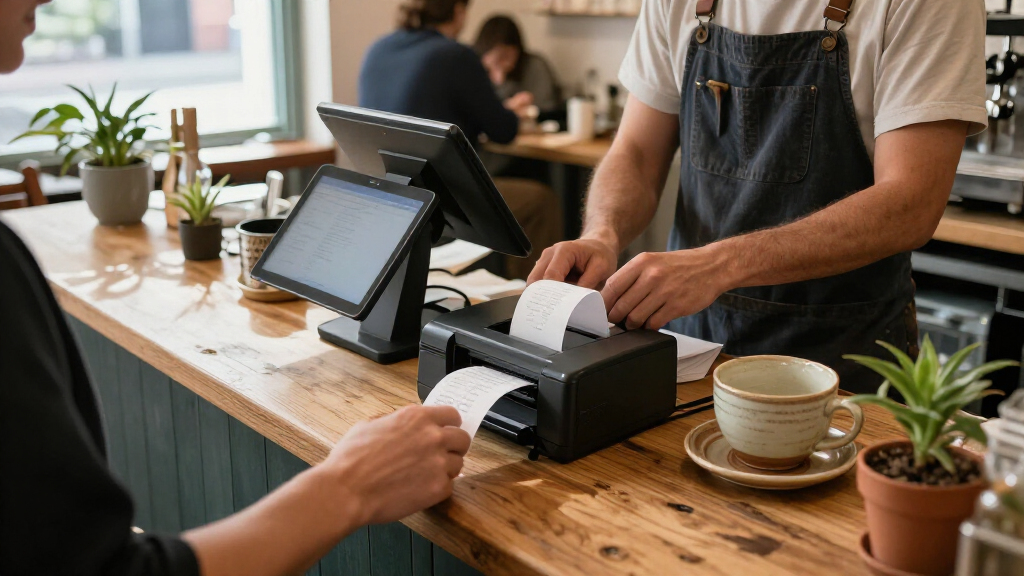
I ranked these printers around the needs of a small business checkout: dependable day-to-day printing, practical connection options, paper width, ease of integration, and fit for the work setting. A printer with USB may be a sensible match for one register, while Ethernet can matter more when the POS computer or terminal needs a wired network connection. Portability earned value for sellers who move between stalls, tables, or events, but it did not outweigh the narrower 58mm format for a fixed, high-volume counter.
The order reflects how broadly useful each model appears from its listed features, not a claim of hands-on testing. Established countertop models with flexible connections rank ahead of narrow-use portable devices for general small-business checkout. I also separated similar Bixolon and Epson models by interface and intended setup, and treated renewed units with more caution because their condition and included items can vary. Before buying, I’d confirm POS compatibility and the precise interface configuration for the listing.
Factors to Consider When Choosing Thermal Receipt Printers For Small Businesses
A printer can have the right paper width and still fail to fit the checkout workflow. I’d settle the connection, software, and receipt format questions before comparing convenience features; those choices determine whether setup is straightforward or turns into extra adapters, configuration, or a return.
Match the printer to your POS software and device
Start by checking the exact printer models and connection types supported by your POS provider. A USB port on both the printer and register does not by itself confirm that the software has a compatible driver. Tablets can add another hurdle: a Bluetooth printer may sound convenient, but the POS app must support that model and connection. Ask the software provider about supported operating systems, setup steps, and cash-drawer control before ordering. This avoids a common mistake: buying on the basis of a familiar connector while overlooking driver support. If the register is mission-critical, favor a configuration your POS provider explicitly lists rather than an unverified workaround.
Choose 58mm or 80mm paper based on what the receipt must show
Receipt width affects readability, line wrapping, and how much information fits on a line; it is not just a matter of paper cost. A compact 58mm format can work for brief transaction slips and mobile sales, but long item names or detailed summaries may become harder to scan. An 80mm format gives more room for item descriptions and branding, which can help at a full-service counter. Check the roll width and roll diameter your printer accepts, then confirm what your POS software prints at that width. A frequent misstep is assuming the software will automatically reformat receipts well for any printer. Consider a sample receipt layout before committing if you rely on modifiers, tax details, or return policies on the slip.
Decide whether USB, Ethernet, serial, or Bluetooth fits the checkout
USB is often the simplest connection for a printer placed beside one register, but it ties the printer to a nearby host device and an available port. Ethernet can suit a fixed setup where the printer needs to join a wired local network, though configuration may take more effort than plugging in USB. Serial connections can be useful when supporting compatible legacy POS equipment, but they are less universal for modern devices. Bluetooth helps mobile sellers avoid a cable, yet pairing, battery management, and app support become part of the daily routine. Choose around the device and network you already operate, not the number of ports listed on a box. Paying for an interface you cannot use adds complexity without improving checkout.
Plan for volume, counter space, and maintenance
A portable printer is easy to carry, but its compact format may be a poor match for a counter printing receipts throughout the day. For a fixed register, allow room for the printer, paper-roll access, cable routing, and any cash drawer or scanner nearby. An auto cutter can reduce the small interruption of tearing each receipt by hand, especially when transactions are frequent, but it adds a mechanism that may need attention over time. Check how paper loads and whether rolls are easy to source locally. Keep a spare roll and a simple cleaning routine in the plan rather than waiting for a busy shift to reveal a paper-feed problem. The best fit is the one staff can reload and troubleshoot quickly in the space available.
Weigh renewed hardware against support and replacement needs
Renewed printers can make established models more accessible, but the unit’s label alone does not tell you what condition it will arrive in. Check whether the power supply, interface cables, and any required accessories are included; missing items can delay installation or add cost. Review the seller’s return and warranty terms, and ask whether the unit has been tested with the connection you plan to use. For a single register, a carefully verified renewed model may be a reasonable way to add capable hardware. For several checkout stations, consistent models and reliable support can be worth more than choosing the lowest acquisition cost. Also confirm that replacement parts, drivers, and compatible supplies remain available for the specific model.
Frequently Asked Questions
Should I choose an 80mm printer or a portable 58mm printer for a small shop?
I’d choose 80mm for a permanent checkout where receipts need room for item details, store information, or longer transaction summaries. A portable 58mm model fits better when staff carry the printer, sales happen away from the counter, or receipts are intentionally brief. The narrower format can make long product names wrap and take more lines, so check a sample layout from your POS system. Also compare roll availability and the printer’s physical footprint. If you serve customers at both a counter and events, consider whether one printer can realistically cover both workflows before buying separate devices.
Is Ethernet worth choosing over USB for a single-register business?
For one register with the printer beside the POS computer, USB is usually the simpler connection if the software supports it. Ethernet becomes more useful when your setup depends on a wired network connection, the printer needs to be positioned away from the host device, or your POS configuration calls for network printing. It can also make cable placement more flexible, but may involve network settings that USB avoids. Confirm how your POS app discovers and communicates with the printer before paying for a network interface. A connection that your system cannot use brings no practical benefit.
Will a Bluetooth thermal printer work with my tablet-based POS?
Not automatically: compatibility depends on both the printer and the POS app, as well as the tablet’s operating system. Check the POS provider’s supported-printer list and confirm the exact model and Bluetooth workflow, rather than relying on a general claim that the printer supports Bluetooth. Ask whether the app can print receipts directly, manage reconnection, and trigger any cash drawer attached to the printer. For a busy checkout, test pairing and recovery after the tablet sleeps or moves out of range. If the app does not officially support the printer, a compatible USB or Ethernet model may be a more predictable choice.
What should I verify before buying a renewed receipt printer?
Check the unit’s condition, included power supply and cables, warranty coverage, return window, and whether the seller confirms that the printer powers on and prints. Then verify that its exact interface works with your POS device and that compatible drivers are available for your operating system. Renewed listings may not include accessories shown in setup guides, so ask what is in the box. Compare the likely time and effort required to source missing parts against choosing a different configuration. For a register that cannot be out of service, prioritize clear support and replacement options over an uncertain savings.
Do I need an auto cutter for a low-volume business?
Not always. At a low-volume counter, manually tearing receipts may be a minor task, so a cutter may not justify added complexity. It becomes more useful when staff print receipts continuously or need quick, consistent handoffs during a rush. Think about who will maintain the printer and whether a cutter issue would interrupt sales. Regardless of the feature, confirm how the printer handles paper loading and whether the receipt can be separated cleanly. The right choice depends more on transaction pace and workflow than on the presence of a cutter alone.
Conclusion
For a dependable fixed checkout, I’d choose the Epson TM-T88V as best overall; its USB and serial options cover common counter setups, though businesses needing Ethernet should look to the Bixolon SRP-350PLUSIII as the network-ready choice. For best value, compare the listed USB-focused 80mm models, including the NetumScan and Epson TM-T20III, against your POS requirements and included accessories rather than choosing on name alone. The Epson TM-T88V is also my best for beginners when the POS system supports its connection, since a straightforward wired counter setup can reduce pairing and network steps. Buyers seeking established POS hardware with a compact countertop format can shortlist the Epson TM-M30II models as a premium-leaning fit, while checking the renewed condition and exact interface details. For mobile and event sellers, the NETUM, Sunydog, or Bluetooth mini 58mm printers prioritize portability; choose one only if the narrower receipt format and app compatibility suit your sales. The best choice is the printer your POS supports, your staff can maintain, and your receipts actually need.