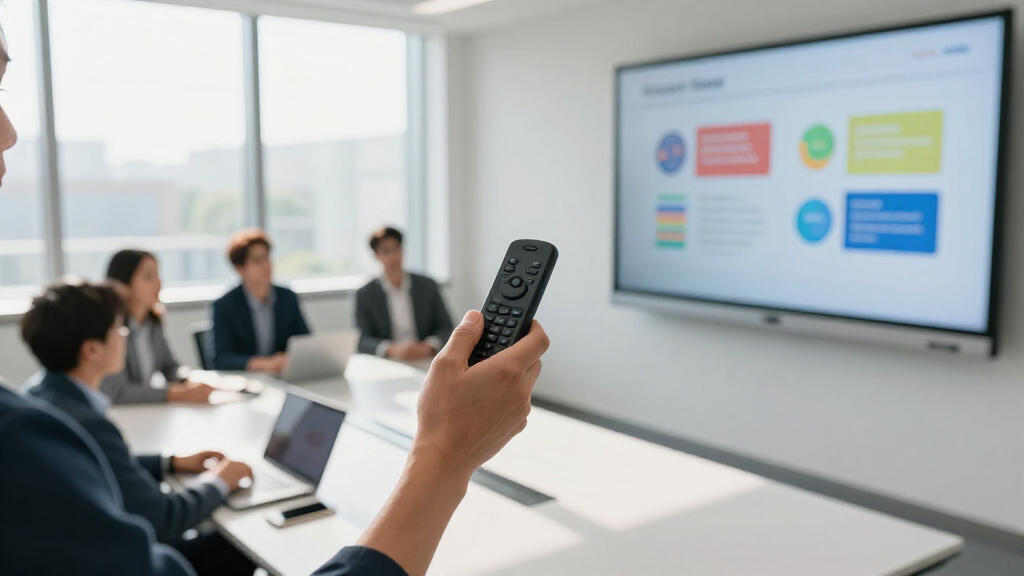

The right wireless presentation remote lets you move away from the podium and control slides confidently from anywhere in the room — but the category is full of near-identical budget clickers that differ in ways spec sheets don’t reveal. My top pick is the Logitech R800, which pairs a bright green laser that’s visible on any projection surface with a 100-foot range and an intuitive timer — the most complete package in this lineup. If you want to spend far less, the QUI Presentation Clicker covers the basics (volume control, solid range) at a fraction of the price, while the Logitech R500s strikes a smart middle ground with USB-A and USB-C receivers plus a replaceable battery. The main tradeoffs to weigh: green vs. red laser visibility, disposable vs. rechargeable batteries, and whether you need dual receiver types for modern laptops. Read on for the full breakdown of all 14 remotes.

Get business pricing on office and shipping supplies
- Business-only prices and quantity discounts
- Tax-exempt purchasing
- Multiple users, one account, clear invoices
Key Takeaways
- Green laser models (the Logitech R800) outperform every red laser option for visibility on bright screens and large venues, but cost two to three times more — red lasers remain perfectly adequate for darkened conference rooms.
- Most sub-$20 clickers in this roundup are functionally interchangeable; the differentiators that actually matter are whether volume control is included, whether the receiver is easy to store, and whether the buttons feel deliberate or mushy.
- Dual USB-A and USB-C receivers (the R500s and two unbranded picks) are becoming the deciding factor for presenters who bounce between older conference room PCs and modern MacBooks.
- Rechargeable models eliminate battery anxiety but introduce a new failure mode: forgetting to charge before a talk. Remotes with standard AAA batteries (the R400, R500s) are easier to rescue mid-presentation.
- The hyperlink and volume control features on picks like the Wireless Presenter Remote with Hyperlink are genuinely useful for interactive workshops but add complexity that casual presenters will never touch.
| Wireless Presenter with Volume Control and Long Wireless Range |  | Best Value Pick | Connectivity: RF 2.4GHz USB receiver | Wireless Range: Up to 100 feet | Pointer Color: Bright red | VIEW LATEST PRICE | See Our Full Breakdown |
| QUI Presentation Clicker with Volume Control, Wireless Presenter Remote |  | Best Long-Range Budget Option | Wireless Range: Up to 328 feet | Connectivity: Plug-and-play USB receiver | Power: 1x AAA battery (not included) | VIEW LATEST PRICE | See Our Full Breakdown |
| Presentation Clicker for PowerPoint Wireless Remote Control with Laser Pointer |  | Best for Beginners | Design: Ergonomic, compact | Weight: 38g | Size: 109mm | VIEW LATEST PRICE | See Our Full Breakdown |
| Presentation Clicker for PowerPoint, Wireless Presenter Remote with Case |  | Best Green Laser Value | Wireless Control Distance: 98 ft / 30 m | Laser Pointer Range: 328 ft / 100 m | Laser Color: Green | VIEW LATEST PRICE | See Our Full Breakdown |
| Logitech Wireless Presenter R500s PowerPoint Clicker with Laser Pointer |  | Best Overall | Compatibility: Windows, Mac OS, iOS, Android | Range: 20 meters / 65 ft | Connectivity: USB receiver or Bluetooth | VIEW LATEST PRICE | See Our Full Breakdown |
| Logitech Wireless Presenter R400 USB A PowerPoint Clicker with Laser |  | Best Trusted Brand Pick | Laser Type: Class 2 red laser | Wireless Technology: 2.4GHz RF | Range: 50 feet | VIEW LATEST PRICE | See Our Full Breakdown |
| Presentation Clicker, Rechargeable Wireless Presenter Remote |  | Best Battery Life | Wireless Range: 100 ft control | Light Display Range: 656 ft | Battery: 300 mAh lithium rechargeable | VIEW LATEST PRICE | See Our Full Breakdown |
| Presentation Clicker with Case, Wireless Presenter Remote & Red Laser |  | Best Complete Kit | Laser Pointer Range: 328 ft / 100 m | Remote Control Range: 98 ft / 30 m | Batteries Included: Yes, 2 AAA | VIEW LATEST PRICE | See Our Full Breakdown |
| Presentation Clicker with USB-A & USB-C Receiver, Wireless Remote for PowerPoint & Slides |  | Best Feature Set | Connectivity: Built-in USB-A & USB-C receiver | Wireless Range: Up to 100 ft (30 m) | Pointer: Bright red laser | VIEW LATEST PRICE | See Our Full Breakdown |
| Presentation Remote Clicker, Wireless USB A & USB C Presenter for PowerPoint and Keynote |  | Best Budget Pick | Light: Bright red | Range: 49 feet | Compatibility: Windows 2003–10, Linux, Android | VIEW LATEST PRICE | See Our Full Breakdown |
| Wireless Presentation Clicker with Laser Pointer for PowerPoint |  | Best Basic Plug-and-Play Pick | Control Range: 98 ft / 30 m | Laser Pointer Range: 328 ft / 100 m | Batteries: 2 AAA (included) | VIEW LATEST PRICE | See Our Full Breakdown |
| Wireless Presentation Clicker Remote for PowerPoint, Presenter |  | Best for Modern Laptops | Control Range: 98 ft / 30 m | Laser Pointer Range: 328 ft / 100 m | Receiver: USB A & USB C 2-in-1 | VIEW LATEST PRICE | See Our Full Breakdown |
| Wireless Presenter Remote with Hyperlink and Volume Control for PowerPoint and Keynote |  | Best Feature-Rich Budget Option | Control Range: 100 m | Laser Pointer Range: 200 m | Batteries: 1 AAA alkaline (not included) | VIEW LATEST PRICE | See Our Full Breakdown |
| Logitech Wireless Presenter R800 PowerPoint Clicker with Green Laser |  | Best Premium Presenter | Laser Color: Green | Wireless Range: 100 ft / 30 m | Wireless Frequency: 2.4 GHz | VIEW LATEST PRICE | See Our Full Breakdown |
| wireless presentation remote | Compatibility |
|---|---|
| Wireless Presenter with Volume | — |
| QUI Presentation Clicker with | Mac OS, Windows; PowerPoint, Keynote, Google Slides, Excel, Prezi |
| Presentation Clicker for Power | Windows XP–10, Mac OS, Linux; PowerPoint, Keynote, Google Slides, Word, Excel, PDF |
| Presentation Clicker for Power | Windows, Mac OS, Linux, Android |
| Logitech Wireless Presenter R5 | Windows, Mac OS, iOS, Android |
| Logitech Wireless Presenter R4 | — |
| Presentation Clicker | Windows 2003–11, Mac OS, Linux, Android |
| Presentation Clicker with Case | Windows 2003–10, Mac OS, Linux |
| Presentation Clicker with USB- | Mac, Windows, Linux |
| Presentation Remote Clicker | Windows 2003–10, Linux, Android |
| Wireless Presentation Clicker | Windows 2003–10, Mac OS, Linux |
| Wireless Presentation Clicker | Windows 2003–10, Mac OS, Linux |
| Wireless Presenter Remote with | Windows, Mac OS, Linux, Android |
| Logitech Wireless Presenter R8 | Windows XP, Windows Vista |
More Details on Our Top Picks
Wireless Presenter with Volume Control and Long Wireless Range
For presenters who want dependable slide control without spending much, this model covers the fundamentals well. Plug-and-play setup means no software installs before a talk, and the bumped rubber buttons let you find controls by touch mid-sentence — something the QUI clicker (B09DQ7872W) doesn’t match at this price. Its volume control and hyperlink buttons add flexibility the more basic B09X1G5DCC remote skips entirely. The tradeoff is range: 100 feet is fine for conference rooms, but presenters who roam large auditoriums will prefer the QUI’s 328-foot reach. The red laser is bright on projection screens but won’t work on LCD or LED displays, a real limitation for anyone presenting off a TV. Factor in the missing AAA battery and this is a budget workhorse, not a premium tool.
Pros:- Plug-and-play setup with no software installation
- Volume control and hyperlink buttons beyond basic page flipping
- Bumped rubber buttons are easy to find without looking
- Auto-sleep mode stretches battery life
Cons:- Red laser is invisible on LCD/LED/TV screens
- AAA battery not included in the box
- 100-foot range falls short of larger-venue competitors
Best for: Budget-conscious office presenters and teachers who mainly use projectors and want volume control in a small room
Not ideal for: Presenters using TVs or LED screens, since the red laser pointer won’t show on those displays
- Connectivity:RF 2.4GHz USB receiver
- Wireless Range:Up to 100 feet
- Pointer Color:Bright red
- Power:1x AAA battery (not included)
- Buttons:Soft rubber, bumped for tactile control
- Additional Features:Volume control, hyperlink, screen switching, auto-sleep
Our verdict“A sensible low-cost choice for projector-based presentations in small-to-mid rooms where basic navigation plus volume control is enough.”
QUI Presentation Clicker with Volume Control, Wireless Presenter Remote
Range is the reason to pick the QUI over its budget rivals. At 328 feet, it triples the reach of the B01410YNAM presenter, which matters if you present in lecture halls or like walking the room. Software support is unusually broad — PowerPoint, Keynote, Google Slides, Excel, and Prezi across Mac and Windows — so mixed-platform workplaces won’t hit compatibility walls. Full-screen and black-screen buttons are a practical touch for hiding slides during Q&A, and volume control matches the B01410YNAM feature-for-feature. Where it lags is refinement: there’s no rechargeable option (the B0DZH136Q5 remote fixes that), and the feature set stops at basics — no customization like the Logitech R500s offers through its app. Still, for sheer distance per dollar, this stands out in the lineup.
Pros:- 328-foot wireless range, among the longest here
- Broad compatibility with Mac OS, Windows, and major presentation apps
- Full-screen and black-screen switching controls
- No drivers or software required
Cons:- No rechargeable battery option — disposable AAA only
- No advanced or customizable controls
- AAA battery not included
Best for: Lecturers and conference speakers who move around large rooms and need reliable control from a distance on a budget
Not ideal for: Frequent presenters who want rechargeable convenience or customizable buttons — this is functionally fixed
- Wireless Range:Up to 328 feet
- Connectivity:Plug-and-play USB receiver
- Power:1x AAA battery (not included)
- Compatibility:Mac OS, Windows; PowerPoint, Keynote, Google Slides, Excel, Prezi
- Features:Page up/down, hyperlink, volume control, full/black screen
- Pointer Light:Bright red
Our verdict“The pick when distance matters most and you’d rather spend on range than premium features.”
Presentation Clicker for PowerPoint Wireless Remote Control with Laser Pointer
This is the remote I’d hand to someone giving their first presentation. It’s light at 38 grams, shaped to sit comfortably in a nervous hand, and does nothing to overcomplicate the job — page forward, page back, laser. The built-in storage for the USB dongle is a genuinely thoughtful touch; losing receivers is the most common way these remotes die, and the QUI and B01410YNAM clickers don’t solve that problem. A single AAA battery runs roughly two months, which is reasonable for occasional use. Compared with the QUI model, the 98-foot control range is shorter, and unlike the B01410YNAM it drops volume control — beginners may not miss it, but growing presenters might. The laser also fades in brightly lit rooms, so daylight training sessions can suffer. For simplicity and portability, though, it earns its slot.
Pros:- Ergonomic, lightweight design comfortable for long talks
- Built-in USB dongle storage prevents losing the receiver
- Works across Windows, Mac, and Linux with all major presentation apps
- Single AAA battery lasts about two months
Cons:- No volume or hyperlink controls
- Red laser hard to see in bright rooms
- 98-foot control range is modest for large halls
Best for: Students and first-time presenters who want a simple, lightweight remote they can’t mess up
Not ideal for: Power users who need volume control or long-range control in large venues
- Design:Ergonomic, compact
- Weight:38g
- Size:109mm
- Control Distance:98 ft / 30 m
- Laser Pointer Range:328 ft / 100 m
- Battery:1x AAA (approx. 2 months)
- Compatibility:Windows XP–10, Mac OS, Linux; PowerPoint, Keynote, Google Slides, Word, Excel, PDF
Our verdict“The easiest clicker to own and operate — ideal for occasional presenters who just need slides and a laser.”
Presentation Clicker for PowerPoint, Wireless Presenter Remote with Case
The green laser is the headline here, and it’s a meaningful upgrade: green beams read far better on bright screens and large projections than the red pointers on the B09X1G5DCC or QUI clickers, which can wash out under strong lighting. Add a 328-foot laser range and this handles big-room visibility that red-laser budget models can’t. The USB-C rechargeable design eliminates the recurring AAA battery cost every other pick in this batch carries, and the included case makes it travel-ready. Tradeoffs exist: the 98-foot wireless control range is the same short spec as the beginner model, so walking far from the laptop risks dropped commands. Button durability is also undocumented, and it lacks the Bluetooth flexibility and app customization of the Logitech R500s. As a mid-priced upgrade path, it makes sense for frequent presenters tired of dim red dots.
Pros:- Green laser far more visible than red on bright screens
- USB-C rechargeable — no battery purchases
- Carrying case included for travel
- Plug-and-play with Windows, Mac, Linux, and Android
Cons:- 98-foot control range limits movement in large venues
- Button durability not documented
- Charging accessories and battery details unclear
Best for: Frequent presenters in bright or large rooms who need a highly visible green laser and hate buying batteries
Not ideal for: Roaming presenters in very large venues — the 98-foot slide-control range limits how far you can stray from the laptop
- Wireless Control Distance:98 ft / 30 m
- Laser Pointer Range:328 ft / 100 m
- Laser Color:Green
- Rechargeable:Yes, via USB-C
- Compatibility:Windows, Mac OS, Linux, Android
- Supported Software:MS Office, Keynote, PDF, Prezi, Google Slides, ACD See
- Included:Carrying case
Our verdict“The smart mid-range upgrade for anyone whose red laser keeps disappearing against bright projections.”
Logitech Wireless Presenter R500s PowerPoint Clicker with Laser Pointer
This model earns the top spot on polish rather than raw specs. Its dual USB and Bluetooth connectivity is unique in this batch — it controls laptops plus iOS and Android devices, a real advantage for presenters working from tablets where every other clicker here, including the QUI and B0DZH136Q5, requires a USB port. The customizable buttons via the Logitech Presentation App let you remap controls to your workflow, and 12-month battery life beats the two-month AAA lifespan of the B09X1G5DCC. The tradeoffs are honest ones: at 65 feet, its range is the shortest of the five, so arena presenters should look elsewhere. Full button customization also requires installing Logitech’s software, and the laser can disable itself in power-saving mode. For most meeting-room and classroom scenarios, though, the flexibility and reliability justify the higher price.
Pros:- Connects via USB receiver or Bluetooth to laptops and mobile devices
- Customizable buttons through the Logitech Presentation App
- Up to 12 months of AAA battery life with smart power management
- Brand-name build quality and support
Cons:- Software installation required for full functionality on Mac and PC
- 65-foot range is the shortest in this lineup
- Laser pointer can be disabled in power-saving mode
Best for: Professional presenters who switch between laptops and tablets and want reliable, customizable control
Not ideal for: Large-venue speakers who need 100+ feet of range — the 20-meter limit is the shortest here
- Compatibility:Windows, Mac OS, iOS, Android
- Range:20 meters / 65 ft
- Connectivity:USB receiver or Bluetooth
- Battery:1x AAA
- Battery Life:Up to 12 months
- Customization:Customizable buttons via Logitech Presentation app
Our verdict“The most versatile and refined pick — worth the premium if you present across devices, but range-limited for big venues.”
Logitech Wireless Presenter R400 USB A PowerPoint Clicker with Laser
The Logitech R400 earns its place on name recognition and dependability rather than flashy specs. Its 50-foot range and plug-and-play receiver keep it competitive, and the built-in docking bay for the USB receiver is a genuinely thoughtful touch that budget clickers like the Presentation Clicker with Case (B0C5HZ4PYC) often handle less elegantly. What you give up is modernity: compared with the Rechargeable Wireless Presenter Remote (B0CD1VZQGD), the R400 still runs on replaceable AAA batteries and offers half the wireless range. This model makes the most sense for presenters who value a predictable, no-surprises tool from an established brand over longer range or rechargeable convenience.
Pros:- Dependable Logitech build quality and support
- Receiver docks inside the clicker so it never gets lost in a laptop bag
- Truly plug-and-play with no software installation
- Intuitive touch-keys that need zero learning curve
Cons:- AAA batteries must be replaced over time
- No USB-C receiver option for newer laptops
- Red laser can wash out on bright screens and backgrounds
Best for: Professionals and educators who want a proven, brand-backed clicker that works reliably on any machine without fuss
Not ideal for: Tech-forward presenters who want USB-C compatibility and a rechargeable battery — this is strictly USB-A with disposables
- Laser Type:Class 2 red laser
- Wireless Technology:2.4GHz RF
- Range:50 feet
- Batteries:AAA (replaceable)
- Receiver Storage:Built-in docking bay
- Setup:Plug-and-play, no software required
Our verdict“Buy this if you want the safest, most battle-tested pick in the lineup and don’t need cutting-edge features.”
Presentation Clicker, Rechargeable Wireless Presenter Remote
This clicker’s headline strength is never buying batteries again. A 300 mAh lithium battery delivers roughly a week of presenting per two-hour charge, and its 180-day standby means it’s ready even if it has sat in a drawer since last quarter — a real advantage over the AAA-powered Logitech R400 or the USB-A & USB-C clicker (B0BMQ4KLY2), whose batteries may arrive already drained. The 2-in-1 USB-C and USB receiver also future-proofs it against newer laptops. Tradeoffs exist: it’s not recommended for TV/LED/LCD screens, and the 656-foot light display spec sounds more impressive in theory than a presenter realistically needs.
Pros:- Rechargeable battery eliminates recurring battery costs
- 180-day standby survives long storage between talks
- Dual USB-C/USB receiver covers old and new laptops
- Broad OS compatibility including Mac, Linux, and Android
Cons:- Light display not suitable for TV/LED/LCD screens
- Loses the docking-bay receiver storage the Logitech R400 offers
- Requires remembering to charge before an important talk
Best for: Frequent presenters and traveling trainers who present weekly and hate scrambling for spare AAA batteries
Not ideal for: Anyone presenting against TVs or LED/LCD displays, where the light function won’t perform as advertised
- Wireless Range:100 ft control
- Light Display Range:656 ft
- Battery:300 mAh lithium rechargeable
- Charging Time:2 hours
- Standby Time:180 days
- Receiver:2-in-1 USB Type-C and USB-A
- Compatibility:Windows 2003–11, Mac OS, Linux, Android
- Wireless Technology:2.4 GHz
Our verdict“The strongest pick here for regular presenters who want charging convenience and dual-format receiver support.”
Presentation Clicker with Case, Wireless Presenter Remote & Red Laser
Where most clickers in this roundup ship as a bare device, this one arrives as a ready-to-go kit: batteries, storage case, and receiver all in the box. That makes it the pick for anyone who wants to present the same day it’s delivered — the USB-A & USB-C clicker (B0BMQ4KLY2), by contrast, doesn’t include batteries at all. Its 328-foot laser range outclasses the Logitech R400’s effective reach, which matters in auditorium settings. The tradeoffs are real, though: non-rechargeable AAA batteries, and some variability in button responsiveness that presenters doing fast-paced slides may find frustrating compared with Logitech’s more consistent key feel.
Pros:- Batteries, case, and receiver all included out of the box
- Exceptional 328-foot laser range for large rooms
- Works across Windows, Mac, Linux, and major presentation software
- Lightweight ergonomic body
Cons:- AAA batteries are not rechargeable
- Button responsiveness can be inconsistent
- Laser range exceeds what most meeting rooms actually need
Best for: First-time buyers and occasional presenters who want everything included and a case to keep it organized
Not ideal for: Speed-critical presenters — variable button responsiveness makes rapid slide transitions less reliable
- Laser Pointer Range:328 ft / 100 m
- Remote Control Range:98 ft / 30 m
- Batteries Included:Yes, 2 AAA
- Setup:Plug-and-play
- Compatibility:Windows 2003–10, Mac OS, Linux
- Software Support:Google Slides, MS Word, Excel, PowerPoint
- Included Accessories:Storage case, USB receiver, batteries
Our verdict“The most convenient out-of-box package here — ideal if you want a complete kit rather than piecemeal accessories.”
Presentation Clicker with USB-A & USB-C Receiver, Wireless Remote for PowerPoint & Slides
This model stands out for control depth. Beyond page up/down, it handles full screen, black screen, volume control, and window switching — functions most rivals here, including the Rechargeable Presenter Remote (B0CD1VZQGD), don’t bundle together. The built-in dual USB-A/USB-C receiver means no adapters regardless of which laptop the venue hands you, and at 55 grams it’s one of the lighter full-featured options. The catch: batteries aren’t included, so unlike the Clicker with Case (B0C5HZ4PYC) you’ll need to supply your own AAAs before your first presentation, and standby life is a modest 30-plus days.
Pros:- Full control set: volume, black screen, full screen, and window switching
- Built-in USB-A and USB-C receiver covers any modern laptop
- Bright laser with 100-foot range for large venues
- Lightweight 55g body for travel
Cons:- Batteries not included in the box
- Shorter standby life than rechargeable rivals
- Laser unsuitable for some brightly lit environments
Best for: Professionals who present on borrowed or varied machines and want volume, blackout, and window controls at their fingertips
Not ideal for: Buyers expecting a ready-to-use package — you must purchase batteries separately before first use
- Connectivity:Built-in USB-A & USB-C receiver
- Wireless Range:Up to 100 ft (30 m)
- Pointer:Bright red laser
- Power Source:2x AAA batteries (not included)
- Weight:55 g
- Compatibility:Mac, Windows, Linux
- Control Functions:Page Up/Down, Full Screen/Black Screen, Volume, Switch Windows
Our verdict“The most capable controller in this batch — choose it when button functions matter more than included accessories.”
Presentation Remote Clicker, Wireless USB A & USB C Presenter for PowerPoint and Keynote
This is the low-commitment option for people who present a handful of times a year. Its 49-foot range covers typical classrooms and conference rooms, and its broad software support — Keynote, Prezi, Google Slides, and the Office suite — matches pricier picks like the Logitech R400 at a lower price. Where it falls short is polish: the light is a bright red pointer rather than a true laser, it isn’t recommended for TV/LED/LCD backgrounds, and Mac users may face initial setup friction that Logitech’s plug-and-play simplicity avoids. Compared with the Clicker with Case (B0C5HZ4PYC), you also lose the longer range and bundled accessories.
Pros:- Affordable entry point for infrequent use
- Wide software support including Keynote, Prezi, and Google Slides
- Compact, ergonomic shape that’s easy to carry
- Straightforward plug-and-play on Windows and Linux
Cons:- Not recommended for TV/LED/LCD backgrounds
- May need initial setup on Mac systems
- 49-foot range trails the 100-foot reach of other picks here
Best for: Students and occasional presenters on a tight budget who mainly present from a laptop in small-to-mid rooms
Not ideal for: Mac users wanting zero-setup simplicity, or presenters who regularly work in large venues
- Light:Bright red
- Range:49 feet
- Compatibility:Windows 2003–10, Linux, Android
- Supported Software:Keynote, Google Slides, Prezi, MS Word, Excel, PowerPoint
- Size:Compact, ergonomic
- Receiver Storage:USB stored under battery cover
- Setup:Plug-and-play (Mac may need initial setup)
Our verdict“A sensible spare-or-first clicker for casual presenters — just don’t expect premium range or Mac frictionlessness.”
Wireless Presentation Clicker with Laser Pointer for PowerPoint
This clicker wins on sheer simplicity: plug the receiver in, press buttons, present. Compared with the Hyperlink and Volume Control model (B09GYHXYYW), which layers on window switching and volume controls, this one strips everything down to page turns and a laser — and for many presenters that’s exactly the point. The 328-foot laser range is overkill for a conference room, but the 98-foot control range means the wireless signal won’t be the limiting factor in any normal venue. It runs on two AAA batteries included in the box, so it works out of the package unlike some rivals. The tradeoff is longevity of ownership: there’s no rechargeable option, unlike dedicated rechargeable models in this lineup, and the lack of volume or blackout buttons will frustrate anyone who presents interactive or multimedia-heavy decks.
Pros:- Genuinely plug-and-play with no software installation
- AAA batteries included so it works immediately
- 98-foot control range covers any conference room
- Lightweight 58g body travels easily
Cons:- Basic function set with no volume or screen blackout
- Disposable AAA batteries with no rechargeable option
- Laser range far exceeds real-world indoor needs
Best for: Speakers who want a zero-setup, no-frills remote for straightforward slide decks
Not ideal for: Presenters who need volume control, blackout, or hyperlink buttons — this has none of them
- Control Range:98 ft / 30 m
- Laser Pointer Range:328 ft / 100 m
- Batteries:2 AAA (included)
- Weight:58 g
- Compatibility:Windows 2003–10, Mac OS, Linux
- Supported Software:PowerPoint, Google Slides, MS Word, Excel
Our verdict“A dependable, fuss-free choice for slide-only presenters who value simplicity over features.”
Wireless Presentation Clicker Remote for PowerPoint, Presenter
The standout feature here is the 2-in-1 USB A and USB C receiver, which solves a problem most budget clickers ignore: newer laptops and tablets that have dropped full-size USB ports. If your machine is a recent MacBook or ultrabook, this saves you from carrying a dongle, something the Basic Plug-and-Play Clicker (B0B257B6WM) can’t match with its single-format receiver. Otherwise, the experience is similar — 98-foot control range, a bright red laser, plug-and-play setup, and an ergonomic grip. The tradeoffs mirror its budget siblings: AAA batteries instead of rechargeable cells, and a button set limited to slide advancement and laser. It’s essentially the modern-connectivity version of a classic formula rather than a feature leap, so don’t expect the hyperlink and volume functions found on more advanced models in this guide.
Pros:- USB A & C 2-in-1 receiver fits port-light modern laptops
- Plug-and-play with no driver installation
- Long 328-foot laser range and 98-foot control range
- Works across Windows, Mac OS, and Linux
Cons:- Disposable AAA batteries with no rechargeable option
- No advanced buttons like volume or blackout
- Laser range is more than most rooms require
Best for: Presenters with USB-C-only laptops who still want an affordable, simple clicker
Not ideal for: Buyers wanting premium features like timers or volume control — this covers only the basics
- Control Range:98 ft / 30 m
- Laser Pointer Range:328 ft / 100 m
- Receiver:USB A & USB C 2-in-1
- Batteries:2 AAA
- Compatibility:Windows 2003–10, Mac OS, Linux
Our verdict“The right budget pick if your laptop lacks a USB-A port but you don’t need extra controls.”
Wireless Presenter Remote with Hyperlink and Volume Control for PowerPoint and Keynote
This model earns its spot by doing things the cheaper clickers in this roundup simply can’t: hyperlink buttons, window switching, and volume control packed into a slim 31-gram body. For teachers and trainers who jump between browser tabs or embedded links mid-presentation, that matters more than raw laser range. Compared with the Basic Plug-and-Play Clicker (B0B257B6WM), you give up nothing on control distance — this one reaches 100 meters — while gaining Android support, which is rare at this price. The single AAA battery keeps weight down but, unlike the B0B257B6WM, no battery ships in the box, and Mac users may face a brief setup step. It’s the thinking presenter’s budget remote: more capable, slightly less polished out of the package.
Pros:- Hyperlink, window switching, and volume controls in one remote
- 100-meter control range exceeds most rivals
- Works with Windows, Mac, Linux, and Android
- Featherlight 31 g design
Cons:- Battery not included, unlike some competitors
- Mac setup may require extra steps
- No rechargeable battery option
Best for: Educators and trainers who need hyperlink, tab-switching, and volume controls on a budget
Not ideal for: Buyers who want everything ready out of the box — the battery isn’t included
- Control Range:100 m
- Laser Pointer Range:200 m
- Batteries:1 AAA alkaline (not included)
- Compatibility:Windows, Mac OS, Linux, Android
- Dimensions:5.47 x 0.74 x 0.49 in
- Weight:31 g
Our verdict“The best sub-premium choice for interactive presentations that go beyond simple slide advances.”
Logitech Wireless Presenter R800 PowerPoint Clicker with Green Laser
The R800 is the only option in this batch built around a green laser, which stays visible on LCD and plasma screens where the red lasers on the Hyperlink and Volume Control remote (B09GYHXYYW) and every other budget pick here tend to wash out. Its other differentiator is the LCD display with a silent vibration timer — genuinely useful for timed talks, since you can glance down or feel an alert without checking your phone or a wall clock. The receiver stores inside the body, a small touch that reduces the risk of losing it. The tradeoffs are real, though: compatibility is officially limited to older Windows versions, with no stated Mac or Linux support, and Logitech doesn’t publish battery details, which makes long-term ownership costs murkier than the transparent AAA setups elsewhere in this guide.
Pros:- Green laser visible on LCD and plasma screens where red lasers fail
- LCD timer with silent vibration alerts for pacing talks
- Receiver stores inside the remote when not in use
- Polished, intuitive button layout typical of Logitech
Cons:- Official compatibility limited to Windows XP and Vista
- Battery type and life unspecified
- Premium price versus feature-rich budget rivals
Best for: Professionals giving timed talks on bright screens who want a green laser and discreet alerts
Not ideal for: Mac and Linux users, or anyone who needs clearly documented battery replacement costs
- Laser Color:Green
- Wireless Range:100 ft / 30 m
- Wireless Frequency:2.4 GHz
- Display:LCD timer with silent alerts
- Power Source:Battery (type not specified)
- Compatibility:Windows XP, Windows Vista
Our verdict“Worth the premium for serious presenters who need a screen-visible laser and timing help, provided they’re on Windows.”
How We Picked
I evaluated these remotes against the factors that actually determine whether a presentation goes smoothly: wireless range and connection reliability (a clicker that drops frames mid-talk is worthless), laser visibility across lighting conditions, button layout and ergonomics during extended use, power strategy (disposable vs. rechargeable), and receiver compatibility with both legacy and modern laptops. I also weighed software-free plug-and-play setup, since most presenters need a remote that works the moment they plug in the dongle.
The ranking reflects a simple logic: the Logitech models sit at the top because their build quality, range consistency, and button feel justify their premium, with the R800 as best overall for its green laser and the R500s as the best-balanced everyday option. Below them, I ordered the budget clickers by how well they replicate the premium experience — volume control, dual receivers, and thoughtful carrying cases separated the strong value picks from the generic filler. A remote had to have a genuine, distinct strength to earn its place; several picks are here specifically for narrow use cases like Keynote workflows or hyperlink-heavy training sessions.
Factors to Consider When Choosing Wireless Presentation Remotes
Before choosing a remote, it helps to understand what actually separates a reliable presenter tool from a frustrating one. These are the factors I weighed most heavily, and the tradeoffs most buyers get wrong.Laser Color Matters More Than You’d Expect
Red lasers are the default on nearly every budget remote, and they work fine in darkened rooms against white or light-gray slides. The problem appears in real-world conditions: rooms with windows, bright projectors, or slides with saturated backgrounds make a red dot nearly invisible from the back of the room. Green lasers are roughly ten times more visible to the human eye at the same power level, which is why they command a premium. If you present in varied venues — training rooms, auditoriums, conference halls with inconsistent lighting — a green laser is one of the few upgrades worth paying extra for. If you always present in the same darkened meeting room, save the money. A common mistake is buying a green laser for status rather than need, then paying for battery drain the brighter diode causes.
Battery Strategy: Rechargeable vs. Disposable
Rechargeable remotes feel modern, but they introduce a single point of failure: a dead internal battery with no warning before your biggest talk. Remotes running on standard AAA batteries can be rescued in thirty seconds with batteries from any hotel front desk or convenience store. Rechargeable models are better for frequent presenters who build a charging routine — docking the remote alongside their laptop means it’s always ready. Consider how often you actually present. Once-a-month presenters will let a rechargeable remote drain between engagements and discover it’s flat at the worst moment. Daily presenters will appreciate never buying batteries again. Neither approach is wrong; mismatching the strategy to your habits is.
Receiver Compatibility and Port Placement
The single most common compatibility headache in 2026 is the USB-A/USB-C divide. Many budget clickers still ship with only a USB-A dongle, which leaves MacBook and ultrabook users hunting for an adapter minutes before their slot. Remotes with dual receivers or a USB-C native dongle eliminate this entirely. Also check how the receiver stores: models with an internal storage slot inside the battery compartment or a magnetic carrier mean you won’t lose a thumbnail-sized dongle in a laptop bag. Presenters who travel through multiple venues should treat receiver storage as a hard requirement, not a nicety. Losing the dongle renders the entire remote useless, since almost none of these models pair over Bluetooth as a fallback.
Range: Real Needs vs. Spec Sheet Numbers
Manufacturers quote ranges of 30 to 100+ feet, but those figures come from line-of-sight testing with fresh batteries. In practice, range degrades through walls, bodies, and interference from venue Wi-Fi. For a typical conference room, even the weakest remote in this category has more range than you need — a 30-foot rating comfortably covers any room where your audience can still see your slides. Long-range ratings matter for auditoriums and classrooms where you might stand 50+ feet from the podium. A related but overlooked factor is response latency: a remote can technically reach the receiver while still registering clicks a half-second late, which derails pacing during fast-paced slides. The Logitech models distinguished themselves here with consistently instant response.
Button Layout and the Hidden Buttons Problem
A remote should be operable without looking at it — your eyes belong on your audience, not your hands. Look for tactilely distinct buttons: a raised next-slide button you can find by feel, volume controls separated from slide controls, and a laser button positioned so you don’t trigger it accidentally. Some budget remotes crowd six functions onto four buttons, requiring double-presses or mode switches that are nearly impossible to remember under pressure. Hyperlink buttons, blank-screen buttons, and timer start/stop functions are valuable only if you’ll actually rehearse with them. A useful test when choosing: could you advance slides, control volume, and activate the laser without ever glancing down? If not, keep looking.
Build Quality and the Cost of Cheap Clickers
The price gap between a $12 unbranded clicker and a $60 Logitech isn’t just brand markup — it shows up in button longevity, battery door tolerances, and drop survival. Budget remotes tend to develop mushy or double-firing buttons after months of use, which can skip two slides at once during a talk. That said, cheap remotes have a legitimate role: they’re excellent as backups, loaners for a team, or low-risk purchases for occasional presenters. The mistake is treating a bargain clicker as your only tool for high-stakes presentations. Frequent presenters should calculate cost per use: a premium remote used weekly for three years costs pennies per presentation. Occasional presenters should buy cheap and keep spare batteries nearby.
Frequently Asked Questions
Will a wireless presentation remote work with Google Slides, Keynote, and PowerPoint?
Yes, in almost all cases, because these remotes don’t actually control the software — they emulate a keyboard’s arrow keys and page-up/page-down functions over a USB receiver. Any application that responds to those keys, including Google Slides running in a browser, will respond to the remote’s advance and back buttons. The exceptions are the extra features: hyperlink buttons and some timer functions are designed around PowerPoint’s shortcuts and may behave unpredictably or do nothing in Keynote or Slides. If you present across multiple platforms, prioritize remotes that stick to basic page-advance controls, like the Logitech models, over feature-heavy clickers with software-specific shortcuts. Always test the remote with your actual presentation software before the day of the event, since a browser running Slides may need to be the focused window for clicks to register.
Is a green laser worth the extra cost over a red laser?
It depends entirely on your venues. Green lasers appear dramatically brighter to the human eye at the same power output, staying visible on bright projectors, colored backgrounds, and in rooms with ambient light where a red dot disappears. If you present in auditoriums, training rooms without blackout blinds, or any space larger than a standard conference room, the green laser on the Logitech R800 is a genuine functional upgrade, not a luxury. For darkened rooms and small meetings, a red laser does the same job for a third of the price. Two caveats worth knowing: green lasers drain batteries faster, and their brighter diodes typically cost more to replace if they fail. Presenters who only point at slides occasionally can skip the upgrade; those who annotate slides live during demos will use it constantly.
Can I use one remote with multiple computers, or do I need to re-pair it?
You can move a remote between computers freely, because the pairing lives in the USB receiver, not the remote itself. Plug the dongle into any machine and the remote works within seconds — no installation, no driver downloads, no re-pairing process. This is why presenter storage for the receiver matters so much: the dongle is the identity of the device, and losing it means replacing the whole unit since these remotes almost never support Bluetooth pairing as a backup. If you regularly present from different laptops, keep the receiver in the remote’s storage slot or in a dedicated pocket of your laptop bag. Teams sharing a remote should establish a rule about where the dongle lives, because a receiver left in a conference room PC is the most common way these devices die.
Do presentation remotes work on MacBooks and USB-C-only laptops?
The remote itself is platform-agnostic, but the receiver determines compatibility, and this is where many buyers get caught out. If your laptop only has USB-C ports and the remote ships with a USB-A dongle, you’ll need a USB-C adapter — which you must remember to pack. Several remotes in this roundup, including the Logitech R500s and the dual-receiver presentation clickers, solve this by including both USB-A and USB-C dongles or a single dual-standard receiver. That flexibility is worth a small price premium if you present from a mix of machines, such as a personal MacBook and venue-provided Windows laptops. Check the product listing carefully, because ‘USB-C compatible’ in a title sometimes just means ‘works with an adapter you supply yourself.’ Presenters who own only one laptop can safely ignore this and buy whichever receiver type matches it.
What’s the real battery life difference between rechargeable and AAA-battery remotes?
AAA-battery remotes typically run for months of regular presenting on a single set — Logitech rates its models for hundreds of hours of presentation time, and in practice most presenters change batteries once or twice a year. Rechargeable remotes usually quote shorter windows, often 10 to 30 hours of active use, but they hold charge for weeks when idle, so the practical difference is smaller than the specs suggest. The real distinction is failure mode: a disposable-battery remote dies gradually with warning signs like a dimming laser, while a rechargeable one can go from working to dead without obvious symptoms if it has sat uncharged for a month. Frequent presenters benefit from rechargeable convenience; infrequent ones benefit from the reliability of lithium primary cells that don’t self-discharge meaningfully. Whichever you choose, keep a backup plan — spare AAs in your bag, or a charging cable in the same pocket as the remote.
Conclusion
After comparing all 14 remotes, the right choice comes down to how, where, and how often you present. Best overall goes to the Logitech R800: the green laser, 100-foot range, and built-in timer make it the most capable remote here, and the one professionals can rely on in unfamiliar venues. Best value is the QUI Presentation Clicker, which delivers volume control and dependable wireless performance at a price that leaves room for a spare. Best premium pick for feature hunters is the R800’s sibling, the Logitech R500s, whose dual USB-A/USB-C receiver and replaceable battery make it the smartest everyday tool for presenters who work across different laptops.
For beginners and occasional presenters, the basic Wireless Presentation Clicker with Laser Pointer for PowerPoint keeps things simple — no modes to memorize, no battery management, just plug in and click. Presenters with specific needs should match accordingly: the Rechargeable Wireless Presenter Remote suits frequent travelers tired of buying batteries, the USB-A & USB-C dual-receiver clickers fit MacBook-centric workflows, and the Presenter Remote with Hyperlink and Volume Control is the clear pick for trainers and workshop leaders who navigate non-linear, interactive decks. Whatever you choose, test it once with your actual laptop and software before your next talk — the best remote is the one you’ve already rehearsed with.
Halloween Picks

Spirit Halloween Scary Sitting Scarecrow Animatronic, 4 ft 6 in

Haunted Hill Farm 4.6-Ft. Spinning Beatrix Halloween Animatronic

Panefright Halloween Window Projector – Scary Projector for Spooky Decor
As an affiliate, we earn on qualifying purchases.