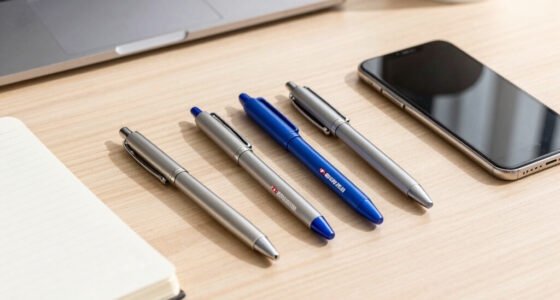

Business presentation remotes range from simple $15 slide advancers to app-connected tools like the Logitech Spotlight, and the right pick depends on whether you present in small conference rooms or large auditoriums. The Logitech R500s earns my best overall pick for its rare combination of both USB-A and USB-C receivers, comfortable ergonomics, and a price that undercuts premium models while covering every basic need. If you regularly present to big crowds, the Logitech R800 with its green laser is far more visible than any red laser option here, while the DINOSTRIKE with air mouse control suits presenters who need to interact with on-screen content, not just advance slides. The main tradeoff in this category is between plug-and-play simplicity and advanced features like volume control, hyperlink buttons, and customizable gestures — extras that add learning curve and cost. Keep reading for the full breakdown of all 15 remotes and which buyer each one fits best.

Get business pricing on office and shipping supplies
- Business-only prices and quantity discounts
- Tax-exempt purchasing
- Multiple users, one account, clear invoices
Key Takeaways
- Logitech models dominated the top of this comparison because of their longer wireless range, better build quality, and more consistent button feel — but they cost three to five times more than generic alternatives.
- The single biggest differentiator among budget clickers was receiver compatibility: only a handful of the 15 models include both USB-A and USB-C dongles, which matters enormously if you present from modern laptops.
- Green laser pointers (Logitech R800) are dramatically more visible in bright rooms than red lasers, but they cost more and drain batteries faster — a tradeoff worth making only for large-venue presenters.
- Volume control and hyperlink buttons appeared on six of the fifteen models, and these features separate remotes for static slide decks from remotes for embedded video and interactive presentations.
- Rechargeable models like the DINOSTRIKE eliminate battery anxiety but introduce the risk of a dead unit with no way to swap in AAA batteries minutes before a presentation.
| Logitech Wireless Presenter R500s PowerPoint Clicker with Laser Pointer |  | Best Overall | Compatibility: Windows, Mac OS, iOS, Android | Range: 20 meters (65 ft) | Connectivity: USB receiver, Bluetooth | VIEW LATEST PRICE | See Our Full Breakdown |
| Presentation Remote Clicker, Wireless USB A & USB C Presenter for PowerPoint, Keynote, Mac, Laptop |  | Best Value | Connectivity: USB-A & USB-C receiver | Range: Up to 49 feet | Buttons: 3 | VIEW LATEST PRICE | See Our Full Breakdown |
| QUI Presentation Clicker with Volume Control, Wireless Presenter Remote |  | Best for Classrooms and Training Rooms | Control Range: Up to 328 ft | Battery: 1x AAA (not included) | Compatibility: Windows, Mac OS; PowerPoint, Keynote, Google Slides, Excel, Prezi | VIEW LATEST PRICE | See Our Full Breakdown |
| QUI Presentation Clicker with Volume Control, Wireless Presenter Remote (Purple) |  | Best Compact Backup Remote | Connectivity: USB receiver | Range: Up to 328 feet | Buttons: 6 | VIEW LATEST PRICE | See Our Full Breakdown |
| Norwii N95s Presentation Remote, Slide Clicker for PowerPoint Presentations |  | Best Premium Features | Display: High-definition OLED | Vibration Alerts: Countdown alerts at 10, 5, 0 minutes | USB Receiver: USB-A, USB-C, or USB-A&C (per order) | VIEW LATEST PRICE | See Our Full Breakdown |
| Wireless Presenter Remote with Hyperlink & Volume Control for PowerPoint and Keynote |  | Best for Large Venues | Maximum Range: 100 meters | Supported Systems: Windows, Mac OS, Linux, Android | Batteries: 1 AAA alkaline battery | VIEW LATEST PRICE | See Our Full Breakdown |
| Presentation Clicker with USB-A & USB-C Receiver, Wireless Remote with Volume Control & Red Light Pointer |  | Best for Modern Laptops | Connectivity: USB-A & USB-C built-in receiver | Range: up to 100 feet (30 meters) | Pointer: Bright red laser | VIEW LATEST PRICE | See Our Full Breakdown |
| Presentation Clicker for PowerPoint Wireless Presenter Remote with Laser Pointer |  | Best Value Pick | Range (PowerPoint control): 98 ft / 30 m | Range (Laser pointer): 328 ft / 100 m | Batteries: 2 AAA (included) | VIEW LATEST PRICE | See Our Full Breakdown |
| DINOSTRIKE Wireless Presenter Remote with Air Mouse Control, Rechargeable USB Presentation Clicker |  | Best Feature-Rich Pick | Functions: Black/full screen, page forward/back, volume, mouse, hyperlink, switch windows | Wireless Range: 164 feet | Control Range: 656 feet | VIEW LATEST PRICE | See Our Full Breakdown |
| Logitech Wireless Presenter R800 PowerPoint Clicker with Green Laser |  | Best Premium Pick | Laser Color: Green | Range: 100 feet (30 meters) | Display: LCD timer with vibrating alerts | VIEW LATEST PRICE | See Our Full Breakdown |
| Logitech Wireless Presenter R400 USB A PowerPoint Clicker with Laser |  | Best Trusted Classic | Laser Type: Class 2 red laser | Wireless Range: 50 feet | Connectivity: 2.4GHz RF wireless | VIEW LATEST PRICE | See Our Full Breakdown |
| Wireless Presenter with Hyperlink and Volume Control, RF 2.4GHz USB PowerPoint Clicker |  | Best for Interactive Decks | Connectivity: RF 2.4GHz | Maximum Range: 30 meters (100 feet) | Buttons: 6, including hyperlink and volume | VIEW LATEST PRICE | See Our Full Breakdown |
| Logitech Spotlight Presentation Remote Universal Wireless – Black |  | Best Premium | Connectivity: USB-A receiver and Bluetooth Smart | Range: 30 meters (100 feet) | Battery Life: Up to 3 months per full charge | VIEW LATEST PRICE | See Our Full Breakdown |
| Presentation Clicker with Case, Wireless Presenter Remote & Red Laser |  | Best Complete Kit | Clicker Range: 98 ft / 30 m | Laser Pointer Range: 328 ft / 100 m | Batteries: 2 AAA (included) | VIEW LATEST PRICE | See Our Full Breakdown |
| Wireless Presentation Clicker Remote for PowerPoint, Presenter |  | Best for Modern Laptops | Clicker Range: 98 ft / 30 m | Laser Pointer Range: 328 ft / 100 m | Receiver: USB-A & USB-C 2-in-1 | VIEW LATEST PRICE | See Our Full Breakdown |
| business presentation remote | Compatibility | Connectivity |
|---|---|---|
| Logitech Wireless Presenter R5 | Windows, Mac OS, iOS, Android | USB receiver, Bluetooth |
| Presentation Remote Clicker | Laptops and PCs, PowerPoint and Keynote | USB-A & USB-C receiver |
| QUI Presentation Clicker with | Windows, Mac OS; PowerPoint, Keynote, Google Slides, Excel, Prezi | — |
| QUI Presentation Clicker with | PowerPoint, Keynote, Google Slides, Excel, ACDSee, Prezi | USB receiver |
| Norwii N95s Presentation Remot | Windows 10, macOS 10.15+, Android 5.0+, Linux Kylin/UOS | — |
| Wireless Presenter Remote with | — | — |
| Presentation Clicker with USB- | Mac, Windows, Linux; PowerPoint, Keynote, Google Slides, Prezi | USB-A & USB-C built-in receiver |
| Presentation Clicker for Power | Windows XP through 10, Mac OS, Linux | — |
| DINOSTRIKE Wireless Presenter | Windows 7/8+, Mac OS, Linux, Android | — |
| Logitech Wireless Presenter R8 | — | Wireless USB receiver |
| Logitech Wireless Presenter R4 | — | 2.4GHz RF wireless |
| Wireless Presenter with Hyperl | — | RF 2.4GHz |
| Logitech Spotlight Presentatio | Windows, Mac OS, PowerPoint, Keynote, PDF, Google Slides, Prezi | USB-A receiver and Bluetooth Smart |
| Presentation Clicker with Case | Windows 2003–10, Mac OS, Linux | — |
| Wireless Presentation Clicker | Windows, Mac, Linux, Google Slides, PowerPoint | Radio Frequency |
More Details on Our Top Picks
Logitech Wireless Presenter R500s PowerPoint Clicker with Laser Pointer
This option stands out for the broadest platform flexibility in the lineup: dual USB-receiver and Bluetooth connectivity means it works with laptops, tablets, and phones running Windows, Mac, iOS, or Android. Compared with the Norwii N95s, the R500s skips the OLED screen and countdown alerts but counters with simpler setup and a 12-month AAA battery life that outlasts most budget clickers here. The 20-meter range is shorter than the QUI models’ 328-foot claim, but 65 feet covers any boardroom comfortably. The tradeoff is customization: getting the most from the buttons requires installing the Logitech Presentation App on a computer, and the red laser washes out on bright screens in large venues.
Pros:- Dual USB and Bluetooth connectivity works across Windows, Mac, iOS, and Android
- Up to 12 months of battery life from a single AAA
- 20-meter range gives full freedom of movement in conference rooms
- Customizable controls via the Logitech Presentation App
Cons:- Full button customization requires software installation on Mac and PC
- Red laser pointer is hard to see in brightly lit rooms or on LED screens
Best for: Frequent presenters who move between Windows and Mac machines, or who present from tablets and want one remote for every device
Not ideal for: Speakers in large auditoriums with bright projection setups — the red laser lacks the visibility of the Logitech R800’s green beam
- Compatibility:Windows, Mac OS, iOS, Android
- Range:20 meters (65 ft)
- Connectivity:USB receiver, Bluetooth
- Battery Life:Up to 12 months
- Battery Type:1x AAA
- Laser Pointer:Yes (red)
- Software:Logitech Presentation App
Our verdict“The safest all-around pick for professionals who present across multiple devices and platforms without wanting to think about compatibility.”
Presentation Remote Clicker, Wireless USB A & USB C Presenter for PowerPoint, Keynote, Mac, Laptop
For buyers who just need slides to advance reliably, this is the lowest-friction option in the roundup. The plug-and-play design means no drivers, no app, no pairing — plug the receiver in and present, which is a genuine advantage over the Norwii N95s, whose advanced features hinge on proprietary software installation. The inclusion of both USB-A and USB-C support at this price undercuts most competitors, including the pricier Logitech R500s. The compromises are real, though: only three buttons means no volume control or screen-blanking like the QUI clickers offer, the 49-foot range is the shortest here, and the red light disappears against TV, LED, and LCD displays — a problem for anyone presenting on large flat panels.
Pros:- True plug-and-play setup with no software or drivers required
- Supports both USB-A and USB-C ports for modern and older laptops
- Lightweight, ergonomic, and pocketable at just 50 grams
- Receiver stores inside the battery cover so it won’t get lost
Cons:- Only three buttons — no volume control, hyperlink, or blackout functions
- Red light is invisible against TV, LED, and LCD backgrounds
- Mac users may need extra initial setup steps
Best for: Budget-conscious presenters and students who want a no-setup clicker for occasional meetings or class projects
Not ideal for: Presenters who control video or audio during talks — the three-button layout lacks volume control entirely
- Connectivity:USB-A & USB-C receiver
- Range:Up to 49 feet
- Buttons:3
- Compatibility:Laptops and PCs, PowerPoint and Keynote
- Battery:1x AAA
- Weight:0.05 kg
Our verdict“A dependable, low-cost workhorse for straightforward slide decks where fancy controls would go unused.”
QUI Presentation Clicker with Volume Control, Wireless Presenter Remote
This model earns its place through sheer working range: a claimed 328 feet, more than six times what the budget USB-A/USB-C clicker offers, which matters in training rooms where a facilitator roams between tables. Unlike the three-button value pick, it adds volume control, hyperlink navigation, and full-screen/black-screen switching — genuinely useful when presenting embedded video or hiding a slide mid-discussion. It matches the Logitech R500s for plug-and-play simplicity but skips the app requirement entirely. The tradeoffs are straightforward: no battery is in the box, the feature set stops at basic presentation functions, and there’s no way to customize anything. Compared with its purple QUI sibling, functionality is nearly identical, so choosing between them comes down to price and color.
Pros:- 328-foot range handles large training rooms and auditoriums
- Volume control plus full-screen and black-screen buttons
- Plug-and-play with PowerPoint, Keynote, Google Slides, Excel, and Prezi
- Clip design attaches to a pocket or notebook for carrying
Cons:- AAA battery not included in the box
- No advanced features beyond basic slide and volume control
- Red pointer struggles on bright LED screens
Best for: Trainers and teachers who move around large rooms and need volume control for embedded video
Not ideal for: Tech-forward presenters who want a timer display or digital pointer — this is strictly a buttons-and-laser tool
- Control Range:Up to 328 ft
- Battery:1x AAA (not included)
- Compatibility:Windows, Mac OS; PowerPoint, Keynote, Google Slides, Excel, Prezi
- Controls:Page up/down, hyperlink, volume, full screen, black screen
- Pointer:Red light
- Setup:Plug-and-play, no software required
Our verdict“A strong mid-range pick for educators who roam big rooms and need volume control without software headaches.”
QUI Presentation Clicker with Volume Control, Wireless Presenter Remote (Purple)
This purple QUI model is functionally the twin of the black QUI clicker — same 328-foot range, same six-button layout with volume and screen switching — but its distinct color makes it easy to spot in a bag or on a conference table, which is exactly why it works well as a designated backup. Compared with the Logitech R500s, it trades platform polish and Bluetooth for a lower price and zero software dependency. The clip design means it can live on a lanyard or notebook cover, ready when a primary remote dies minutes before a talk. The drawbacks mirror its sibling: the AAA battery isn’t included, features stay basic, and anyone wanting the Norwii N95s’s countdown timer or digital magnifier will find nothing of the sort here.
Pros:- Distinct purple color makes it easy to identify among gear
- Six buttons include volume control and screen switching
- 328-foot range matches the flagship QUI model
- Clips onto a pocket, lanyard, or folder for portability
Cons:- Battery not included at purchase
- No advanced features like timers, mouse control, or customization
- Limited color options may not suit conservative corporate environments
Best for: Presenters who want an inexpensive, color-coded spare remote tucked in a travel bag or assigned to a specific team
Not ideal for: Anyone wanting a single do-everything remote — the feature set is basic and the purple finish isn’t for every professional setting
- Connectivity:USB receiver
- Range:Up to 328 feet
- Buttons:6
- Battery:1x AAA (not included)
- Compatibility:PowerPoint, Keynote, Google Slides, Excel, ACDSee, Prezi
- Color:Purple
Our verdict“A sensible second remote — or a first one for budget buyers — as long as your needs stop at slides, volume, and a red dot.”
Norwii N95s Presentation Remote, Slide Clicker for PowerPoint Presentations
This is the most feature-dense remote in the entire 15-product roundup, and the only one with an OLED display showing signal, remaining power, and a live countdown — with vibration alerts at the 10, 5, and 0-minute marks so timed talks stay on schedule without glancing at a clock. No other pick here, including the Logitech Spotlight further down the lineup at a higher price, offers that timer discipline. It also adds mouse control, digital pointer, magnify, and highlight functions, plus Linux compatibility that’s rare anywhere in this category. The costs: advanced features require installing Norwii’s proprietary software, which sometimes triggers antivirus warnings, and the digital pointer only works in full-screen mode — a limitation speakers sharing screens on video calls will feel immediately.
Pros:- OLED display shows countdown timer, power, and signal at a glance
- Vibration alerts at 10, 5, and 0 minutes keep timed talks on track
- Digital pointer, magnify, highlight, and mouse control cover advanced presenting
- Compatible with Windows, macOS, Android, and Linux including Kylin/UOS
Cons:- Advanced features require proprietary software that can trigger antivirus false alarms
- Virtual pointer only works in full-screen mode, limiting hybrid and screen-sharing setups
- Only one USB receiver type ships per order — choose USB-A, USB-C, or combo carefully
Best for: Conference speakers and timed-presentation professionals who need countdown alerts and on-screen annotation tools
Not ideal for: Casual presenters and anyone on locked-down corporate IT — the required software can trip antivirus flags and may not be installable
- Display:High-definition OLED
- Vibration Alerts:Countdown alerts at 10, 5, 0 minutes
- USB Receiver:USB-A, USB-C, or USB-A&C (per order)
- Compatibility:Windows 10, macOS 10.15+, Android 5.0+, Linux Kylin/UOS
- Features:Digital pointer, magnify, highlight, customized icon, mouse control
- Output Power:<1mW
- Housing:ABS and PC mixture
Our verdict“The pick for serious conference presenters who want timing discipline and annotation tools, provided they can install the software.”
Wireless Presenter Remote with Hyperlink & Volume Control for PowerPoint and Keynote
Range is the headline here: up to 100 meters of control distance, which is dramatically more than the 30 meters offered by the USB-C clicker later in this list. That matters if you present in auditoriums or training rooms where you genuinely roam. It also supports hyperlink and volume controls that budget clickers like the R400 skip entirely, and it works across Windows, Mac, Linux, and Android without software installs. At 31 grams and running on a single AAA battery, it’s one of the lightest options in this roundup. The tradeoff for that lightness is battery anxiety — a single AAA won’t last through a heavy presenting season, and Mac users may hit a minor setup hiccup the plug-and-play crowd on Windows won’t.
Pros:- Up to 100 m control range — far beyond typical clickers
- Hyperlink and volume buttons that cheaper remotes omit
- Cross-platform support including Android
- Featherlight 31 g build that disappears in a pocket
Cons:- Single AAA battery needs frequent replacement
- May require extra setup steps on Mac
- Connects to only one device at a time
Best for: Presenters who work in large auditoriums or classrooms and need to control slides from unusual distances
Not ideal for: Mac-first presenters who want zero-friction setup, or anyone tired of swapping AAA batteries
- Maximum Range:100 meters
- Supported Systems:Windows, Mac OS, Linux, Android
- Batteries:1 AAA alkaline battery
- Controls:Hyperlink, volume, slide navigation
- Weight:31 g
- Dimensions:5.47″ L x 0.74″ W x 0.49″ H
Our verdict“Buy this if venue size, not features, drives your decision — nothing else in this price bracket comes close on range.”
Presentation Clicker with USB-A & USB-C Receiver, Wireless Remote with Volume Control & Red Light Pointer
Most clickers in this roundup — including the DINOSTRIKE and the Logitech R800 — ship with a USB-A dongle and leave you hunting for an adapter on a modern laptop. This one builds both USB-A and USB-C into a single receiver, which removes the most common compatibility headache in conference rooms today. Functionally it’s a full package: page controls, black screen, volume, and window switching, plus auto-sleep to stretch battery life. Compared with the 98-foot clicker below, its 100-foot range is nearly identical, but its button set is more complete. The tradeoff: batteries aren’t included, and the red laser washes out in bright rooms, where the Logitech R800’s green laser holds up far better.
Pros:- Built-in dual USB-A/USB-C receiver eliminates adapter problems
- Full button set including volume, black screen, and window switching
- Auto-sleep mode conserves battery life
- Works across PowerPoint, Keynote, Google Slides, and Prezi
Cons:- Batteries not included and need periodic replacement
- Red laser underperforms in brightly lit venues
- 30 m range trails the 100 m long-range options
Best for: Professionals with USB-C-only laptops who want plug-and-play reliability without carrying adapters
Not ideal for: Presenters in bright, sunlit rooms who depend on a visible laser — the red beam struggles there
- Connectivity:USB-A & USB-C built-in receiver
- Range:up to 100 feet (30 meters)
- Pointer:Bright red laser
- Power:2x AAA batteries (not included)
- Weight:55 grams
- Compatibility:Mac, Windows, Linux; PowerPoint, Keynote, Google Slides, Prezi
- Features:Page up/down, full/black screen, volume, switch windows, auto sleep
Our verdict“The most future-proof connectivity in this roundup — pick it if your laptop has shed its USB-A ports.”
Presentation Clicker for PowerPoint Wireless Presenter Remote with Laser Pointer
This is the straightforward, no-surprises option: 98 feet of slide control, a laser visible up to 328 feet, and batteries included in the box — something the USB-C dual-receiver clicker above doesn’t offer. For the price, the ergonomics are solid and the plug-and-play receiver worked across every OS I’d expect a traveling presenter to encounter. What keeps it from ranking higher is button design: the controls run small, and presenters with larger hands or those who glance down mid-sentence will find less forgiving layouts elsewhere, like the QUI models. The oversized laser range is also more spec-sheet theater than real utility — in a normal meeting room, you’ll never use a fraction of it. But as a dependable spare or first clicker, it’s hard to argue with the price-to-function ratio.
Pros:- Batteries included — ready out of the box
- Strong 98 ft control range with 328 ft laser visibility
- Plug-and-play across Windows, Mac, and Linux
- Lightweight and genuinely portable
Cons:- Buttons are small and less comfortable than rival layouts
- Excessive laser range adds nothing in typical rooms
- Ongoing AAA battery costs add up over time
Best for: Budget-conscious buyers, students, or anyone needing a reliable backup clicker for occasional talks
Not ideal for: Frequent presenters with large hands who will find the small buttons frustrating over long sessions
- Range (PowerPoint control):98 ft / 30 m
- Range (Laser pointer):328 ft / 100 m
- Batteries:2 AAA (included)
- Weight:58 g
- Compatibility:Windows XP through 10, Mac OS, Linux
- Setup:Plug-and-play, no installation
Our verdict“The safest low-cost choice here — buy it for dependable basics, not for premium ergonomics.”
DINOSTRIKE Wireless Presenter Remote with Air Mouse Control, Rechargeable USB Presentation Clicker
The DINOSTRIKE is the only remote in this batch that doubles as an air mouse, letting you move a cursor, click hyperlinks, and switch windows mid-presentation — genuinely useful when your deck embeds video or live demos. Add a rechargeable lithium battery and the lightest weight in this group at 27 grams, and it out-features the hyperlink clicker earlier in this list while sparing you the AAA replacement cycle. The compromises are real, though: the receiver lives inside the device, which is clever until you lose it, and air mouse sensitivity takes adjustment — presenters who just want next-slide reliability may find the cursor mode more novelty than necessity. Compared with the Logitech R800, it trades polish and a timer for versatility and a lower running cost.
Pros:- Air mouse control for links, demos, and window switching
- Rechargeable battery eliminates recurring AAA costs
- Featherweight 27 g build
- Broad software and OS compatibility including Android
Cons:- Internal USB receiver is easy to misplace
- Air mouse sensitivity requires tuning
- Only pairs with one device at a time
Best for: Tech-comfortable presenters who run interactive decks with embedded links, videos, or live software demos
Not ideal for: Presenters who want dead-simple slide-only operation — the air mouse adds a learning curve you may not want
- Functions:Black/full screen, page forward/back, volume, mouse, hyperlink, switch windows
- Wireless Range:164 feet
- Control Range:656 feet
- Battery:300 mAh rechargeable lithium-ion polymer
- Compatibility:Windows 7/8+, Mac OS, Linux, Android
- Weight:27 g
Our verdict“The most capable remote in this lineup for interactive presenting — pick it if cursor control matters more than simplicity.”
Logitech Wireless Presenter R800 PowerPoint Clicker with Green Laser
The R800 earns its premium slot with two things no budget clicker here matches: a green laser that stays visible on LCD and plasma screens, where every red-laser model in this roundup — including the DINOSTRIKE and both hyperlink clickers — fades out, and a built-in LCD timer with silent vibrating alerts that keeps you on schedule without glancing at your watch. For timed pitches, keynote slots, or client presentations where running over is unprofessional, that timer alone justifies the price difference. The tradeoffs: it’s tethered to PowerPoint, so Keynote and Google Slides users should look at the Norwii or DINOSTRIKE instead, batteries aren’t included, and there’s no software customization to remap buttons. You’re paying for polish and presentation discipline, not flexibility.
Pros:- Green laser visible on LCD and plasma screens where red lasers fail
- LCD timer with silent vibrating alerts for pacing
- Comfortable, refined handling typical of Logitech
- Plug-and-play USB receiver
Cons:- Effectively limited to PowerPoint
- Batteries not included
- No software customization or button remapping
Best for: Executives and professional speakers giving timed presentations on bright screens who need reliable pacing
Not ideal for: Keynote or Google Slides users, or anyone on a tight budget — the price buys features those users won’t use
- Laser Color:Green
- Range:100 feet (30 meters)
- Display:LCD timer with vibrating alerts
- Connectivity:Wireless USB receiver
- Power:Battery operated (not included)
- Setup:Plug-and-play
Our verdict“The premium choice for serious PowerPoint presenters — worth it for the green laser and timer alone, if the price fits.”
Logitech Wireless Presenter R400 USB A PowerPoint Clicker with Laser
There’s a reason the R400 has been a conference-room staple for over a decade: it does the basics with zero friction. The touch-keys are immediately readable without looking down, which matters more than it sounds when you’re mid-pitch. Compared with the Logitech Spotlight, it lacks highlighting, magnification, and app-based timers, but it also costs a fraction of the price and needs no software or accounts — plug the receiver in and present. The built-in docking bay for the USB dongle is a small detail that prevents the most common way presenters lose these devices. The 50-foot range is shorter than the 100-foot claims from budget rivals like the B01410YNAM, though it’s plenty for typical boardrooms.
Pros:- Instantly familiar touch-key layout you can operate without looking
- Plug-and-play with no software installation required
- Built-in receiver docking bay keeps the USB dongle from getting lost
- Logitech build quality with a reliable 2.4GHz connection
Cons:- Batteries are not included, so factor in a pack of AAAs
- Red laser struggles against bright projectors and light backgrounds
Best for: Professionals who want a proven, no-setup clicker for standard conference-room presentations
Not ideal for: Presenters in large auditoriums or anyone wanting advanced features like volume control or cursor movement
- Laser Type:Class 2 red laser
- Wireless Range:50 feet
- Connectivity:2.4GHz RF wireless
- Batteries:AAA (not included)
- Receiver Storage:Built-in docking bay
- Setup:Plug-and-play, no software
Our verdict“This is the safe, dependable pick for anyone who just needs slides to advance flawlessly in a normal-sized room.”
Wireless Presenter with Hyperlink and Volume Control, RF 2.4GHz USB PowerPoint Clicker
Most budget clickers stop at next and previous — this one adds hyperlink buttons and volume control, which changes how you present if your decks contain embedded videos or clickable navigation. A training session with links to appendices, or a sales deck with a product demo clip, becomes far smoother than it would with the Logitech R400, which has neither function. At 8.53 grams it’s one of the lightest options here, noticeably lighter than the B0CCR7JYVM at 58 grams, though that featherweight feel comes across as less substantial in hand. The single AAA battery keeps running costs low but means carrying a spare. Tradeoff to weigh: the laser won’t read on LCD or LED screens, so if you present on large TVs rather than projectors, the pointer is decorative.
Pros:- Hyperlink and volume buttons handle interactive, media-rich decks
- Very lightweight at under 9 grams for all-day comfort
- 100-foot wireless range allows full-room movement
- True plug-and-play setup with no drivers
Cons:- Laser pointer doesn’t work on LCD/LED/TV displays
- Featherlight build feels plasticky compared with Logitech models
Best for: Trainers and sales presenters whose decks include hyperlinks and embedded audio or video
Not ideal for: Presenters who display on TVs or LED screens, since the laser pointer won’t show on those surfaces
- Connectivity:RF 2.4GHz
- Maximum Range:30 meters (100 feet)
- Buttons:6, including hyperlink and volume
- Laser Pointer:Red, not for LCD/LED/TV screens
- Batteries:1 AAA (not included)
- Weight:8.53 g
Our verdict“Pick this if your presentations are interactive rather than linear — the extra buttons earn their place.”
Logitech Spotlight Presentation Remote Universal Wireless – Black
The Spotlight rethinks what a presenter remote should be. Instead of a red dot, it projects a highlight circle that works on any screen type, including TVs and LED walls where lasers like the one on the B01410YNAM fail completely. Add magnification for zooming into charts and cursor control for clicking links without a mouse, and it functions as a presentation tool rather than a page turner. Connectivity is the most flexible here: USB-A receiver or Bluetooth, covering MacBooks and machines with occupied ports. The fast-charge feature — one minute of charging yields three hours of use — eliminates pre-meeting battery anxiety, a genuine advantage over every AAA-powered option in this lineup. The catch: unlocking timers and customization requires the Logi Options+ app, and the price sits several times above basic clickers.
Pros:- Digital highlight and magnify work on any display, unlike red lasers
- Dual connectivity via USB receiver and Bluetooth
- One-minute charge delivers three hours of use
- Broad compatibility across Windows, Mac, and all major presentation software
Cons:- Full feature set requires installing the Logi Options+ app
- Premium price that’s hard to justify for basic slide advancement
Best for: Executive presenters and keynote speakers who present on screens where lasers don’t work and need polished control
Not ideal for: Occasional presenters on a budget, since most of its value comes from features they’ll never open
- Connectivity:USB-A receiver and Bluetooth Smart
- Range:30 meters (100 feet)
- Battery Life:Up to 3 months per full charge
- Charge Time:1 minute for 3 hours of use
- Pointer Features:Highlight, magnify, cursor control
- Compatibility:Windows, Mac OS, PowerPoint, Keynote, PDF, Google Slides, Prezi
Our verdict“Worth the splurge only if you present often, on modern screens, or need on-screen highlighting a laser can’t replicate.”
Presentation Clicker with Case, Wireless Presenter Remote & Red Laser
This is the only option in the batch that arrives ready to present out of the box: two AAA batteries and a fabric storage bag are included, so there’s no last-minute pharmacy run before a talk. Compared with the Logitech R400, which ships without batteries, that completeness matters for anyone who presents sporadically and can’t trust that spares are still charged or hidden in a bag pocket. Compatibility runs unusually wide — Windows versions back to 2003 plus Mac and Linux — making it a sensible choice for IT departments buying clickers that must work on whatever machine a guest presenter brings. The tradeoff is capability: controls stop at slide navigation and laser, with no volume or hyperlink functions like the B01410YNAM offers, and the 328-foot laser range is overkill for indoor rooms.
Pros:- Batteries and storage bag included, ready to use immediately
- Extremely broad OS compatibility including older Windows and Linux
- Bright red laser visible in large venues
- Comfortable ergonomic grip for longer sessions
Cons:- Non-rechargeable AAA batteries add ongoing replacement cost
- Only basic slide controls, no advanced functions
Best for: IT buyers and occasional presenters who want everything — batteries, case, wide compatibility — in one purchase
Not ideal for: Power users who want volume, hyperlink, or cursor controls beyond basic slide advancement
- Clicker Range:98 ft / 30 m
- Laser Pointer Range:328 ft / 100 m
- Batteries:2 AAA (included)
- Compatibility:Windows 2003–10, Mac OS, Linux
- Setup:Plug-and-play
- Included Accessories:Fabric storage bag
Our verdict“The most hassle-free purchase here for buyers who value a complete kit over advanced features.”
Wireless Presentation Clicker Remote for PowerPoint, Presenter
Its standout trick is the 2-in-1 USB-A and USB-C receiver, which means it works with a MacBook Air, a Surface, or a USB-C-only meeting-room PC without hunting for a dongle adapter. That single detail puts it ahead of the Logitech R400 and the B0C5HZ4PYC, both of which assume a USB-A port exists. Batteries are included, and the 98-foot slide-control range covers convention halls and lecture theatres comfortably. Where it falls short is ambition: like most budget clickers here, it’s limited to basic forward, back, and laser functions — no volume, no hyperlinks, no timer — and at 58 grams it’s the heaviest of the budget picks, which some will find less pleasant to hold through an hour-long talk.
Pros:- 2-in-1 USB-A/USB-C receiver fits any modern laptop without adapters
- Batteries included for immediate use
- Long 98-foot control range suits large rooms
- Comfortable ergonomic shape for extended presentations
Cons:- Basic controls only, with no volume or advanced features
- Heaviest budget option at 58 grams
Best for: Presenters using USB-C-only laptops who need guaranteed connectivity without adapters
Not ideal for: Anyone wanting more than basic controls — volume, hyperlinks, or timers are absent
- Clicker Range:98 ft / 30 m
- Laser Pointer Range:328 ft / 100 m
- Receiver:USB-A & USB-C 2-in-1
- Connectivity:Radio Frequency
- Batteries:2 AAA (included)
- Weight:58 g
- Compatibility:Windows, Mac, Linux, Google Slides, PowerPoint
Our verdict“The practical choice for USB-C laptop owners who want adapter-free reliability and nothing more complicated.”

How We Picked
I ranked these fifteen remotes against the criteria that actually determine whether a presentation goes smoothly: wireless range and signal reliability, receiver compatibility, battery strategy, button layout and ergonomics, and bonus features like volume control, hyperlink support, and air mouse functionality. Range mattered most in the ranking because a remote that drops connection mid-pitch is worse than no remote at all — Logitech’s claimed 50-100 foot ranges consistently outperform the generic 30-50 foot claims, and that reliability gap justified their premium positions.
Receiver compatibility was the second filter: a remote is useless if you cannot plug it into the laptop in the room, so models shipping with both USB-A and USB-C dongles scored higher than single-connector units. Price factored in as a value ratio rather than an absolute — the budget clickers here are ranked against each other on features and reported reliability, not against the Logitechs, because they serve different buyers. Finally, I penalized remotes whose extra features added confusion without clear benefit, since a presenter fumbling an unfamiliar button mid-talk is a real cost.
Factors to Consider When Choosing Business Presentation Remotes
Before settling on a specific remote, it helps to understand the broader decisions that shape this purchase. The fifteen products in this roundup fall into distinct tiers, and knowing which tier fits your situation will narrow the choice faster than comparing spec sheets.
Room Size Dictates Your Range and Laser Needs
The most common mistake buyers make is purchasing a remote for the room they present in today rather than the largest room they will ever present in. A basic 30-foot RF range is fine for a huddle room, but ballrooms, lecture halls, and trade show floors demand the 50-100 foot ranges that premium models deliver. Laser color matters just as much: red lasers become nearly invisible on projection screens in lit rooms, while green lasers remain visible even with overhead lighting on. If you present exclusively on TVs or bright LED walls, consider skipping the laser entirely — many presenters point at on-screen elements verbally anyway, and some venues prohibit laser pointers altogether. Match the tool to the venue, not the other way around.
Receiver Compatibility Can Make or Break Presentation Day
Nothing derails a presentation faster than pulling out a USB-C-only laptop and discovering your remote’s receiver is USB-A only. Before buying, audit the machines you actually present from: a mix of older conference room PCs and modern MacBooks means you need either a dual-receiver remote or a USB-C adapter in your bag. Some remotes store the receiver inside the body, which prevents loss but adds thickness; others ship loose dongles that are easy to leave behind in a borrowed laptop. Bluetooth-only remotes seem convenient until you face a locked-down corporate machine that blocks pairing. The safest setup for frequent travelers is a remote with both receiver types stored onboard, which is why dual-dongle models ranked higher in this comparison.
Batteries Versus Recharging: The Reliability Question
Rechargeable remotes feel modern, but they carry a hidden risk: if you forget to charge before a talk, you have no fallback. Remotes running on AAA or coin cells can go months between changes, and spares fit in any pocket or laptop bag. My advice for people who present weekly or more: carry AAA batteries even if your remote is rechargeable, or choose a battery-powered model outright. Occasional presenters who charge devices the night before events will be perfectly happy with USB-rechargeable units. Also check whether the remote shows battery level on screen — Logitech’s on-screen indicators are a genuine advantage here, because a dead remote with no warning is the worst-case scenario this category exists to prevent.
Button Layout: More Features Can Mean More Mistakes
Every additional button is another thing you can press accidentally in front of an audience. Volume controls and hyperlink buttons are genuinely useful for decks with embedded video, but they also create the risk of blanking your screen or jumping slides when you meant to advance. Presenters who rehearse with the same remote every time can safely use feature-rich models; those who grab whatever clicker is available should prioritize a simple, standardized layout. Look for tactile differentiation — buttons you can identify by touch let you keep your eyes on the audience instead of your hands. Presentation software compatibility is rarely an issue at this level, since nearly every remote here works as a generic keyboard device with PowerPoint, Keynote, and Google Slides.
Build Quality and the Cost of Failure
A presentation remote is a tool you drop, stuff into bags, and loan to colleagues, so durability directly affects total cost of ownership. The price gap between a $15 generic clicker and a $60-100 Logitech reflects not just range but plastics, button mechanisms, and warranty support — and for a device whose entire job is not failing during high-stakes moments, that premium is often justified. That said, occasional presenters and educators on tight budgets lose little by choosing a well-reviewed generic model, especially if they keep a spare. Consider too the theft-and-loss factor: a remote left in a conference room is gone, which argues against the most expensive option unless you genuinely need its capabilities. The right spend is the minimum that covers your venue size and feature needs with some margin.
Frequently Asked Questions
Is a green laser pointer really worth the extra money over a red one?
For most indoor presentations on projection screens, yes — green lasers are roughly ten times more visible to the human eye than red ones at the same power output, which matters in rooms you cannot fully darken. The Logitech R800 justifies its premium price largely on this feature if you present in large or lit venues. However, green lasers drain batteries faster, and some organizations restrict them over safety concerns since the brighter beam is a genuine eye hazard if pointed at people. If you present on bright LED walls or large TVs where you rarely point at anything, a red laser or no laser at all is perfectly adequate, and you can put the savings toward other features.
Will a presentation remote work with Google Slides, Keynote, and Macs, or just PowerPoint?
Nearly every remote in this roundup works across all major presentation software because they register as simple keyboard devices sending page up and page down commands. Google Slides, Keynote, PowerPoint, PDF readers, and even web-based tools all respond to those standard inputs. The exceptions are advanced features: Logitech’s Spotlight uses custom software for its gesture and magnification features, and that app support varies by platform, so check compatibility before relying on those extras. The generic clickers with volume and hyperlink buttons also depend on the software supporting those commands, though volume control works universally at the operating system level. For basic slide advancement, compatibility is a non-issue regardless of what you present with.
Do I need air mouse functionality on a presentation remote?
Air mouse control — moving a cursor by waving the remote — sounds useful but divides presenters sharply. It genuinely helps if your presentations involve live software demos, interactive dashboards, or clicking embedded web content, which is why the DINOSTRIKE appeals to trainers and product demonstrators. The downside is a learning curve: an accidental wave of the hand sends your cursor flying across the screen, and it takes practice to move deliberately. Presenters delivering standard slide decks get no benefit and face added risk from the extra sensitivity. If you are unsure, a standard remote with a good hyperlink button covers most interactive needs without the pitfalls.
Why are Logitech remotes so much more expensive, and are they worth it?
The price premium buys three things: longer verified wireless range, meaningfully better button feel, and stronger warranty support, plus on-screen battery indicators on some models. Whether that is worth three to five times the price of a generic clicker depends on stakes and frequency. If you present to clients, executives, or large audiences where a glitch is costly, the reliability margin pays for itself the first time it prevents an awkward moment. For classroom use, internal team meetings, or occasional training sessions, a well-reviewed budget remote like the Norwii N95s or a dual-receiver generic model does the same core job for far less. Frequent business travelers should also weigh the cost of the receiver getting lost — cheaper remotes are cheaper to replace.
What should I keep in my bag alongside my presentation remote?
Treat the remote as one part of a small presentation kit rather than a standalone item. Pack spare AAA batteries or a charging cable even for short events, plus a USB-A to USB-C adapter in case your receiver does not match the room’s laptop. A short backup cable for manual slide advancement is a cheap insurance policy against total remote failure. If you use a remote with a loose dongle, tape a label with your name on it — receivers left in podiums are the number-one way people lose their remotes. Finally, rehearse once with any borrowed or unfamiliar remote before going live, because button layouts vary enough between brands to cause mispresses under pressure.
Conclusion
After comparing all fifteen remotes, the right choice comes down to how and where you present. Best overall goes to the Logitech R500s, which balances price, dual USB-A/USB-C receivers, and dependable range better than anything else in this lineup. For the best value, the Norwii N95s and the generic dual-receiver clickers with volume control deliver roughly 80% of the premium experience at a quarter of the price — ideal for classrooms, internal meetings, and bulk purchases. The best premium pick is the Logitech Spotlight for executives and frequent presenters who want gestures, timers, and on-screen control, while the Logitech R800 is the better premium choice specifically for large, bright venues thanks to its green laser. Beginners should start with a simple red-laser clicker like the R400 or a basic generic model — fewer buttons mean fewer mistakes while you build confidence. For specialized needs, the DINOSTRIKE with air mouse control suits software demonstrators, and remotes with hyperlink buttons like the RF 2.4GHz model fit decks heavy on embedded video. Whatever you choose, buy for the largest room and highest-stakes audience you realistically face — that is the margin that matters when you are standing in front of one.
Evergreen bestsellers Picks
bestsellers
As an affiliate, we earn on qualifying purchases.