Choosing the best professional video switcher for live webinars involves balancing features, ease of use, and budget. The Roland V-160HD stands out for its reliability and high-quality output, making it ideal for professional broadcasters. For those seeking portability, the Mixer Plus Compact Video Switcher offers a lightweight design with essential features. Meanwhile, the Tenveo HDMI Switcher excels with 4K support and multiple inputs for complex setups. The main tradeoffs include price versus features, complexity versus simplicity, and future-proofing versus initial investment. Continue reading to see how each option measures up for your specific needs.
Key Takeaways
- Top picks vary significantly in price, with premium models offering advanced features and budget options focusing on core functionality.
- 4K support is increasingly standard but often comes with higher costs and more complex interfaces.
- Ease of use remains a critical factor—more feature-rich models can be daunting for beginners.
- Portability is a key consideration for mobile or on-the-go streaming setups, favoring compact designs.
- Future-proofing features like NDI and cloud capabilities are common in higher-end models, but often come with a learning curve.
| Roland V-160HD Hybrid Streaming Video/Audio Switcher |  | Best Overall for Professional Live Webinars | Inputs: Eight 3G SDI, Eight HDMI (including four with scalers) | Outputs: Seven across SDI, HDMI, and USB-C | Output Modes: Program, Sub-Program, Aux, Preview, three Multi-View | VIEW LATEST PRICE | See Our Full Breakdown |
| Mixer Plus Compact Video Switcher 4 HDMI with Built-in Screen, Portable Live Streaming Switcher |  | Best for Portability and Simplified Multi-Camera Streaming | Product Dimensions: 8 x 8 x 3 inches | Item Weight: 3 pounds | Number of HDMI Inputs: 4 | VIEW LATEST PRICE | See Our Full Breakdown |
| Tenveo 4K60FPS HDMI Video Switcher Mixer, 4 SDI & 4 HDMI Inputs |  | Best for High-Resolution Multi-Camera Streaming | Video Inputs: 4 HDMI (2 4K60FPS), 4 SDI | Video Outputs: SDI PGM, HDMI PGM, HDMI AUX, USB3.0 UVC | Recording: USB 2.0 | VIEW LATEST PRICE | See Our Full Breakdown |
| Osee GoStream Deck HDMI Pro Live Streaming Multi Camera Video Mixer Switcher |  | Best for Multi-Platform Streaming and Graphics Overlays | Number of HDMI Inputs: 4 | Number of HDMI Outputs: 2 | Type-C Ports: 2 (input/output) | VIEW LATEST PRICE | See Our Full Breakdown |
| R2 Pro Video Switcher 4-Channel HDMI Live Streaming Audio Mixer |  | Best for User-Friendly Live Streaming with Touchscreen Control | Connector Type: HDMI, RJ45 | Compatible Devices: Camera, Gaming Console, Laptop | Number of Ports: 5 | VIEW LATEST PRICE | See Our Full Breakdown |
| FoMaKo 5.5 Inch FHD LCD HDMI Live Streaming Switcher 4-Channel 1080p 60FPS USB Video Recorder KC601 Pro |  | Best for Versatile Multi-Camera Streaming with Professional Effects | Screen Size: 5.5 inches | Resolution: Full HD 1080p | Frame Rate: 60FPS | VIEW LATEST PRICE | See Our Full Breakdown |
| FoMaKo 4K HDMI Video Mixer Switcher with 10.1-Inch FHD LCD Screen, 5-Channel Live Streaming Switcher, Supports 4K 60FPS Input |  | Best for High-Resolution Broadcasts and Remote Control Flexibility | Input HDMI: 4 (2 4K60P, 2 1080p60) | Input SDI: 4 (3G Level A YCbCr422 10-bit) | Output Resolution: 1080p 60FPS | VIEW LATEST PRICE | See Our Full Breakdown |
| RGBlink Mini V3 Video Switcher with 4K HDMI, Touch Screen, and Cloud Features |  | Best for Compact 4K Streaming with Cloud Integration | Video Inputs: 4 HDMI | HDMI Outputs: 2 HDMI | Display: 2.1-inch touch screen | VIEW LATEST PRICE | See Our Full Breakdown |
More Details on Our Top Picks
Roland V-160HD Hybrid Streaming Video/Audio Switcher
The Roland V-160HD stands out as the most comprehensive option for high-end webinar production thanks to its extensive input/output options, including eight SDI and HDMI channels, and a built-in digital audio mixer with effects. Compared with smaller switchers like the R2 Pro, this model offers greater flexibility for complex multi-camera setups and advanced automation, making it ideal for professional broadcasters. However, this power comes with a steeper learning curve and a higher cost, which might be prohibitive for small-scale or casual streamers. Its support for multiple image formats and live automation tools makes it a top choice for events requiring seamless, multi-source integration. Tradeoffs include complexity and expense, which are justified for demanding productions.
Pros:- Versatile input/output options for complex productions
- Built-in digital audio mixer with effects
- Advanced automation and PTZ control capabilities
- Supports multiple image formats with alpha channel
Cons:- Complex setup requiring technical knowledge
- High cost may be prohibitive for small-scale users
Best for: Large organizations or production teams needing robust, multi-input live streaming capabilities with automation
Not ideal for: Solo streamers or small businesses with limited technical expertise and budget constraints
- Inputs:Eight 3G SDI, Eight HDMI (including four with scalers)
- Outputs:Seven across SDI, HDMI, and USB-C
- Output Modes:Program, Sub-Program, Aux, Preview, three Multi-View
- Digital Audio Mixer:40 channels with effects and processing
- Video Effects Engine:Eight-layer effects
- Still Store:16 slots supporting BMP, JPEG, PNG with alpha channel
Bottom line: This switcher is best suited for professional broadcasters and large event productions demanding maximum flexibility and automation.
Mixer Plus Compact Video Switcher 4 HDMI with Built-in Screen, Portable Live Streaming Switcher
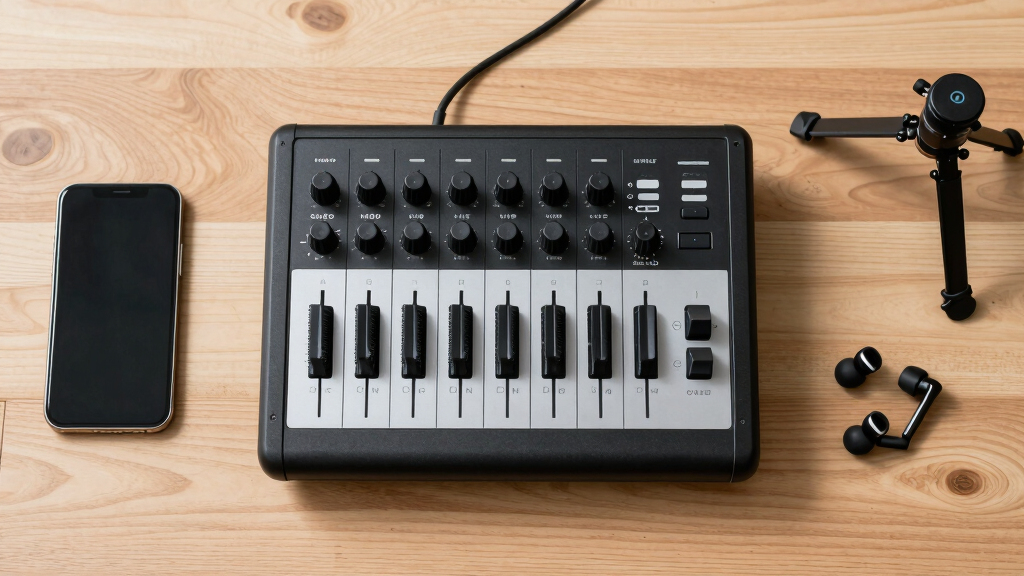
The Mixer Plus is an excellent choice for those needing a portable, easy-to-use switcher with multi-camera support. Its compact size and built-in 4-inch display make it perfect for quick setups, such as on-location events or small classrooms. Unlike the Roland V-160HD, it offers fewer inputs—just four HDMI channels—limiting its scalability for larger productions, but this tradeoff enhances mobility and simplicity. It includes useful features like chroma key, PIP, and logo overlays, along with multi-view monitoring, which are essential for engaging webinars. However, its limited input count and heavier weight compared to other portable options may restrict some users.
Pros:- Portable with a built-in display for quick monitoring
- Supports seamless multi-camera switching with zero latency
- Includes advanced features like chroma key and PIP
- Multi-view monitoring for input previews
Cons:- Limited to 4 HDMI inputs, not suitable for bigger setups
- Relatively heavy for a portable device at 3 pounds
Best for: Event hosts or educators who need a portable, multi-camera switcher for on-the-go webinars or small productions
Not ideal for: Large production teams or broadcasters requiring more than four HDMI inputs and extensive automation
- Product Dimensions:8 x 8 x 3 inches
- Item Weight:3 pounds
- Number of HDMI Inputs:4
- Built-in Screen Size:4 inches
- Supports PTZ camera control:Yes
- Transition Effects:30 customizable
Bottom line: Ideal for mobile users and small-scale productions needing robust multi-camera switching in a compact form.
Tenveo 4K60FPS HDMI Video Switcher Mixer, 4 SDI & 4 HDMI Inputs
The Tenveo PC500 excels in supporting 4K60FPS inputs across its four HDMI and four SDI channels, making it highly suitable for detailed, high-quality live webinars. Compared to the Osee GoStream Deck, which offers more platform-specific controls, the Tenveo provides greater input flexibility and dual streaming via USB and Ethernet, appealing to professional broadcasters and worship services. Its web browser control and dual recording features add to its versatility. The downside is its complexity; setup and operation demand technical skills, and its size is less portable than smaller models. It’s a solid pick for high-res, multi-source streams, but less so for casual or solo users.
Pros:- Supports 4K60FPS input for high-quality streams
- Flexible input/output including HDMI, SDI, and USB
- Dual platform streaming and remote web control
- Built-in recording and graphics overlays
Cons:- Setup is complex and requires technical expertise
- Large footprint may challenge portability
Best for: Churches, studios, or conference organizers needing 4K input support and multi-platform streaming
Not ideal for: Casual streamers or small teams with simple needs, due to its complexity and cost
- Video Inputs:4 HDMI (2 4K60FPS), 4 SDI
- Video Outputs:SDI PGM, HDMI PGM, HDMI AUX, USB3.0 UVC
- Recording:USB 2.0
- Control:Web browser, PTZ camera control
- Max Input Resolution:4K60FPS
- Display:5.5” FHD Screen
Bottom line: Best suited for professional environments demanding high-resolution multi-camera production with remote control options.
Osee GoStream Deck HDMI Pro Live Streaming Multi Camera Video Mixer Switcher
The Osee GoStream Deck offers a feature-rich platform with multiple HDMI inputs and outputs, plus Ethernet and audio connections, making it versatile for live broadcasts across various platforms. Its professional control panel with macros and a T-Bar provides intuitive switching, similar to larger systems like the Roland V-160HD. However, this complexity requires some technical knowledge to set up and operate effectively. Its support for multi-platform streaming and graphics overlays is a significant advantage, but the absence of bundled software details and potentially high price may deter casual users. This switcher is ideal for users who need a multi-source, multi-platform solution with advanced control features.
Pros:- Multiple connection options including HDMI, USB-C, Ethernet
- Supports multi-platform streaming and overlay graphics
- Professional control panel with macros and T-Bar
- Flexible for live events and online meetings
Cons:- Setup complexity may challenge non-technical users
- No mention of included software or accessories
- Potentially high cost for casual users
Best for: Professional streamers, online broadcasters, or religious services needing multi-platform and graphic integration
Not ideal for: Beginners or casual streamers who prefer plug-and-play simplicity due to setup complexity
- Number of HDMI Inputs:4
- Number of HDMI Outputs:2
- Type-C Ports:2 (input/output)
- Ethernet Port:1
- Audio Inputs:2
- Headphone Output:1
- SD Card Slot:1
- Dimensions:4.2″D x 9.9″W x 1.9″H
Bottom line: Designed for experienced broadcasters seeking a flexible, multi-source control system across platforms.
R2 Pro Video Switcher 4-Channel HDMI Live Streaming Audio Mixer
The R2 Pro offers a straightforward, user-friendly interface with a 5.5-inch touchscreen, making it accessible for newcomers and small teams. Its support for four HDMI sources and direct streaming to platforms like YouTube and Twitch makes it a good entry point for webinars and casual broadcasts. Compared to the Osee GoStream Deck, it simplifies operation with a clear interface but lacks advanced features such as multi-platform graphics overlay or extensive automation. Its limitation to 1080p resolution and absence of detailed specs on durability mean it’s best for basic, small-scale productions. It’s a practical choice for those prioritizing ease of use over advanced features.
Pros:- Easy-to-use touchscreen interface
- Supports multiple HDMI sources for multi-camera setups
- Compact and portable design
- Direct streaming to popular platforms
Cons:- Limited to 1080p resolution, not future-proof for 4K content
- Lacks advanced features like graphics overlays or automation
Best for: Small businesses, educators, or hobbyists seeking simple, reliable live streaming with minimal setup
Not ideal for: Large production teams or professional broadcasters requiring 4K support and extensive control
- Connector Type:HDMI, RJ45
- Compatible Devices:Camera, Gaming Console, Laptop
- Number of Ports:5
- Display:5.5-inch FHD LCD
- Supports 4K:No
- Frame Rate:60FPS
Bottom line: Best suited for beginners or small teams needing a straightforward, reliable streaming switcher without complex controls.
FoMaKo 5.5 Inch FHD LCD HDMI Live Streaming Switcher 4-Channel 1080p 60FPS USB Video Recorder KC601 Pro
The FoMaKo KC601 Pro stands out for its seamless integration of multi-camera support and live streaming, making it ideal for productions that require dynamic content and professional effects. Unlike the RGBlink Mini V3, which emphasizes compactness and 4K resolution, this switcher prioritizes ease of use and extensive streaming compatibility for 1080p workflows. While it supports custom scenes and high-bitrate USB recording, it doesn’t handle 4K content, which could limit future-proofing. The device’s intuitive control panel is perfect for users who want a straightforward setup without sacrificing advanced features, but some technical knowledge is needed to optimize performance. Overall, this model best serves live streamers and educators who want reliable, high-quality 1080p output with professional effects without overly complex hardware.
Pros:- Supports multi-camera streaming with professional effects and transitions
- Easy-to-use control panel with customizable scenes
- Compatible with major platforms like YouTube, Facebook, Zoom
Cons:- Limited to 1080p 60FPS, no 4K support
- Requires some technical setup knowledge
Best for: Producers and educators needing multi-camera, effects-rich live streaming at 1080p
Not ideal for: Content creators aiming for 4K resolution or those with minimal technical skills
- Screen Size:5.5 inches
- Resolution:Full HD 1080p
- Frame Rate:60FPS
- Inputs:4x HDMI
- Outputs:PGM HDMI, MVR HDMI, UVC Webcam Streaming
- USB Recording:Yes, high bitrate H.264
- Audio Inputs:2x XLR, 2x Mic/Line In
- Dimensions:5″D x 9″W x 4″H
- Warranty:3 years
Bottom line: This switcher is best for professionals who prioritize multi-camera live streaming with engaging effects in 1080p quality.
FoMaKo 4K HDMI Video Mixer Switcher with 10.1-Inch FHD LCD Screen, 5-Channel Live Streaming Switcher, Supports 4K 60FPS Input
The FoMaKo M6 excels for setups demanding 4K input and advanced directing tools, making it suitable for professional live broadcasts and studio environments. Compared to the RGBlink Mini V3, which offers compact portability and cloud features, this model emphasizes high-resolution inputs and a large touchscreen for precise control. Its support for 4K at 60FPS inputs offers future-proofing for high-quality content, but the setup can be complex, especially for less tech-savvy users. The inclusion of remote control and multi-layer overlays makes it ideal for larger productions where detailed management is necessary. However, the higher price and need for technical expertise mean it’s best suited for professional broadcasters or advanced producers, rather than casual streamers.
Pros:- Supports 4K 60FPS input for high-quality production
- Large 10.1-inch touchscreen simplifies control
- Advanced directing tools including overlays and transitions
- Remote and PTZ camera control
Cons:- Complex setup requiring technical skills
- High cost limits accessibility for casual users
Best for: Professional broadcasters or large production teams needing 4K input and sophisticated control features
Not ideal for: Casual streamers or small organizations without technical support
- Input HDMI:4 (2 4K60P, 2 1080p60)
- Input SDI:4 (3G Level A YCbCr422 10-bit)
- Output Resolution:1080p 60FPS
- Screen Size:10.1 inches
- Display Resolution:FHD
- Media Library:Preloaded with patterns and images
- Streaming Capabilities:Dual RTMP/SRT
- Recording:Lossless via USB-C, SD card, H.265/H.264
- Dimensions:4″D x 14″W x 11″H
- Warranty:3 years
Bottom line: This switcher is best for professional productions requiring 4K resolution and detailed control options, with a willingness to handle a steeper learning curve.
RGBlink Mini V3 Video Switcher with 4K HDMI, Touch Screen, and Cloud Features
The RGBlink Mini V3 offers a portable yet capable solution for live streaming in 4K, making it an appealing choice for users who need flexibility and cloud-powered features. Its compact size and 2.1-inch touch screen make it ideal for mobile setups or small studios. While it supports 4K resolution and dual HDMI outputs, it relies heavily on internet access for cloud features like TAO Cloud, which could be a limitation where connectivity is unstable. Compared with the FoMaKo KC601 Pro, which focuses on professional effects in 1080p, the Mini V3 emphasizes resolution and portability, but at the expense of limited onboard controls and storage. It’s an attractive option for content creators who prioritize 4K and cloud services, but less so for those requiring extensive local control without internet dependency.
Pros:- Supports 4K resolution with dual HDMI outputs
- Highly portable and easy to set up
- Customizable effects via TAO Cloud subscription
- Compact design suitable for mobile use
Cons:- Requires internet connection for full features
- Additional costs for premium cloud features
- Limited onboard storage without external drives
Best for: Small studios or mobile streamers needing 4K capability with cloud features
Not ideal for: Organizations with limited internet access or those requiring extensive local control
- Video Inputs:4 HDMI
- HDMI Outputs:2 HDMI
- Display:2.1-inch touch screen
- Max Recording Storage:2TB USB drive
- Resolution:4K
- Features:PTZ control, logo overlay, chroma key
- Connectivity:Ethernet for firmware updates and TAO Cloud
Bottom line: This switcher is best for small-scale or mobile setups prioritizing 4K and cloud features, provided reliable internet is available.
How We Picked
The products in this roundup were evaluated based on performance, usability, build quality, versatility, and value. We prioritized models that balance professional-grade features with straightforward operation suitable for live webinars. Compatibility with popular streaming platforms, input/output options, and ease of setup played a significant role in the rankings. Cost was also a factor, but only when paired with meaningful feature advantages. The top picks are those that deliver reliable performance while accommodating different user levels and budgets.Factors to Consider When Choosing Best Professional Video Switcher For Live Webinars
When selecting a professional video switcher for live webinars, understanding key factors can help you make an informed decision. Beyond basic features, consider how well the switcher integrates into your existing setup, its ease of use, and future scalability. The right choice depends on your specific streaming needs, technical skills, and budget. Evaluating these factors thoroughly can prevent costly mistakes and ensure a smooth streaming experience.Input and Output Options
Assess the number and types of inputs your setup requires—HDMI, SDI, USB, or NDI. More inputs allow for greater flexibility, especially if you plan to connect multiple cameras or sources. Consider whether the switcher supports 4K, as future-proofing your setup can save money later. Output options should include compatibility with your streaming platform and recording devices. Avoid models with limited inputs if you anticipate expanding your setup down the line.
Ease of Use and Interface
A complex interface can slow down live production, especially under pressure. Look for intuitive controls, clear labeling, and features like touch screens or hardware buttons that streamline switching. Some models include preset configurations or automation features, which benefit users new to live streaming. Conversely, overly simplified models might lack essential controls for advanced productions. Balance your skill level with the level of control you need.
Build Quality and Reliability
Streaming live webinars demands equipment that can withstand continuous use. Metal enclosures and solid construction materials tend to last longer and resist damage. Reliability also means consistent performance without crashes or glitches during a broadcast. Investing in a well-built switcher can prevent costly downtime, but higher durability often comes with a higher price tag. Consider the reputation of the brand and user reviews when evaluating build quality.
Connectivity and Compatibility
Check if the switcher seamlessly integrates with your other equipment, such as cameras, microphones, and streaming software. Support for NDI or IP-based protocols can simplify cabling and setup. Compatibility with popular platforms like OBS, Zoom, or YouTube Live is essential to avoid additional complexity. Also, verify whether the switcher supports remote control or automation, which can streamline live production workflows.
Price and Value
Price ranges widely, reflecting differences in features and build quality. Determine your budget upfront and prioritize the features that matter most—whether that’s 4K support, multiple inputs, or advanced controls. Sometimes, investing more initially can reduce the need for upgrades later, but a budget-friendly option might suffice for smaller or less frequent webinars. Weigh the long-term benefits against upfront costs to find the best value for your needs.
Frequently Asked Questions
Can I use a professional video switcher for Zoom webinars?
Yes, many professional video switchers can be integrated with Zoom through HDMI or SDI outputs connected to a capture card. This setup allows you to switch between multiple cameras and sources seamlessly, providing a more polished and dynamic presentation. However, ensure your switcher supports the necessary output formats and that your computer has the appropriate inputs. Compatibility with streaming software is essential for smooth integration.
Is 4K support necessary for live webinars?
While 4K support isn’t mandatory for most live webinars, it offers future-proofing and higher-quality visuals, especially if you plan to repurpose recordings or stream on large screens. Keep in mind that 4K switchers often come with increased complexity and cost. For standard webinars, Full HD (1080p) is usually sufficient, but if image quality is a priority, investing in 4K support can be worthwhile.
What is the best way to connect multiple cameras to a switcher?
The most reliable approach involves using HDMI or SDI inputs, depending on your cameras. SDI is preferred for professional setups over longer cable runs, but HDMI is more common and easier to work with. Some switchers support NDI, enabling IP-based connections that reduce cable clutter and improve scalability. Always verify the number of inputs you need and whether your cameras are compatible with the switcher’s inputs.
Are budget video switchers suitable for professional webinars?
Budget switchers can be suitable for smaller or less frequent webinars where high-end features are less critical. They often provide basic switching and recording capabilities but may lack advanced controls, multiple outputs, or 4K support. For regular professional use, investing in a higher-quality model can lead to more reliable performance and better image quality, reducing frustration during live streams.
Should I choose a hardware or software-based switcher?
Hardware switchers are generally more reliable, easier to operate in real-time, and free from software glitches, making them ideal for live webinars. Software solutions offer flexibility and easier updates but can be susceptible to computer performance issues and system crashes. The choice depends on your technical expertise, setup complexity, and whether you prioritize stability or flexibility. For most professional live webinars, dedicated hardware tends to be the safer option.
Conclusion
The best overall pick for most users is the Roland V-160HD, thanks to its professional build and versatility. For those seeking the best value, the Mixer Plus Compact Video Switcher offers essential features at an affordable price. If budget isn’t a concern and you need cutting-edge features, the FoMaKo 4K HDMI Switcher provides excellent future-proofing. Beginners should consider models with intuitive controls like the RGBlink Mini V3, while advanced users requiring multiple inputs and high resolutions will benefit from premium options like the Tenveo HDMI Switcher. Match your choice to your technical skills, setup complexity, and budget to ensure a seamless streaming experience.