This checklist is for small business owners and teams who want to make marketing videos with a practical, focused setup. Use it to consider the essential roles of a stable phone mount, clear audio, lighting, a tidy background, video capture, and storage. Start with your actual filming needs and build from there.

Get business pricing on office and shipping supplies
- Business-only prices and quantity discounts
- Tax-exempt purchasing
- Multiple users, one account, clear invoices
The sections follow those production jobs, with one product pick for each. Each entry explains why the item matters, common buying mistakes, and the fit or compatibility details to check before you choose. Product names identify the picks; confirm current specifications and compatibility with the manufacturer before purchase.
Use the look-for bullets as a quick checklist while comparing options. Match each item to the phone, camera, computer, room, and workflow you already use, and consider whether it will work for both planned shoots and everyday content. Buy for your next repeatable video, not for a setup you may never use.
Smartphone tripod
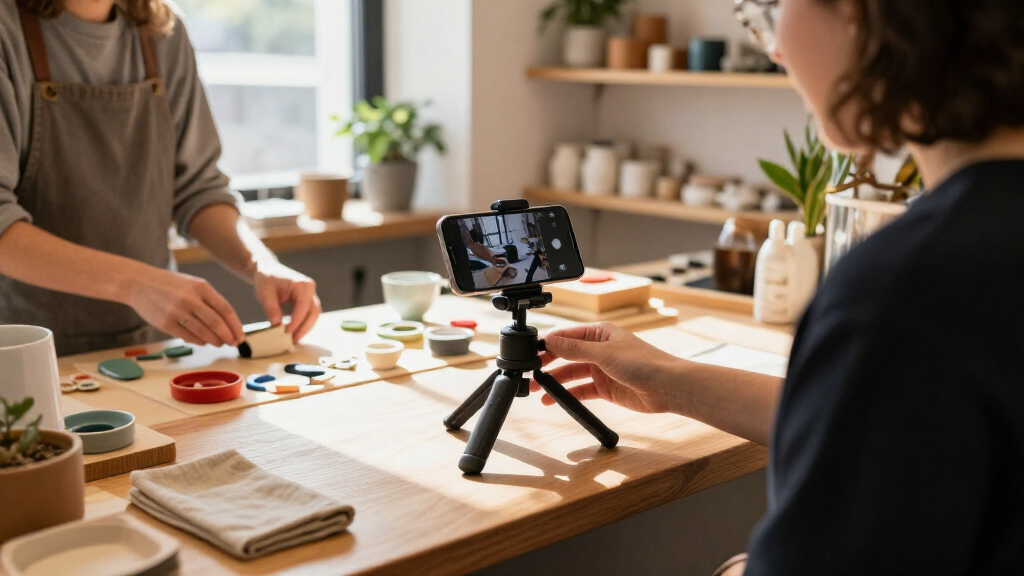
A stable phone position helps make talking-head clips, product demonstrations, and short updates easier to record consistently. The selected pick, ULANZI ST-14 Smartphone Tripod Adapter, is a mount rather than a complete filming setup, so check how it connects to your phone and tripod before treating it as a ready-to-use solution. A common mistake is buying an adapter without confirming the attachment points or whether the phone case changes the fit.
Check your phone’s dimensions and how you prefer to mount it, including whether you need to leave a case on. Consider whether the mount can hold the phone in the orientation you use most, and whether its attachment works with the tripod you already own or plan to use. If you film alone, think about how easily you can position and adjust the phone between takes. Compatibility with your phone and tripod matters more than choosing a mount based on its name alone. Confirm the product’s current specifications before ordering.
What to look for:
- Confirm the mount fits your phone, with or without its case.
- Check that its attachment connects to your tripod.
- Verify it supports your preferred phone orientation.
- Consider whether you can adjust it easily between takes.
Cell Phone Tripod Mount, ULANZI ST-14 Smartphone Tripod Adapter Aluminum with Co
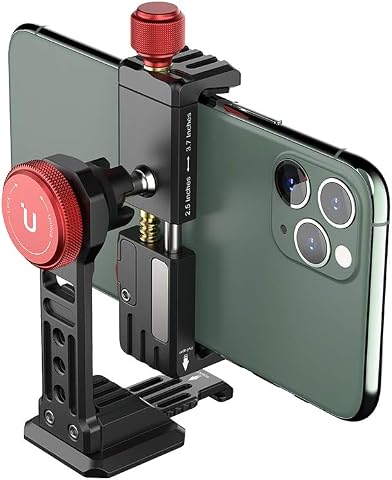
The ULANZI ST-14 is an aluminum smartphone tripod mount with a cold shoe, featuring a 360° ballhead for flexible orientation and a magnetic desktop support for hands-free use. It is compatible with a wide range of smartphones, including various iPhone models, Samsung, Huawei, and more, making it ideal for photography, video recording, and live streaming.
Pros:
- 360° adjustable ballhead for versatile shooting angles
- Compatible with a wide range of smartphones and accessories
- Includes cold shoe mount for microphones or lights
- Magnetic support legs for convenient desktop use
Cons:
- Some users may find the mounting clamp tight for larger cases
- Limited to smartphones up to 3.93 inches wide
- No included tripod or additional accessories
Best for: Small businesses filming clips with a smartphone
Not ideal for: Anyone who needs a complete tripod included
Bottom line: Choose this adapter after confirming it fits your phone and tripod.
Wireless microphone
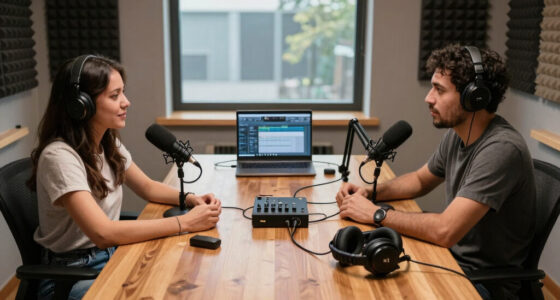
Audio is a central part of a marketing video: viewers need to hear the person, product explanation, or interview clearly. The pick is the DJI Mic 3 Wireless Microphone with two transmitters and one receiver, according to the provided product name. That configuration may suit a workflow involving more than one speaker, but the name alone does not establish which cameras, phones, or computers it works with. A common buying mistake is assuming a receiver will connect directly to every recording device.
Before choosing, identify the exact device and app you plan to record with, then check the current connection and compatibility details. Consider whether you need one or two transmitters for your usual shoots, and how you will position the microphone on each speaker. For interviews or collaborative videos, plan how you will monitor sound and manage the receiver during recording. Match the complete audio chain—microphone, receiver, connection, and recording device—before relying on it for a shoot. Check the manufacturer’s specifications for included accessories and supported devices.
What to look for:
- Confirm compatibility with your camera, phone, or computer.
- Check the connection required by your recording device.
- Decide whether your videos need one or two transmitters.
- Review how the microphone and receiver are positioned in your setup.
- Confirm which accessories are included.
DJI Mic 3 Wireless Microphone (2 Transmitters + 1 Receiver + Charging Case)
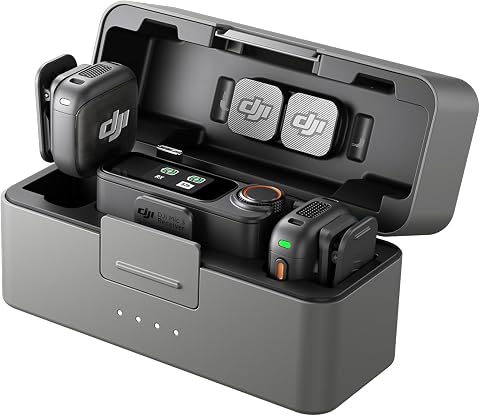
The DJI Mic 3 is a compact, lightweight wireless microphone system designed for on-the-go recording, featuring dual transmitters and a receiver with a charging case. It offers adaptive gain control, noise cancellation, dual-band interference protection, and internal 32-bit float recording for high-quality audio in various environments.
Pros:
- Compact and lightweight design for portability
- High-quality, crystal-clear audio with adaptive features
- Long battery life of up to 28 hours
- Supports multi-voice recording and backup
Cons:
- Requires familiarity with DJI ecosystem for full integration
- May be more expensive than basic wireless microphones
- Limited to compatible DJI devices for some features
Best for: Businesses recording interviews or conversations
Not ideal for: Anyone who has not checked device compatibility
Bottom line: Verify the receiver works with your recording device before buying.
LED video light
Lighting can help make a small business video easier to see, especially when the filming space or available light changes from shoot to shoot. The selected NEEWER MS150B 130W Bi-Color COB LED Video Light is identified by its product name as a bi-color light. Before choosing it, consider where you film and how you will position a light in that space. A common mistake is focusing on the light alone without checking what else the setup requires to mount, power, and shape it for the shot.
Check the current product details for power requirements, included accessories, and mounting options, then compare those with your intended filming location. Think about the distance between the light and the subject, available room, and whether you need to adjust the light’s color setting for your scenes. If you film at a desk, make sure the light can be positioned without crowding your camera or workspace. Plan the whole lighting arrangement, including placement and any accessories you may need, before purchase. The product name does not establish what is included or how it fits your setup.
What to look for:
- Review the current power requirements and included accessories.
- Check mounting options against your planned light position.
- Consider available space between the light and subject.
- Confirm its bi-color controls suit your filming workflow.
- Plan how the light will fit alongside your camera and workspace.
NEEWER MS150B 130W Bi-Color COB LED Video Light

The portable 130W bi-color LED light offers adjustable 2700K–6500K color temperature, 0–100% dimming, and 12 lighting effects. It supports app and 2.4G group control, multiple battery or AC power options, and Bowens-mount light modifiers.
Pros:
- Wide adjustable color-temperature and dimming ranges
- App and 2.4G group control
- Supports AC and multiple battery power options
- Includes a Bowens mount adapter
Cons:
- Batteries are not included
- NP-F batteries limit maximum output to 44W
- Batteries cannot charge while the light is in use
Best for: Teams filming in spaces with changing light
Not ideal for: Anyone expecting accessories not confirmed in the listing
Bottom line: Check the light’s requirements and mounting plan against your filming space.
Camera backdrop
A backdrop gives you a way to define the area behind a subject, which can help make a filming corner feel more intentional. The pick is the Wokceer 10x10FT Heavy Duty Backdrop Stand, described in the product name as an adjustable pipe-and-drape kit. Its stated dimensions make room size and storage important considerations. A common mistake is choosing a stand based on the nominal size without measuring the actual filming area, doorways, ceiling clearance, and space needed around the subject.
Measure where you intend to set it up and where you will store it between shoots. Check the current listing for the stand’s assembled dimensions, adjustment range, included components, and the backdrop material, if any. The product name identifies a stand kit, so do not assume a backdrop is included without confirming it. Consider how the frame will fit around your camera, lights, and subject, and whether your chosen background can be attached as intended. Measure before committing to a footprint, especially if you plan to film in a shared office or compact room.
What to look for:
- Measure the room, ceiling clearance, and storage space.
- Confirm assembled dimensions and adjustment range.
- Check exactly which components the kit includes.
- Verify whether a backdrop is included or needs to be selected separately.
- Plan clearance for the camera, lights, and subject.
Wokceer 10x10FT Heavy Duty Backdrop Stand Adjustable Pipe and Drape Kit

This heavy-duty 10×10 ft backdrop stand features a weather-resistant epoxy-coated square pipe and adjustable height and width, making it suitable for various events like parties, weddings, and photo shoots. Easy to assemble and versatile for holding backdrops or banners.
Pros:
- Heavy-duty and weather-resistant construction
- Adjustable size for versatile use
- Easy to assemble with screws
Cons:
- Does not include backdrops or drapes
- Base stability can be improved with additional weights
- Assembly may require referring to instructions or videos
Best for: Businesses with space for a backdrop setup
Not ideal for: Teams filming in rooms without setup and storage room
Bottom line: Measure your filming area and verify what the kit includes.
Video capture card
A capture card can be part of a workflow for bringing video from one device into another, such as a computer setup. The selected product is named USB 3.0 HDMI Capture Card, 1080p 60fps; those details are part of its name and should be checked against the current listing. A common mistake is assuming that the listed connection and video format guarantee compatibility with a particular camera, computer, operating system, or recording app.
Write down the camera or HDMI source, computer ports, and software you plan to use, then confirm the card supports that combination. Check whether the card meets the resolution and frame-rate needs of your intended recordings, and review any requirements for drivers or setup. Also confirm the physical connection and whether you need additional cables or adapters. Test the full device chain on paper before purchase: source, HDMI connection, capture card, USB port, and software. Product names do not confirm the exact supported devices or included accessories.
What to look for:
- Confirm the HDMI source works with the card.
- Check that your computer has the required USB connection.
- Match supported video formats to your recording needs.
- Review operating system and software requirements.
- Verify whether cables or adapters are included.
USB 3.0 HDMI Capture Card, 1080p 60fps
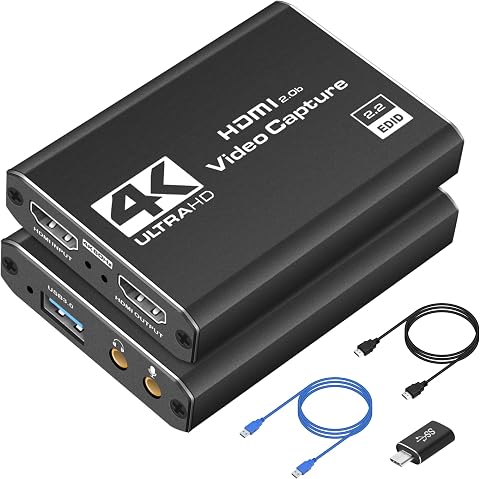
Capture and stream video at up to 1080p 60fps from HDMI devices, with 4K input support and HDMI passthrough for low-latency gameplay. It is plug-and-play on Windows and macOS and works with software such as OBS Studio, Streamlabs, and XSplit.
Pros:
- Plug-and-play setup with no drivers needed
- Supports low-latency HDMI passthrough
- Compatible with major streaming software
- Compact and portable
Cons:
- Capture output is limited to 1080p at 60fps
Best for: Businesses recording from an HDMI video source
Not ideal for: Anyone who has not confirmed source and computer support
Bottom line: Check the entire HDMI-to-computer workflow for compatibility.
External SSD
Video files take organization and a place in your workflow, so external storage can be useful when recordings need to move between a filming device and a computer. The selected pick is the SanDisk 2TB Extreme PRO Portable External SSD, as named in the product information. A common mistake is assuming that the stated capacity alone determines whether a drive suits your work; the connection, device support, and file-handling routine also matter.
Check the current specifications for supported connections and compatibility with the computer or other device you use. Consider where the drive will fit into your process: transferring footage, working from stored files, or keeping a separate copy. Confirm that your cables and ports match, and decide how you will label and organize video folders so files remain easy to find. Plan storage around your recording habits and verify the drive’s current details before relying on it as part of a business workflow. The product name does not establish transfer performance or included accessories.
What to look for:
- Confirm compatibility with your computer and other devices.
- Match the drive connection to the ports and cables you have.
- Decide how it fits into your transfer and storage routine.
- Plan a folder and file-naming system for recordings.
- Review current specifications and included accessories.
SanDisk 2TB Extreme PRO Portable External SSD

The SanDisk 2TB Extreme PRO Portable External SSD offers fast transfer speeds of up to 1050MB/s using NVMe technology. Its rugged aluminum design is water- and dust-resistant with impact protection, making it ideal for creative professionals on the go.
Pros:
- High transfer speeds for quick file movement
- Rugged and durable design with water and dust resistance
- Compatible with both PC and Mac systems
Cons:
- Read speed only; write speed may be lower
- Performance can vary depending on usage conditions
- Slightly higher price due to rugged features
Best for: Teams moving video files between compatible devices
Not ideal for: Anyone who has not checked device connections
Bottom line: Confirm device support and plan how you will organize footage.
When buying in stages, start with the items that address your most immediate filming gap: a stable phone mount if framing is the challenge, a microphone if clear speech is the priority, or a light if your space needs more control. Then add a backdrop, capture card, or external SSD when your room and recording workflow call for them. Let your next videos guide the order, and confirm fit and compatibility before each purchase.
You do not need to assemble every part at once to begin making useful marketing videos. Choose a simple setup you can operate consistently, record a short practice clip, and adjust your equipment choices as your content needs become clearer. A repeatable workflow is a strong starting point for better, more confident small business video production.
Fall Picks
fall essentials
As an affiliate, we earn on qualifying purchases.