
To create a back-in-stock notification that sparks quick purchases, personalize your email by including the recipient’s name and reference their past interests. Use a compelling subject line that highlights the product’s availability and creates urgency. Send the message promptly after restocking to keep the offer relevant. Keep the content clear and focused, emphasizing limited stock or special deals, and include a strong call-to-action. Keep going for tips on crafting the perfect template that drives immediate results.

Get business pricing on office and shipping supplies
- Business-only prices and quantity discounts
- Tax-exempt purchasing
- Multiple users, one account, clear invoices
Key Takeaways
- Personalize the subject line with the recipient’s name and highlight the product’s restock to grab attention.
- Send the notification promptly within hours of stock replenishment to capitalize on customer interest.
- Use clear, concise content emphasizing limited stock or exclusive offers to create urgency.
- Include a strong, direct call-to-action like “Shop Now” to encourage immediate purchases.
- Highlight the product’s relevance to the recipient’s interests, referencing their browsing or purchase history for increased engagement.
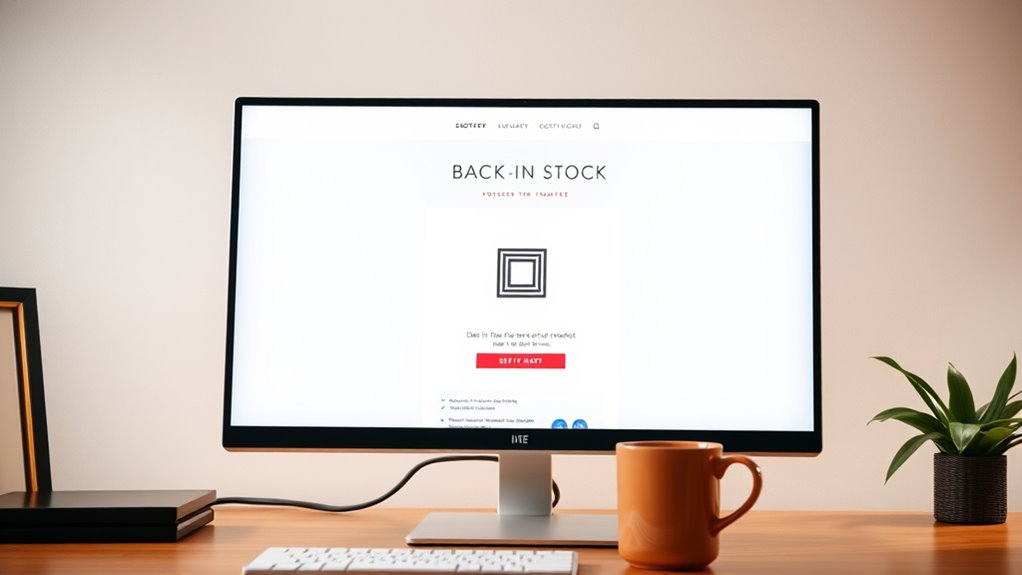
When a popular product is back in stock, sending a well-crafted notification email can substantially boost sales and customer satisfaction. You want your message to resonate quickly and clearly, encouraging customers to act fast. To do this effectively, focus on two key elements: product personalization and email timing. Personalization makes your message feel relevant, increasing the likelihood of a purchase, while timely delivery ensures your customer’s interest is still fresh.
Start by customizing your email content based on the recipient’s browsing or purchase history. If they’ve shown interest in a specific product, highlight that product specifically in your message. Use their name and reference their previous interactions to create a personalized experience. For example, “Good news, [Customer Name]! The [Product Name] you’ve been waiting for is back in stock.” This immediately grabs their attention and shows you understand their preferences. Personalization helps cut through the clutter of generic emails and makes your notification stand out.
Personalize your message with their name and favorite products to instantly capture attention.
Next, pay close attention to email timing. When you inform customers about stock availability, you want the message to arrive when they’re most receptive. Ideally, send the email shortly after the product becomes available again—within a few hours if possible. This ensures your message is relevant and that the customer’s excitement hasn’t waned. If you delay too long, they might forget or find a substitute elsewhere. Conversely, sending it too early might mean they miss the window of interest. Use data to identify peak engagement times for your audience, such as mornings or early evenings, and schedule your emails accordingly.
Combining product personalization with strategic email timing creates a powerful formula. It shows your customer you’re attentive to their preferences and that you respect their time. Keep your message concise, emphasizing the limited availability or special offer, and include a clear call to action like “Buy Now” or “Shop Today.” Make sure your subject line is compelling and personalized—something like “[Name], Your Favorite Item Is Back in Stock!”—to increase open rates. Incorporating timely communication strategies can further improve your response rates and ensure your email isn’t overlooked.
In essence, a well-timed, personalized back-in-stock notification isn’t just about informing customers; it’s about making them feel understood and valued. When you get these elements right, you’ll see quicker responses, higher conversions, and happier customers who appreciate your attention to detail. This approach isn’t just good marketing—it’s a smart way to turn stock updates into sales opportunities.
back in stock email notification template
As an affiliate, we earn on qualifying purchases.
As an affiliate, we earn on qualifying purchases.
Frequently Asked Questions
How Can I Personalize Back-In-Stock Emails for Different Customer Segments?
You can personalize back-in-stock emails by leveraging customer segmentation to target specific groups based on their preferences and purchase history. Use personalized content like tailored product recommendations, addressing customers by name, and referencing their previous interactions. This approach makes your emails more relevant, increasing engagement and quick purchases. By focusing on customer segmentation, you create a more compelling, customized experience that encourages customers to act swiftly when items are back in stock.
What Timing Strategies Maximize Open Rates for Back-In-Stock Notifications?
To maximize open rates, focus on timing optimization by sending back-in-stock notifications shortly after stock replenishment, ideally within a few hours. Use urgency cues like limited stock alerts or time-sensitive offers to prompt immediate action. Avoid delays that let customers forget or lose interest. By aligning your send times with customer activity patterns and emphasizing urgency, you create a sense of importance that encourages quick opens and purchases.
Which Call-To-Action Phrases Are Most Effective in These Emails?
You’ll find that clear, action-oriented call-to-action phrases work best in back-in-stock emails. Phrases like “Shop Now,” “Get Yours Today,” or “Don’t Miss Out” effectively create urgency. Incorporate urgency tactics by emphasizing limited stock or time-sensitive offers, which motivate quick responses. Using strong, direct call-to-action phrases makes your audience feel compelled to act immediately, boosting your chances of quick purchases and maximizing your campaign’s success.
How Do I Integrate Back-In-Stock Alerts With My Existing Email Marketing Platform?
You can integrate back-in-stock alerts with your email marketing platform by utilizing inventory management and automation tools. First, link your inventory system to automatically update product availability. Then, set up automation workflows that trigger personalized back-in-stock emails when inventory is replenished. Most platforms support integrations via plugins or APIs, making it seamless to notify customers quickly. This approach boosts engagement and encourages swift purchases.
What Are Common Mistakes to Avoid in Crafting Back-In-Stock Notification Emails?
You should avoid overusing back-in-stock emails, as too much email frequency can annoy customers and diminish their interest. Don’t ignore product scarcity; highlight limited quantities to create urgency. Also, steer clear of vague subject lines or irrelevant content, which can reduce open rates. Focus on clear, compelling messaging that emphasizes scarcity and benefits, prompting quick action without overwhelming your audience.
personalized product restock email
As an affiliate, we earn on qualifying purchases.
As an affiliate, we earn on qualifying purchases.
Conclusion
With this irresistible back-in-stock email template, you’ll turn hesitant browsers into enthusiastic buyers in seconds—it’s like wielding a secret weapon in your marketing arsenal. Watch as your inventory empties faster than you ever imagined, leaving your competitors in the dust. When you craft compelling, urgent messages like these, you’re not just selling products—you’re creating an unstoppable purchasing frenzy. Get ready to transform your sales game and reign supreme with every email sent!
urgent back in stock email script
As an affiliate, we earn on qualifying purchases.
As an affiliate, we earn on qualifying purchases.
customer engagement email templates
As an affiliate, we earn on qualifying purchases.
As an affiliate, we earn on qualifying purchases.
Fall Picks
fall essentials
As an affiliate, we earn on qualifying purchases.