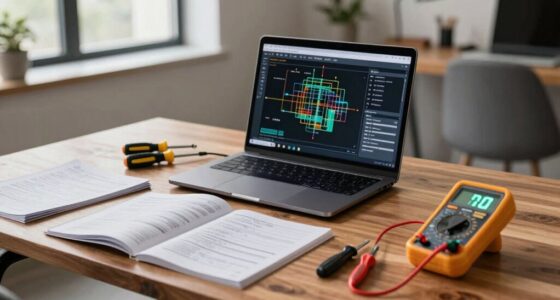
When your remote gear starts to weaken, you’ll notice issues like lagging mice, unresponsive keyboards, or muffled headset sound. Devices may become sluggish, and physical damage like frayed cables or broken buttons also signals decline. These problems can slow your work and cause frustration. If you ignore these signs, equipment will likely fail completely. Stay tuned, as understanding these early warning signs can help you plan timely replacements and avoid workflow disruptions.
Key Takeaways
- Frequent device malfunctions, such as lagging mice or unresponsive keyboards, indicate declining performance.
- Reduced battery life leads to constant recharging needs and abrupt device shutdowns.
- Visible physical damage like cracks or frayed cables signals equipment deterioration.
- Muffled audio or poor sound quality from headsets hampers effective communication.
- Overall sluggishness and unreliability of devices disrupt workflow and productivity.
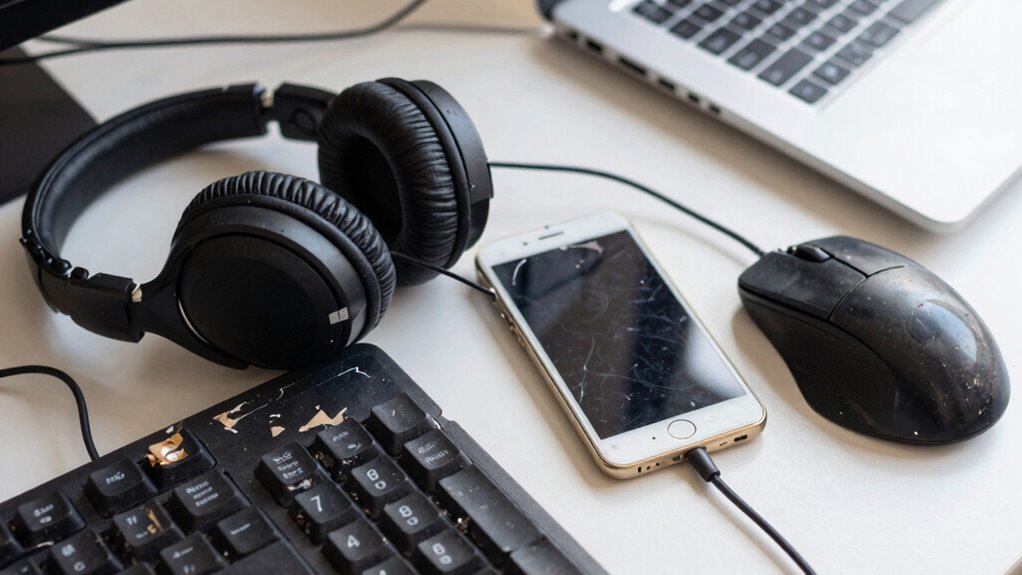
Knowing when to replace your remote gear is essential for maintaining reliable performance and avoiding unexpected failures. As a remote worker, you rely heavily on your equipment to stay productive and connected. When your gear’s tech durability starts to weaken, you’ll notice it almost immediately. Devices that don’t hold up over time can cause frustration, slow down your workflow, and even lead to more costly repairs or replacements down the road. Recognizing the signs early helps you extend equipment longevity and guarantees you’re always working with dependable tools.
One of the first things you’ll notice is a decline in performance. Your mouse may skip or lag, your keyboard might respond inconsistently, or your headset could produce muffled sound quality. These issues often point to aging hardware that’s no longer capable of handling daily tasks efficiently. Over time, the internal components degrade, and the tech durability diminishes, making it clear that a replacement is necessary. When your gear begins to feel sluggish or unreliable, it’s a sign that you shouldn’t ignore. Holding onto outdated equipment only prolongs inconvenience and can cause stress, especially when you’re in the middle of an important project.
Battery life is another telltale sign. Wireless devices, in particular, tend to lose their ability to hold a charge as they age. If your mouse or headset needs frequent recharging or doesn’t last as long as it used to, it indicates a decline in equipment longevity. This isn’t just about inconvenience; it’s about the device’s capacity to serve you effectively throughout your workday. Continually replacing batteries or dealing with dead devices hampers productivity and can be a clear signal that your gear has reached the end of its useful life. Tech durability is a crucial factor to consider when evaluating whether your devices are still reliable. Additionally, understanding the importance of equipment lifespan can help you plan replacements more effectively. Regular maintenance and proper handling can also influence the overall device longevity, which plays a significant role in your gear’s ability to withstand daily use.
Physical wear and tear also reveal much about the state of your remote gear. Cracks, broken buttons, frayed cables, or loose connections are signs that your equipment is past its prime. These physical issues often lead to functional failures, making it difficult to complete tasks smoothly. If your gear’s structural integrity is compromised, it’s time to contemplate a replacement—not only for performance reasons but also to prevent further damage. Regular inspections can help catch these issues early before they severely impact your workflow. Moreover, understanding hardware deterioration can provide insights into when it’s time for an upgrade, especially as physical signs become more evident. Keeping an eye on wear and tear can help you make more informed decisions about replacements before complete failure occurs.
Ultimately, understanding the signs of declining tech durability and equipment longevity helps you stay ahead of potential failures. Regularly evaluating your remote gear, staying alert to performance issues, and replacing worn-out devices promptly ensure your setup remains reliable. This proactive approach minimizes downtime, maintains productivity, and keeps your remote work experience seamless. Remember, investing in quality gear and replacing it when necessary keeps your workspace efficient and your workday stress-free.
As an affiliate, we earn on qualifying purchases.
Frequently Asked Questions
How Often Should Remote Workers Replace Their Gear?
You should replace your remote gear every 3 to 5 years to maintain ergonomic comfort and device compatibility. Over time, wear and tear can cause discomfort and technical issues, impacting your productivity. Regular upgrades ensure your setup remains comfortable and efficient. Pay attention to signs like persistent discomfort or outdated hardware, and don’t delay replacing gear to keep your remote work environment healthy and compatible with new devices.
What Signs Indicate Remote Gear Needs Immediate Replacement?
Signs you’re in dire need of a replacement include persistent connectivity issues and discomfort during ergonomic adjustments. If your equipment constantly crashes, causes consistent connection struggles, or if ergonomic setups lead to pain or fatigue, it’s time to trade outdated gear. These tangible troubles threaten your productivity and health, making it clear that immediate upgrades are imperative. Don’t ignore these indicators—act swiftly to ensure smooth, sustainable remote work.
Are There Budget-Friendly Options for Upgrading Remote Work Gear?
Yes, there are affordable upgrades and budget-friendly options for improving your remote work gear. You can find quality accessories like ergonomic mouse pads, affordable webcams, or better headphones that won’t break the bank. Consider shopping during sales or checking refurbished items for savings. Upgrading key items gradually can considerably enhance your comfort and productivity without overspending, making remote work more efficient and enjoyable.
How Can Companies Ensure Consistent Gear Quality for Remote Employees?
You can guarantee consistent remote gear quality by implementing regular remote gear maintenance schedules and actively seeking employee feedback. Conduct routine check-ins to identify issues early, and promptly address any problems. Encouraging employees to report gear concerns helps you spot weak points quickly. This proactive approach maintains high standards, minimizes downtime, and shows your commitment to providing reliable tools, ultimately boosting remote work productivity and satisfaction.
What Are the Environmental Impacts of Frequently Replacing Remote Gear?
Frequent replacements of remote gear can harm the environment by increasing waste and resource consumption. By adopting sustainable practices, you help reduce this impact. Choosing eco-friendly materials for gear means less pollution and a smaller carbon footprint. When companies prioritize durability and eco-conscious options, they support a healthier planet while ensuring reliable equipment for remote workers. This approach promotes environmental responsibility without sacrificing performance or quality.
As an affiliate, we earn on qualifying purchases.
Conclusion
When your remote gear falls behind, it’s like trying to run a race with worn-out shoes—you’ll feel every stumble and slip. Regularly updating your equipment keeps your workflow smooth and your mind focused, instead of battling frustrating hardware failures. Think of your gear as the foundation of your remote workspace; when it’s weak, everything else wobbles. Stay proactive, replace your gear on time, and keep your remote setup as sharp as your skills.
mechanical keyboard with backlight
As an affiliate, we earn on qualifying purchases.
As an affiliate, we earn on qualifying purchases.
USB-C charging cable for headset
As an affiliate, we earn on qualifying purchases.
As an affiliate, we earn on qualifying purchases.