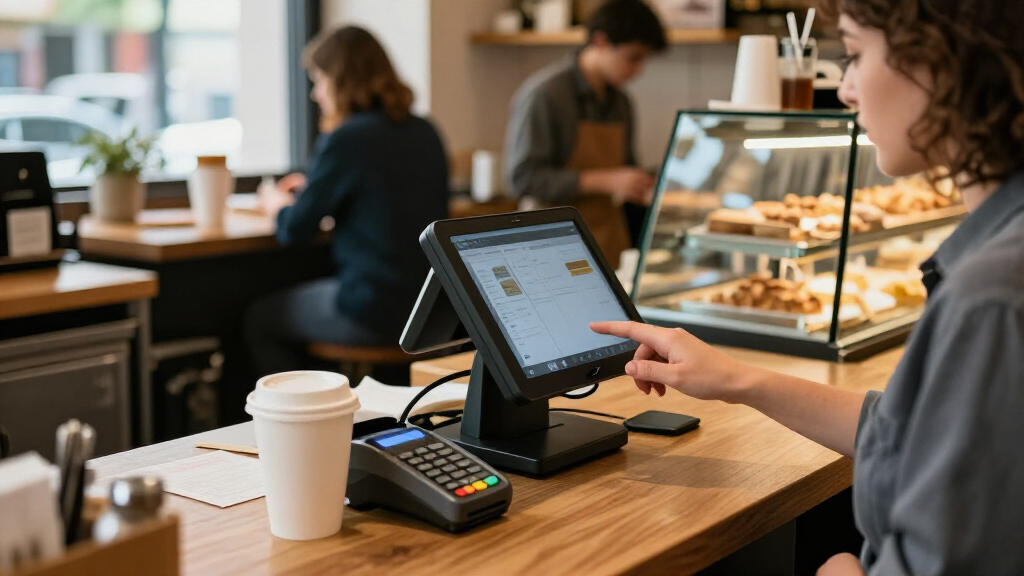

For most small businesses, I’d put Square Register (2nd Generation) first for its dedicated checkout setup, while Square Terminal suits sellers who need a smaller, mobile payment device and SumUp POS Lite offers a compact touchscreen alternative. The main choice is between a connected system with payment processing and a hardware bundle that gives you more checkout equipment up front but may require closer checks on software and compatibility. Restaurant teams may need kitchen printing or handheld ordering, while retail shops often care more about scanning, receipts, and inventory workflows. The best point of sale systems for small business depend on how you take payments, what devices your staff need, and how much setup you can handle. Read on for the full breakdown and a guide to matching each option to your business.

Get business pricing on office and shipping supplies
- Business-only prices and quantity discounts
- Tax-exempt purchasing
- Multiple users, one account, clear invoices
Key Takeaways
- Square Register (2nd Generation) leads as the strongest all-around dedicated checkout option in this lineup; mobile-first sellers may be better served by Square Terminal or Square Handheld.
- Square Terminal and Square Handheld solve different mobility needs: one is a compact payment device, while the other is positioned for taking orders and payments around a shop or service space.
- SumUp POS Lite stands out for a compact touchscreen footprint, while the larger Windows-based bundles prioritize a more traditional workstation setup.
- Restaurant-focused bundles with kitchen printers or ordering tablets may reduce order-handling friction, but buyers should verify that the included software supports their actual service flow.
- Hardware bundles can appear ready to use, yet compatibility, software support, payment processing, and replacement parts matter as much as the included screen and peripherals.
| Square Register (2nd Generation) – Point of Sale System |  | Best for a Busy Countertop | Compatible devices: POS, smartphone, tablet | Power source: Corded electric | Connectivity: Bluetooth, USB cable, Wi-Fi | VIEW LATEST PRICE | See Our Full Breakdown |
| All-in-One SmartPOS-129 Professional Cash Register for Small Business, POS Bundle with Touch Screen Monitor, Customer Display, Cash Drawer, Thermal Printer, 2D Barcode Scanner |  | Best Complete Hardware Bundle | Product dimensions: 21 x 22 x 35 inches | Item weight: 53.9 pounds | Cashier display: 15-inch touchscreen | VIEW LATEST PRICE | See Our Full Breakdown |
| SumUp POS Lite – Compact 13″ Touchscreen Point of Sale System with Integrated Payment Processing |  | Best Compact Countertop System | Screen size: 13 inches | Package dimensions: 15.05 x 12.01 x 5 inches | Item weight: 6.11 pounds | VIEW LATEST PRICE | See Our Full Breakdown |
| Volcora Retail and Restaurant POS Terminal Machine for Small Business, 15.6” Touch Screen, Windows 11 Professional, Gray |  | Best for Windows-Based Customization | Operating system: Windows 11 Pro | Display: 15.6-inch capacitive LCD touchscreen, 1920 x 1080 | Processor: Intel Core i5-11600KF | VIEW LATEST PRICE | See Our Full Breakdown |
| Square Terminal – Credit Card Machine to Accept All Payments | Mobile POS |  | Best for Mobile Checkout | Product dimensions: 5.6 x 3.4 x 2.5 inches | Item weight: 14.7 ounces | Battery: One included lithium-ion battery | VIEW LATEST PRICE | See Our Full Breakdown |
| 19-Inch Touch Screen POS System for Restaurant or Bar with Kitchen Printer and Wireless Ordering Tablet |  | Best for Full-Service Restaurants | Display: 19-inch touchscreen | Included hardware: POS controller, cash drawer, customer receipt printer, kitchen order printer, wireless ordering tablet | Software: Built-in POS software | VIEW LATEST PRICE | See Our Full Breakdown |
| POS Cash Register 15” Touch Screen Windows PC with Built-in Thermal Receipt Printer for Retail Businesses SET02 |  | Best for Small Retail Stores | Staff display: 15-inch touchscreen | Customer display: 11.6-inch | Receipt printer: Built-in 2.25-inch thermal printer | VIEW LATEST PRICE | See Our Full Breakdown |
| Touch Screen POS System for Restaurant and Bar – Full Package with Software and Printers |  | Best Supported Restaurant Bundle | Display: 17-inch touchscreen | Operating system: Linux | Connectivity: Wired and Wi-Fi | VIEW LATEST PRICE | See Our Full Breakdown |
| Square Handheld – Portable POS Credit Card Machine for Restaurants, Retail, Beauty, and Services |  | Best for Mobile Selling | Dimensions: 7.04 x 3.12 x 0.62 inches | Weight: 2.11 ounces | Manufacturer: Square | VIEW LATEST PRICE | See Our Full Breakdown |
| POS Software for iOS – Point of Sale System with Inventory Management and Cloud Printing |  | Best for iPad-Based Businesses | Platform: iOS and Mac iPad | Core features: Order management, customizable receipts, tax calculation, QR-code ordering, and cloud printing | Delivery integrations: Uber Eats and DoorDash | VIEW LATEST PRICE | See Our Full Breakdown |
| Square POS Terminal Bundle – Pre-Programmed Point of Sale System for Small Businesses |  | Best for Guided Setup | Account compatibility: Square accounts; limited to new Square account users | Supported payment methods: EMV chip, contactless, Apple Pay, Google Pay, credit and debit cards | Setup: Pre-programmed | VIEW LATEST PRICE | See Our Full Breakdown |
More Details on Our Top Picks
Square Register (2nd Generation) – Point of Sale System
Square Register (2nd Generation) is my strongest fit for a small shop or food business that wants a dedicated checkout station, not a collection of separate devices. Its dual touchscreens give staff a working display while customers can follow their side of checkout, and the IP54-rated housing is described as resistant to spills and dust—a practical advantage in a busy counter area. Compared with the lighter SumUp POS Lite, this setup is heavier and less suited to moving between sales locations, but it offers a more purpose-built customer-facing checkout experience. The tradeoff is corded power and a 12.5-pound body, so it is best installed in one place. Regional availability also limits its fit for businesses operating internationally.
Pros:- Dual touchscreens support staff checkout and customer interaction
- IP54-rated design resists spills and dust
- Supports major card payments through Square
- Next-day fund availability is listed
Cons:- Corded power limits use away from a fixed counter
- At 12.5 pounds, it is less portable than the SumUp POS Lite
- Regional compatibility may not suit international operations
Best for: Small retailers and counter-service businesses that want a durable, customer-facing checkout station with Square payment processing.
Not ideal for: Mobile sellers and businesses serving multiple regions, since it needs corded power, weighs 12.5 pounds, and is designed for specific regions.
- Compatible devices:POS, smartphone, tablet
- Power source:Corded electric
- Connectivity:Bluetooth, USB cable, Wi-Fi
- Weight:12.5 pounds
- Model number:A-SKU-0908
- Display setup:Dual touchscreens
Our verdict“Choose the Square Register if your small business needs a durable, fixed checkout station with a customer-facing screen.”
All-in-One SmartPOS-129 Professional Cash Register for Small Business, POS Bundle with Touch Screen Monitor, Customer Display, Cash Drawer, Thermal Printer, 2D Barcode Scanner
The SmartPOS-129 makes sense for an owner who wants the main checkout hardware in one package: a cashier touchscreen, customer display, cash drawer, thermal printer, and 2D barcode scanner. That can reduce the work of sourcing separate peripherals, unlike the Volcora POS Terminal, which is a capable Windows terminal but does not list a scanner, drawer, or printer in its supplied setup. The SmartPOS-129 also advertises processor integration, setup assistance, and a management app, though the available details say little about the software itself. That makes it less straightforward to judge than the Square Register, whose payment ecosystem is more clearly defined. At 53.9 pounds and 21 x 22 x 35 inches, it is a substantial fixed installation rather than a portable option.
Pros:- Bundle includes touchscreen, customer display, cash drawer, thermal printer, and 2D barcode scanner
- Advertises integration with multiple card processors
- Setup assistance is included
- Mobile app support is available for management
Cons:- At 53.9 pounds, it is difficult to move or reconfigure
- Software capabilities are not described in much detail
- Large 21 x 22 x 35-inch dimensions require substantial counter or floor space
Best for: New retail shops that want a cashier screen, customer display, drawer, receipt printer, and barcode scanner bundled together.
Not ideal for: Mobile vendors and owners who want clearly documented software capabilities before choosing a POS system.
- Product dimensions:21 x 22 x 35 inches
- Item weight:53.9 pounds
- Cashier display:15-inch touchscreen
- Included peripherals:Customer display, cash drawer, thermal printer, 2D barcode scanner
- Payment integration:Compatible with multiple card processors
- Management support:Mobile app
- Battery:One included lithium-ion battery required
Our verdict“Pick the SmartPOS-129 if you want a broad set of checkout hardware in one fixed installation and can verify the software fits your workflow.”
SumUp POS Lite – Compact 13″ Touchscreen Point of Sale System with Integrated Payment Processing
For a small business with limited counter space, the SumUp POS Lite is the most compact dedicated touchscreen in this group. Its 13-inch display, 6.11-pound weight, and aluminum stand make it easier to place in a small salon, market stall, or boutique than the bulky SmartPOS-129. Built-in payment processing and pre-installed software also give owners a more direct route to managing sales, catalogs, and reports than the hardware-focused Volcora terminal, which runs Windows 11 Pro but does not specify included POS software. The main limitation is that the listing does not say whether peripherals such as a cash drawer, printer, or scanner are included. The software and support details are also sparse, so buyers with complex inventory or service workflows should confirm compatibility before choosing it.
Pros:- Compact 13-inch touchscreen suits limited counter space
- Weighs 6.11 pounds, making it easier to reposition than the SmartPOS-129
- Payment processing and POS software are built in
- Aluminum stand and automated software updates are specified
Cons:- Included printers, drawers, and scanners are not specified
- Software capabilities and support details are limited
- Listed card-processing fee is 2.6% plus 10 per transaction, with the currency not stated
Best for: Small retailers, market sellers, and service businesses that need a compact touchscreen with integrated payment processing.
Not ideal for: Businesses that need a documented full peripheral bundle or detailed software and support specifications before purchase.
- Screen size:13 inches
- Package dimensions:15.05 x 12.01 x 5 inches
- Item weight:6.11 pounds
- Payment processing fee:2.6% + 10 per card payment; currency not specified
- Software:Pre-installed POS software with automated updates
- Stand:Die-cast aluminum
- Payment processing:Integrated
Our verdict“Choose the SumUp POS Lite if you want a compact, ready-to-run touchscreen and do not need a clearly specified set of extra peripherals.”
Volcora Retail and Restaurant POS Terminal Machine for Small Business, 15.6” Touch Screen, Windows 11 Professional, Gray
The Volcora POS Terminal is the most computer-like option here: its 15.6-inch, 1920 x 1080 touchscreen runs Windows 11 Pro with an Intel Core i5-11600KF processor and 16 GB of memory. That hardware gives a small business more room to select Windows-compatible POS software than the pre-installed approach of the SumUp POS Lite. It also offers USB, HDMI, Ethernet, and Wi-Fi connections, which can help when a shop already has compatible peripherals or a preferred software provider. This flexibility comes with more setup responsibility: the listing does not specify POS software, payment processing, or included checkout accessories. Its 128 GB HDD is limited for a general-purpose business computer, so this pick fits best when the chosen POS application and data needs are modest.
Pros:- Windows 11 Pro supports a broad range of compatible POS applications
- Intel Core i5-11600KF processor and 16 GB RAM provide capable hardware
- 15.6-inch Full HD touchscreen offers a large workspace
- USB, HDMI, Ethernet, and Wi-Fi support varied connections
Cons:- POS software and payment processing are not specified
- No barcode scanner, printer, or cash drawer is listed as included
- 128 GB HDD may constrain storage compared with a larger-capacity system
Best for: Small retailers and restaurants that already have a Windows POS application or want to choose their own software and peripherals.
Not ideal for: Owners seeking a ready-to-use payment system with included POS software, processor setup, and checkout accessories.
- Operating system:Windows 11 Pro
- Display:15.6-inch capacitive LCD touchscreen, 1920 x 1080
- Processor:Intel Core i5-11600KF
- Memory:16 GB DDR4 SDRAM
- Storage:128 GB HDD
- Ports:USB 2.0, USB 3.0, HDMI, Ethernet
- Wireless connectivity:Wi-Fi 802.11ac/ax/bgn/n
- Design:All-in-one terminal with compact, heavy-duty metal base
Our verdict“Choose the Volcora if you want capable Windows hardware and are prepared to select and configure your own POS software and peripherals.”
Square Terminal – Credit Card Machine to Accept All Payments | Mobile POS
Square Terminal is the clearest choice here for taking payments away from a fixed register or bringing checkout to the customer. At 14.7 ounces, with a built-in battery and receipt printer, it is far easier to carry than the 12.5-pound Square Register or the 53.9-pound SmartPOS-129. It accepts major credit and debit cards and is described as processing chip cards in two seconds, helping keep a compact checkout moving without a separate printer. The tradeoff is that this is a more focused device than a full register: businesses needing a large touchscreen, cash drawer, barcode scanning, or broad inventory tools may need additional equipment. It also requires an internet connection and stays within the Square ecosystem, so it is less flexible than the Windows-based Volcora terminal.
Pros:- Lightweight, battery-powered design supports mobile checkout
- Combines payment processing and receipt printing in one device
- Accepts major credit and debit cards
- Chip card processing is listed at two seconds
Cons:- Requires an internet connection to process payments
- Square ecosystem and account setup limit processor flexibility
- Does not replace a full register with a large display and listed retail peripherals
Best for: Market vendors, pop-up shops, and small retailers that need a portable payment device with receipt printing.
Not ideal for: Businesses that need a full countertop register, offline payment processing, or freedom to use a non-Square payment ecosystem.
- Product dimensions:5.6 x 3.4 x 2.5 inches
- Item weight:14.7 ounces
- Battery:One included lithium-ion battery
- Payment types:Major credit and debit cards
- Receipt printing:Built in
- Chip card processing:Listed at two seconds
- Connectivity requirement:Internet connection required for processing
Our verdict“Pick the Square Terminal if portability and on-the-spot receipt printing matter more than a full countertop POS setup.”
19-Inch Touch Screen POS System for Restaurant or Bar with Kitchen Printer and Wireless Ordering Tablet
This package suits restaurants and bars that need a fixed checkout station plus a way to take orders around the venue. Its 19-inch touchscreen gives staff room to navigate orders, while the included kitchen printer, receipt printer, cash drawer, and wireless ordering tablet cover several jobs without sourcing each piece separately. Compared with the 17-inch restaurant system in this roundup, the larger display and tablet make this a stronger fit for busy, table-service workflows. The tradeoff is a more involved setup: the wireless functions depend on a working Wi-Fi network, and the product data does not spell out how the software handles menus, reporting, or integrations. I’d choose it for a restaurant wanting an all-in-one hardware bundle, not for a small counter that needs a simple register.
Pros:- 19-inch touchscreen provides a spacious interface for order entry.
- Includes a kitchen printer, customer receipt printer, cash drawer, and ordering tablet.
- Wireless tablet can support order taking away from the main counter.
- 25-foot printer cord offers flexibility when positioning the kitchen printer.
Cons:- Wireless features depend on a functioning Wi-Fi network.
- The bundle may take more time and technical effort to set up than a basic register.
- Available details do not clarify software functions or third-party integrations.
Best for: Table-service restaurants and bars that want a large checkout display, kitchen ticket printing, and wireless order taking in one package.
Not ideal for: Small cafés or shops with a single checkout station, limited setup support, or unreliable Wi-Fi for the tablet’s wireless features.
- Display:19-inch touchscreen
- Included hardware:POS controller, cash drawer, customer receipt printer, kitchen order printer, wireless ordering tablet
- Software:Built-in POS software
- Wireless capability:Wi-Fi
- Printer cord length:25 feet
- Intended setting:Restaurant or bar
Our verdict“Choose this bundle for a restaurant or bar that needs a large central POS station and wireless order taking, and skip it if a simple counter setup is the priority.”
POS Cash Register 15” Touch Screen Windows PC with Built-in Thermal Receipt Printer for Retail Businesses SET02
For a small retailer that wants a familiar desktop-style register, this system pairs a 15-inch touchscreen with a built-in receipt printer and a separate customer display. The listed Windows hardware—8GB RAM and a 128GB SSD—also gives it more of a self-contained PC profile than the iOS POS software in this roundup, which depends on a compatible Apple device and separate peripherals. Its appeal is a ready-to-use retail station with inventory and promotion functions, plus stated warranty and software support. The tradeoff is flexibility: the product is aimed at small and medium retail, requires Windows, and offers no listed wireless connectivity. I’d favor it over the restaurant bundles for a shop focused on checkout and retail management, but not for a business that needs a portable or table-service setup.
Pros:- 15-inch touchscreen and 11.6-inch customer display provide separate views for staff and shoppers.
- Built-in thermal receipt printer reduces the need for a separate printer setup.
- Includes 8GB RAM and a 128GB SSD in a Windows POS computer.
- Product information lists a hardware warranty and lifetime software support.
Cons:- Windows requirement may not suit businesses standardized on another platform.
- No wireless connectivity options are specified.
- The stated target is small and medium retail, so it may not fit more complex or multi-location needs.
Best for: Independent retail shops that want a Windows-based checkout station with a customer-facing display and receipt printing built in.
Not ideal for: Restaurants needing kitchen ticket workflows, businesses seeking a portable register, or owners who prefer non-Windows hardware.
- Staff display:15-inch touchscreen
- Customer display:11.6-inch
- Receipt printer:Built-in 2.25-inch thermal printer
- Processor:Intel Celeron I5
- Memory:8GB RAM
- Storage:128GB SSD
- Operating system:Windows
- Software functions:Sales, inventory, and promotion management
Our verdict“Pick this for a small retail shop that wants a Windows register with printing and customer display built in, rather than a mobile or restaurant-focused POS.”
Touch Screen POS System for Restaurant and Bar – Full Package with Software and Printers
This restaurant-focused package brings together a 17-inch touchscreen, POS software, cash drawer, and two printers, with wired and Wi-Fi connectivity for different installation needs. Its defining advantage over the 19-inch restaurant system in this roundup is the stated 30 days of premium support and remote assistance, which may help owners who want guidance during setup. The smaller display is still substantial, but the unit weighs 37.7 pounds and has package dimensions of 18 x 17 x 17 inches, so it calls for a sturdy, planned home rather than a cramped counter. I’d shortlist it for a restaurant that values setup help and a printer-equipped station. The main uncertainty is software scope: available details do not describe inventory, integrations, or reporting, making this a harder choice for operators with specific workflow requirements.
Pros:- Includes POS software, cash drawer, customer receipt printer, and kitchen order printer.
- 17-inch touchscreen offers ample space for order entry.
- Wired and Wi-Fi connectivity support different network setups.
- Includes 30 days of premium support and remote assistance.
Cons:- At 37.7 pounds, the system needs a sturdy, dedicated counter space.
- Software features and integrations are not described in detail.
- A 17-inch screen is smaller than the 19-inch display on the other full restaurant bundle.
Best for: Restaurant and bar owners who want a fixed POS station with kitchen and receipt printers plus a defined period of remote setup support.
Not ideal for: Small counters with limited space, operators who need a lightweight or mobile system, and businesses that need confirmed software integrations before buying.
- Display:17-inch touchscreen
- Operating system:Linux
- Connectivity:Wired and Wi-Fi
- Included software:POS software
- Included printers:Customer receipt printer and kitchen order printer
- Support:30 days of premium support and remote assistance
- Package dimensions:18 x 17 x 17 inches
- Item weight:37.7 pounds
Our verdict“Choose this restaurant bundle if remote setup help and included printers matter more than a lighter system or detailed, documented software features.”
Square Handheld – Portable POS Credit Card Machine for Restaurants, Retail, Beauty, and Services
Where the full restaurant bundles are built around a counter, the Square Handheld is designed for staff who need to take orders or payments while moving through a shop, service space, or dining room. Its compact body, built-in barcode scanner, and support for offline payments make it more practical for mobile checkout than the Windows retail register in this roundup. That portability comes with limits: product details say it requires a compatible mobile device or internet connection, and there is no integrated receipt printer listed. It accepts major credit and debit cards, but the supplied information does not describe a cash drawer or full back-office tools. I’d treat it as a handheld payment and order-taking option, not a direct replacement for a complete stationary POS package.
Pros:- Compact form supports payment and order taking away from a checkout counter.
- Built-in barcode scanner can speed up item lookup in retail settings.
- Supports offline payments, according to the product description.
- Described as durable with water and dust resistance.
Cons:- No integrated receipt printer is specified.
- Requires a compatible mobile device or internet connection.
- Product details focus on card acceptance rather than a complete register setup.
Best for: Retail associates, restaurant staff, beauty professionals, and service providers who need to take payments away from a fixed counter.
Not ideal for: Businesses that need an all-in-one register with a cash drawer and receipt printing, or owners who require a detailed standalone back-office system.
- Dimensions:7.04 x 3.12 x 0.62 inches
- Weight:2.11 ounces
- Manufacturer:Square
- Payment support:Major credit and debit cards
- Barcode scanning:Built-in barcode scanner
- Offline payments:Supported
- Durability:Water and dust resistance described
Our verdict“Choose the Square Handheld as a portable payment tool for staff on the move, not as a full counter POS replacement.”
POS Software for iOS – Point of Sale System with Inventory Management and Cloud Printing
This pick is software rather than a bundled register, making it a different route from the Windows retail unit and the printer-equipped restaurant systems. It supports order management, tax calculations, customizable receipts, QR-code ordering, and cloud printing, with listed connections to Uber Eats and DoorDash. For a small restaurant or coffee shop already using compatible Apple hardware, cloud backup and remote access can make it easier to manage orders without buying a complete new POS station. The tradeoff is hardware dependence: it requires an iOS or Mac iPad device, while cash drawers, barcode scanners, and printers must be compatible peripherals. The product information also describes only one month of free support. I’d favor it for an owner who wants software flexibility and already has an iPad, not for someone seeking a ready-to-run hardware package.
Pros:- Integrates with Uber Eats and DoorDash for delivery order management.
- Includes order management, tax calculations, customizable receipts, and QR-code ordering.
- Cloud backup and remote access support management away from the checkout.
- Lists compatibility with cash drawers, barcode scanners, and printers.
Cons:- Requires a compatible iOS or Mac iPad device.
- Peripheral compatibility may limit hardware choices and requires separate setup.
- Only one month of free support is specified.
Best for: Small restaurants, cafés, and grocery shops that already use compatible iOS or iPad hardware and want cloud-based ordering and delivery-platform tools.
Not ideal for: Owners looking for an included touchscreen register, cash drawer, and printers, or businesses that rely on hardware outside the listed Apple compatibility.
- Platform:iOS and Mac iPad
- Core features:Order management, customizable receipts, tax calculation, QR-code ordering, and cloud printing
- Delivery integrations:Uber Eats and DoorDash
- Cloud services:Cloud backup and remote access
- Hardware compatibility:Cash drawers, barcode scanners, and printers
- Support:Remote support and iCloud; one month of free support specified
- Listed industries:Grocery, restaurant, and coffee shop
Our verdict“Choose this software if you already have compatible Apple hardware and need cloud and delivery tools, but select a hardware bundle if you want a complete register in the box.”
Square POS Terminal Bundle – Pre-Programmed Point of Sale System for Small Businesses
Pre-programmed setup and included onboarding make this bundle a strong fit for owners who want help getting a Square-based checkout running, rather than assembling a system themselves. It supports EMV chip, contactless, Apple Pay, Google Pay, and credit and debit cards, giving customers several ways to pay across retail, food service, salons, and other small businesses. Compared with the Square Terminal, this bundle puts more emphasis on personalized setup and ongoing support; the Terminal is the more straightforward choice for a compact mobile payment device. The tradeoff is a narrower path into the system: it is limited to new Square account users and requires activation through Advantage POS Store. Buyers should confirm those requirements before choosing it, especially if they already have a Square account or want a self-contained, portable checkout.
Pros:- Pre-programmed configuration can reduce the work involved in getting started.
- White glove setup, personalized onboarding, and ongoing support are included.
- Accepts chip, contactless, mobile wallet, credit, and debit payments.
- Listed for a range of small-business settings, including retail, restaurants, salons, and food trucks.
Cons:- Limited to new Square account users.
- Activation must be completed through Advantage POS Store.
- The description does not specify the terminal’s dimensions, connectivity, or included peripherals.
Best for: Small-business owners opening a new Square account who want a pre-programmed POS and personalized help with setup.
Not ideal for: Existing Square account holders, businesses committed to another payment platform, or buyers who want a simple portable terminal without third-party activation.
- Account compatibility:Square accounts; limited to new Square account users
- Supported payment methods:EMV chip, contactless, Apple Pay, Google Pay, credit and debit cards
- Setup:Pre-programmed
- Setup support:White glove setup and personalized onboarding
- Ongoing support:Included
- Listed industries:Retail, restaurant, salon, boutique, food truck, and small business
- Color:White
- Included battery:1 lithium-ion battery
- Activation:Through Advantage POS Store
Our verdict“Choose this bundle if you are starting with a new Square account and value guided setup more than the simpler, more portable approach of Square Terminal.”

How We Picked
I ranked these point of sale systems for small business by how clearly each option fits a real operating setup: a fixed counter, mobile checkout, retail scanning, or restaurant order handling. I weighed workflow fit, ease of setup, hardware scope, and flexibility more heavily than screen size or the number of accessories in a bundle. Systems with a clearer payment and checkout role rank ahead of bundles whose software, processing, or peripheral compatibility may need more investigation.
I also looked at the tradeoffs that affect ownership after purchase: whether the device is portable or counter-bound, how much equipment is included, and whether a small business can confirm ongoing software and support needs before committing. The ranking favors useful day-to-day function over a long accessory list. A specialist restaurant package can still be the right pick for a kitchen workflow, but it ranks below a more adaptable checkout choice for a broad small-business audience.
Factors to Consider When Choosing Point Of Sale Systems For Small Business
Before choosing hardware, I’d map the checkout process from the customer’s first interaction to the receipt and end-of-day records. A POS system is a combination of devices, software, payment handling, and staff habits; a mismatch in any one part can create work instead of saving it. These broader checks help separate a genuinely suitable setup from a bundle that only looks complete.
Match the system to your checkout flow
Start by writing down what happens during a typical sale, including returns, discounts, split payments, and customer-facing prompts. A fixed register can suit a steady counter, while a handheld unit helps staff serve customers away from one. Restaurants should map how orders travel from the point of entry to the kitchen, since printing needs and table service can change the best hardware choice. A common mistake is buying for the busiest imagined scenario while overlooking the routine transaction staff handle all day. I’d choose for the normal workflow first, then check whether the system can support peak periods without awkward workarounds.
Check software and payment compatibility before hardware
A screen, printer, and cash drawer do not by themselves make a working POS setup. Confirm which software is included, what features require a subscription, which payment processor can be used, and whether the system supports your preferred payment methods. With less familiar bundles, ask for the exact supported operating system, printer connection, scanner compatibility, and update process. Avoid assuming that a generic Windows terminal will work with any POS application or payment provider. A little verification before purchase can prevent a costly mismatch after the equipment arrives.
Decide how much equipment you actually need
Bundles can simplify procurement by putting a display, printer, scanner, and drawer together, but every extra device adds setup and maintenance needs. A small service business that mainly takes card payments may gain little from a barcode scanner or full cash drawer. A retailer with packaged goods may need scanning and receipt printing, while a restaurant may get more value from kitchen output or mobile order entry. List the tasks each accessory will handle and avoid paying for complexity that staff will not use. Also check which components can be replaced separately if one fails.
Plan for mobility, connectivity, and outages
Portability affects more than where a device sits: it can shape queue management, table service, pop-up sales, and checkout at appointments. Check whether a mobile option depends on Wi-Fi, cellular connectivity, or a separate network, and ask what happens when the connection drops. Small businesses often focus on normal operation and forget to plan for a router outage or a device that needs charging mid-shift. Make a basic backup plan for recording sales and reconciling them later, based on the system’s actual offline capabilities. A compact device is only useful if its battery and network requirements match the way you work.
Account for staff training and daily upkeep
Every added screen or workflow can create training time, especially when seasonal or part-time staff handle checkout. Before choosing, check how product, menu, tax, and staff settings are managed and whether changes can be made without vendor assistance. Ask who handles software updates, printer supplies, hardware repairs, and data access if you change systems. A low-friction setup may be more valuable than a feature-rich one when the owner has limited time for administration. I’d also have a second staff member review the workflow before purchase; the person who owns the business may not spot every checkout snag.
Compare ongoing ownership, not just the included box
Hardware is only one part of the cost and commitment of a POS system. Check processing terms, software fees, add-on charges, support availability, warranty coverage, and the cost of replacing proprietary peripherals. For a small business, predictable operating expenses and access to sales records can matter more than an impressive initial bundle. Be wary of judging systems by the number of included accessories without confirming what is needed to activate them. Choose a setup whose ongoing obligations remain workable if your sales volume or staffing changes.
Frequently Asked Questions
Should I choose an all-in-one POS bundle or buy separate hardware?
A bundle can make sense when its screen, printer, scanner, and drawer match your workflow and are confirmed to work with the included software. Separate hardware gives you more control over each component and can make replacement easier, but it also puts the compatibility research on you. Before deciding, confirm the payment processor, software licensing, peripheral connections, warranty, and support route. For a first POS setup, a clearly supported package can reduce setup uncertainty. For a business with established software, matching hardware to that system may be the safer route.
Can a small restaurant use a standard retail POS system?
It can work for a simple counter-service operation if the software supports the menu, order changes, taxes, and payment flow the restaurant needs. Table service or busy kitchens may require tools for sending orders to the right station, tracking tickets, or taking orders away from the counter. A retail-focused register may not include those workflows just because it has a touchscreen and printer. I’d map a sample order from entry through preparation and payment before choosing. If any step depends on manual relaying, a restaurant-oriented setup may be a better fit.
What should I verify before buying a Windows-based POS terminal bundle?
Ask which POS software is included, whether its license is ongoing, and whether payment processing is supported in your region. Confirm the exact operating system version, available ports, printer and scanner compatibility, and how updates are handled. Also ask who provides technical support and whether replacement parts are available for each included device. A Windows label alone does not guarantee that a bundle will work with your preferred software or processor. Get the specifications and support terms in writing before relying on it for daily sales.
Is a handheld POS worth choosing over a countertop terminal?
A handheld unit earns its place when staff need to take payment or enter orders away from a fixed counter, such as during table service, appointments, or mobile selling. If nearly every customer pays at one checkout station, a countertop setup may be easier to keep powered, organized, and available. Compare battery life, network requirements, screen usability, and what functions the handheld supports beyond payments. Some devices are designed mainly for transactions, while others may support broader order-taking tasks. Choose based on where staff spend their time, not just the appeal of a portable form.
How can I avoid outgrowing a POS system too quickly?
Think about likely changes over the next few years, such as adding another register, selling at events, expanding the product list, or hiring more staff. Check whether the system can add devices and users, manage inventory or menus at the scale you expect, and export records in a usable format. Also verify that you can keep access to business data if you later change software or payment providers. Buying more hardware than you need today can waste space and money, but a system with no clear path to expansion can force an early replacement. I’d favor modular growth over a large bundle built around needs you may never have.
Conclusion
For a broad range of small businesses, my best overall choice is Square Register (2nd Generation), because it provides a dedicated checkout direction without making the roundup hinge on a large accessory bundle. For a best value pick, I’d compare Square Terminal with the needs of a compact operation that primarily takes payments; it suits a leaner setup, though it is not a full workstation. SumUp POS Lite is my best for beginners when a compact touchscreen setup is the priority. For buyers seeking a more equipped counter, the All-in-One SmartPOS-129 is the best premium-style bundle in this selection, provided its software and support details check out. For restaurant-specific needs, compare the kitchen-printer and ordering-tablet packages, while choosing Square Handheld when mobility matters more than a fixed register. Match the device to your everyday sales flow, then verify software, processing, and support before settling on a system.
Columbus Day / Indigenous Peoples' Day Picks
long weekend sales
As an affiliate, we earn on qualifying purchases.