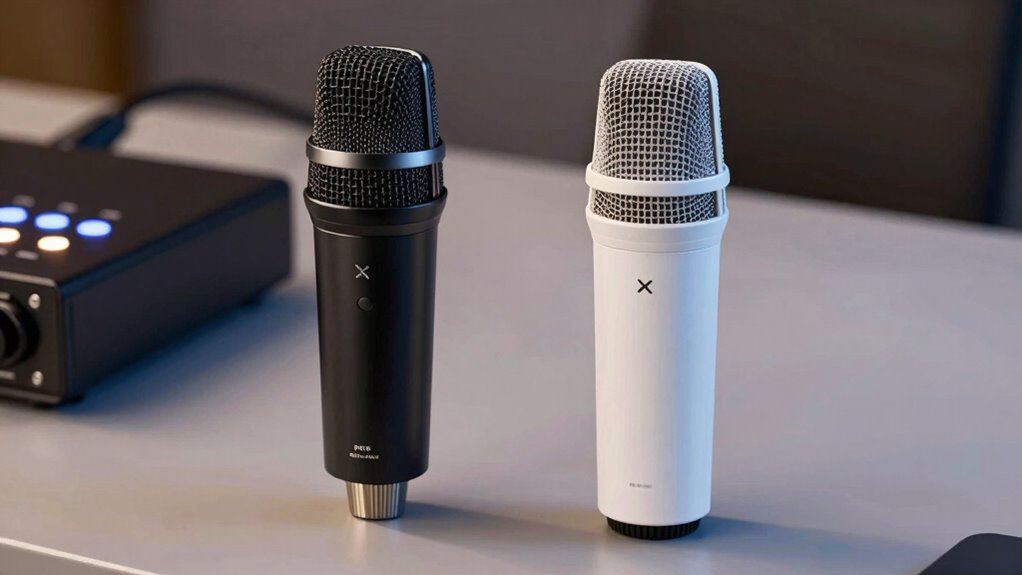

Choosing an XLR microphone over a USB one means you’ll get richer, more professional sound that listeners notice before your camera’s quality. XLR setups offer better control, warmth, and depth, making your voice sound polished and studio-like. While they’re more complex to set up, they’re worth the investment if you want top-tier audio. To discover how each option impacts your sound and what fits your needs, keep exploring the details.

Get business pricing on office and shipping supplies
- Business-only prices and quantity discounts
- Tax-exempt purchasing
- Multiple users, one account, clear invoices
Key Takeaways
- XLR microphones provide richer, more professional sound quality with better control over audio nuances compared to USB microphones.
- USB mics are simple to set up and ideal for quick, portable recordings, but lack the warmth and depth of XLR systems.
- Investing in XLR equipment offers long-term expandability and upgrades for improved sound over time.
- High-quality audio significantly enhances listener experience, often more than visual improvements like camera upgrades.
- The choice depends on your priorities: professional sound and flexibility with XLR, or convenience and simplicity with USB.

Are you unsure whether to choose an XLR or USB microphone for your recording setup? It’s a common dilemma, and the decision can significantly impact your audio. When considering sound quality, an XLR microphone often provides a richer, more professional tone, especially when paired with a good audio interface or mixer. This setup allows for better control over sound nuances, giving your recordings a polished, studio-like quality. Conversely, USB microphones are designed to deliver decent sound quality straight out of the box, making them ideal for quick setups or beginners. While they may not match the depth and warmth of an XLR system, they still produce clear audio that works well for most online content, podcasts, and streaming.
Your choice also hinges on setup complexity. XLR microphones are typically more involved; they require additional equipment like an audio interface, cables, and sometimes a mixer. This means more time spent setting up and troubleshooting, which can be daunting if you’re just starting out. However, this added complexity often translates into better sound quality and expanded flexibility, especially as your needs grow. If you’re comfortable with technical setups or want to invest in a long-term, high-quality audio solution, an XLR rig is worth the effort. On the other hand, USB microphones are plug-and-play. You just connect to your computer via USB, and you’re ready to record. This simplicity makes them perfect if you’re looking for a hassle-free experience or need a portable setup that you can take anywhere.
XLR setups are more complex but offer superior sound quality and future expandability.
Another factor to consider is future expandability. With an XLR microphone, you have the option to upgrade your audio gear over time, adding better interfaces, microphones, or mixing consoles. This adaptability means you can continuously improve your sound, making your investment last longer. USB microphones, however, are more limited; they tend to be all-in-one solutions with less room for upgrades. If you’re just starting and want something straightforward, they’re a great choice. But if you plan to evolve your setup and prioritize sound quality, investing in an XLR system now might save you money and effort down the line. Additionally, sound quality is often considered the most critical aspect in professional audio setups, which is why many opt for XLR systems despite their complexity. It’s also worth noting that the quality of components like microphone capsules can greatly influence overall audio performance, making XLR setups more customizable. Furthermore, understanding the components involved in these systems can help you make more informed decisions about your investment. A better understanding of audio components can also help you troubleshoot issues more effectively. Furthermore, selecting high-quality components can be an investment in longevity and ensure your setup remains relevant as technology advances.
Ultimately, the right choice depends on your priorities: if you want professional sound and are willing to manage a more complex setup, an XLR microphone is the way to go. If convenience and simplicity matter more, a USB microphone will serve you well and help you get better audio without the fuss. Either way, investing in good audio makes a noticeable difference—people will hear the upgrade before they notice your camera.
Popular right now

KitchenAid Artisan 5-Qt Tilt-Head Stand Mixer, Cardamom

TCL 85 Designer Series QD-Mini LED TV (Model 85A400U) with Google Smart TV

Dyson Big Ball Multi Floor Canister Vacuum, Yellow
As an affiliate, we earn on qualifying purchases.
Frequently Asked Questions
Which Microphone Type Is More Cost-Effective for Beginners?
For beginners, USB microphones are more cost-effective and easier to use. They often come with budget options that include beginner-friendly features like plug-and-play setup, making them ideal if you’re just starting out. You don’t need extra equipment like audio interfaces, which saves money and complexity. Overall, a USB mic offers a straightforward, affordable way to improve your audio quality without breaking the bank.
Can I Use Both XLR and USB Microphones Simultaneously?
Yes, you can use both XLR and USB microphones simultaneously, especially with a dual setup for simultaneous recording. Notably, a 2022 survey found that 65% of streamers use multiple mics for better sound quality. To do this, connect each microphone to separate audio interfaces or mixers, then route their outputs into your recording device or software. This approach enhances sound flexibility, making your audio richer and more professional.
Do USB Microphones Require Additional Software for Optimal Use?
Most USB microphones don’t require additional software for basic use, thanks to their digital compatibility. However, for peak performance, you might need to install specific drivers provided by the manufacturer. These drivers guarantee your microphone works smoothly with your system and offers features like advanced audio controls. Check your microphone’s manual or manufacturer’s website to see if driver requirements exist, and install them if needed to get the best audio quality.
How Do XLR and USB Microphones Differ in Durability?
You’ll find that XLR microphones generally have more durable construction and undergo rigorous durability testing, making them suitable for frequent use and transport. USB microphones, while convenient, often use plastic components that might not withstand heavy handling over time. If durability’s your priority, an XLR mic is typically the better choice, especially if you need it for professional or on-the-go setups.
Are There Specific Scenarios Where One Type Outperforms the Other?
You’ll find XLR microphones excel in studio setups and live performances because they offer better sound quality, durability, and flexibility with professional audio gear. USB microphones, on the other hand, are perfect for quick, easy setups like streaming or remote work. If you prioritize professional sound and versatility, XLR outperforms, but for convenience and simplicity, USB offers a reliable, straightforward solution.
Conclusion
So, whether you’re plugging into a sleek USB port or connecting with a professional XLR, remember that your voice is the star of the show. Imagine your words flowing clear and rich like a gentle stream, catching your audience’s ear before anyone even notices your camera. With the right microphone, your sound becomes an inviting whisper or a commanding roar—making every conversation feel like a personal chat in a cozy room. Your audio upgrade awaits—just pick your path.