
After a close call with a power outage, small offices often realize the importance of having a solid plan in place. You learn to train staff on emergency procedures, guarantee backup power systems are tested regularly, and understand your electrical infrastructure better. These experiences highlight vulnerabilities and show you where upgrades are needed. By preparing now, you can minimize downtime and protect your operations. Curious about how to strengthen your office’s resilience? Keep exploring for more tips.

Get business pricing on office and shipping supplies
- Business-only prices and quantity discounts
- Tax-exempt purchasing
- Multiple users, one account, clear invoices
Key Takeaways
- Regularly train staff on emergency procedures to ensure quick, organized responses during outages.
- Test and maintain backup power systems like UPS and generators for reliability.
- Conduct electrical infrastructure inspections to identify and address vulnerabilities proactively.
- Develop and review a comprehensive power outage response checklist regularly.
- Use past outage experiences to improve preparedness, communication, and resilience strategies.
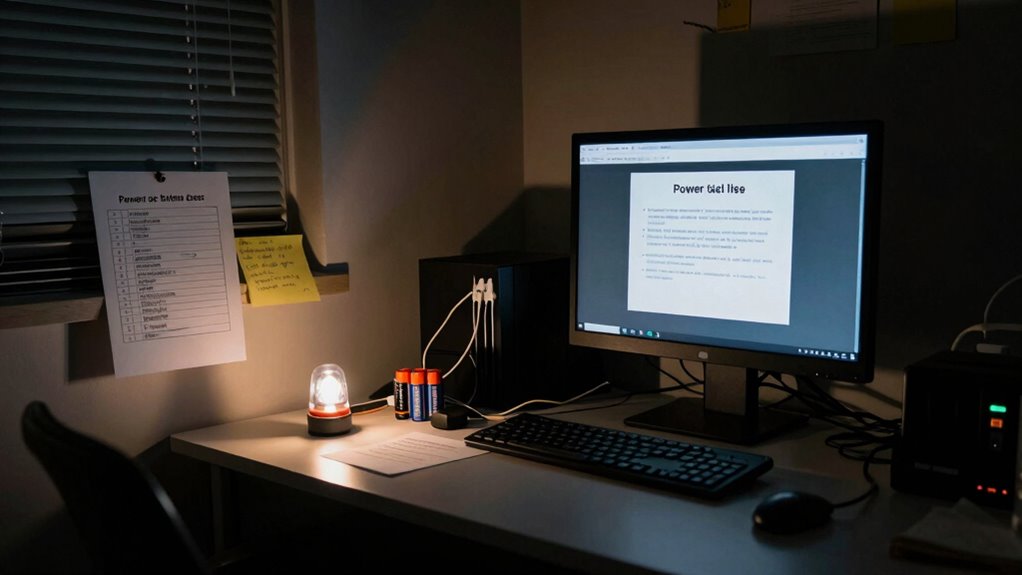
When a power outage strikes, it can disrupt your small office‘s operations and cause frustration. You might find yourself scrambling to keep things running smoothly, especially if you haven’t prepared in advance. One vital lesson many small offices learn after a close call is the importance of proper employee training. When the lights go out unexpectedly, your team needs to know exactly what to do—whether it’s saving important files, shutting down equipment safely, or redirecting customer calls. Without clear instructions, confusion can spread, prolonging downtime and risking data loss. Investing in employee training ensures everyone understands their roles during an outage, helping to minimize chaos and keep your business protected.
Proper training during outages minimizes chaos and protects your business from data loss and prolonged downtime.
Alongside training, the role of backup power becomes evident. If you don’t have a reliable backup power source, like an uninterruptible power supply (UPS) or generator, your office operations can come to an abrupt halt. Small offices often overlook the significance of backup power until they experience the disruption firsthand. Once the power is restored, you’ll realize how essential it is to have systems in place that keep vital functions running—such as communication tools, access to critical data, or even basic lighting. Backup power not only helps maintain productivity but also prevents potential revenue loss and safeguards sensitive information from sudden shutdowns. Recognizing the importance of power resilience can help you prioritize investments in reliable systems before an emergency occurs. Regular testing and maintenance of these systems are crucial to ensure they function correctly when needed, as overlooked system reliability can lead to failure during critical moments. Additionally, understanding the electrical infrastructure of your office can help identify potential vulnerabilities that might cause longer outages or damage to equipment.
In the aftermath of a close call, many small office owners recognize the need for an all-encompassing power outage checklist. Such a checklist typically includes steps for quickly evaluating the situation, communicating with staff, and activating backup power sources. It also emphasizes the importance of regularly testing these systems to guarantee they function when needed. Additionally, you might learn that your office’s electrical infrastructure requires upgrades or maintenance to prevent prolonged outages or equipment damage. Recognizing the importance of regular testing and maintenance can prevent failures when it matters most. Regularly reviewing your emergency procedures, including employee training and backup power protocols, can make a huge difference in how swiftly and smoothly your team responds during an outage.
Ultimately, these experiences teach you that preparation is everything. A well-trained staff combined with reliable backup power systems creates a resilient small office. When the next outage occurs, you’ll feel confident that your team knows what to do and that your vital systems will stay online. This proactive approach not only minimizes downtime but also reinforces your commitment to keeping your business operational, regardless of unexpected disruptions.
Popular right now

Samsung 48-Inch S90H OLED 4K Smart TV (2026)

De'Longhi Rivelia Fully Automatic Espresso Machine with Milk Frother, White

Roborock Qrevo CurvX Robot Vacuum and Mop
As an affiliate, we earn on qualifying purchases.
Frequently Asked Questions
How Can I Prevent Power Outages in My Office?
To prevent power outages in your office, invest in backup generators to keep essential systems running during outages. Use surge protectors on all sensitive equipment to shield them from power fluctuations. Regularly schedule maintenance for your electrical system and guarantee your wiring is up to code. Consider installing an uninterruptible power supply (UPS) for critical devices. These steps help minimize disruptions and protect your office’s productivity and equipment.
What Emergency Contacts Should I Have During a Blackout?
During a blackout, you should have essential emergency contacts readily available, including local utility providers, emergency services, and your office’s emergency response team. Keep an emergency kit stocked with flashlights, batteries, and a first aid kit. Also, guarantee you have backup power options like generators or UPS systems to keep critical devices running. Having these contacts and supplies on hand helps you respond quickly and keep everyone safe during an outage.
How Often Should I Update My Power Outage Plan?
You should review and update your power outage plan at least twice a year to guarantee emergency preparedness remains current. Regular updates help you stay prepared for unexpected situations and streamline power restoration efforts. During these reviews, check contact information, backup systems, and procedures. Staying proactive minimizes downtime, ensures safety, and keeps your office running smoothly during outages. Consistent updates make your response more effective and reassure your team that you’re prepared for any blackout.
What Are the Signs of an Impending Power Failure?
You can spot signs of an impending power failure by paying attention to flickering lights or frequent circuit overloads, which may indicate an overloaded system. Make sure your generator receives regular maintenance to prevent unexpected breakdowns. Unusual buzzing sounds or a burnt smell from electrical panels also signal trouble. Staying vigilant and addressing these signs early helps you avoid a sudden outage, keeping your office operations running smoothly.
How Can I Protect Sensitive Data During an Outage?
To safeguard sensitive data during an outage, you should implement data encryption to secure information in transit and at rest. Also, utilize reliable backup solutions to guarantee data can be restored quickly if compromised or lost. Regularly test your backup systems and keep encryption keys secure. These steps help prevent data breaches and minimize disruptions, ensuring your critical information stays protected even during power outages.
Conclusion
Remember, a power outage isn’t just a hassle—it’s a reminder to stay prepared. Think of it like the theory that small actions, like having a checklist, can prevent bigger problems down the line. When you plan ahead, you build resilience and confidence, knowing you can handle unexpected disruptions. So, keep your checklist updated and your team informed—you’re not just avoiding a shutdown, you’re strengthening your office’s ability to bounce back stronger each time.