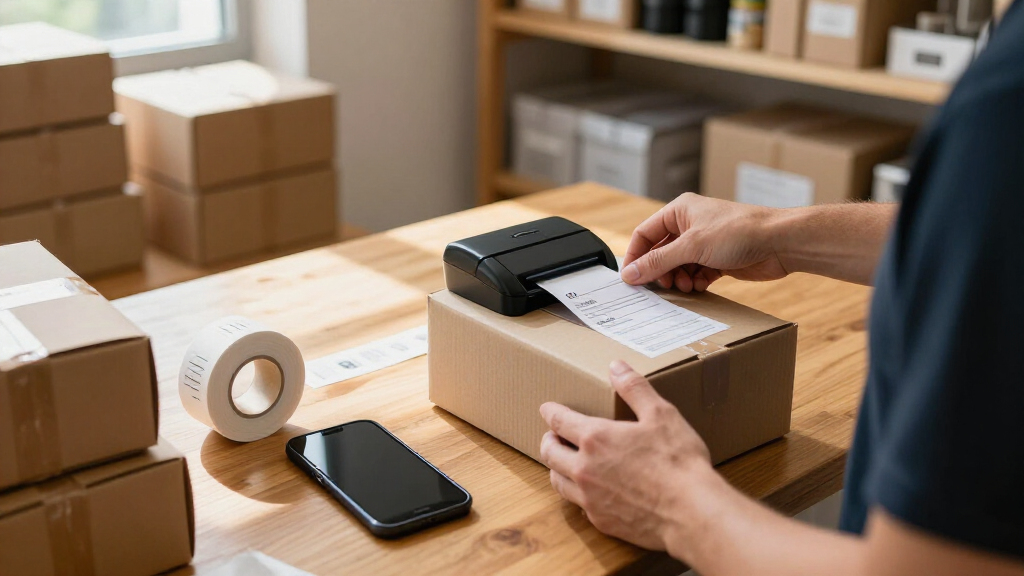

For most small businesses, I’d start with the Brother P-Touch PT-D610BT: its connected business-labeling focus suits teams that need more than shipping labels. The Phomemo 241BT and KNAON 4×6 stand out for businesses that mainly print shipping labels, while the compact Phomemo D30 is better for occasional shelf, bin, or product labels. The central tradeoff is between versatile tape labeling and dedicated thermal shipping, with device compatibility, label size, and ongoing supplies also shaping the choice. I compare all 15 options by workflow fit, ease of use, and flexibility. Continue reading for the full breakdown and guidance on choosing for your business.

Get business pricing on office and shipping supplies
- Business-only prices and quantity discounts
- Tax-exempt purchasing
- Multiple users, one account, clear invoices
Key Takeaways
- The lineup splits into two jobs: the Brother PT-D610BT, tape-based Rongta, and SUPVAN models suit product, shelf, or equipment labels, while the 4×6 thermal printers focus on shipping labels.
- Label width should drive the shortlist: the shipping-focused Phomemo, KNAON, NULLTONEX, SVANTTO, JADENS, and Rongta RP425-PK are a different class of tool from compact makers such as the D30 and N12.
- Portability and volume pull in different directions: small makers such as the Phomemo D30 and Ponek M100 are easier to place near stock or a counter, while dedicated shipping units make more sense at a regular packing station.
- Bundle contents are not the same as long-term value: the Phomemo 241BT includes labels, and the SUPVAN T50M Pro listing includes three tapes; ongoing supply format and availability matter more than the starter bundle.
- Connection options affect workflow resilience: several models are Bluetooth-focused, while the NULLTONEX also lists USB; check device and operating-system compatibility before choosing around wireless convenience.
| Phomemo Bluetooth Thermal Label Printer 241BT with 20 Labels |  | Best Overall for Shipping | Printer type: Thermal | Connectivity: Bluetooth and USB | Compatible devices: iOS, Android, Windows, macOS, Chrome OS, Linux | VIEW LATEST PRICE | See Our Full Breakdown |
| Rongta Bluetooth Label Maker Machine with Tape |  | Best for Portable Product and Shelf Labels | Printer type: Thermal | Connectivity: Bluetooth | Supported devices: Android, iOS, iPad, smartphones | VIEW LATEST PRICE | See Our Full Breakdown |
| SUPVAN T50M Pro Bluetooth Label Maker |  | Best for Customization | Printer type: Thermal | Connectivity: Bluetooth and USB Type-C | Compatible devices: Laptops, PCs, smartphones, and tablets | VIEW LATEST PRICE | See Our Full Breakdown |
| Brother P-Touch PT-D610BT Business Professional Connected Label Maker with Bluetooth® |  | Best for Repeatable Business Labeling | Printer type: Thermal | Connectivity: Bluetooth and USB | Maximum label width: 1 inch (24 mm) | VIEW LATEST PRICE | See Our Full Breakdown |
| KNAON 4×6 Bluetooth Thermal Shipping Label Printer |  | Best for Broad Shipping Media | Printer type: Thermal | Connectivity: Bluetooth via FlashLabel Pro app and USB | Compatible systems: Windows 7 or later, macOS, ChromeOS, Linux | VIEW LATEST PRICE | See Our Full Breakdown |
| NULLTONEX Bluetooth and USB Thermal Shipping Label Printer, 4 × 6 in |  | Best for Small-Business Shipping | Printer type: Direct thermal | Resolution: 203 DPI | Print speed: Up to 150 mm/s (72 labels per minute) | VIEW LATEST PRICE | See Our Full Breakdown |
| NDYIN N12 Bluetooth Thermal Label Maker with Tape, Green |  | Best for Simple, Portable Labeling | Model: N12 | Printer type: Thermal | Resolution: 203 × 203 dpi | VIEW LATEST PRICE | See Our Full Breakdown |
| Phomemo D30 Bluetooth Mini Label Maker |  | Best for Flexible Small-Format Labels | Printer type: Thermal | Resolution: 203 DPI | Connectivity: Bluetooth 4.0 and USB Type-C | VIEW LATEST PRICE | See Our Full Breakdown |
| Ponek M100 Bluetooth Thermal Label Maker, 2-Inch, Black |  | Best for Cross-Device Flexibility | Model: M100 | Printer type: Direct thermal | Print width: 0.78–2 in | VIEW LATEST PRICE | See Our Full Breakdown |
| Phomemo M110 Portable Bluetooth Thermal Label Printer |  | Best for Batch Product Labeling | Printer type: Thermal | Print output: Monochrome | Label width: 20–50 mm (0.78–2 in) | VIEW LATEST PRICE | See Our Full Breakdown |
| SVANTTO Bluetooth Shipping Label Printer 4×6, Wireless Thermal Label Maker |  | Best for High-Volume Shipping | Printer type: Thermal | Print speed: 180 mm/sec | Stated output: Up to 72 4 × 6 in labels per minute | VIEW LATEST PRICE | See Our Full Breakdown |
| NIIMBOT B1 Bluetooth Thermal Label Printer |  | Best for Compact Inventory Labels | Printer type: Thermal | Print resolution: 203 dpi | Label width: Up to 2 in | VIEW LATEST PRICE | See Our Full Breakdown |
| JADENS JD268BT Bluetooth Thermal Shipping Label Printer |  | Best for Mixed Shipping Media | Model: JD268BT | Printer type: Thermal | Print resolution: 203 × 203 dpi | VIEW LATEST PRICE | See Our Full Breakdown |
| SUPVAN T50M Pro Bluetooth Label Maker with 3 Tapes |  | Best for Versatile Product and Organization Labels | Printer type: Thermal | Print resolution: 203 dpi | Label width: 3/4–2 in | VIEW LATEST PRICE | See Our Full Breakdown |
| Rongta RP425-PK 4×6 Bluetooth Thermal Label Printer – Pink |  | Best for Compact, Color-Accented Shipping Setups | Printer type: Thermal | Print resolution: 203 × 203 dpi | Supported paper size: 4 × 6 in | VIEW LATEST PRICE | See Our Full Breakdown |
| wireless label makers for small business | Printer type | Connectivity | Resolution | Compatible devices |
|---|---|---|---|---|
| Phomemo Bluetooth Thermal Labe | Thermal | Bluetooth and USB | 203 × 203 DPI | iOS, Android, Windows, macOS, Chrome OS, Linux |
| Rongta Bluetooth Label Maker M | Thermal | Bluetooth | 203 × 203 DPI | — |
| SUPVAN T50M Pro Bluetooth Labe | Thermal | Bluetooth and USB Type-C | 203 DPI | Laptops, PCs, smartphones, and tablets |
| Brother P-Touch PT-D610BT Busi | Thermal | Bluetooth and USB | — | — |
| KNAON 4×6 Bluetooth Thermal Sh | Thermal | Bluetooth via FlashLabel Pro app and USB | 203 DPI | — |
| NULLTONEX Bluetooth and USB Th | Direct thermal | Bluetooth and USB | 203 DPI | — |
| NDYIN N12 Bluetooth Thermal La | Thermal | Bluetooth | 203 × 203 dpi | — |
| Phomemo D30 Bluetooth Mini Lab | Thermal | Bluetooth 4.0 and USB Type-C | 203 DPI | Android and iOS smartphones and tablets |
| Ponek M100 Bluetooth Thermal L | Direct thermal | Bluetooth and USB | 203 DPI | Android, iOS, and PC |
| Phomemo M110 Portable Bluetoot | Thermal | Bluetooth 4.0, up to 33 ft | 203 dpi | Laptops, PCs, smartphones, and tablets |
| SVANTTO Bluetooth Shipping Lab | Thermal | Bluetooth and USB | — | — |
| NIIMBOT B1 Bluetooth Thermal L | Thermal | Bluetooth and USB | — | iOS and Android smartphones; PCs and laptops |
| JADENS JD268BT Bluetooth Therm | Thermal | Bluetooth and USB 2.0 | — | — |
| SUPVAN T50M Pro Bluetooth Labe | Thermal | — | — | Android and iOS devices, laptops, PCs, and tablets |
| Rongta RP425-PK 4×6 Bluetooth | Thermal | Bluetooth and USB | — | Laptops, PCs, smartphones, and tablets |
More Details on Our Top Picks
Phomemo Bluetooth Thermal Label Printer 241BT with 20 Labels
For a small business sending parcels regularly, the Phomemo 241BT is the most balanced pick here: it prints standard labels up to 4 × 6 inches, connects by Bluetooth or USB, and supports common selling platforms including Shopify, eBay, and Amazon. Its broad operating-system support gives it an advantage over the phone-only Rongta R22, especially if staff prepare orders from different devices. Thermal printing also removes ink and toner from the supply list, while the included 20 labels help with initial setup. The tradeoff is a shipping-focused format: it prints monochrome labels only and cannot handle media wider than 4 inches. Choose the KNAON 4×6 if its wider listed media range matters more; choose this Phomemo for its broad device compatibility.
Pros:- Bluetooth and USB connectivity support mobile and computer workflows
- Works with iOS, Android, Windows, macOS, Chrome OS, and Linux
- Supports major e-commerce platforms including Amazon, Shopify, and eBay
- Includes 20 thermal labels and prints without ink or toner
Cons:- Monochrome output cannot reproduce color branding
- Maximum media size is 4 × 6 inches
- Setup requires the relevant app or driver for each platform
Best for: Small online sellers who print 4 × 6 shipping labels from a mix of phones and computers across major marketplaces
Not ideal for: Businesses that need color graphics, label widths above 4 inches, or a label maker for shelves and products rather than parcel shipping
- Printer type:Thermal
- Connectivity:Bluetooth and USB
- Compatible devices:iOS, Android, Windows, macOS, Chrome OS, Linux
- Maximum media size:4 × 6 inches
- Resolution:203 × 203 DPI
- Output:Monochrome
- Weight:720 g
- Included labels:20 pre-cut thermal labels
Our verdict“Choose the Phomemo 241BT for flexible, routine 4 × 6 shipping-label work across phones and computers.”
Rongta Bluetooth Label Maker Machine with Tape
The Rongta R22 suits a business that needs short runs of product, shelf, or storage labels around a workspace, rather than parcel labels at a packing station. Its 1500 mAh rechargeable battery and compact 0.33 kg body make it easier to carry between rooms or take to a market stall than the desktop-oriented Phomemo 241BT. The phone app provides fonts, icons, and borders for quick custom designs, with no computer required. That simplicity is also its main limit: the R22 connects only to iOS and Android, and its media tops out at 2 inches wide, so it is not a substitute for a 4 × 6 shipping printer. Choose it for mobile, narrow-format labeling; skip it if your order workflow depends on a computer.
Pros:- Portable body with a built-in rechargeable battery
- Bluetooth phone printing avoids the need for a computer
- App includes more than 40 fonts, icons, and borders
- 203 DPI monochrome output supports legible text and simple graphics
Cons:- Works with Android and iOS devices, not computers
- Media width is limited to 2 inches
- No fast-charging adapter is included
Best for: Market vendors and small shops that create narrow product, shelf, or storage labels directly from a phone
Not ideal for: Online sellers printing parcel labels or teams that need computer connectivity and wider-format output
- Printer type:Thermal
- Connectivity:Bluetooth
- Supported devices:Android, iOS, iPad, smartphones
- Maximum label width:2 inches
- Resolution:203 × 203 DPI
- Battery capacity:1500 mAh
- Weight:0.33 kg
- Print output:Monochrome
Our verdict“Pick the Rongta R22 if you need a lightweight, phone-operated printer for narrow labels away from a desk.”
SUPVAN T50M Pro Bluetooth Label Maker
For a small business labeling bins, stock, folders, and products in several formats, the SUPVAN T50M Pro offers more design variety than the simpler Rongta R22. Its app supplies over 30 fonts, 50 frames, and 660 icons, while support for labels from ¾ to 2 inches wide covers many everyday organization and product-label jobs. Bluetooth suits phone-based work, and USB Type-C adds a route for compatible computers; thermal printing avoids ink and toner. The main caveat is consumables: it is designed for SUPVAN label tape, which narrows media choice compared with the broader shipping formats of the Phomemo 241BT and KNAON. It also prints only in monochrome. This is a better fit for varied narrow labels than for packing orders.
Pros:- App offers extensive fonts, frames, and icons for tailored label designs
- Supports label widths from ¾ to 2 inches
- Bluetooth and USB Type-C provide mobile and computer connectivity
- Compact thermal design prints without ink or toner
Cons:- Designed for SUPVAN label tape, limiting media flexibility
- Monochrome printing does not support color branding
- Maximum label width is too small for standard parcel labels
Best for: Small retailers and studios that make varied product, inventory, and organization labels using a phone or compatible computer
Not ideal for: High-volume shippers needing 4 × 6 labels, or buyers who want to use label tape from multiple brands
- Printer type:Thermal
- Connectivity:Bluetooth and USB Type-C
- Compatible devices:Laptops, PCs, smartphones, and tablets
- Label width:¾–2 inches
- Resolution:203 DPI
- Weight:433 g
- Compatible labels:SUPVAN label tape
- Warranty:1 year
Our verdict“Choose the SUPVAN T50M Pro for customizable narrow-format inventory and product labels, not shipping labels.”
Brother P-Touch PT-D610BT Business Professional Connected Label Maker with Bluetooth®
The Brother PT-D610BT is the most workflow-focused option here for teams that repeatedly label assets, inventory, and office equipment. Its 175 business templates, memory for up to 90 designs, automatic cutter, and QWERTY keyboard help standardize labels without rebuilding each layout. A full-color LCD preview can catch formatting mistakes before printing, a useful contrast with the app-led SUPVAN T50M Pro. Bluetooth and USB allow both mobile and computer-based work. This is not a parcel-label printer, though: its maximum tape width is just 1 inch, and the software has a learning curve. Compared with the Phomemo 241BT, the Brother favors repeatable identification and office labeling over 4 × 6 shipping output. It makes sense when consistency matters more than label size.
Pros:- 175 pre-set business templates support common labeling tasks
- Stores up to 90 frequently used label designs
- Automatic cutter and QWERTY keyboard support repeated on-device work
- Full-color LCD preview helps check layouts before printing
Cons:- Maximum label width of 1 inch limits signage and larger labels
- Software integration can take time to learn
- Less suited to parcel shipping than 4 × 6 models such as the Phomemo 241BT
Best for: Small-business teams that repeatedly label assets, equipment, inventory, and office supplies with standardized formats
Not ideal for: Online sellers who need 4 × 6 shipping labels or businesses that want a simple, app-only setup for occasional printing
- Printer type:Thermal
- Connectivity:Bluetooth and USB
- Maximum label width:1 inch (24 mm)
- Display:20-character, 2-line full-color LCD
- Stored label designs:Up to 90
- Business templates:175
- Built-in cutter:Automatic
- Keyboard:QWERTY
Our verdict“Choose the Brother PT-D610BT when your team needs repeatable, professional narrow labels rather than shipping labels.”
KNAON 4×6 Bluetooth Thermal Shipping Label Printer
The KNAON 4×6 is aimed at small sellers who want one thermal printer for shipping labels and some narrower labeling jobs. Its stated media range of 1.38 to 4.41 inches is broader than the Phomemo 241BT’s listed 4-inch maximum, and it connects over USB or Bluetooth through the FlashLabel Pro app. Support for platforms including Amazon, Etsy, Shopify, USPS, and UPS gives it a shipping-centered role, while templates and included test papers help with setup. There is a workflow wrinkle: marketplace labels must be saved as PDFs and imported into the app, so printing may take more steps than expected. The listed dimensions also conflict between the description and product details. Compared with the Brother PT-D610BT, this is the clear choice for parcels, not narrow business identification labels.
Pros:- Supports thermal paper widths from 1.38 to 4.41 inches
- Bluetooth app printing and USB connectivity are available
- Compatible with multiple operating systems and shipping platforms
- Includes 20 test printing papers and app design elements
Cons:- Marketplace shipping labels must be saved as PDFs and imported into the app
- Bluetooth printing depends on the FlashLabel Pro app
- Product dimensions differ between the description and product details
Best for: Small online sellers who need a compact thermal printer for marketplace shipping labels and occasional narrower media
Not ideal for: Businesses that want a clearly documented physical footprint or direct, uncomplicated marketplace printing without PDF import steps
- Printer type:Thermal
- Connectivity:Bluetooth via FlashLabel Pro app and USB
- Compatible systems:Windows 7 or later, macOS, ChromeOS, Linux
- Supported paper width:1.38–4.41 inches
- Resolution:203 DPI
- Maximum print speed:180 mm/s
- Supported platforms:Amazon, eBay, Shopify, USPS, UPS, Etsy, PayPal, Poshmark, DHL
- Included:20 test printing papers
Our verdict“Pick the KNAON if a wider media range for shipping and other label jobs matters more than a direct printing workflow.”
NULLTONEX Bluetooth and USB Thermal Shipping Label Printer, 4 × 6 in
For a small business sending parcels regularly, the NULLTONEX is the most shipping-focused choice in this group. Its support for 4 × 6-inch labels and platforms including Amazon, Shopify, Etsy, USPS, UPS, FedEx, and DHL fits common fulfillment workflows better than the narrower Phomemo D30, which is designed for small-format labels rather than parcel labels. Bluetooth gives phone and tablet users a wireless route, while USB provides a wired alternative for a desk-based setup. At 203 DPI and up to 150 mm/s, it is built for practical, monochrome shipping output, not decorative color labels. The tradeoff is that Bluetooth printing requires the FlashLabel Pro app, and its larger footprint is less convenient for a cramped counter than the pocket-size NDYIN N12.
Pros:- Supports 4 × 6-inch shipping labels and a range of common carrier and marketplace platforms.
- Bluetooth and USB connectivity suit both mobile and desk-based workflows.
- Direct thermal printing avoids ink and toner.
- Includes 25 sheets of 4 × 6-inch labels to get started.
Cons:- Prints monochrome labels only.
- Bluetooth printing requires the FlashLabel Pro app.
- Its desktop-style dimensions take up more counter space than compact tape label makers.
Best for: Small online sellers who print 4 × 6 shipping labels from supported marketplaces and carriers, especially those who want both Bluetooth and USB connection options.
Not ideal for: Businesses that need color, broad-format product labels, or a very compact handheld label maker; Bluetooth-only users unwilling to print through the FlashLabel Pro app should also skip it.
- Printer type:Direct thermal
- Resolution:203 DPI
- Print speed:Up to 150 mm/s (72 labels per minute)
- Connectivity:Bluetooth and USB
- Supported label width:1.57–4.3 in
- Supported platforms:Amazon, Shopify, Etsy, USPS, UPS, FedEx, DHL
- Dimensions and weight:8.08 × 4.73 × 6.9 in; 3 lb
- Included:Printer, power cord, USB cable, 25 sheets of 4 × 6 in thermal labels
Our verdict“Choose the NULLTONEX if parcel shipping is your main labeling task and you want a printer that handles common 4 × 6-inch workflows.”
NDYIN N12 Bluetooth Thermal Label Maker with Tape, Green
The NDYIN N12 makes the most sense for a microbusiness that labels small items, storage, or supplies rather than shipping parcels. At just 4 ounces, with a rechargeable battery and phone-based Bluetooth printing, it is easier to carry between a stockroom, market stall, and work area than the Ponek M100. Its Nada Print app supplies templates, fonts, frames, and symbols, giving occasional users a straightforward way to make labels without a desktop setup. The tradeoff is its fixed-size 14 × 40 mm labels: that format limits what can fit and is less flexible than the Phomemo D30, which accepts continuous or fixed-length tape. It also prints only in monochrome, so I would not choose it for prominent, color-coded retail packaging.
Pros:- Weighs only 4 ounces and has a built-in rechargeable battery.
- Bluetooth printing works with iOS and Android smartphones and tablets.
- The app includes templates, fonts, frames, and symbols for quick small-label designs.
- Thermal printing requires no ink, toner, or ribbons.
Cons:- Uses fixed-length labels, limiting layout size and flexibility.
- Monochrome output does not support color-coded or decorative labels.
- Smartphone or tablet connection is required; no USB printing option is listed.
Best for: Market sellers and home-based businesses that need lightweight, phone-operated labels for small products, bins, or office supplies.
Not ideal for: Businesses printing parcel labels, long or varied label layouts, or color-coded packaging; its included media is a fixed 14 × 40 mm format.
- Model:N12
- Printer type:Thermal
- Resolution:203 × 203 dpi
- Connectivity:Bluetooth
- Compatible systems:iOS and Android
- Weight and dimensions:4 oz; 1.25 × 3.03 × 4.29 in
- Battery:Built-in rechargeable lithium battery
- Included media:180 pre-cut white labels, 14 × 40 mm
- Warranty:2 years
Our verdict“Pick the N12 for portable, basic small-item labeling, but choose the Phomemo D30 if you need more flexible tape formats.”
Phomemo D30 Bluetooth Mini Label Maker
The Phomemo D30 is a stronger fit than the NDYIN N12 for small businesses that need varied label lengths or occasional barcode and QR-code printing. Its app supports custom designs, batch imports, barcodes, and QR codes, which can help with inventory tags and repeat labeling tasks. Unlike the N12’s fixed 14 × 40 mm media, the D30 works with continuous as well as fixed-length tape, offering more control over label length. That flexibility remains within a 0.55-inch maximum media width, so it is not a substitute for the NULLTONEX when the job is shipping labels or larger product information. Its compact, rechargeable design suits mobile work, but the printer is limited to black output and requires compatible label tape.
Pros:- Accepts both continuous and fixed-length label tape.
- App supports barcode, QR-code, custom design, and batch label creation.
- Compact 160 g body and rechargeable battery suit mobile work.
- Thermal printing does not require ink, toner, or ribbons.
Cons:- Maximum media width is only 0.55 in.
- Prints monochrome output only.
- Requires compatible label tape.
Best for: Small retailers and makers who print compact inventory, QR, or barcode labels and want to vary label length without carrying a desktop printer.
Not ideal for: Businesses that need 4 × 6 shipping labels, wide product information labels, or color output; its media width is capped at 0.55 in.
- Printer type:Thermal
- Resolution:203 DPI
- Connectivity:Bluetooth 4.0 and USB Type-C
- Compatible devices:Android and iOS smartphones and tablets
- Maximum media width:0.55 in
- Media formats:Continuous and fixed-length label tapes
- Weight and dimensions:160 g; 1.14 × 2.95 × 5.17 in
- Power:Rechargeable battery
Our verdict“Choose the D30 over the N12 when variable-length small labels and app-based barcode or QR tools matter more than fixed-format simplicity.”
Ponek M100 Bluetooth Thermal Label Maker, 2-Inch, Black
The Ponek M100 stands out for small businesses that move between mobile devices and a computer: it supports Android, iOS, and PC, while the more phone-centered NDYIN N12 is limited to smartphones and tablets. Its label width reaches 2 inches, making it more suitable for product labels, barcodes, and QR codes than the narrow Phomemo D30. Bluetooth and USB add connection flexibility, and direct thermal printing avoids ink or toner. The compromise is speed: 20 mm/s is modest for a business printing many labels in a row, especially compared with the NULLTONEX shipping printer’s stated throughput. App use also adds friction: a PC driver or compatible app is needed, and some templates require a premium membership.
Pros:- Works with Android, iOS, and PC devices.
- Supports label widths from 0.78 to 2 inches.
- Bluetooth and USB provide wireless and wired connection options.
- App supports labels, barcodes, and QR codes.
Cons:- Print speed is 20 mm/s, making longer runs slower than dedicated shipping printers.
- Requires a compatible mobile app or PC driver.
- Some app templates require a premium membership.
Best for: Small-business operators who create product or inventory labels from a mix of phones and PCs and need media up to 2 inches wide.
Not ideal for: High-volume shipping operations or buyers seeking a simple, membership-free app workflow; its speed is modest and some templates require paid access.
- Model:M100
- Printer type:Direct thermal
- Print width:0.78–2 in
- Resolution:203 DPI
- Print speed:20 mm/s
- Connectivity:Bluetooth and USB
- Compatible devices:Android, iOS, and PC
- Weight and dimensions:282 g (0.6 lb); 5 × 3 × 2 in
- Battery capacity claim:Up to 4,200 labels per charge
Our verdict“Choose the M100 if cross-device compatibility and labels up to 2 inches matter more than print speed or an app with no paid features.”
Phomemo M110 Portable Bluetooth Thermal Label Printer
For small businesses that label products in repeat batches, the Phomemo M110 offers workflow tools the compact D30 does not emphasize: Excel batch printing and OCR can reduce repeated typing when preparing inventory or product labels. It supports widths from 20 to 50 mm and connects over Bluetooth, with the app working across phones, tablets, and computers. That makes it more capable for structured business labeling than the tiny NDYIN N12, though it is still not a shipping-label printer. The M110 prints monochrome only, and some app templates, icons, and fonts require paid membership. Buyers who need labels wider than 2 inches or parcel-ready 4 × 6 output should instead look at the NULLTONEX.
Pros:- App supports Excel batch printing for repeated label jobs.
- OCR can turn text in photos into editable text.
- Supports 20–50 mm label widths and Bluetooth connection.
- Portable design weighs 222.8 g and uses a 1500 mAh battery.
Cons:- Does not support shipping labels.
- Prints monochrome output only.
- Some app templates, icons, and fonts require paid membership.
Best for: Small retailers, makers, and stockroom teams that prepare repeated product or inventory labels from spreadsheets and need OCR or batch-printing tools.
Not ideal for: Online sellers who need 4 × 6 parcel labels, businesses requiring color, or users who want all app design assets without paid membership restrictions.
- Printer type:Thermal
- Print output:Monochrome
- Label width:20–50 mm (0.78–2 in)
- Resolution:203 dpi
- Connectivity:Bluetooth 4.0, up to 33 ft
- Compatible devices:Laptops, PCs, smartphones, and tablets
- Weight and dimensions:222.8 g; 4.48 × 2.44 × 3.43 in
- Battery capacity:1500 mAh
- Included accessories:Test thermal label roll, USB-C data cable, user manual
Our verdict“Pick the M110 for spreadsheet-based product and inventory batches, but choose the NULLTONEX for parcel shipping or the D30 for a smaller label maker.”
SVANTTO Bluetooth Shipping Label Printer 4×6, Wireless Thermal Label Maker
For a small business dispatching orders in batches, the SVANTTO’s stated output of up to 72 4-by-6-inch labels per minute makes it a stronger fit for shipping throughput than the narrower NIIMBOT B1, which is designed around labels up to 2 inches wide. Bluetooth and USB give you a choice between mobile workflows and a wired computer setup, while support for Android, iOS, Windows, and Mac covers a broad range of devices. Its 40–110 mm media range also allows more flexibility than a shipping-only printer. The tradeoff is that it prints monochrome thermal labels only: it won’t serve packaging needs that call for color or decorative graphics. It also takes more dedicated workspace than compact tape-based options such as the SUPVAN T50M Pro.
Pros:- Fast stated output supports batch shipping workflows.
- Bluetooth and USB connections work across Android, iOS, Windows, and Mac.
- Accepts label widths from 1.57 to 4.3 inches.
- Included power and connection accessories help get the printer set up.
Cons:- Monochrome thermal output cannot produce color logos or graphics.
- Its shipping-printer format is less suitable for occasional small office labels than compact tape makers.
- The supplied data does not specify a print resolution.
Best for: Small online sellers who print frequent batches of 4-by-6-inch shipping labels from different mobile or desktop devices.
Not ideal for: Businesses that need color branding, decorative product labels, or a compact handheld tape-labeling tool.
- Printer type:Thermal
- Print speed:180 mm/sec
- Stated output:Up to 72 4 × 6 in labels per minute
- Label width:1.57–4.3 in (40–110 mm)
- Connectivity:Bluetooth and USB
- Compatible platforms:Android, iOS, Windows, and Mac
- Power:Adapter and Type-C
Our verdict“Choose the SVANTTO if shipping-label throughput and wide device compatibility matter more than color printing or a small footprint.”
NIIMBOT B1 Bluetooth Thermal Label Printer
The NIIMBOT B1 is the compact, narrow-label choice in this group, suited to stock codes, bins, and small product details rather than a steady stream of parcel labels. Its app detects the label size and offers templates, fonts, borders, and symbols, which can reduce setup friction for a small shop creating repeatable inventory labels. At 293 g, it is easier to move between a back room and packing desk than the larger JADENS JD268BT shipping printer. The compromise is a 2-inch label width, so it cannot replace a 4-by-6 shipping-label machine such as the SVANTTO. Phone printing uses Bluetooth, while PC use needs a USB cable and driver; tablets are listed as incompatible. The included rolls and rechargeable battery make it a self-contained choice for smaller labeling jobs.
Pros:- Compact 293 g body is easy to move around a small workspace.
- App detects label size and includes saved templates and design tools.
- Rechargeable 1500 mAh battery supports portable use.
- Includes two white label rolls.
Cons:- The 2-inch maximum label width rules out standard 4-by-6 shipping labels.
- PC printing requires a USB cable and driver.
- Tablets are not listed as compatible.
Best for: Small retailers and makers who need portable, repeatable inventory or product labels up to 2 inches wide.
Not ideal for: Online sellers who need 4-by-6 shipping labels, tablet compatibility, or a straightforward wireless PC setup.
- Printer type:Thermal
- Print resolution:203 dpi
- Label width:Up to 2 in
- Connectivity:Bluetooth and USB
- Compatible devices:iOS and Android smartphones; PCs and laptops
- Battery capacity:1500 mAh
- Weight:293 g
- Included labels:Two white label rolls
Our verdict“Pick the NIIMBOT B1 for portable, app-designed small labels, not for shipping or wide-format business labeling.”
JADENS JD268BT Bluetooth Thermal Shipping Label Printer
The JADENS JD268BT stands out for supporting both fanfold and roll labels, giving small businesses a useful choice of media formats as shipping routines change. It handles labels up to 4.1 inches wide and supports common sizes including 4-by-6, while Bluetooth and USB offer mobile or computer connections. Compared with the SVANTTO, its listed maximum width is slightly narrower and its description does not claim the same output speed; in return, JADENS specifies 203 dpi resolution and a one-year warranty. Mobile printing takes an extra step: iOS and Android users need the Jadens Printer app. Changing label types also requires recalibration, which can interrupt a fast packing run. This is a more shipping-focused machine than the SUPVAN T50M Pro, which is better suited to smaller organizational and product labels.
Pros:- Supports both fanfold and roll labels.
- Bluetooth and USB 2.0 provide wireless and wired connections.
- 203 dpi output is specified.
- Includes a one-year warranty.
Cons:- Changing label types requires recalibration.
- iOS and Android printing requires the Jadens Printer app.
- Maximum supported width is 4.1 inches, slightly below the SVANTTO’s stated 4.3 inches.
Best for: Small ecommerce teams that use both fanfold and roll shipping labels and want Bluetooth or USB printing.
Not ideal for: Sellers who frequently switch label formats during busy batches or want mobile printing without a brand-specific app.
- Model:JD268BT
- Printer type:Thermal
- Print resolution:203 × 203 dpi
- Connectivity:Bluetooth and USB 2.0
- Label width:1.57–4.1 in
- Maximum media size:4 × 6 in
- Supported media:Fanfold and roll labels
- Warranty:1 year
Our verdict“Choose the JD268BT if your shipping operation benefits from both roll and fanfold media and you can accommodate recalibration between formats.”
SUPVAN T50M Pro Bluetooth Label Maker with 3 Tapes
Rather than competing with 4-by-6 shipping printers, the SUPVAN T50M Pro focuses on the smaller labels a business uses to identify products, cables, files, and packages. Its app offers more than 30 fonts, 50 frames, and 660 icons, giving a maker or retailer more room to distinguish label types than the simpler shipping workflows of the JADENS JD268BT. It supports several media shapes and label jobs, and the included three tapes make it useful for setting up different tasks. At 303 g, it is also easy to keep near a workbench. The limitation is a maximum width of 2 inches, so it cannot print standard 4-by-6 parcel labels. It also works only with SUPVAN label tape, which narrows media choices compared with the JADENS.
Pros:- App provides extensive fonts, frames, and icons for tailored labels.
- Supports square, round, address, cable, jewelry, and file labels.
- Portable 303 g design suits a shared workbench or packing area.
- Includes three tapes.
Cons:- Maximum 2-inch label width is not suitable for standard shipping labels.
- Compatible only with SUPVAN label tape.
- Monochrome printing cannot reproduce color branding.
Best for: Makers, boutiques, and small offices that need varied product, cable, jewelry, or file labels with app-based design options.
Not ideal for: Shipping-heavy sellers who need 4-by-6 labels or businesses that want to choose among third-party label tapes.
- Printer type:Thermal
- Print resolution:203 dpi
- Label width:3/4–2 in
- Connectivity and control:Bluetooth; app and push button
- Compatible devices:Android and iOS devices, laptops, PCs, and tablets
- Supported media:Square, round, address, cable, jewelry, and file labels
- Included tapes:3
- Weight:303 g
Our verdict“Pick the T50M Pro for varied small-format business labels and app customization, but pair it with a separate printer for parcel labels.”
Rongta RP425-PK 4×6 Bluetooth Thermal Label Printer – Pink
The Rongta RP425-PK pairs 4-by-6 shipping-label support with Bluetooth and USB, making it a practical fit for a small shop that wants phone or computer printing without a large-format office setup. Its listed 203 dpi output and compatibility with iPhone, Android, iPad, macOS, and Windows give it broader device coverage than the NIIMBOT B1, whose tablet support is limited. The pink finish adds visual distinction, but the print itself remains monochrome; buyers seeking color product branding will need another approach. Rongta lists output of up to 72 pages per minute, though the supplied data does not clarify how that figure relates to label-printing conditions. Compared with the SVANTTO, it has a more compact positioning, while the SVANTTO provides a clearly stated 180 mm/sec speed and broader label-width range.
Pros:- Bluetooth and USB support mobile and computer printing.
- Compatible with iOS, Android, iPad, macOS, and Windows devices.
- 203 dpi monochrome output is specified.
- Compact listed weight of 0.4 kg and distinctive pink finish.
Cons:- Monochrome printing cannot produce color packaging or logos.
- No built-in cutter or advanced finishing features are listed.
- The stated 72 pages-per-minute figure is not explained as a label-specific rate.
Best for: Home-based sellers and small businesses printing 4-by-6 parcels from phones, tablets, or computers who prefer a compact pink unit.
Not ideal for: Businesses that need color labels, a built-in cutter, or clearly documented label throughput for large batches.
- Printer type:Thermal
- Print resolution:203 × 203 dpi
- Supported paper size:4 × 6 in
- Maximum media size:4.1 × 9.5 in
- Connectivity:Bluetooth and USB
- Compatible devices:Laptops, PCs, smartphones, and tablets
- Listed print speed:Up to 72 pages per minute
- Weight:0.4 kg
- Warranty:Limited, 1 year
Our verdict“Choose the Rongta if you want a compact 4-by-6 printer with broad device support and the pink finish appeals, but not if color output or documented batch speed is a priority.”
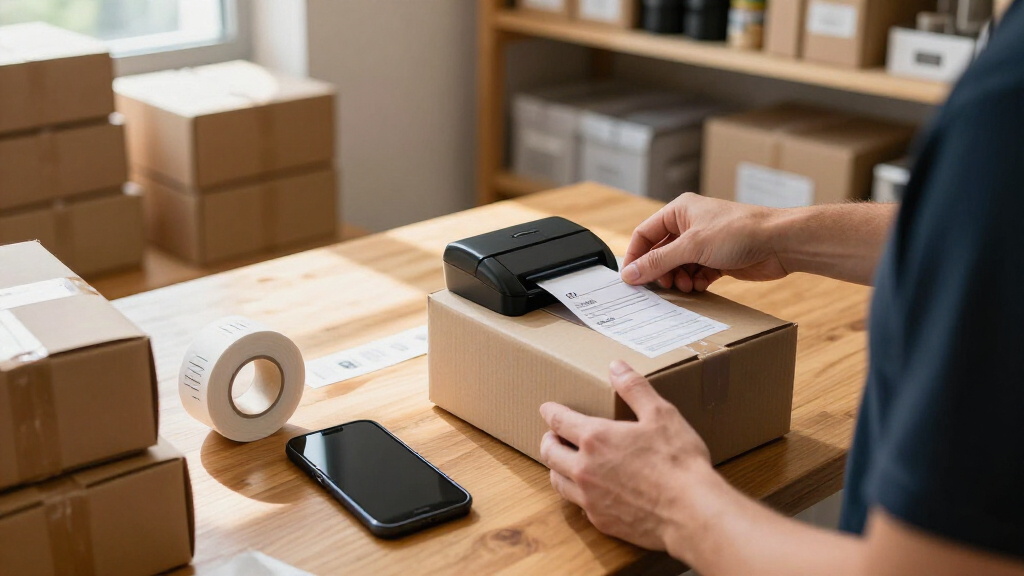
How We Picked
I ranked these wireless label makers around the work a small business actually needs to complete: printing parcel labels, organizing inventory, marking products, or handling a mix. I gave more weight to a clear fit for a recurring business task, practical label format, and a setup that appears manageable for a small team than to color or bundle size. I also separated dedicated 4×6 shipping printers from tape-based and compact label makers, since they solve different problems and should not be judged by the same output.
The ranking favors options with a distinct, useful role and a believable workflow advantage, then accounts for tradeoffs such as narrow label formats, dependence on a companion app, limited connection choices, and less flexibility for mixed jobs. Where two listings appear to be variants of the same model, such as the SUPVAN T50M Pro listings, I treat bundle contents as a purchasing distinction rather than evidence of different printing performance. Product specifications and listing details can vary, so I recommend checking device compatibility and supported supplies before ordering.
| wireless label makers for small business | Printer type | Compatible devices |
|---|---|---|
| Phomemo Bluetooth Thermal Labe | Thermal | iOS, Android, Windows, macOS, Chrome OS, Linux |
| Rongta Bluetooth Label Maker M | Thermal | — |
| SUPVAN T50M Pro Bluetooth Labe | Thermal | Laptops, PCs, smartphones, and tablets |
| Brother P-Touch PT-D610BT Busi | Thermal | — |
| KNAON 4×6 Bluetooth Thermal Sh | Thermal | — |
| NULLTONEX Bluetooth and USB Th | Direct thermal | — |
| NDYIN N12 Bluetooth Thermal La | Thermal | — |
| Phomemo D30 Bluetooth Mini Lab | Thermal | Android and iOS smartphones and tablets |
| Ponek M100 Bluetooth Thermal L | Direct thermal | Android, iOS, and PC |
| Phomemo M110 Portable Bluetoot | Thermal | Laptops, PCs, smartphones, and tablets |
| SVANTTO Bluetooth Shipping Lab | Thermal | — |
| NIIMBOT B1 Bluetooth Thermal L | Thermal | iOS and Android smartphones; PCs and laptops |
| JADENS JD268BT Bluetooth Therm | Thermal | — |
| SUPVAN T50M Pro Bluetooth Labe | Thermal | Android and iOS devices, laptops, PCs, and tablets |
| Rongta RP425-PK 4×6 Bluetooth | Thermal | Laptops, PCs, smartphones, and tablets |
Factors to Consider When Choosing Wireless Label Makers For Small Business
Before choosing a model, I’d map the printer to the task that happens most often. A small business with daily parcel dispatch has different needs from a shop making product and shelf labels, even if both want wireless printing. These checks can help prevent a mismatch that a feature list alone may not make obvious.
Match the Printer to the Label Job
Start with the label you need to produce, not the printer’s general label-maker description. Carrier labels commonly call for a 4×6 format, while shelf, product, cable, and storage labels usually need smaller tape or roll formats. A shipping printer may handle batches efficiently but be an awkward choice for short descriptive labels; a compact tape maker cannot replace a full-width parcel label printer. If your work involves both, estimate which job takes more time and consider whether a second device is cheaper than repeated workarounds. Check the supported width and media type against the actual templates or platforms your business uses.
Check Compatibility Before Buying
Wireless does not automatically mean every phone, tablet, or computer can print to the device. Check the maker’s app requirements, supported operating systems, and whether your shipping platform or inventory software can send labels to it directly. A workflow that requires exporting files and switching apps may be tolerable for a few labels but disruptive during a busy dispatch window. If several staff members will print, check whether each can pair and use the printer without disrupting another person’s session. A listed USB connection can provide another route from a computer, but confirm that it supports your intended setup rather than assuming it will.
Calculate the Cost and Availability of Supplies
A starter roll or tape bundle only tells part of the ownership story. Before committing, confirm the exact supply format, width, and whether labels are proprietary or broadly available in compatible options. Consider how many labels you print in a typical week and whether refills are easy to store and reorder. Thermal printers avoid ink cartridges, but they still depend on compatible thermal media, and tape-based machines have their own refill costs. A less expensive starter package can become inconvenient if its supplies are hard to source or do not suit your regular label sizes.
Plan for Print Volume and Peak Days
Average daily volume can hide the real workload: a shop may print only a few labels most days but process a large batch after a weekend or promotion. Think about how quickly staff need to load media, repeat a job, and recover from a misprint. For frequent parcel runs, a dedicated shipping station and a printer built around 4×6 labels may reduce handling compared with a handheld maker. For occasional inventory updates, a compact model may be easier to keep nearby and put away. If output speed or duty capacity is not clearly stated, avoid treating wireless connectivity alone as proof of high-volume suitability.
Choose Portability or a Fixed Workstation
A small footprint helps when labels are made beside shelves, a register, or a mobile packing cart. It matters less when a printer stays on a permanent dispatch desk, where stable placement and easy access to supplies may matter more. Portable models can make one-person work more flexible, but small devices may involve narrower labels or more frequent media changes. Fixed shipping printers can take up more room, yet their format may better suit repeat parcel work. Measure the available workspace and think through where labels are applied, not just where they are printed.
Account for Staff Turnover and Repeatability
In a small team, the easiest printer to operate is the one staff can use consistently without relying on one person’s phone or saved settings. Check whether label layouts can be reused, whether instructions are clear, and how simple it is to pair a replacement device. A feature-rich connected model may suit a business with varied label needs, while a straightforward printer can reduce training for a narrow task. Write down a short standard process for loading media and selecting templates before peak periods. That small step helps prevent mismatched sizes and duplicate labels regardless of which model you choose.
Frequently Asked Questions
Can one wireless label maker handle both shipping labels and product labels?
Sometimes, but a single printer is only a good fit if its supported media sizes and label types match both jobs. The 4×6 printers in this roundup are aimed at parcel labels, while tape-based models are better suited to smaller product, shelf, or storage labels. Switching supplies or templates can add friction if staff change tasks often. If shipping dominates and product labels are occasional, a shipping printer plus a separate small tape maker may be simpler than forcing one device to cover everything. Check the manufacturer’s supported formats before planning a mixed workflow.
What should I verify before buying a Bluetooth printer for a business phone or tablet?
Check that the printer’s app supports your exact operating system and device, not just Bluetooth in general. Then confirm whether you can print from the apps you already use, such as a shipping platform or inventory tool, or whether you must export a label first. If multiple employees will use the printer, ask whether it supports their devices and how pairing is handled. A printer that connects easily but cannot receive the right label file may create more work than a wired alternative. Reviewing compatibility before purchase is especially useful when your business relies on a specific phone or tablet.
Are thermal labels suitable for products that need to stay legible for a long time?
Thermal printing avoids ink, but the print and label stock still need to suit the product’s storage and handling conditions. Heat, sunlight, abrasion, moisture, and the surface the label is applied to can affect how well information remains readable. For a short-lived shipping label, that may be acceptable; for long-term product identification or compliance records, check the media specifications and test a sample in the intended setting. A tape-based label maker may offer more suitable stock choices for some durable marking jobs. Do not assume all thermal rolls or tapes have the same resistance.
Should I choose a printer with USB as well as Bluetooth?
USB can be helpful if the printer will sit at a desk, if staff prefer computer-based label creation, or if a wireless pairing problem interrupts work. Bluetooth offers placement flexibility and can suit phone-led workflows, but it still depends on compatible software and devices. Having both connection types may give a business a fallback, though only if the USB connection works with its computer and printing software. For a printer used solely from a compatible phone, USB may add little value. Decide based on the devices and apps already in your workflow rather than treating extra ports as an automatic advantage.
How can I tell whether a starter bundle is a good fit for ongoing use?
Identify the exact media included, its dimensions, and whether it matches the labels your business prints most. Then check what compatible refills are available and whether you can reorder the same format reliably. A bundle with several tapes can be useful if those widths and colors match real tasks, but unused supplies do not add much practical value. For shipping printers, confirm that the included labels are the right size and type for your carrier workflow. Think of the bundle as a trial supply, not a substitute for checking the long-term media setup.
Conclusion
For a small business that needs broader connected labeling rather than parcel labels alone, I’d choose the Brother P-Touch PT-D610BT as best overall. For shipping-focused workflows, the Phomemo 241BT is my best value pick among the options with a starter label supply, while the KNAON 4×6 is another clear fit for a dedicated shipping station. The best premium choice here is also the Brother, particularly for teams that need a business-oriented connected label maker; buyers should confirm that its supported tape formats fit their work. For beginners making occasional small labels, I’d start with the Phomemo D30 rather than a larger shipping unit. Choose the NULLTONEX if having both Bluetooth and USB matters to your setup, or the SUPVAN T50M Pro with three tapes if its included tape assortment fits your first labeling tasks. Match the printer to your most frequent label job, then verify compatibility and refill availability before deciding.
Halloween Picks

Pumpkin Halloween Fog Machine with 12-Color LED Lights, Bluetooth Speaker, and Remote

Spirit Halloween 54-Inch Sitting Scarecrow Animatronic

10 ft Halloween Inflatable Archway with Built-in LEDs
As an affiliate, we earn on qualifying purchases.