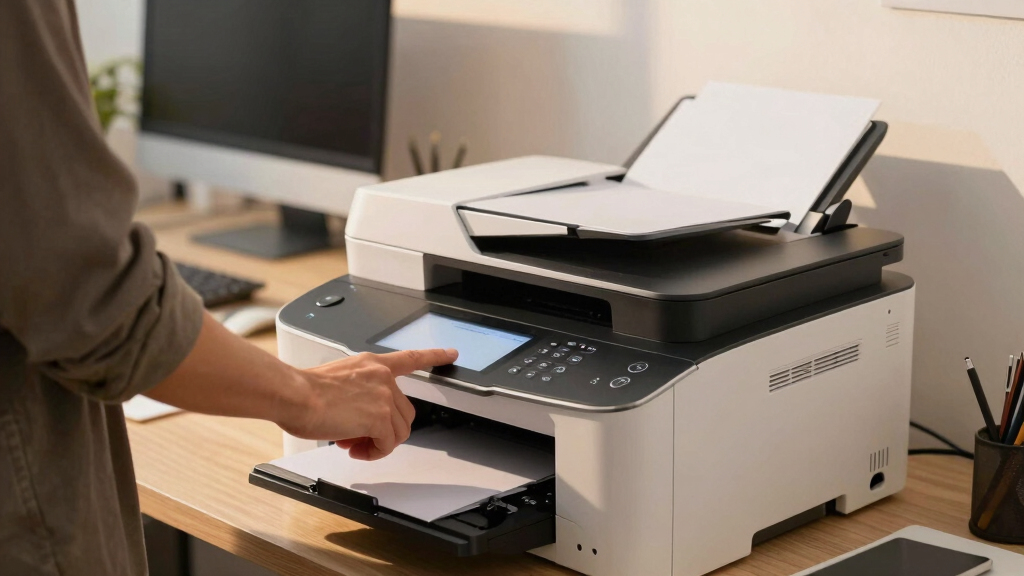
Finding an office-grade all-in-one laser printer that offers low-cost printing without sacrificing performance can be challenging. The Brother MFC-L8930CDW stands out as the best overall choice for its balance of color printing, speed, and low running costs. For monochrome needs, the Brother MFC-L2820DW is ideal due to its affordability and compact design, while the HP LaserJet Pro MFP 3101sdw delivers reliable wireless functionality. Many models struggle with high toner costs or slow print speeds, making it important to weigh upfront cost against ongoing expenses. Continue reading for a detailed breakdown of each option and what makes them suitable for your office.
Key Takeaways
- The top picks balance initial purchase price with ongoing toner and maintenance costs.
- Wireless connectivity and ease of use are common features among the best models.
- Color vs. monochrome printing needs significantly influence the best choice for a user.
- Speed and paper capacity are key considerations for busy offices with high print volumes.
- Cheaper models often cut corners on durability or speed, so consider long-term value.
| Brother MFC-L8930CDW Business Color Laser All-in-One Printer |  | Best Overall for High-Performance Office Printing | Print Speed: up to 33ppm | Scan Speed: up to 104ipm | Auto Document Feeder: 80 pages | VIEW LATEST PRICE | See Our Full Breakdown |
| Brother MFC-L2820DW Wireless Monochrome All-in-One Laser Printer with Copy, Scan, Fax | 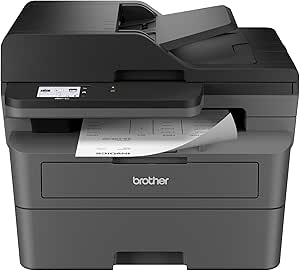 | Best for Small, Monochrome-Only Offices on a Budget | Print Speed: up to 36 ppm | Scan Speed: 23.6/7.9 ipm | Auto Document Feeder: 50 pages | VIEW LATEST PRICE | See Our Full Breakdown |
| Brother DCP-L2640DW Wireless Monochrome Multi-Function Printer |  | Best Space-Saving Monochrome MFP for Small Businesses | Print Speed: up to 36 ppm | Scan Speed: up to 23.6/7.9 ipm | Auto Document Feeder: 50 pages | VIEW LATEST PRICE | See Our Full Breakdown |
| Brother MFC-L5915DW All-in-One Laser Printer with Scanner and Copier |  | Best for High-Volume Monochrome Office Work | Print Speed: 50 ppm | Auto Document Feeder: 70 pages | Scanning Speed: 56 ipm | VIEW LATEST PRICE | See Our Full Breakdown |
| HP LaserJet Pro MFP 3101sdw Wireless Black and White All-in-One Laser Printer |  | Best for Small Teams Needing Reliable, Fast Monochrome Printing | Printer Type: Laser | Printer Functions: Print, Scan, Copy, Fax | Wireless: Yes | VIEW LATEST PRICE | See Our Full Breakdown |
| Brother HL-L2480DW Wireless Monochrome Multi-Function Laser Printer with Copy and Scan |  | Best Overall for Compact, Low-Cost Office Printing | Print Speed: 36 ppm | Paper Capacity: 250 sheets | Connectivity: Wi-Fi (dual-band), Ethernet, USB 2.0 | VIEW LATEST PRICE | See Our Full Breakdown |
| Brother MFC-L3720CDW Wireless Color Laser Printer, Scanner, Copier, Fax, Auto Duplex, 250-Sheet Capacity |  | Best for Small Teams Needing Color and Versatility | Print Speed: 19 ppm | Scan Speed: 29/22 images per minute (black/color) | Paper Capacity: 250 sheets | VIEW LATEST PRICE | See Our Full Breakdown |
| office-grade all-in-one laser printer for low-cost office printing | Print Speed | Connectivity | Auto Document Feeder | Scan Speed |
|---|---|---|---|---|
| Brother MFC-L8930CDW Business | up to 33ppm | Wi-Fi, Ethernet | 80 pages | up to 104ipm |
| Brother MFC-L2820DW Wireless M | up to 36 ppm | Wireless, Ethernet, USB | 50 pages | 23.6/7.9 ipm |
| Brother DCP-L2640DW Wireless M | up to 36 ppm | Wireless, Ethernet, USB | 50 pages | up to 23.6/7.9 ipm |
| Brother MFC-L5915DW All-in-One | 50 ppm | Gigabit Ethernet, dual-band WiFi | 70 pages | — |
| HP LaserJet Pro MFP 3101sdw Wi | 35 ppm | — | — | — |
| Brother HL-L2480DW Wireless Mo | 36 ppm | Wi-Fi (dual-band), Ethernet, USB 2.0 | — | — |
| Brother MFC-L3720CDW Wireless | 19 ppm | Wi-Fi (2.4GHz/5GHz), Wi-Fi Direct, USB 2.0 | 50 sheets | 29/22 images per minute (black/color) |
More Details on Our Top Picks
Brother MFC-L8930CDW Business Color Laser All-in-One Printer
The Brother MFC-L8930CDW stands out for combining fast color printing, advanced security, and a space-saving design, making it ideal for busy offices that need reliable, high-quality output. It surpasses monochrome-only models like the Brother MFC-L2820DW or Brother DCP-L2640DW by providing vibrant color printing, though its higher initial cost may deter smaller budgets. Its 33 pages per minute speed and 80-page auto document feeder support large volume tasks efficiently, while the 7-inch touchscreen offers intuitive control. However, complex setup and frequent toner replacements in high-volume environments can be drawbacks. This model is best suited for offices prioritizing color quality and security, willing to invest upfront for long-term performance.
Pros:- Fast print and scan speeds enhance productivity
- Secure with advanced security features and NFC authentication
- Compact design conserves office space
- Supports cost-effective toner options and sustainability standards
Cons:- High initial purchase cost
- Complex setup process for non-technical users
- Frequent toner replacements in high-volume use
Best for: Medium to large offices needing fast, secure, color-capable printing with space efficiency
Not ideal for: Small startups with tight budgets or infrequent color printing needs
- Print Speed:up to 33ppm
- Scan Speed:up to 104ipm
- Auto Document Feeder:80 pages
- Touchscreen:7-inch color touchscreen
- Connectivity:Wi-Fi, Ethernet
- Toner Yield:Black: 3,000 pages, Color: 1,800 pages (standard); Black: 7,500 pages, Color: 6,500 pages (high yield)
Our verdict“This is the best choice for offices that need high-volume, color-capable printing with robust security features, despite a higher upfront cost.”
Brother MFC-L2820DW Wireless Monochrome All-in-One Laser Printer with Copy, Scan, Fax
The Brother MFC-L2820DW offers rapid black-and-white printing, copying, and scanning, making it a strong choice for small offices that only require monochrome output. Compared to the color-oriented MFC-L8930CDW, it provides a more affordable entry point, but without color capabilities, limiting its versatility. Its 36 pages per minute speed and 250-sheet paper capacity support typical office workloads efficiently. The 2.7-inch touchscreen keeps operation simple, yet the need for frequent toner replacements without high-yield cartridges can raise ongoing costs. This model is best for small teams focused on text-heavy documents and who want straightforward operation without extra features.
Pros:- Fast black & white printing and scanning
- Compact design fits small spaces
- Wireless and Ethernet connectivity for flexible setup
- User-friendly touchscreen interface
Cons:- Limited to monochrome printing
- Toner replacement can be frequent without high-yield cartridges
- Some features require subscription enrollment
Best for: Small offices or home-based businesses that print primarily in black and white
Not ideal for: Offices that require color printing or multifunctionality beyond monochrome
- Print Speed:up to 36 ppm
- Scan Speed:23.6/7.9 ipm
- Auto Document Feeder:50 pages
- Paper Tray Capacity:250 sheets
- Touchscreen:2.7 inches
- Connectivity:Wireless, Ethernet, USB
Our verdict“Ideal for small teams prioritizing speed and simplicity in monochrome printing at a lower initial investment.”
Brother DCP-L2640DW Wireless Monochrome Multi-Function Printer
The Brother DCP-L2640DW combines printing, copying, and scanning in a compact form, making it suitable for tight office spaces. Its 36 pages per minute speed and 50-page automatic document feeder support steady workflow, but like other monochrome models, it won’t meet needs for color output. Its wireless and Ethernet options facilitate flexible device placement, while the Brother Mobile Connect app enables management on the go. The absence of color limits its use for offices that need vibrant printing, and the toner replacement process can be somewhat costly. This printer is best for small teams focused on cost-effective, monochrome document management without extra features.
Pros:- Fast printing and scanning speeds
- Compact design ideal for small spaces
- Multiple connectivity options including wireless and Ethernet
- Mobile printing capability
Cons:- Limited to monochrome output
- No color printing capabilities
- Toner replacements may be frequent without high-yield options
Best for: Small businesses requiring compact, monochrome printing and scanning
Not ideal for: Offices needing color printing or advanced multifunction features
- Print Speed:up to 36 ppm
- Scan Speed:up to 23.6/7.9 ipm
- Auto Document Feeder:50 pages
- Connectivity:Wireless, Ethernet, USB
Our verdict“Best suited for small offices that need quick monochrome document handling in a tight space with basic functionality.”
Brother MFC-L5915DW All-in-One Laser Printer with Scanner and Copier
The Brother MFC-L5915DW excels in high-volume monochrome printing, with speeds reaching 50 pages per minute and a 70-page auto document feeder that supports demanding workflows. It surpasses smaller models like the MFC-L2820DW and DCP-L2640DW in throughput capacity, making it ideal for larger teams. Its dual high-yield toner options—up to 18,000 pages—significantly reduce ongoing costs, though the initial purchase price and toner replacement expenses can be higher. Its wired and wireless connectivity options provide flexible integration, but the absence of color limits its versatility. This pick makes the most sense for offices prioritizing high-volume, monochrome output and cost efficiency over color capabilities.
Pros:- Extremely fast printing and copying speeds
- High-volume scanning with a large auto document feeder
- Flexible wired and wireless connectivity
- Cost-efficient high-yield toner options
Cons:- Limited to monochrome output
- Higher initial investment
- No color printing capabilities
Best for: Large small offices or workgroups needing high-volume monochrome printing with minimal downtime
Not ideal for: Offices that require color printing or multifunctionality beyond basic scanning and copying
- Print Speed:50 ppm
- Auto Document Feeder:70 pages
- Scanning Speed:56 ipm
- Connectivity:Gigabit Ethernet, dual-band WiFi
- Toner Cartridges:Includes 3,000-page toner, optional 18,000-page toner
Our verdict“Designed for high-volume monochrome environments where speed and cost savings are paramount, despite lacking color features.”
HP LaserJet Pro MFP 3101sdw Wireless Black and White All-in-One Laser Printer
The HP LaserJet Pro 3101sdw offers consistent, speedy monochrome printing for small teams, with 35 pages per minute and duplex options that save paper. Its wireless connectivity and 250-sheet input tray support typical office demands, while the all-in-one functions—including scan, copy, and fax—add versatility. Compared to larger, higher-speed models like the MFC-L5915DW, it is more compact and easier to set up, but its weight of over 23 pounds can be cumbersome for portability. Its reliance on HP-specific cartridges and circuitry might increase running costs. This printer makes sense for small teams focused on dependable, all-in-one monochrome productivity in a compact form.
Pros:- Fast print and scan speeds suitable for small teams
- Wireless connectivity for easy device management
- Automatic duplex printing saves paper
- All-in-one functionality including copying and scanning
Cons:- Limited to monochrome printing
- Heavy for its size, less portable
- Higher ongoing costs due to proprietary cartridges
Best for: Small office teams requiring fast, reliable monochrome multifunction printing with wireless ease
Not ideal for: Offices that need color printing or higher-volume output
- Printer Type:Laser
- Printer Functions:Print, Scan, Copy, Fax
- Wireless:Yes
- Print Speed:35 ppm
- Maximum Copies Per Run:Up to 999
- Resolution:1200 x 1200 dpi
Our verdict“Perfect for small teams seeking dependable monochrome all-in-one printing with wireless convenience and duplex features.”
Brother HL-L2480DW Wireless Monochrome Multi-Function Laser Printer with Copy and Scan
This model stands out for its combination of speed, space-efficiency, and affordability, making it an ideal choice for small offices with limited space. Compared to the Brother MFC-L3720CDW, which offers color printing, the HL-L2480DW keeps costs down by focusing solely on monochrome output, reducing both initial purchase and toner expenses. Its fast 36 ppm print speed ensures quick turnaround for high-volume tasks, while its wireless and Ethernet options simplify integration into a typical office network. However, the 2.7-inch touchscreen is less intuitive than larger displays, and the need to enroll in a subscription service for toner savings adds ongoing costs. This pick makes the most sense for users who prioritize high-speed monochrome printing without the need for color.
Pros:- Compact and space-efficient design
- Fast printing speeds of up to 36 ppm
- Wireless and versatile connectivity options
- Automatic duplex printing reduces paper waste
Cons:- Limited to monochrome printing only
- Small touchscreen may be less user-friendly
- Requires subscription for toner savings
Best for: Small offices or home-based businesses needing fast, monochrome printing with minimal footprint
Not ideal for: Workplaces that require color printing or complex document handling, as it cannot print in color and has limited scanning features
- Print Speed:36 ppm
- Paper Capacity:250 sheets
- Connectivity:Wi-Fi (dual-band), Ethernet, USB 2.0
- Touchscreen:2.7-inch
- Functions:Print, Copy, Scan
- Energy Star:Yes
- EPEAT Rating:Silver
Our verdict“This printer is best suited for small offices or home users who need fast monochrome output with minimal space requirements.”
Brother MFC-L3720CDW Wireless Color Laser Printer, Scanner, Copier, Fax, Auto Duplex, 250-Sheet Capacity
This all-in-one color laser printer offers a step up in versatility with its color capabilities, making it suitable for offices that handle both text and graphic-rich documents. Compared with the monochrome Brother HL-L2480DW, the MFC-L3720CDW provides color printing and a larger 3.5-inch touchscreen, which enhances ease of use and quick access to features. Its moderate 19 ppm print speed is slower than the monochrome option but still adequate for most small office needs, with faster scanning speeds at 29/22 images per minute. The main tradeoff is the higher initial cost and ongoing expenses for color toner. This model makes the most sense for offices that need to produce both monochrome and color documents efficiently without sacrificing too much speed or space.
Pros:- Color printing capability for diverse document needs
- Fast scan speeds and a large, intuitive touchscreen
- Wireless connectivity with mobile support
- Automatic duplex printing to save paper
Cons:- Higher purchase and toner costs
- Limited to 20 lb. paper without adjustments
- Some features require internet connection and account setup
Best for: Small teams or offices needing both color printing and comprehensive document management
Not ideal for: Budget-conscious users who only require monochrome printing or prioritize speed over color capability
- Print Speed:19 ppm
- Scan Speed:29/22 images per minute (black/color)
- Paper Capacity:250 sheets
- Auto Document Feeder:50 sheets
- Connectivity:Wi-Fi (2.4GHz/5GHz), Wi-Fi Direct, USB 2.0
- Touchscreen:3.5-inch color display
- Energy Star:Yes
- EPEAT Rating:Silver
Our verdict“This printer suits offices that require color output and versatile functionality, balancing cost with feature set for small teams.”
How We Picked
These printers were evaluated based on performance, cost of operation, build quality, and ease of use. I prioritized models that deliver reliable print quality without excessive toner expenses, making them suitable for low-cost office printing. Devices with lower maintenance requirements and straightforward setup received higher rankings, as these factors reduce total cost of ownership. The ranking reflects a balance between initial investment and ongoing expenses, ensuring each pick provides real value for small to medium offices focused on affordability and efficiency.| office-grade all-in-one laser printer for low-cost office printing | Connectivity |
|---|---|
| Brother MFC-L8930CDW Business | Wi-Fi, Ethernet |
| Brother MFC-L2820DW Wireless M | Wireless, Ethernet, USB |
| Brother DCP-L2640DW Wireless M | Wireless, Ethernet, USB |
| Brother MFC-L5915DW All-in-One | Gigabit Ethernet, dual-band WiFi |
| HP LaserJet Pro MFP 3101sdw Wi | — |
| Brother HL-L2480DW Wireless Mo | Wi-Fi (dual-band), Ethernet, USB 2.0 |
| Brother MFC-L3720CDW Wireless | Wi-Fi (2.4GHz/5GHz), Wi-Fi Direct, USB 2.0 |
Factors to Consider When Choosing Best Office-grade All-in-one Laser Printer For Low-cost Office Printing
Choosing the best office-grade all-in-one laser printer for low-cost printing requires understanding how various features impact your total ownership costs and daily use. Key factors include print speed, toner costs, connectivity options, and paper capacity. Making the right choice depends on your specific needs, such as whether color printing is essential or monochrome suffices. This guide highlights critical considerations to help you avoid common pitfalls like overspending on features you won’t use or choosing models with high toner prices.Cost of Consumables and Toner Supplies
For low-cost printing, toner prices and yield are critical. Cheaper toner cartridges might save money upfront but can require more frequent replacements, raising long-term costs. Check the cost per page and whether compatible or remanufactured cartridges are available, as these can significantly reduce expenses. Some printers have high-yield toner options, ideal for high-volume printing, but may come with a higher initial cost. Balancing upfront and ongoing costs helps ensure your printer remains economical over time.
Print Speed and Paper Handling Capacity
In busy office environments, print speed and paper capacity directly influence productivity. Faster printers can handle larger jobs with less wait time, and higher paper trays reduce refilling frequency. If your office prints large volumes daily, prioritize models with at least 250 sheets capacity and quick output speeds. Conversely, smaller offices with lower print demands may find compact models sufficient, but should still consider speed to avoid workflow bottlenecks.
Connectivity and Ease of Use
Wireless connectivity options like Wi-Fi, Ethernet, and mobile printing support streamline workflow and reduce setup headaches. Clear user interfaces and intuitive controls also minimize training time and errors. For shared office environments, robust network features ensure seamless document sharing, while models with touchscreen controls tend to be easier to operate. Avoid complex setups that could hinder quick deployment or daily use, especially in smaller or less tech-savvy teams.
Color Capabilities vs. Monochrome
Deciding between color and monochrome models depends on your printing needs. Color printers often cost more upfront and have higher toner expenses but are necessary for marketing materials or visual documents. Monochrome models typically cost less, both initially and in ongoing toner costs, making them better suited for text-heavy documents. Assess your actual requirements to avoid paying extra for features that won’t be used often.
Build Quality and Maintenance
Durability and ease of maintenance influence the long-term value of your printer. Cheaper models may be prone to breakdowns or require frequent repairs, which can offset initial savings. Look for well-reviewed models with accessible toner cartridges and straightforward paper path designs. Regular cleaning and simple troubleshooting procedures also extend the lifespan, ensuring your investment remains cost-effective over several years.
Frequently Asked Questions
Is a color laser printer worth the extra cost for small offices?
For small offices, the decision hinges on the types of documents you print regularly. If color branding, marketing materials, or presentations are common, investing in a color laser printer can add value despite higher operating costs. However, for primarily text-based documents, monochrome models usually provide the best cost-per-page ratio and are more economical in the long run. Consider your typical print volume and document needs before choosing color or monochrome.
How much should I expect to pay for toner replacements over a year?
Annual toner costs vary widely depending on the printer model and usage, but generally, low-cost printers can range from $50 to $150 per year for toner supplies if used moderately. High-volume offices may see higher expenses, especially with standard-yield cartridges. Choosing models with high-yield toner options can significantly reduce per-page costs and extend periods between replacements, improving overall affordability.
Are wireless connectivity features reliable for daily office use?
Modern wireless features are quite reliable when set up correctly, offering flexibility and convenience for shared environments. However, network stability can vary based on your existing infrastructure, so it’s worth ensuring your office Wi-Fi is robust. Devices with dual-band Wi-Fi and Ethernet options tend to be more dependable, reducing disruptions and maintaining consistent printing workflows.
What is the typical lifespan of a low-cost laser printer in an office setting?
With proper maintenance, a well-chosen low-cost laser printer can last between 3 to 5 years, sometimes longer. Factors influencing lifespan include build quality, usage frequency, and toner cartridge management. Regular cleaning, timely part replacements, and avoiding overuse beyond rated duty cycles help maximize the lifespan and maintain print quality throughout its service life.
Should I prioritize speed or cost savings when choosing a printer?
If your office handles high-volume printing, prioritizing speed can prevent workflow bottlenecks and improve productivity. Conversely, if printing is infrequent or mainly for internal documents, focusing on low operating costs—such as toner expenses—may deliver better value. Balancing both factors based on your specific needs ensures you select a printer that supports your office’s efficiency without unnecessary expenses.
Conclusion
For general office use where cost efficiency and reliability matter most, the Brother MFC-L8930CDW offers excellent all-around performance, making it the best choice for most small to medium offices. Budget-conscious buyers should consider the Brother MFC-L2820DW for its affordability and simplicity, especially if monochrome printing suffices. For those who prioritize wireless features and ease of setup, the HP LaserJet Pro MFP 3101sdw presents a solid option. Larger or busier offices with higher print demands may find the Brother MFC-L3720CDW worth the extra investment for its higher capacity and color capabilities. Ultimately, your choice should align with your specific printing volume, color needs, and long-term cost considerations.