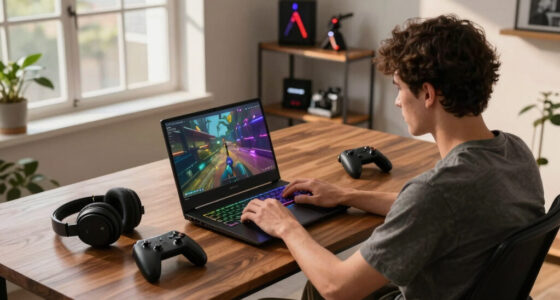

To make a smart office laptop choice, focus on versatile, well-supported ports like USB-C, Thunderbolt, HDMI, and SD card slots that connect all your peripherals easily. Prioritize wireless features like Wi-Fi 6 and Bluetooth for a clutter-free workspace and better performance. Balance port options with battery life to avoid frequent charging. Ensuring future-proof standards and power-efficient ports helps protect your investment. Keep exploring to discover how to optimize your setup even further.
Key Takeaways
- Prioritize versatile ports like USB-C and Thunderbolt for broad device compatibility and future-proofing.
- Ensure built-in Wi-Fi 6 and Bluetooth support for seamless wireless connectivity and workspace flexibility.
- Balance port quantity with battery life, opting for power-efficient options to maintain mobility.
- Choose laptops with a variety of ports to reduce the need for adapters and simplify device management.
- Consider future standards to ensure long-term device compatibility and secure, stable connections.

When choosing a laptop for office work, understanding its ports is fundamental because they determine how easily you can connect your devices and peripherals. A well-selected set of ports can streamline your workflow, reduce frustration, and save you time. One of the most important aspects to evaluate is wireless connectivity. Modern laptops often come with built-in Wi-Fi and Bluetooth, which are essential for connecting to the internet, printers, speakers, or other wireless devices without cluttering your workspace. Verify your laptop supports the latest Wi-Fi standards, like Wi-Fi 6, for faster, more reliable internet connections. Bluetooth connectivity is equally indispensable for connecting wireless peripherals such as mice, keyboards, or headsets. Having robust wireless options means fewer cables and more flexibility, allowing you to set up your workspace efficiently and adapt as your needs evolve. Additionally, ensuring your device supports wireless standards can future-proof your connectivity options and enhance overall performance. Upgrading to models with advanced wireless technology can also provide better security features and reduce potential interference. Investing in wireless technology can help safeguard your data as well as improve overall connection stability.
Prioritize wireless connectivity like Wi-Fi 6 and Bluetooth for a clutter-free, flexible workspace.
Battery life is another key factor that’s closely linked to your ports and overall device performance. The more ports a laptop has, the more power it generally consumes, especially if they support high-speed data transfer or charging. A laptop with limited battery life can become a hassle if you’re frequently on the move or working in places where power outlets aren’t readily available. Look for models that balance port selection with strong battery performance. Devices with USB-C or Thunderbolt ports often support fast charging, which can quickly replenish your battery during short breaks. This can make a significant difference, especially during busy workdays or travel, where downtime is minimal but productivity needs to stay high. Moreover, choosing a device with power-efficient ports can help extend your battery longevity over time, making it more reliable for daily use. It’s also wise to consider port versatility to ensure your laptop can handle various peripherals and future device upgrades without needing multiple adapters. A versatile port setup can also reduce the need for additional accessories, simplifying your workspace and minimizing clutter.
As an affiliate, we earn on qualifying purchases.
Frequently Asked Questions
Which Laptop Ports Are Most Future-Proof for Office Work?
You should prioritize laptops with versatile ports like USB-C and Thunderbolt 4, as they support high-speed data transfer and future connectivity. Wireless connectivity options, such as Wi-Fi 6, make seamless internet access possible. Look for ergonomic port placement to make connections easier without clutter. These features guarantee your laptop stays relevant, simplifies your workflow, and reduces the chance of needing an upgrade soon.
Are There Portable Adapters That Support Multiple Port Types?
Yes, portable adapters with universal compatibility and adapter versatility exist, transforming your laptop into a multi-portal hub. Imagine a sleek device that effortlessly switches from USB-C to HDMI, SD card, or Ethernet, all in one compact piece. It’s like having a Swiss Army knife for your ports, ensuring you’re ready for any connection challenge. These adapters streamline your workspace and reduce clutter, making them perfect for office work on the go.
How Do Port Types Affect Data Transfer Speeds?
Port types directly influence data transfer speeds because different ports have varying bandwidths and compatibility. For example, USB-C and Thunderbolt offer faster data transfer rates compared to older USB standards. Your device’s port compatibility determines how quickly you can move files or connect peripherals. Choosing the right port type guarantees maximum data transfer speeds, reducing frustration and boosting productivity during office work. Always consider port specifications before purchasing or connecting devices.
Can Ports Impact Laptop Security or Malware Risk?
Yes, ports can impact your laptop’s security and malware risk. USB vulnerabilities, like malicious devices, can introduce malware if you’re not cautious. Using ports with encryption, such as secure USB ports, helps protect data and prevent unauthorized access. Always verify connected devices, disable unused ports, and prefer encrypted ports for sensitive data to reduce your risk of malware or security breaches.
Are There Industry Standards for Port Durability and Lifespan?
Think of laptop ports as tiny bridges that must withstand daily traffic. Industry standards for port durability and lifespan exist, guiding manufacturers to craft ports that resist wear and tear. When a port repair or port replacement becomes necessary, these standards help guarantee your device remains reliable. You can count on quality ports to last through regular use, reducing the need for premature replacements and keeping your office work flowing smoothly.
As an affiliate, we earn on qualifying purchases.
Conclusion
Choosing the right laptop ports can greatly enhance your productivity and prevent regrets. Did you know that over 60% of office workers find limited connectivity a major frustration? By investing in a laptop with versatile ports, you guarantee seamless connections for your peripherals and avoid the hassle of constant adapters. Ultimately, understanding your office needs and selecting the right ports now can save you time, stress, and money down the road.
As an affiliate, we earn on qualifying purchases.
laptop with Wi-Fi 6 and Bluetooth 5.0
As an affiliate, we earn on qualifying purchases.
As an affiliate, we earn on qualifying purchases.