You should focus on scannability because most people check emails on mobile devices, and they only have seconds to catch your message. Using a clear visual hierarchy, simple fonts, and well-organized content helps guide the eye naturally to key elements like your subject line, call-to-action, and main points. Prioritizing clarity over design makes your message more effective. Keep going to discover how to optimize every aspect for a mobile-savvy audience.

Get business pricing on office and shipping supplies
- Business-only prices and quantity discounts
- Tax-exempt purchasing
- Multiple users, one account, clear invoices
Key Takeaways
- Clear visual hierarchy quickly guides recipients’ attention to key messages and calls-to-action.
- Mobile-friendly layouts ensure content is easily scannable across all devices.
- Readable fonts and contrasting colors improve text clarity for faster comprehension.
- Organized content with headings and spacing helps users process information efficiently.
- Prioritizing simplicity and clarity enhances engagement and response rates.
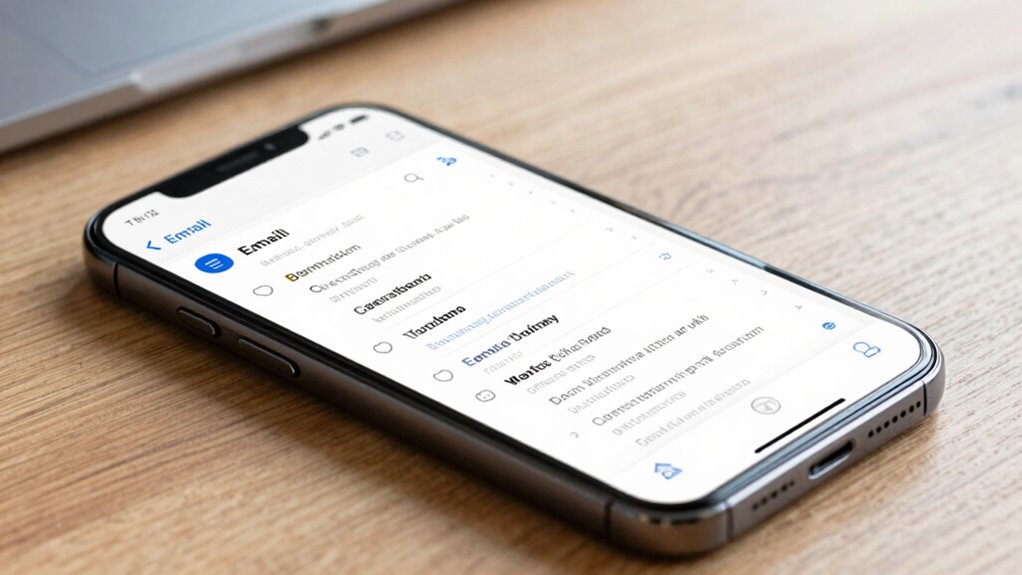
In today’s fast-paced digital world, most people check their emails on mobile devices, making scannability more important than ever. When your audience is scrolling through their inbox on a tiny screen, they only give your message a few seconds before deciding whether to engage or move on. That’s why establishing a clear visual hierarchy is critical. You need to guide their eyes naturally, emphasizing the most important elements first—like the subject line, call-to-action, or key points—so they can quickly grasp your message without effort. Achieving this means organizing your content visually to create a logical flow, using size, color, and spacing to direct attention where it matters most.
Another crucial factor is font readability. When your fonts are too small or poorly chosen, your message becomes unreadable, forcing your audience to strain or ignore it altogether. Opt for clean, simple fonts that are easy to read on small screens, such as sans-serif styles like Arial or Helvetica. Keep font sizes large enough to be legible without zooming in—generally, a minimum of 14px for body text works well. Use contrasting colors between text and background to enhance clarity, avoiding overly decorative styles that hinder quick scanning. Consistent font usage across your email also helps establish a cohesive look, making it easier for readers to process information swiftly. Additionally, employing content organization techniques can further improve readability and engagement, especially when considering the importance of visual hierarchy for guiding reader attention. Incorporating principles of mobile-friendly design ensures your layout adapts seamlessly to various devices, enhancing overall user experience. To maximize your email’s effectiveness, consider the role of accessible design in reaching a broader audience, including those with visual impairments. Implementing responsive layouts can also help your email look great on any screen size, ensuring your message remains clear and effective regardless of device.
Incorporating these elements isn’t just about aesthetics; it’s about functionality. A well-designed email with a strong visual hierarchy and highly readable fonts ensures your message gets across immediately. When readers can quickly identify the most important parts of your email, they’re more likely to engage, click, or respond. Remember, on mobile, every second counts. You want your email to be instantly understandable, not something they have to decipher. Clear headings, bold subheaders, and concise paragraphs work together to make your content digestible at a glance.
Ultimately, stronger messaging starts with how well you optimize your email’s layout for mobile devices. Prioritize visual hierarchy to direct attention naturally and choose fonts that are easy to read. These small but vital differences make a big impact, transforming your email from just another message in the inbox to a compelling, actionable communication. When your email is scannable and accessible, you’re setting the stage for better engagement and improved results—because in the mobile era, simplicity and clarity are your best tools.
mobile email font readability tools
As an affiliate, we earn on qualifying purchases.
As an affiliate, we earn on qualifying purchases.
Frequently Asked Questions
How Does Mobile Email Scanning Differ From Desktop Email Scanning?
You’ll notice mobile email scanning differs from desktop by requiring a responsive design that adapts to smaller screens. You need to prioritize visual hierarchy, making key messages clear at a glance. On mobile, scanners quickly glance over content, so strong messaging begins with concise, impactful words and a clean layout. This guarantees your message is easily understood, increasing engagement and response rates across devices.
What Are the Key Elements of Effective Mobile Email Messaging?
You should focus on creating a clear visual hierarchy and using concise language to make your mobile email messaging effective. Prioritize the most important message at the top with bold or larger fonts, guiding readers effortlessly. Keep sentences short, direct, and to the point so your message isn’t lost in clutter. This approach guarantees your audience quickly understands your core message, increasing engagement and response rates on mobile devices.
How Can I Improve Click-Through Rates With Mobile Emails?
To boost your mobile email click-through rates, focus on personalization strategies that make your message relevant to each recipient. Use a clear visual hierarchy to guide the eye toward your call-to-action, making it stand out. Keep your content concise and engaging, ensuring your key message isn’t lost in clutter. Test different elements regularly, and refine your approach based on what resonates most with your audience for better engagement.
What Common Mistakes Hinder Mobile Email Scannability?
They say, “A picture is worth a thousand words,” but poor visual hierarchy and font readability can make your mobile emails confusing. Common mistakes include cluttered layouts, tiny fonts, and inconsistent styles that hinder scannability. To improve, prioritize clear visual hierarchy with bold headings, concise content, and easy-to-read fonts. Avoid overcrowding, and guarantee your message is instantly understandable—making it easier for recipients to engage and act.
Are There Specific Tools to Test Mobile Email Readability?
Yes, you can use tools like Litmus or Email on Acid to test your mobile email readability. These platforms assess visual hierarchy and font accessibility, helping you identify if your message is clear on various devices. They allow you to preview how your email appears on different screens, ensuring your fonts are accessible and your message is scannable. Regular testing helps improve overall mobile email performance and engagement.
responsive email templates for mobile
As an affiliate, we earn on qualifying purchases.
As an affiliate, we earn on qualifying purchases.
Conclusion
By honing your mobile email scannability, you’re crafting a clear, inviting pathway through the digital jungle. Think of your message as a lighthouse guiding busy eyes safely to your core message amid the fog of clutter. When your content shines with sharpness and simplicity, it invites engagement like a warm beacon in the night. Embrace these principles, and watch your email’s impact grow, transforming fleeting glances into meaningful connections.
email design tools with visual hierarchy
As an affiliate, we earn on qualifying purchases.
As an affiliate, we earn on qualifying purchases.
As an affiliate, we earn on qualifying purchases.
Fall Picks
fall essentials
As an affiliate, we earn on qualifying purchases.