
TL;DR
Building an AI workstation isn’t always cheaper anymore; prebuilt systems often match or beat DIY costs due to supply shortages and bulk buying. Your decision depends on your priorities: speed, control, or support.
Imagine this: you need a powerful AI workstation. Do you build it yourself, or buy a ready-made system? The answer used to be simple—build for savings, buy for speed. But in 2026, that’s no longer true. Supply chain issues and skyrocketing component prices have flipped the script, making prebuilt systems more attractive.
Now, the real question is about balancing cost, time, and control. You might save money by building, or you might pay a premium but get a system that’s tested, supported, and ready to go. Let’s break down what’s happening in this new landscape and what it means for your AI projects.
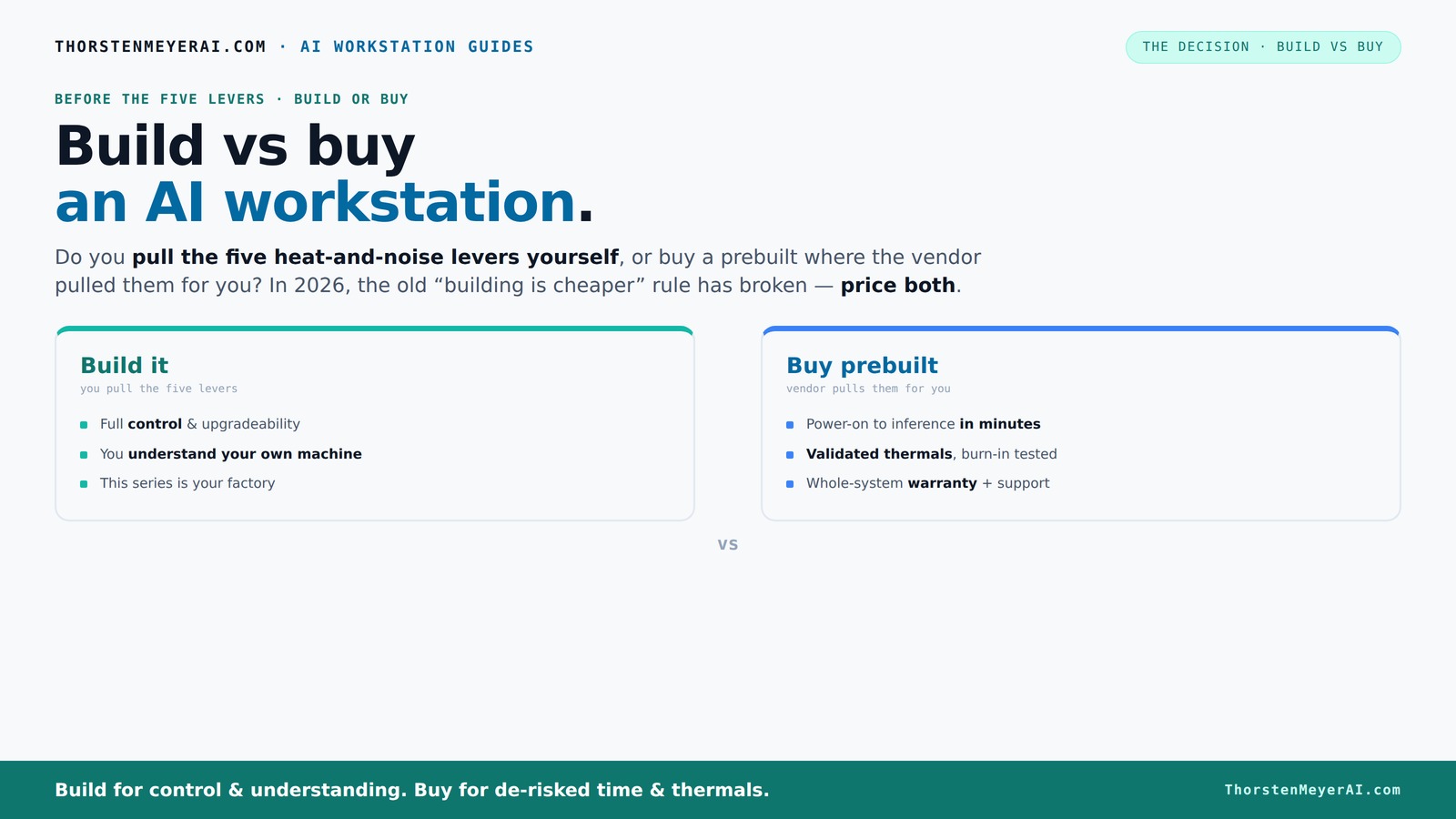
Build vs buy
an AI workstation.
The real question behind this whole series: do you pull the five heat-and-noise levers yourself, or buy a prebuilt where the vendor pulled them for you? And in 2026, the old “building is cheaper” rule has broken. Match your situation in Part 3.
Key Takeaways
- In 2026, component shortages and bulk buying have narrowed or reversed the cost advantage of building your own AI workstation.
- Prebuilt systems often include validated thermals, water-cooling options, and warranties, making them a reliable choice for demanding workloads.
- Building offers full control over cooling, upgrades, and customization, but requires time, skill, and ongoing maintenance.
- Hybrid approaches—buy the core, build or upgrade the parts that matter—are increasingly popular for balancing cost, control, and support.
- Always compare specific configurations in today’s market; assumptions from previous years no longer hold true.

Dell ECT1250 Tower Desktop Computer - Intel Core Ultra 5 225 Processor, 16GB DDR5 RAM, 512GB NVMe SSD, Intel UHD Graphics, Wi-Fi 6 & Bluetooth 5.4, Keyboard & Mouse, AI Copilot, Windows 11 Pro
- Processor: Intel Core Ultra 5-225 10-Core
- Memory: 16GB DDR5 RAM
- Storage: 512GB NVMe SSD
As an affiliate, we earn on qualifying purchases.
As an affiliate, we earn on qualifying purchases.
Why Building Your Own AI Workstation Isn’t Always Cheaper Anymore
In 2026, building your own AI workstation doesn’t automatically save money. Prices for GPUs, DDR5 RAM, and SSDs have shot up due to supply issues, making DIY builds more expensive than ever. A typical build that used to cost around $1,000 now easily exceeds $1,250 before you even add an OS or software.
Meanwhile, big manufacturers bought components in bulk before prices spiked, allowing them to offer systems at prices that are tough to beat today. This shift means that the traditional advantage of DIY—cost savings—has narrowed or even disappeared. It’s important to understand that the tradeoff is not just about raw cost but also about the time, effort, and risk involved. Building a system now may require more careful sourcing, troubleshooting, and tuning, which can negate the initial savings. The implication for users is that blindly choosing to build without considering these factors might lead to unexpected expenses or delays. Therefore, a thorough cost-benefit analysis that includes time and expertise is crucial in this new context.

GIGABYTE AORUS RTX 5090 AI Box Graphics Card - External GPU (32GB GDDR7, 512-bit, PCIe 5.0, HDMI/DP 2.1b, 240mm Radiator, Silent Fans, Direct-Coverage Copper Plate, Thunderbolt 5™)
- High-Performance GPU: Powered by GeForce RTX 5090 with NVIDIA Blackwell architecture
- Advanced Cooling System: Waterforce all-in-one with copper base and radiator
- Silent Operation: Two 120mm silent fans for quiet thermals
As an affiliate, we earn on qualifying purchases.
As an affiliate, we earn on qualifying purchases.
The Five Levers of Thermal and Noise Control — Who Handles Them?
Running a high-power AI workstation quietly and coolly is a balancing act involving five key levers: undervolting the GPU, matching the right cooler, optimizing airflow, tuning fans, and proper placement. When you buy a prebuilt, the vendor pulls these levers, validating thermals and noise levels before shipping. This validation isn’t just about comfort; it directly impacts performance stability and longevity of components. Well-tuned thermals prevent thermal throttling, which can significantly reduce processing speed during intensive tasks, and noise levels affect user comfort during long training sessions or continuous inference workloads.
For example, companies like Lambda or BIZON run extensive tests, then deliver a system that’s already tuned for low noise and high thermal performance. They often include water-cooling options that run much quieter than DIY air cooling. If you're considering your options, check out build vs buy guides. When you build, you get to tune these yourself, but it takes time, skill, and ongoing maintenance. Improper tuning can lead to overheating, thermal throttling, or excessive noise, all of which can compromise your system’s performance and lifespan. The tradeoff is clear: prebuilt systems offer ready-to-go, validated thermals with less hassle, while DIY tuning offers customization but demands expertise and ongoing effort. Recognizing how these factors influence performance stability and user experience is essential when choosing your approach. Learn more about organizational productivity and technology choices.

NOVATECH AI Workstation Desktop PC – Intel Core i9-14900K, Liquid Cooling – Machine Learning, Data Science, 3D Rendering, Video Editing, Simulation (RTX 5080 | 64GB RAM | 2TB)
- High-Performance CPU: Intel Core i9-14900K processor
- Powerful GPU: NVIDIA RTX 5080 with 16GB VRAM
- Advanced Cooling System: Liquid cooling for optimal performance
As an affiliate, we earn on qualifying purchases.
As an affiliate, we earn on qualifying purchases.
Cost Comparison: Build vs Buy in 2026 — What’s the Real Difference?
| Factor | Build Your Own | Buy Prebuilt |
|---|---|---|
| Initial Cost | Often higher due to supply shortages and premium parts, averaging $1,250+ for similar specs. This increase isn’t just about component prices but also about the time and effort needed to source, troubleshoot, and assemble. | Competitive or lower, thanks to bulk purchasing and streamlined manufacturing. Prebuilts benefit from economies of scale, passing savings to consumers, especially when component prices are volatile. |
| Time to Deploy | Weeks to months for sourcing, assembly, and troubleshooting. This delay can be critical if you need a system quickly or have tight project deadlines. | Days to a week, with everything ready out of the box. This rapid deployment is often worth the premium for teams that prioritize speed and reliability. |
| Upfront Effort | High — sourcing parts, assembly, BIOS tuning, troubleshooting. This process requires technical skills and patience, and mistakes can lead to thermal issues, instability, or hardware failure. | Low — unpack, connect, and power on. The vendor handles validation, reducing user effort but also limiting customization options. |
| Ongoing Support & Warranty | Variable; depends on parts warranty and your own support skills. DIY systems often lack comprehensive support, which can be problematic during hardware failures or thermal issues. | Standardized, often with multi-year warranties and vendor support. This reduces downtime and troubleshooting hassle, especially for critical workloads. |
| Upgradeability | Flexible — add RAM, storage, upgrade GPU later. Custom systems can adapt to evolving needs, but this depends on case size, motherboard slots, and power supply capacity. | Limited — depends on case size and motherboard slots. Upgrading may require replacing entire components or systems, which can be costly and inconvenient. |
In 2026, the cost advantage of building has diminished, partly because the initial savings are offset by higher prices, longer setup times, and greater complexity. This shift emphasizes the importance of specific needs, timelines, and budget constraints in your decision-making process. Always compare both options for your particular configuration and consider the total cost of ownership, including time and effort, not just the sticker price. For additional guidance, visit private equity insights.

Hewlett Packard Enterprise High-End AI Server 52-Core 1024GB RAM 3.84TB H100 (96GB) DL380 G10 (Renewed)
- Server Model: HPE Proliant DL380 G10
- Processor: 2x Platinum 8164 26-Core CPUs
- Total Cores: 52 Cores
As an affiliate, we earn on qualifying purchases.
As an affiliate, we earn on qualifying purchases.
Performance, Reliability, and Support — Which Wins?
Prebuilt systems often come with validated thermals and robust cooling, meaning they deliver consistent performance under load. Companies like Lambda run their systems 24–48 hours under heavy GPU load before shipping, which helps ensure thermal stability and reduces the risk of thermal throttling or hardware failures during intensive tasks. This validation process is critical because it minimizes unpredictable issues that could cause delays or hardware damage. For more insights, see building vs buying in 2026.
If you build, you get full control—tweaking fan curves, undervolting, or even choosing custom water-cooling. While this offers potential for optimization, it also introduces risks if not done carefully. Incorrect tuning can lead to overheating, thermal throttling, or hardware instability, which can compromise performance and longevity. For critical workloads or long training runs, a validated prebuilt can save headaches, providing peace of mind with warranty coverage and support for hardware issues. This reliability is especially important when downtime costs are high, or when system failure could jeopardize project deadlines. Recognizing the value of validated thermals and support is essential in choosing the right approach for demanding AI workloads.
Who Should Buy Prebuilt? When Is It the Smarter Choice?
If speed, support, and reduced risk matter most, prebuilt is often the way to go. For example, a startup needing a multi-GPU rig for rapid deployment might prefer a system from Puget or Lambda, which is tested and ready to run inference right out of the box. The benefit here is not just convenience but also the assurance that the system has been optimized, tested, and validated for performance and stability, reducing the likelihood of hardware issues or thermal problems that could delay projects.
Similarly, professionals working in sensitive environments benefit from the warranty and support, especially if their uptime is critical. They avoid the hassle of troubleshooting hardware issues or tuning thermals themselves, which can be complex and time-consuming. For workloads like local LLMs or fine-tuning, validated systems often handle the pressure better because they have undergone factory testing, thermal validation, and stress testing, ensuring consistent performance under load. Additionally, these systems typically include support for future upgrades, such as additional RAM or GPU slots, making them a reliable long-term investment. The key is understanding that for many users, the reduced risk and support infrastructure outweigh the potential savings of DIY, especially when system stability and uptime are paramount.
When Building Your Own System Still Makes Sense
Building makes sense if you’re a hobbyist, student, or developer with time, patience, and a desire for control. For example, if you want to customize your cooling, tweak BIOS settings, or experiment with undervolting, DIY allows full control. This flexibility can lead to optimized performance tailored precisely to your workload, especially if you have specific thermal or acoustic requirements that off-the-shelf systems don’t meet.
Plus, if your workload is unusual—like a custom AI pipeline or sensitive data—you might prefer to own every part of the system. Building also makes sense if you want to upgrade gradually or have a specific budget constraint that bulk buying can help manage. However, it’s essential to weigh these benefits against current market conditions—supply shortages and rising component costs can offset the advantages. The decision hinges on your technical skills, project requirements, and willingness to invest time and effort into tuning and maintenance. For those who enjoy the process and have the resources, building remains a viable option despite recent market shifts.
The Hybrid Approach: Buy the Base, Customize the Rest
Many teams now combine both strategies—buy a solid prebuilt system and then upgrade or customize key parts. For example, buy a system with a good CPU, motherboard, and power supply, then add your own high-end GPU, extra RAM, or specialized cooling. This approach allows you to leverage the reliability and validation of a prebuilt while still tailoring performance to your specific needs.
This hybrid strategy offers a practical balance: you get a validated core system with support, reducing the risk of hardware issues, but also retain control over critical components that impact your workload’s efficiency. It’s especially attractive in 2026 because it mitigates supply chain uncertainties and allows phased upgrades, which can optimize costs over time. This flexibility is ideal for teams that want quick deployment but also need customization and future-proofing, making it a growing trend in AI workstation planning.
Decision Checklist: Which Path Fits You Best?
- How much time do you have for setup and troubleshooting? — If limited, prebuilt wins. The less time you want to invest in hardware issues, the more compelling the prebuilt option becomes, especially given current supply and tuning challenges.
- Is cost a primary concern, or do you prioritize reliability? — Compare current prices and warranties carefully. While DIY might seem cheaper initially, consider hidden costs like troubleshooting, tuning, and potential delays.
- Do you need maximum control over cooling, airflow, and upgrades? — Building gives full flexibility, which is valuable if you have specific thermal or acoustic requirements or plan to upgrade over time.
- Is support and quick troubleshooting critical? — Prebuilt offers peace of mind with warranties, support, and validated thermals, reducing downtime risks during critical projects.
- Are you comfortable with hardware and BIOS tuning? — DIY allows customization but requires skill, patience, and ongoing maintenance, which might not suit everyone.
Answer these questions honestly, and the choice becomes clearer. Remember, in 2026, market realities often favor prebuilt systems for speed and reliability, but personal needs and expertise can tilt the decision toward building.
Frequently Asked Questions
Is it cheaper to build or buy a prebuilt AI workstation in 2026?
It depends on your configuration. Due to supply shortages and bulk buying, many prebuilt systems now match or beat DIY costs. Always compare prices for your specific setup before deciding.Which option offers better performance for the money?
Prebuilts often include validated cooling and optimized thermals, ensuring consistent performance. DIY can match performance but requires tuning and testing—so consider your comfort with hardware work.When does building make more sense than buying?
If you need complete control, have unique workflow needs, or want to upgrade gradually, building can still be worthwhile. Also, if you enjoy the process, DIY offers flexibility not found in prebuilt systems.What hidden costs should I watch out for when building?
Time for sourcing parts, troubleshooting, BIOS tuning, and ongoing maintenance. These can add up and sometimes outweigh initial savings, especially during component shortages.How important are warranty and support for AI workstations?
Very important if uptime matters. Prebuilt systems often come with multi-year warranties and support, reducing the risk of costly downtime or hardware failures.Conclusion
The choice between build and buy isn’t as clear-cut as before. In 2026, market shifts mean that prebuilt systems can match or beat DIY costs, especially with validated thermals and warranties. Your decision should hinge on your need for speed, control, and support—choose what aligns with your workload and resources.
Imagine a machine that’s ready when you are, or a custom rig tuned to your exact specs. The future is hybrid: a base system you trust, with personalized tweaks that give you the edge. What will your next AI workstation look like?