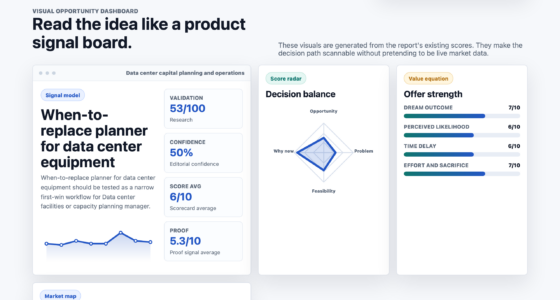
📊 Full opportunity report: Streamlining Desktop Processes With Watch-Once Voice Commands on IdeaNavigator AI — validation score, market gap, and execution plan.
TL;DR
IdeaNavigator AI introduces a prototype for watch-once voice commands that record and automate desktop workflows. This innovation aims to reduce repetitive tasks for power users by allowing a single spoken command to replay complex sequences with visual step confirmation.
IdeaNavigator AI has announced a new prototype that enables users to record complex desktop workflows once and activate them through a single voice command. This development targets power users who spend hours on repetitive tasks, offering a new method to automate workflows with minimal setup friction. The prototype leverages recent advances in screen-understanding models to generalize workflows and provides step-by-step visual replay with approval prompts, making automation more accessible and trustworthy.
The core feature allows users to perform a workflow—such as batch renaming files, resizing images, or transferring data between applications—once, then save it as a voice-activated command. When triggered, the system replays the recorded steps, pausing for user approval on sensitive actions and providing rollback options if a step misfires. This process reduces the need for scripting or brittle hotkey setups that often frustrate users.
According to an anonymous researcher at IdeaNavigator AI, the system is designed to handle common workflow archetypes, with a focus on tasks like report reformatting, data transfer, and batch file operations. The prototype is currently being tested with a group of 200 power users, measuring weekly retention and usability. The company plans to release a beta version handling five typical workflows, aiming to validate its effectiveness before a wider rollout.
The business model involves a prosumer subscription tier, with options for team sharing of workflow libraries, targeting professionals who regularly perform repetitive desktop tasks. The market focus is on productivity software, with potential applications across creative, administrative, and technical fields. The company emphasizes that the system’s generalization capability, enabled by recent advances in screen-understanding models, makes it a promising tool for reducing manual effort and increasing efficiency.
Potential Impact on Desktop Productivity
This innovation could significantly reduce the time and effort spent on repetitive desktop tasks for power users, improving productivity and reducing frustration associated with scripting or hotkey setup. By offering a simple, voice-activated method to automate workflows, it lowers the barrier to automation, making it accessible to users who lack programming skills. If successful, this approach could reshape how users interact with their desktops, moving toward more natural and intuitive automation methods.
Furthermore, the visual step-by-step replay with approval and rollback features enhances trust and reliability, addressing common concerns about automation errors. This could lead to broader adoption in professional environments where accuracy and control are critical. Overall, the development aligns with trends toward more intelligent, user-friendly automation tools that integrate seamlessly into daily workflows.
voice command desktop automation software
As an affiliate, we earn on qualifying purchases.
As an affiliate, we earn on qualifying purchases.
Advances in Screen-Understanding and Workflow Automation
Recent progress in screen-understanding models has enabled machines to interpret and generalize complex workflows from a single demonstration. This breakthrough underpins the new prototype, allowing it to watch a workflow run once and then replicate it reliably. Historically, desktop automation relied heavily on scripting languages or brittle hotkey configurations, which required technical expertise and frequent adjustments.
IdeaNavigator AI’s initiative builds on this technological foundation, aiming to make automation more accessible for non-technical users. Previous efforts in automation focused on macro recording or scripting, but these often lacked flexibility or required significant setup time. The watch-once approach seeks to bridge this gap by combining AI-driven generalization with visual step confirmation, offering a more trustworthy and user-friendly experience.
Market interest in desktop automation tools continues to grow, driven by the increasing complexity of workflows and the demand for efficiency. This prototype’s focus on voice activation and visual confirmation represents a new direction that could complement existing solutions, providing a more natural interaction paradigm for power users and professionals alike.
workflow automation tools for Windows
As an affiliate, we earn on qualifying purchases.
As an affiliate, we earn on qualifying purchases.
Uncertainties About Deployment and User Adoption
It is not yet clear how well the prototype will perform in diverse real-world scenarios beyond initial testing. The effectiveness of generalizing workflows with complex or highly variable steps remains to be validated. Additionally, user acceptance of voice-activated automation, especially in noisy or shared environments, is still uncertain. The company has not disclosed detailed timelines for a wider release or the full scope of supported workflows, making the future adoption rate and integration challenges unclear.
As an affiliate, we earn on qualifying purchases.
Next Steps Toward Broader Adoption and Validation
IdeaNavigator AI plans to release a beta version handling five common workflow archetypes and will monitor weekly retention among 200 power users to evaluate usability and reliability. The company aims to refine the system based on user feedback and expand the range of supported workflows. Further testing will determine how well the system generalizes across different tasks and environments. A wider commercial rollout is expected if initial results demonstrate significant productivity gains and user satisfaction.
screen understanding workflow automation
As an affiliate, we earn on qualifying purchases.
As an affiliate, we earn on qualifying purchases.
Key Questions
How does the watch-once voice command system work?
The system records a desktop workflow once, capturing clicks, file operations, and data transfers. It then associates this workflow with a spoken command, which, when activated, replays the steps visually with prompts for approval and options to rollback if needed.
What types of tasks can this system automate?
Initial prototypes focus on tasks like batch renaming or resizing files, report reformatting, and transferring data between applications. The system is designed to generalize to other repetitive desktop workflows based on user demonstrations.
When will the system be available for general use?
The company is currently testing a beta version with a limited set of workflows. A wider release depends on successful validation of reliability and user satisfaction, with no specific date announced yet.
Will this require technical skills to set up?
No, the goal is to make automation accessible through a simple recording and voice command process, eliminating the need for scripting or hotkey configuration.
Could this system replace scripting for automation tasks?
It aims to complement scripting by providing a more user-friendly, visual, and voice-activated alternative, especially for users who perform repetitive tasks infrequently or lack programming skills.
Source: IdeaNavigator AI