For most ecommerce sellers who need a dependable desktop printer, I’d start with the Epson TM-T20IV; the Star Micronics TSP143IIIU is a strong alternative for a straightforward USB setup, while the P80E stands out for Ethernet and cash-drawer connectivity. The main choice is between 80 mm desktop models suited to wider receipts and busy packing stations, and 58 mm portable printers that trade paper width for mobility. Connectivity and compatibility matter just as much as print speed: a printer that does not work with your ecommerce platform or device can slow order handling. Auto cutters can help during repeated print runs, but add a feature you may not need for occasional use. Read on for the full breakdown of where each of the 13 models fits.

Get business pricing on office and shipping supplies
- Business-only prices and quantity discounts
- Tax-exempt purchasing
- Multiple users, one account, clear invoices
Key Takeaways
- The Epson TM-T20IV leads as the all-around desktop choice for sellers prioritizing an established business-oriented printer over portability.
- The P80E’s Ethernet and RJ11 connections make it more flexible for a fixed packing station than USB-only options, especially where a cash drawer is part of the workflow.
- The Star Micronics TSP143IIIU and Epson TM-T20IV are wired-first picks; sellers who need wireless or mobile printing should compare them with the Bluetooth NETUM and MUNBYN models instead.
- Both Sunydog models emphasize portability, but their 58 mm format is a narrower fit than the 80 mm printers for sellers who want roomier receipts or print wider documents.
- Several Rongta, NetumScan, Vretti, and NETUM models offer 80 mm printing with an auto cutter; the meaningful choice is their connectivity and intended setup, not width alone.
| Sunydog Portable Mini Thermal Receipt Printer |  | Best for Android-Based Mobile Selling | Printer type: Thermal, monochrome | Paper width: 58 mm | Valid print width: 48 mm | VIEW LATEST PRICE | See Our Full Breakdown |
| P80E 80mm Thermal Receipt Printer with USB, Ethernet, and RJ11 |  | Best for Multi-Platform Wired Setups | Paper width: 80 mm (3 1/8 inches) | Print resolution: 203 DPI | Print speed: 200 mm/s | VIEW LATEST PRICE | See Our Full Breakdown |
| Rongta 80 mm Thermal Receipt Printer with Auto Cutter |  | Best for Linux Workstations | Model: RP326 | Paper width: 80 mm | Print width: 79.5 ± 0.5 mm | VIEW LATEST PRICE | See Our Full Breakdown |
| Rongta 80mm Thermal Receipt Printer with Auto Cutter |  | Best for High-Volume Wired Counters | Paper width: 80 mm | Print width: 79.5 ± 0.5 mm | Print speed: Up to 300 mm/s | VIEW LATEST PRICE | See Our Full Breakdown |
| NetumScan 80mm USB Thermal Receipt Printer with Auto Cutter |  | Best Lightweight USB Pick | Model: 8360 | Paper width: 80 mm | Print speed: Up to 300 mm/s | VIEW LATEST PRICE | See Our Full Breakdown |
| Rongta 80mm Thermal POS Receipt Printer with Auto Cutter |  | Best for Wired Ethernet Setups | Printer type: Direct thermal | Print speed: Up to 250 mm/sec | Paper width: 80 mm (3 1/8 in) | VIEW LATEST PRICE | See Our Full Breakdown |
| Epson TM-T20IV Thermal Receipt Printer |  | Best for High-Volume Counter Work | Model: C31CL47022 | Printer type: Thermal | Print speed: Up to 310 mm/s | VIEW LATEST PRICE | See Our Full Breakdown |
| Star Micronics TSP143IIIU USB Thermal Receipt Printer, Gray |  | Best for Simple USB Counter Setups | Model: TSP143IIIU | Printer type: Thermal | Print speed: Up to 43 receipts per minute (250 mm/s) | VIEW LATEST PRICE | See Our Full Breakdown |
| Sunydog Portable 58mm Thermal Receipt Printer |  | Best for Mobile Android Selling | Printer type: Thermal | Connectivity: Bluetooth, USB | Compatible devices: Android, Windows | VIEW LATEST PRICE | See Our Full Breakdown |
| Vretti V330M 80mm Direct Thermal Receipt Printer |  | Best for ESC/POS Linux Workflows | Model: V330M | Printer type: Direct thermal | Paper width: 80 mm | VIEW LATEST PRICE | See Our Full Breakdown |
| NETUM NT-861 80mm Bluetooth Thermal Receipt Printer with Auto Cutter |  | Best for Fast, Flexible Connections | Model: NT-861 | Printer type: Thermal | Maximum media size: 80 mm | VIEW LATEST PRICE | See Our Full Breakdown |
| Rongta RP332 80mm Direct Thermal Receipt Printer |  | Best for Wired, Multi-Width Workstations | Printer type: Direct thermal | Interfaces: USB, serial, Ethernet | Maximum print speed: 250 mm/s | VIEW LATEST PRICE | See Our Full Breakdown |
| MUNBYN P047 Bluetooth Thermal Receipt Printer, 80 mm |  | Best for Broad Desktop OS Support | Model: ITPP047P | Printer type: Thermal | Print color: Monochrome | VIEW LATEST PRICE | See Our Full Breakdown |
| thermal receipt printers for ecommerce | Connectivity | Print speed | Printer type | Paper width |
|---|---|---|---|---|
| Sunydog Portable Mini Thermal | Bluetooth and USB | Up to 70 mm/s | Thermal, monochrome | 58 mm |
| P80E 80mm Thermal Receipt Prin | USB, Ethernet, RJ11; no Wi-Fi or Bluetooth | 200 mm/s | — | 80 mm (3 1/8 inches) |
| Rongta 80 mm Thermal Receipt P | USB, Ethernet, and serial; no Wi-Fi or Bluetooth | Up to 250 mm/s | — | 80 mm |
| Rongta 80mm Thermal Receipt Pr | USB, Ethernet, and serial; no Wi-Fi or Bluetooth | Up to 300 mm/s | — | 80 mm |
| NetumScan 80mm USB Thermal Rec | — | Up to 300 mm/s | — | 80 mm |
| Rongta 80mm Thermal POS Receip | USB, serial, Ethernet | Up to 250 mm/sec | Direct thermal | 80 mm (3 1/8 in) |
| Epson TM-T20IV Thermal Receipt | USB, Ethernet, RS-232 serial | Up to 310 mm/s | Thermal | — |
| Star Micronics TSP143IIIU USB | USB | Up to 43 receipts per minute (250 mm/s) | Thermal | — |
| Sunydog Portable 58mm Thermal | Bluetooth, USB | Up to 70 mm/s | Thermal | 58 mm |
| Vretti V330M 80mm Direct Therm | USB, serial, Ethernet | Up to 260 mm/s | Direct thermal | 80 mm |
| NETUM NT-861 80mm Bluetooth Th | Bluetooth, Ethernet, USB | — | Thermal | — |
| Rongta RP332 80mm Direct Therm | — | — | Direct thermal | — |
| MUNBYN P047 Bluetooth Thermal | Bluetooth, USB, serial, Ethernet | — | Thermal | — |
More Details on Our Top Picks
Sunydog Portable Mini Thermal Receipt Printer
For ecommerce sellers who need receipts away from a fixed packing station, the Sunydog Portable Mini is the most mobile-focused pick here. Its rechargeable battery and Bluetooth connection to Android devices support printing at pop-ups or service counters without a nearby outlet, while USB offers a wired option for supported Windows computers. It prints on 58 mm paper, so it is more compact than the 80 mm Rongta RP326, but the narrower format leaves less room for item details and branding. The tradeoff is substantial compatibility limits: it does not support macOS, Windows 11, or Square POS, and iOS use is not recommended. I’d choose it for a simple Android workflow, not as the main printer for a mixed-device ecommerce operation.
Pros:- Rechargeable 1500 mAh battery supports printing away from a fixed power outlet
- Bluetooth connection works with Android devices
- USB connection provides a wired option for supported Windows PCs
- Thermal printing needs no ink cartridges or ribbons
Cons:- Does not support Mac OS or Windows 11
- Not compatible with Square POS, and iOS use is not recommended
- 58 mm paper provides less space for order details than 80 mm models
Best for: Android-based sellers who print short receipts at markets, pop-ups, or mobile service counters.
Not ideal for: Sellers using iPhones, Macs, Windows 11, or Square POS, or anyone who needs wider receipts for detailed order information.
- Printer type:Thermal, monochrome
- Paper width:58 mm
- Valid print width:48 mm
- Print speed:Up to 70 mm/s
- Resolution:203 × 203 DPI
- Connectivity:Bluetooth and USB
- Compatibility:Bluetooth: Android; USB: Windows 7, 8, and 10
- Battery capacity:1500 mAh
Our verdict“Choose this compact printer for Android-led mobile selling, but skip it if your ecommerce setup depends on Square, iOS, or a desktop-wide receipt format.”
P80E 80mm Thermal Receipt Printer with USB, Ethernet, and RJ11
The P80E suits ecommerce workstations where device compatibility and connection options matter more than wireless convenience. It supports Windows, macOS, OTG Android, and iOS when paired with ESC/POS software, a broader stated platform range than the Rongta RP326, which lists Windows, Mac, and Linux. Its USB, Ethernet, and RJ11 connections offer a choice of computer, network, or cash-drawer wiring, while the auto cutter and paper-jam and overheating sensors can help keep a busy counter moving. At 200 mm/s, it is slower on paper than the 300 mm/s Rongta model, and it has no Wi-Fi or Bluetooth. Compatibility still depends on the POS or ecommerce software, so I would check that before buying.
Pros:- USB, Ethernet, and RJ11 provide several wired connection options
- Lists support for Windows, macOS, OTG Android, and iOS with ESC/POS software
- Auto cutter and paper-jam and overheating sensors suit recurring counter use
- Oil-resistant housing can be mounted on a desktop or wall
Cons:- No Wi-Fi or Bluetooth for wireless printing
- At 200 mm/s, it is slower than the 300 mm/s Rongta and NetumScan models
- Incompatible with several cloud POS systems, delivery platforms, Chromebooks, and Linux
Best for: Small ecommerce retailers with a wired counter setup who need broad operating-system support and potential cash-drawer connectivity.
Not ideal for: Sellers who need wireless printing, Chromebook or Linux support, or confirmed compatibility with cloud POS and delivery platforms.
- Paper width:80 mm (3 1/8 inches)
- Print resolution:203 DPI
- Print speed:200 mm/s
- Connectivity:USB, Ethernet, RJ11; no Wi-Fi or Bluetooth
- Compatibility:Windows, macOS, OTG Android, and iOS with ESC/POS software
- Features:Auto cutter, RGB status lights, audible alerts, paper-jam and overheat sensors
- Mounting:Desktop or wall mount
- Power:24V DC
Our verdict“Pick the P80E when you need a wired 80 mm printer with broad listed device support, provided your specific POS software is compatible.”
Rongta 80 mm Thermal Receipt Printer with Auto Cutter
The Rongta RP326 earns its place for ecommerce sellers who need a fast, wired receipt printer and run Linux alongside Windows or Mac. Its USB, Ethernet, and serial connections give a fixed workstation more connection choices than the USB-only NetumScan 8360, and the 250 mm/s print speed sits between that model’s 300 mm/s maximum and the P80E’s 200 mm/s. An auto cutter reduces manual tearing, while cash-drawer support and wall mounting help it fit a retail packing or checkout station. The key limitation is software fit: there is no Wi-Fi or Bluetooth, and the listed exclusions cover several POS, delivery, and Chromebook systems. I’d verify the exact ecommerce platform and driver support before relying on it for order receipts.
Pros:- Supports Windows, Mac, and Linux
- USB, Ethernet, and serial connections offer more wiring choices than USB-only printers
- 250 mm/s printing and an auto cutter support steady receipt output
- Cash-drawer support and wall mounting suit a fixed counter
Cons:- No Wi-Fi or Bluetooth connectivity
- Not compatible with several listed POS, delivery, and Chromebook systems
- At 250 mm/s, it is slower than the 300 mm/s Rongta B0C9QLPSFS and NetumScan 8360
Best for: Ecommerce operators with a Linux, Windows, or Mac workstation who want wired networking and cash-drawer support.
Not ideal for: Sellers who need Bluetooth or Wi-Fi, use a Chromebook, or depend on one of the listed unsupported POS and delivery systems.
- Model:RP326
- Paper width:80 mm
- Print width:79.5 ± 0.5 mm
- Print speed:Up to 250 mm/s
- Resolution:203 dpi
- Connectivity:USB, Ethernet, and serial; no Wi-Fi or Bluetooth
- Compatible operating systems:Windows, Mac, and Linux
- Features:Auto cutter, cash-drawer support, wall-mountable, overheating protection
Our verdict“Choose the RP326 for a Linux-capable wired checkout station with cash-drawer support, after confirming your POS software is supported.”
Rongta 80mm Thermal Receipt Printer with Auto Cutter
Among these wired 80 mm options, this Rongta is the speed-focused choice: its 300 mm/s output is faster on paper than the RP326’s 250 mm/s, which can help when a counter prints frequent order receipts. It also has an auto cutter, cash-drawer support, and USB, Ethernet, and serial connections, making it better suited to a fixed checkout or packing station than the portable Sunydog. ESC/POS support and Windows, Linux, and Mac compatibility provide a useful base, but they do not guarantee that every ecommerce POS will work. This model specifically excludes Grubhub, DoorDash, Square, and Chromebook, and it has no wireless connection. I’d rank it for compatible wired setups, not as a flexible choice for sellers who change devices or platforms.
Pros:- Up to 300 mm/s printing is faster than the Rongta RP326
- Auto cutter and cash-drawer support suit a fixed checkout station
- USB, Ethernet, and serial connections support different wired setups
- Desktop or wall mounting gives placement flexibility
Cons:- No Wi-Fi or Bluetooth connectivity
- Not compatible with Grubhub, DoorDash, Square, or Chromebook
- At 2 kg, it is less suited to moving between selling locations than the portable Sunydog
Best for: Busy ecommerce counters using compatible Windows, Linux, or Mac systems that need fast wired receipt printing and cash-drawer support.
Not ideal for: Square, Grubhub, or DoorDash users, Chromebook owners, and sellers who require Wi-Fi or Bluetooth.
- Paper width:80 mm
- Print width:79.5 ± 0.5 mm
- Print speed:Up to 300 mm/s
- Resolution:203 dpi
- Connectivity:USB, Ethernet, and serial; no Wi-Fi or Bluetooth
- Compatible operating systems:Windows, Linux, and Mac
- Print commands:ESC/POS
- Features:Auto cutter, cash-drawer support, desktop or wall mounting
Our verdict“Choose this Rongta for a compatible, high-throughput wired counter, but avoid it if you rely on Square or wireless printing.”
NetumScan 80mm USB Thermal Receipt Printer with Auto Cutter
The NetumScan 8360 keeps the setup simple: connect by USB to a Windows, Mac, or Linux computer and print on 80 mm paper. Its listed 300 × 300 dpi resolution is higher than the 203 dpi listed for both Rongta printers here, while its 300 mm/s maximum speed matches the faster Rongta. At 0.6 kg, it is also much lighter than the 2 kg Rongta B0C9QLPSFS, which may suit a compact workstation that needs occasional repositioning. The tradeoff is a single connection path: there is no Ethernet, Wi-Fi, or Bluetooth, and several POS systems and mobile devices are unsupported. I’d favor it over the multi-interface Rongta only when USB is all the workflow needs and the POS is confirmed to work.
Pros:- Up to 300 mm/s printing matches the faster Rongta B0C9QLPSFS
- 300 × 300 dpi resolution is higher than the 203 dpi listed for the Rongta models
- At 0.6 kg, it is lighter than the 2 kg Rongta B0C9QLPSFS
- Auto cutter, overheating protection, and wall-mount option support practical workstation use
Cons:- USB is the only connection; no LAN, Wi-Fi, or Bluetooth
- Incompatible with several POS systems and mobile devices
- Does not offer the Ethernet, serial, or cash-drawer support listed for the Rongta models
Best for: Small ecommerce sellers with a Windows, Mac, or Linux computer who want a lightweight USB printer for a fixed workstation.
Not ideal for: Teams needing network sharing, wireless printing, mobile-device connections, or compatibility with unsupported POS systems.
- Model:8360
- Paper width:80 mm
- Print speed:Up to 300 mm/s
- Resolution:300 × 300 dpi
- Interface:USB
- Compatible operating systems:Windows, Mac, and Linux
- Weight:0.6 kg
- Features:Auto cutter, overheating protection, wall-mount option
Our verdict“Pick the NetumScan if a lightweight USB connection and fast printing suit your workstation, but choose a Rongta model for more wired interfaces.”
Rongta 80mm Thermal POS Receipt Printer with Auto Cutter
For an ecommerce packing station built around a wired POS or computer, the Rongta 80mm offers a useful balance of speed and connection options. Its 250 mm/sec print speed and auto cutter help keep order paperwork moving, while Ethernet can place the printer on a wired network instead of tying it to one USB-connected workstation. Compared with the Vretti V330M, it has a slightly lower stated maximum speed, but the same basic USB, serial, and Ethernet approach for Windows, Mac, and Linux systems.
The main limitation is software and device flexibility: it has no Wi-Fi or Bluetooth and the supplied information rules out compatibility with Square, DoorDash, Uber Eats, and Grubhub. I’d choose it for a compatible ESC/POS workflow, not a mobile-first or named-platform setup. Wall-mount holes can also free up counter space, though they don’t compensate for an incompatible checkout system.
Pros:- USB, serial, and Ethernet connections suit several wired workstation layouts.
- Prints up to 250 mm/sec and includes an auto cutter for faster receipt handling.
- Direct thermal printing requires no ink or ribbon.
- Wall-mount holes offer an alternative to taking up counter space.
Cons:- No Wi-Fi or Bluetooth for wireless printing.
- Not compatible with Square, DoorDash, Uber Eats, or Grubhub.
- The maximum speed is lower than the Epson TM-T20IV’s stated 310 mm/sec.
Best for: Small ecommerce operations using a compatible Windows, Mac, or Linux POS workflow that want Ethernet, an auto cutter, and the option to wall-mount the printer.
Not ideal for: Sellers whose checkout relies on Square, DoorDash, Uber Eats, or Grubhub, or who need Bluetooth or Wi-Fi placement flexibility.
- Printer type:Direct thermal
- Print speed:Up to 250 mm/sec
- Paper width:80 mm (3 1/8 in)
- Print resolution:203 dpi
- Connectivity:USB, serial, Ethernet
- Wireless:No Wi-Fi or Bluetooth
- Compatibility:Windows, Mac, Linux; ESC/POS
- Features:Auto cutter, wall-mount holes, overheating protection
- Dimensions:7.5 x 5.5 x 5.6 in
Our verdict“Choose the Rongta for a compatible, wired ecommerce POS station that benefits from Ethernet and wall mounting, but skip it if your software needs a listed unsupported platform or wireless connection.”
Epson TM-T20IV Thermal Receipt Printer
When an ecommerce counter prints receipts or order slips continuously, the Epson TM-T20IV has the strongest stated speed in this group: up to 310 mm/s. That gives it an advantage over the 250 mm/s Rongta and Star Micronics TSP143IIIU when a busy checkout needs quick output. It also accepts 58 mm or 80 mm rolls, so a seller can use narrower paper where a full-width receipt is unnecessary, and its paper-saving features can help limit roll consumption.
Its USB, Ethernet, and RS-232 connections suit established wired systems, while horizontal, vertical, or wall installation gives more placement choices than a USB-only printer like the Star. The tradeoffs are monochrome output and a maximum roll width of 80 mm; this is not a label printer or a color document option. I’d favor it for a fixed, compatible counter workflow, rather than a portable or wireless packing setup.
Pros:- Fastest stated print speed in this batch at up to 310 mm/s.
- Accepts both 58 mm and 80 mm paper rolls.
- USB, Ethernet, and RS-232 support a range of wired POS setups.
- Paper-saving features and flexible countertop or wall installation.
Cons:- Monochrome printing only.
- Maximum supported paper width is 80 mm, so it is not suited to wider output.
- No Wi-Fi or Bluetooth connection is listed.
Best for: Ecommerce stores with a busy fixed checkout or packing counter that can use wired connections and benefit from high print throughput and paper-saving settings.
Not ideal for: Sellers who need wireless printing, color output, or a printer for shipping labels rather than receipts.
- Model:C31CL47022
- Printer type:Thermal
- Print speed:Up to 310 mm/s
- Resolution:203 dpi
- Connectivity:USB, Ethernet, RS-232 serial
- Paper sizes:58 mm and 80 mm rolls
- Installation:Horizontal, vertical, or wall-mounted
- Auto-cutter life:Rated for 2 million cuts
- Warranty:3-year limited warranty
Our verdict“Pick the Epson for a high-throughput, wired ecommerce counter where speed and paper-saving features matter more than wireless use or color printing.”
Star Micronics TSP143IIIU USB Thermal Receipt Printer, Gray
The Star Micronics TSP143IIIU makes the most sense for a seller who wants a straightforward printer at one fixed workstation. Its USB connection, drop-in paper loading, and automatic cutter keep the physical setup simple, while its stated speed of 250 mm/s is in line with the Rongta and Vretti wired models. The clamshell loading design is particularly useful when staff need to replace a roll quickly without threading paper through a complicated path.
That simplicity comes with a clear compromise: unlike the Epson TM-T20IV, this model offers no Ethernet or serial connection, so it is less adaptable to networked or legacy POS installations. The listing names laptops, PCs, and iOS and Android devices as compatible, but the printer itself connects by USB; check the required cable, driver, and app workflow before buying for a mobile device. Its compact footprint and internal power supply suit a tidy counter, but it is not a wireless or color-printing choice.
Pros:- Drop-in clamshell design makes paper roll replacement simple.
- Automatic cutter and print speed up to 250 mm/s support brisk counter service.
- Compact footprint and internal power supply reduce counter clutter.
- Listed compatibility includes laptops, PCs, and iOS and Android devices.
Cons:- USB is the only listed printer connection.
- Monochrome output only.
- Mobile-device compatibility still depends on a workable USB, driver, and app setup.
Best for: A seller with one USB-connected computer or compatible device at a compact counter who values quick roll changes over network connectivity.
Not ideal for: Teams that need Ethernet or serial connections, wireless printing, or a printer shared across workstations without a USB host.
- Model:TSP143IIIU
- Printer type:Thermal
- Print speed:Up to 43 receipts per minute (250 mm/s)
- Print resolution:203 dpi
- Connectivity:USB
- Paper loading:Drop-in clamshell design
- Compatible devices:Laptops, PCs, iOS and Android devices
- Dimensions:5.59 x 8.03 x 5.2 in
- Weight:3.8 lb
Our verdict“Choose the Star for a compact, single-workstation ecommerce counter with a compatible USB workflow, not for a shared network or wireless setup.”
Sunydog Portable 58mm Thermal Receipt Printer
For pop-up sellers or staff who need to print receipts away from a counter, the Sunydog Portable is the only option in this batch with a rechargeable battery and Bluetooth. At 0.25 kg, it is much easier to carry than the full-size 80 mm Rongta or Vretti, and USB gives it a wired fallback. Its 58 mm paper width keeps the unit compact, but produces narrower receipts than those larger printers.
This is a niche fit for ecommerce: the 70 mm/s speed is far below the Epson TM-T20IV’s 310 mm/s, making it a poor match for sustained packing-bench volume. It also supports Android and Windows, but not iOS or Square POS, and phone printing depends on a compatible app. I’d pick it for occasional mobile receipts with a verified Android workflow, not as a default printer for a busy online-order station.
Pros:- Portable 0.25 kg design with a rechargeable 1500 mAh battery.
- Bluetooth and USB provide wireless and wired connection options.
- Uses 58 mm thermal paper without ink, toner, or ribbons.
- Includes a USB cable and thermal paper roll.
Cons:- Does not support iOS or Square POS.
- Print speed of up to 70 mm/s is much slower than the full-size models.
- Smartphone use requires a compatible app, while computer use requires a driver.
Best for: Android-based market sellers, pop-up shops, or ecommerce staff who need lightweight receipt printing away from a fixed workstation.
Not ideal for: iPhone users, Square POS sellers, and high-volume packing stations that need wider paper or faster output.
- Printer type:Thermal
- Connectivity:Bluetooth, USB
- Compatible devices:Android, Windows
- Paper width:58 mm
- Print speed:Up to 70 mm/s
- Print resolution:203 dpi
- Battery capacity:1500 mAh
- Weight:0.25 kg
- Dimensions:1.77 x 4.02 x 1.77 in
Our verdict“Buy the Sunydog for occasional Android receipt printing on the move, but use a faster 80 mm wired printer for a busy ecommerce packing station.”
Vretti V330M 80mm Direct Thermal Receipt Printer
The Vretti V330M suits sellers who need a full-width receipt printer for a wired computer setup and want explicit support for Windows, Mac, and Linux with ESC/POS commands. At up to 260 mm/s, it is marginally faster on paper than the Rongta 80mm, while both provide USB, serial, and Ethernet rather than wireless connections. Its 72 mm print width on 80 mm paper leaves room for standard receipt formatting, and wall mounting can help reclaim space at a packing bench.
The cutter is rated for up to 1.5 million cuts, but it is a partial auto cutter, so buyers should not assume the same cutting behavior as a full cutter. Like the Rongta, this printer lacks Wi-Fi and Bluetooth, and the supplied data flags incompatibility with several POS apps and services without naming them. That makes software checks a prerequisite. I’d favor it over the portable Sunydog for a fixed Linux station, but not for mobile order handling.
Pros:- USB, serial, and Ethernet support a range of wired installations.
- Prints up to 260 mm/s on 80 mm paper.
- Explicit Windows, Mac, Linux, and ESC/POS support.
- Wall-mountable design and direct thermal operation require no ink or ribbon.
Cons:- No Wi-Fi or Bluetooth.
- Incompatible with several POS apps and services; buyers need to verify their software.
- Partial auto cutter is rated for up to 1.5 million cuts.
Best for: Ecommerce sellers running a compatible Windows, Mac, or Linux ESC/POS system who want Ethernet or serial connectivity and wall-mounting flexibility.
Not ideal for: Sellers who require Wi-Fi or Bluetooth, rely on an incompatible POS app, or need a portable printer with a battery.
- Model:V330M
- Printer type:Direct thermal
- Paper width:80 mm
- Print width:72 mm
- Print speed:Up to 260 mm/s
- Resolution:203 dpi
- Connectivity:USB, serial, Ethernet
- Compatible systems and command set:Windows, Mac, Linux; ESC/POS
- Auto cutter:Partial; rated for up to 1.5 million cuts
Our verdict“Choose the Vretti V330M for a compatible wired ESC/POS station, especially on Linux, but verify POS support and skip it if wireless printing is required.”
NETUM NT-861 80mm Bluetooth Thermal Receipt Printer with Auto Cutter
The NETUM NT-861 suits ecommerce sellers who need a full-width receipt printer that can connect to more than one kind of setup. Its 260 mm/s print speed is the fastest listed among these three, while Bluetooth, Ethernet, and USB give more placement and device options than the wired-only Rongta RP332. The 80 mm format leaves room for legible order details, and the auto cutter helps keep transaction handoffs moving. Its key limitation is platform fit: the supplied details identify Bluetooth connectivity but do not specify supported operating systems or POS services, so I would confirm compatibility before buying. Like the MUNBYN P047, it prints in monochrome only; unlike that model, the NT-861 is lighter and more compact by the listed dimensions. Choose it for speed and connection choice, not for color printing or confirmed mobile-app support.
Pros:- Listed print speed of up to 260 mm/s
- Bluetooth, Ethernet, and USB connection options
- Supports 80 mm thermal paper
- Auto cutter and basic setup accessories are included
Cons:- Monochrome printing only
- Supported operating systems and POS services are not specified in the supplied details
- Bluetooth alone does not confirm compatibility with a seller’s mobile device or checkout app
Best for: Ecommerce sellers who want fast 80 mm receipts and the option to connect by Bluetooth, Ethernet, or USB, after confirming their POS software supports the printer.
Not ideal for: Sellers who need color output, or those relying on a specific phone, tablet, or POS app without confirmed NT-861 compatibility.
- Model:NT-861
- Printer type:Thermal
- Maximum media size:80 mm
- Maximum print speed:260 mm/s
- Connectivity:Bluetooth, Ethernet, USB
- Command set:ESC/POS
- Auto cutter:Yes
- Weight:1 kg
- Dimensions:5.18 × 5.04 × 5.08 in (D × W × H)
Our verdict“Choose the NT-861 if speed and connection flexibility matter more than color or clearly documented POS compatibility.”
Rongta RP332 80mm Direct Thermal Receipt Printer
The Rongta RP332 is the most workstation-oriented choice here: it trades wireless convenience for defined wired connections and broader paper-width options. Its USB, serial, and Ethernet interfaces suit a fixed packing or checkout station, while support for both 80 mm and 58 mm paper lets sellers adapt receipt width to the counter and order format. Compared with the Bluetooth-equipped NETUM NT-861 and MUNBYN P047, the RP332 is a clearer fit for a computer-based setup, but it cannot connect to phones or tablets. It also supports cash drawers, has wall-mount holes, and works with Windows, Mac, and Linux. The sharpest drawback is POS compatibility: it is listed as incompatible with Square and PayPal, among other services. Check your checkout software before choosing its otherwise capable wired setup.
Pros:- USB, serial, and Ethernet connections for fixed workstation setups
- Supports both 80 mm and 58 mm paper
- Works with Windows, Mac, and Linux
- Auto cutter, cash-drawer support, and wall-mount holes
Cons:- No Wi-Fi or Bluetooth connectivity
- Not compatible with iPhone, iPad, or Android devices
- Listed as incompatible with Square and PayPal
Best for: Ecommerce businesses running a fixed Windows, Mac, or Linux checkout or packing station that needs wired networking, cash-drawer support, or both paper widths.
Not ideal for: Sellers who print from iPhone, iPad, or Android devices, or whose checkout depends on Square, PayPal, or another unsupported POS service.
- Printer type:Direct thermal
- Interfaces:USB, serial, Ethernet
- Maximum print speed:250 mm/s
- Supported paper widths:80 mm, 58 mm
- Print widths:72 mm, 48 mm
- Resolution:203 × 203 DPI
- Operating systems:Windows, Mac, Linux
- Compatibility:ESC/POS and OPOS
- Weight:2 kg
Our verdict“Pick the RP332 for a compatible, computer-based station that benefits from wired networking and flexible paper widths.”
MUNBYN P047 Bluetooth Thermal Receipt Printer, 80 mm
The MUNBYN P047 stands out for sellers who want a choice of wired connections and Bluetooth across several computer platforms. It supports Android, Windows, Mac, Linux, and ChromeOS, giving it a wider listed operating-system range than the Rongta RP332, which names Windows, Mac, and Linux. Its Bluetooth option can cut cable clutter, while USB, serial, and Ethernet provide alternatives for a fixed station. The tradeoff is a notable mobile gap: despite Bluetooth, the P047 does not support iOS, iPad, or iPhone, and the supplied compatibility list excludes DoorDash, Grubhub, and Vagaro. Shopify POS Bluetooth use may also require changing the printer’s Bluetooth name. Compared with the NETUM NT-861, its listed resolution and broader OS support offer more detail, but its larger footprint and heavier build make it less convenient for tight counters.
Pros:- Bluetooth, USB, serial, and Ethernet connectivity
- Listed support for Android, Windows, Mac, Linux, and ChromeOS
- Supports 80 mm thermal paper at 203 × 203 dpi
- Wall-mount hardware is included
Cons:- Not compatible with iOS, iPad, or iPhone
- Does not support DoorDash, Grubhub, or Vagaro
- Shopify POS Bluetooth use may require changing the printer name
Best for: Sellers using Android or a Windows, Mac, Linux, or ChromeOS workstation who want Bluetooth plus wired connection options for 80 mm receipts.
Not ideal for: Businesses that print from iPhone or iPad, depend on DoorDash, Grubhub, or Vagaro, or need a compact, lightweight printer.
- Model:ITPP047P
- Printer type:Thermal
- Print color:Monochrome
- Connectivity:Bluetooth, USB, serial, Ethernet
- Compatible systems:Android, Windows, Mac, Linux, ChromeOS
- Maximum media size:80 mm
- Print resolution:203 × 203 dpi
- Weight:1.68 kg
- Dimensions:11.26 × 6.46 × 6.3 in
Our verdict“Choose the P047 for a compatible non-iOS setup that benefits from broad computer support and several connection choices.”
How We Picked
I ranked these thermal receipt printers for ecommerce around the jobs sellers actually need them to do: print receipts or order documents reliably, fit a packing-station workflow, and connect to the devices and software already in use. I compared paper width, connection options, auto-cutter availability, portability, and the likely learning and upkeep burden. A feature only counts as an advantage when it helps a buyer’s workflow; Bluetooth is useful for a mobile setup, for example, but not a substitute for checking software and device compatibility.
The ranking gives the most weight to versatility and practical fit for a typical fixed ecommerce station, then distinguishes specialized options for mobile sellers, narrow-paper needs, and multi-connection setups. Models with similar 80 mm formats and cutters are separated by their stated connection options and positioning rather than treated as interchangeable winners. I have not assumed unlisted performance, compatibility, or durability; buyers should confirm those details for their particular platform before purchasing.
| thermal receipt printers for ecommerce | Printer type |
|---|---|
| Sunydog Portable Mini Thermal | Thermal, monochrome |
| P80E 80mm Thermal Receipt Prin | — |
| Rongta 80 mm Thermal Receipt P | — |
| Rongta 80mm Thermal Receipt Pr | — |
| NetumScan 80mm USB Thermal Rec | — |
| Rongta 80mm Thermal POS Receip | Direct thermal |
| Epson TM-T20IV Thermal Receipt | Thermal |
| Star Micronics TSP143IIIU USB | Thermal |
| Sunydog Portable 58mm Thermal | Thermal |
| Vretti V330M 80mm Direct Therm | Direct thermal |
| NETUM NT-861 80mm Bluetooth Th | Thermal |
| Rongta RP332 80mm Direct Therm | Direct thermal |
| MUNBYN P047 Bluetooth Thermal | Thermal |
Factors to Consider When Choosing Thermal Receipt Printers For Ecommerce
Choosing a printer for ecommerce starts with the document and workflow, not a headline speed claim. I’d check how orders move from the store platform to the printer, where the printer will sit, and whether the printed output is a receipt, a packing document, or another label-like item. These factors can rule out a model before its extra features matter.
Match the printer to the document you actually print
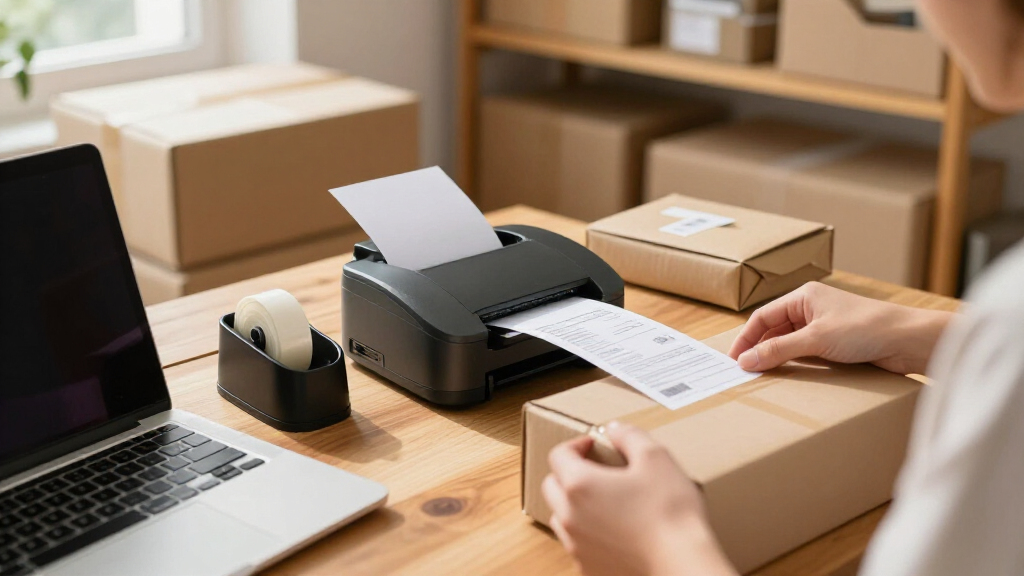
A receipt printer is not automatically a shipping-label printer, even when both use thermal printing. Confirm that your ecommerce platform can send the specific document you need to the printer and that the printer supports the required paper format. 80 mm models provide a wider print area than 58 mm portable models, which can make receipts easier to read or leave more room for information. That width does not make a printer suitable for carrier labels, which may require a different printer type and media. A common mistake is buying based on the word “thermal” without checking the output format. I’d verify the platform’s supported printer list and document dimensions before choosing.
Treat connectivity as a compatibility decision
USB is often the simplest route for a printer beside one computer, while Ethernet can suit a shared, fixed station that needs a wired network connection. Bluetooth may fit a tablet-based or mobile workflow, but the printer still has to pair with the device and work with the seller’s app or browser setup. Connection variety is useful only when the software supports it; a port or wireless feature cannot fix an incompatible print path. Check the operating system, driver requirements, and platform integration before purchase. Also consider whether the printer will be shared across devices, since a one-computer setup has different needs from a busy packing area. Avoid assuming that a connection listed on the product makes every ecommerce platform compatible.
Choose 58 mm or 80 mm based on readability and workspace
The smaller 58 mm format can make sense when portability and a compact footprint matter more than room for content. An 80 mm unit takes more desk space, but its wider paper can reduce cramped layouts for longer receipts. Paper width affects the finished document, not just the size of the printer. Before deciding, check whether your software can adjust the receipt layout and whether the paper roll size is easy for you to source. A frequent mistake is choosing the narrowest model for a small desk without checking how text, totals, or other details will wrap. If receipts are brief, compact may be enough; if they carry more information, wider paper may be easier to handle.
Decide whether an auto cutter earns its place
An auto cutter separates printed receipts without requiring the seller to tear each one by hand. That can be convenient during repeated print runs, though occasional printing may not justify prioritizing the feature. Cutting convenience is a workflow benefit, not a measure of print compatibility, so it should come after paper format and software support. If several people use the station, a cutter may help keep output consistent and reduce small interruptions. It also adds a mechanical feature that may need attention if paper jams or debris build up. Compare models on their whole setup rather than treating an auto cutter as an automatic reason to rank one above another.
Plan for the full cost of keeping the printer ready
Thermal printers need compatible paper rolls, and the correct width and roll dimensions vary by model. Before settling on a printer, check how easy it will be to restock its media and whether the paper suits the documents your store produces. Consumables and setup requirements shape daily usability even when the printer itself seems straightforward. Review driver installation, device pairing, roll loading, and access to support documentation as part of the decision. A low-maintenance setup can matter more than an extra connection when staff need to print orders without troubleshooting. Don’t overlook the desk space and cable routing required for a fixed unit, or the charging routine for a portable one.
Pay extra for workflow fit, not a longer feature list
A multi-connection desktop printer may be worthwhile when it serves a shared packing station, while a basic USB model can be enough for one computer and a single user. Bluetooth portability makes more sense when printing locations change, not simply because wireless sounds more flexible. Choose features that remove a real bottleneck in your order process. Map the path from order confirmation to printed document and identify the step that currently causes delay or confusion. If the need is only occasional receipt printing, extra connectivity or a cutter may add little value. If a printer will support a high-traffic station, prioritizing a suitable business setup and reliable software fit is a more useful upgrade than collecting features you will not use.
Frequently Asked Questions
Can a thermal receipt printer print ecommerce shipping labels?
Not necessarily. Receipt printers and shipping-label printers use thermal technology for different media formats, and a receipt printer may not support the label dimensions or layout your carrier requires. Check both your carrier’s label requirements and your ecommerce platform’s supported devices before buying. Do not assume an 80 mm receipt printer can replace a dedicated label printer because both use thermal paper. If your main task is shipping labels, choose equipment built for that output.
Should I choose a Bluetooth printer or a USB model for my store?
Choose based on the device and location from which you print. USB suits a stationary printer connected to one computer, while Bluetooth can help when a tablet or mobile device is part of the workflow. Compatibility with your operating system and ecommerce software matters more than wireless capability alone. Confirm that the printer can pair with your device and that your platform can send the right document to it. If several computers need access, check whether the model and your setup support that arrangement before ordering.
Is 58 mm paper wide enough for ecommerce receipts?
It can be sufficient for short receipts with limited information, especially when a compact or portable printer is the priority. A narrow roll leaves less room for each line, so longer text may wrap or feel crowded. Compare the printer’s paper width with your actual receipt layout rather than deciding by printer size alone. If receipts include many details, totals, or customer-facing information, an 80 mm model may be easier to read. Check whether your platform lets you customize the receipt before settling on the narrower format.
Do I need an auto cutter for a low-volume ecommerce business?
Usually, not as a first priority. An auto cutter can speed up repeated printing and reduce the need to tear each receipt, but a seller printing only a few documents may not gain much from it. Put software fit, paper format, and connection needs ahead of cutting convenience. If multiple staff members print throughout the day, the cutter may make the station easier to use consistently. Consider the feature in relation to your print volume and routine, rather than treating it as necessary for every business.
What should I verify before buying a printer for my ecommerce platform?
Check the platform’s supported printer models or driver requirements, along with your computer or tablet’s operating system. Confirm the printer connection, paper width, and whether the platform can print the specific receipt or document you need. Compatibility should be verified before you commit to a printer, especially with Bluetooth models or less common setups. Look for current setup instructions and confirm which app, browser, or driver handles printing. If the platform’s documentation does not list the model, ask its support team or the printer maker before purchase.
Conclusion
For a typical fixed ecommerce packing station, I’d choose the Epson TM-T20IV as the best overall, with the Star Micronics TSP143IIIU as a strong wired USB alternative. The P80E is my best value pick for sellers who need Ethernet and RJ11 connections in one desktop setup, while sellers seeking a premium-style business station should favor a suitable established desktop option such as the Epson and verify its fit with their software. For beginners with one computer and a simple workflow, the Star Micronics TSP143IIIU is a sensible USB-first starting point; for mobile or compact printing, compare the Bluetooth NETUM NT-861 or MUNBYN P047 with the portable Sunydog models. If wider receipts and an auto cutter are the specific need, look at the 80 mm Rongta, NetumScan, or Vretti options and choose by confirmed connection compatibility. Before ordering any model, confirm that your ecommerce platform supports its print path and that you are buying a receipt printer for the documents you intend to produce.
Fall Picks
fall essentials
As an affiliate, we earn on qualifying purchases.