
Social media content calendars help creators and brands plan what to publish, organize production, and keep a steadier posting rhythm. My best overall pick is the Social Media Content Planner for a straightforward planning-first approach, while Create & Conquer: A 90-Day Social Media Strategy Planner stands out for campaign-focused planning and the Video Content Creator Planner for video-led workflows. The main choice is between a flexible undated system, a dated year planner, and a more specialized tool for ideas, filming, or strategy. Each format trades flexibility for structure, so the best fit depends on how far ahead you plan and how much detail you want to manage on paper. Read on for the full breakdown, ranking logic, and advice on choosing a calendar you will keep using.

Get business pricing on office and shipping supplies
- Business-only prices and quantity discounts
- Tax-exempt purchasing
- Multiple users, one account, clear invoices
Key Takeaways
- Planning style matters more than the title: undated formats such as From Idea to Post suit rolling schedules, while January-to-December planners impose a fixed yearly framework.
- Specialized workflows have a clear tradeoff: the Video Content Creator Planner and the creator notebook focus on production details, but are less suited to managing every content format in one place.
- Strategy planners work at different time scales: Create & Conquer is built around a 90-day cycle, while the 2026 workbook and notebook offer a broader yearly planning frame.
- Idea banks and calendars solve different problems: the 365 Days of Content Ideas can help with prompts, but idea generation alone does not replace scheduling, tracking, or production planning.
- Dated editions need a calendar check: the 2026 planners may fit buyers who want a year-specific record, while the 2027 daily planner aligns with the coming calendar year.




More Details on Our Top Picks
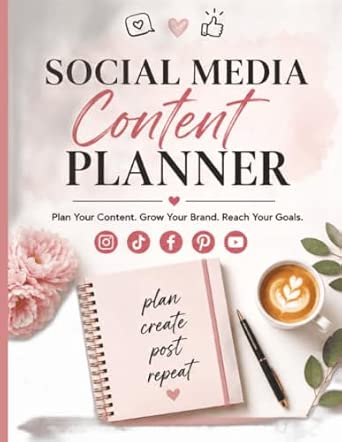
Social Media Content Planner
Social Media Content Planner is the no-frills choice for anyone who wants a dedicated place to map posts and keep track of what is planned. Its appeal is its narrow focus: unlike Create & Conquer, it does not promise a guided 90-day strategy, so it may suit people who already have a workflow and just need a paper record. That simplicity also leaves important details unknown: the available information does not confirm calendar layouts, scheduling fields, platform-specific sections, or analytics tools. I would pick it for basic planning rather than a campaign with many moving parts. Compared with the multi-platform influencer planner, it offers less stated tracking depth, but may be easier to approach if all you need is a straightforward content organizer.
Pros:- Provides a dedicated place to plan social media content
- Helps keep planned posts visible and organized
- Simple scope may suit users who do not want a guided strategy system
Cons:- No format, calendar layout, or page structure is specified
- No stated tools for scheduling, performance tracking, or analysis
Best for: Creators who already know their posting routine and want a dedicated notebook to record planned social media content.
Not ideal for: Influencers managing several platforms who need confirmed tracking and analysis sections, or businesses that want a structured multi-week strategy.
Our verdict“Choose this planner for basic paper-based content organization, but pick Create & Conquer if you want a defined planning period and guided calendar.”
Social Media Planner & Organizer for Influencers: Plan, Track, and Analyze Multiple Platforms at Once
Social Media Planner & Organizer for Influencers stands apart from the simpler Social Media Content Planner by explicitly covering planning, tracking, and analysis across multiple platforms. That broader stated scope may help an influencer keep activity across channels in one place instead of relying on separate notes. Its 8.5 × 11-inch format also gives it a larger page footprint than a compact notebook would, which can be useful for writing out a cross-platform schedule but less convenient to carry around. The floral cover is a visual detail, not a substitute for knowing how the inside is organized; no page layout or specific analytics fields are provided. Compared with Create & Conquer, it highlights multiple-platform management rather than a defined 90-day program, making it a better fit for ongoing channel tracking than time-boxed planning.
Pros:- Explicitly designed to manage multiple social media platforms
- Combines planning, activity tracking, and analysis
- Large 8.5 × 11-inch format offers room for written notes
- Floral cover design gives it a distinctive appearance
Cons:- Large format may be less convenient to carry than a smaller notebook
- Interior layout and specific analysis tools are not described
Best for: Influencers who publish across several social platforms and want one large-format planner for planning, tracking, and analysis.
Not ideal for: Creators who need a portable planner, a clearly documented 90-day structure, or confirmed details about calendar and analytics page layouts.
Our verdict“Pick this for broad, multi-platform tracking on larger pages; choose Create & Conquer instead if a guided 90-day calendar matters more.”
Video Content Creator Planner
Video Content Creator Planner is the most focused option here for creators whose social calendar revolves around making videos. It supports planning and tracking while aiming to keep content development organized, a useful distinction from the general-purpose Social Media Content Planner, which is described only as a basic organizer. The available details do not specify whether it includes fields for scripts, filming dates, editing, or publishing, so buyers should not assume a full production pipeline from the title alone. Compared with the daily organizer for posts, this planner’s stated emphasis is development rather than daily scheduling. That focus can make it a more relevant fit for video creators, but less suited to someone coordinating a mix of posts, stories, and other formats across multiple platforms.
Pros:- Supports planning social media content
- Helps track content as it moves through development
- Video-creator focus may fit production-centered workflows
Cons:- No confirmed sections for scripting, filming, editing, or publishing
- Format, calendar structure, and platform support are not specified
Best for: Video-first creators who want a notebook to organize content development and keep track of planned social media videos.
Not ideal for: Small business owners seeking confirmed daily scheduling tools or influencers needing stated cross-platform tracking and analysis.
Our verdict“Choose this if video development is the center of your content workflow; choose the daily organizer if your main need is scheduling posts.”
Social Media Content Planner: Daily Organizer for Planning, Scheduling, and Tracking Posts
Social Media Content Planner: Daily Organizer makes the strongest case for buyers who manage content one day at a time: its stated job is to help with planning, scheduling, and tracking posts. That makes it a closer match for a recurring posting routine than the Video Content Creator Planner, whose emphasis is content development. It is also positioned for creators, influencers, and small business owners, so the intended audience extends beyond a single content format. The tradeoff is that no page layout, platform count, or planning horizon is given; buyers cannot tell from the available details how much room they get for each post or whether it supports campaign-level planning. Compared with Create & Conquer, it foregrounds daily organization rather than a guided 90-day strategy.
Pros:- Explicitly covers planning, scheduling, and tracking posts
- Daily-organizer focus supports a recurring posting routine
- Designed with creators, influencers, and small business owners in mind
Cons:- No details are provided about the daily page layout or planning horizon
- No stated analytics tools or multi-platform management features
Best for: Creators, influencers, and small business owners who want a paper routine for planning, scheduling, and tracking posts day by day.
Not ideal for: Teams managing complex campaigns or creators who need documented multi-platform analytics or a defined long-range strategy.
Our verdict“Pick this for a day-to-day posting routine, while Create & Conquer is a stronger match for guided planning across a fixed 90-day period.”
Create & Conquer: A 90-Day Social Media Strategy Planner
Create & Conquer is the clearest choice for buyers who want a content calendar framed around a defined 90-day plan rather than an open-ended notebook. Its guided format and included calendar are intended to support consistent posting, giving entrepreneurs, creators, and small business owners a more structured starting point than the basic Social Media Content Planner. That structure may also feel restrictive to someone who prefers to plan week by week or change direction frequently. The description does not specify the exact prompts, calendar layout, or tracking measures, so the 90-day framing is clearer than the detail of its individual tools. Compared with the multi-platform influencer planner, it emphasizes a guided planning period, not explicitly analysis across multiple channels.
Pros:- Provides a defined 90-day planning period
- Includes a guided content calendar
- Aimed at entrepreneurs, content creators, and small business owners
- Structured format can help give consistent posting a clear time frame
Cons:- Fixed 90-day scope may not suit users who want open-ended planning
- Specific prompts, calendar layout, and analysis tools are not described
Best for: Entrepreneurs and solo creators who want a guided content calendar for building a consistent social media plan over 90 days.
Not ideal for: Users who prefer an undated, flexible notebook or need confirmed tools for analyzing performance across multiple platforms.
Our verdict“Choose Create & Conquer if you want a guided 90-day calendar; select the daily organizer for a simpler day-to-day posting record.”
Social Media Content Calendar 2026: 365 Days of Content Ideas
365 daily prompts make this the clearest pick for creators who want a starting point for every day of the year, rather than a blank calendar to fill themselves. Its monthly themes can help shape posts into a more cohesive run of content, while ideas for Instagram, TikTok, and other platforms offer broader coverage than a platform-specific prompt list. Compared with Social Media Content Planner: Creator Notebook for Hooks, Captions, Ideas, Filming, and Publishing, this planner emphasizes what to post; the notebook focuses more on moving an idea through production and publishing. That distinction is useful, but the listing does not specify scheduling layouts, tracking tools, or how prompts are organized by platform. I’d choose it for inspiration, not as a full workflow system; creators with established ideas may find the daily prompt format restrictive.
Pros:- Provides 365 daily content prompts for a full year
- Monthly themes can help connect posts into a broader content rhythm
- Includes ideas for Instagram, TikTok, and other platforms
- Offers a concrete prompt-based starting point for planning
Cons:- No specific scheduling, analytics, or post-tracking features are described
- The listing does not explain how prompts vary by platform or audience
- A daily prompt structure may not suit creators who post less often or plan campaigns
Best for: Creators who publish frequently across Instagram, TikTok, and other platforms and want a year of prompts to reduce blank-page delays.
Not ideal for: Creators who already have a reliable idea pipeline or need detailed filming, caption, and publishing trackers rather than daily inspiration.
- Year:2026
- Content ideas:365 daily prompts
- Planning features:Monthly themes and daily prompts
- Platforms:Instagram, TikTok, and more
- Product type:Social media content calendar
- ASIN:B0GDNVRPNR
Our verdict“Choose this for year-round post inspiration, but pick the Creator Notebook if your bigger need is tracking production tasks.”
Social Media Content Planner: Creator Notebook for Hooks, Captions, Ideas, Filming, and Publishing
This notebook is the workflow-focused choice: it connects ideas and hooks with captions, filming checklists, and publishing tasks. That makes it a stronger fit for creators who have concepts but lose track of what needs to happen before a post goes live. Compared with Social Media Content Calendar 2026: 365 Days of Content Ideas, it offers less described support for generating daily topics, but more emphasis on organizing the work behind each post. The product details do not specify a calendar view, platform integrations, or analytics tracking, so I wouldn’t treat it as a scheduling tool or performance dashboard. Its value is in keeping creative steps together; the tradeoff is that creators seeking built-in prompts, a dated annual structure, or automated publishing may need another system alongside it.
Pros:- Organizes ideas and hooks alongside captions
- Includes a filming checklist to help track production steps
- Tracks publishing tasks as content moves toward posting
- Connects several stages of content creation in one planner
Cons:- No dated calendar or scheduling layout is specified
- No daily prompts or built-in idea-generation system is described
- Platform coverage and analytics features are not provided
Best for: Solo creators and small brand teams who need one place to track hooks, captions, filming steps, and publishing tasks for each post.
Not ideal for: Creators looking for a dated annual calendar, daily topic prompts, platform integrations, or analytics rather than a planning notebook.
- Product type:Social media content planner notebook
- Planning areas:Hooks, captions, ideas, filming, and publishing
- Filming support:Filming checklist
- Publishing support:Tracks publishing tasks
- Dated year:Not specified
- ASIN:B0GG7BXTQQ
Our verdict“Pick this notebook if your main bottleneck is carrying content from idea through filming to publication.”
The 2026 Social Media Strategy Planner, Workbook, and Notebook
Strategy, marketing, branding, and content creation give this 2026 planner a wider brief than a calendar built mainly around post prompts or publishing tasks. The combination of planner, workbook, and notebook formats may suit a creator who wants to connect brand decisions with ongoing content planning. Compared with Social Media Content Calendar 2026: 365 Days of Content Ideas, this is less clearly an idea-a-day tool; its stated focus leans toward the thinking behind a brand’s content. The drawback is limited detail: the listing does not identify specific exercises, calendar layouts, platform coverage, or tracking pages. I’d select it for a strategy-led planning approach, but not assume it includes a ready-made posting schedule or detailed campaign templates without more product information.
Pros:- Combines planner, workbook, and note-taking formats
- Covers social media strategy and marketing as well as content creation
- Includes branding in its stated planning focus
- Dated for 2026
Cons:- Specific workbook exercises and page layouts are not described
- No platform list or post-tracking features are provided
- The listing does not confirm a detailed day-by-day publishing calendar
Best for: Creators, consultants, and small-business owners planning 2026 content alongside broader marketing and brand decisions.
Not ideal for: People who need clearly specified daily prompts, platform-specific scheduling pages, or a defined publishing and analytics workflow.
- Year:2026
- Format:Planner, workbook, and notebook
- Focus:Social media strategy, marketing, branding, and content creation
- Product type:Social media strategy planner
- Specific page layout:Not specified
- ASIN:B0G1H5J7MS
Our verdict“Choose this for a broad, strategy-led 2026 planning approach, not for a clearly defined daily posting system.”
Mediary My Social Media Planner, Black
Mediary My Social Media Planner has the most restrained brief in this group: it is identified as a social media planner, with a black finish, but no further layout or workflow details are supplied. That makes it a possible fit for buyers who want a straightforward planner and prefer not to choose based on a long list of specialized features. It is harder to rank as a functional calendar, though, because the listing does not say whether it has dated pages, post slots, platform sections, or tracking fields. By comparison, Social Media Content Planner: Creator Notebook for Hooks, Captions, Ideas, Filming, and Publishing spells out several stages of content production, while Mediary’s description leaves those capabilities unknown. I’d treat the black color as a style detail, not evidence of a particular planning system.
Pros:- Clearly identified as a social media planner
- Black color gives the product a defined visual style
- May suit buyers who prefer a less feature-specific planner description
Cons:- No calendar layout or dated format is specified
- No content prompts, platform sections, or tracking features are described
- The available details make it difficult to match the planner to a specific workflow
Best for: Buyers who want a simple social media planner and are comfortable checking the page layout before choosing it for a specific workflow.
Not ideal for: Creators who need confirmed daily or weekly calendar pages, platform-specific planning, or production and publishing trackers.
- Product type:Social media planner
- Color:Black
- Brand:Mediary
- Calendar format:Not specified
- Platform coverage:Not specified
- ASIN:B0CM21TND5
Our verdict“Consider it only if a simple planner is your goal and you can confirm its page layout suits your calendar needs.”
Social Media Content Planner: Plan, Create, Schedule & Grow Your Brand
The title promises a path from planning and creation to scheduling, with brand growth as the intended aim. That makes this a natural candidate for creators who want their content calendar tied to a business or brand objective, rather than using prompts solely to keep a feed active. Compared with The 2026 Social Media Strategy Planner, Workbook, and Notebook, it foregrounds scheduling and content execution, while the other planner explicitly includes workbook and notebook formats and names broader strategy topics. The main limitation is that the product details do not specify its format, calendar structure, platforms, or actual growth-planning tools. I would not infer automation or measurable growth features from the title alone. It may suit brand-minded planners, but buyers who need confirmed page layouts should favor a more fully described option.
Pros:- Designed to organize social media content
- Its stated scope includes planning, creation, and scheduling
- Explicitly frames content activity around brand growth
Cons:- Product format and calendar layout are not specified
- No platforms, dated structure, or scheduling method are identified
- Specific brand-growth tools and tracking features are not described
Best for: Creators and small-business owners who want content planning and scheduling framed around supporting a recognizable brand.
Not ideal for: Buyers who need confirmed calendar pages, platform-specific tools, a dated year, or detailed production features before choosing.
- Product type:Social media content planner
- Stated activities:Plan, create, and schedule
- Stated goal:Grow your brand
- Product format:Not specified
- Platform coverage:Not specified
- ASIN:B0H8B5S966
Our verdict“Choose this for its brand-focused planning brief only if the unspecified format and scheduling details meet your needs.”
From Idea to Post: 30-Day Social Media Content Planner – Weekly and Daily Planning System for Creators (Undated)
An undated 30-day cycle makes this a practical pick for creators who want to start planning whenever a project or posting routine begins, rather than wait for a calendar year. Its weekly overview and daily planning sections give users both a broad view of upcoming posts and a place to map individual publishing days. Compared with My 2026 Goal and Social Media Content Planner, it sacrifices year-long goal setting and dedicated metrics space, but avoids becoming tied to a particular year. The tradeoff is a relatively general approach: creators looking for platform-specific prompts, detailed analytics, or campaign strategy may need another tool alongside it. I’d choose it for repeatable monthly planning, not for an all-in-one social media performance system.
Pros:- Undated format lets creators begin at any time without leaving dated pages unused.
- Pairs weekly overviews with daily planning for both schedule-level and post-level organization.
- A 30-day structure gives users a manageable planning cycle for building a consistent posting habit.
- Simple, clean layout is suited to creators who want straightforward organization.
Cons:- Generic planning may not address the different needs of individual social platforms.
- Limited room for analytics makes performance review less useful than in the 2026 goal planner.
- A 30-day scope requires repeated planning rather than providing a continuous annual view.
Best for: Creators who want to start a 30-day posting plan at any point and prefer to map both weekly themes and daily posts.
Not ideal for: Marketers who need platform-specific planning, substantial performance tracking, or a full-year calendar in one place.
- Planning period:30 days
- Date format:Undated
- Planning views:Weekly and daily
- Primary focus:Social media content planning
- Intended users:Creators
- Design:Simple, clean layout
Our verdict“Choose this undated planner if you want a simple, restartable 30-day routine with both weekly and daily structure.”
My 2026 Goal and Social Media Content Planner: January-December 2026
Year-long coverage for 2026 gives this planner an advantage for creators who want their content schedule tied to goals across the full calendar year. It combines daily, weekly, and monthly planning with space for brainstorming and tracking metrics, linking idea development and posting plans to some form of progress review. Compared with the undated From Idea to Post: 30-Day Social Media Content Planner, this is better suited to long-range organization, but it is less flexible: its pages are tied to 2026 and cannot simply be restarted for another year. The combined personal-goal and social-content focus may also feel broad for someone seeking a dedicated publishing calendar. I’d pick it for a creator who values a year-spanning structure and wants goals, ideas, scheduling, and metrics together.
Pros:- Covers January through December 2026 in a single year-specific planning system.
- Combines daily, weekly, and monthly views for planning at multiple time scales.
- Includes space for goal setting and social media content planning in one book.
- Dedicated areas for brainstorming and metric tracking connect planning with review.
Cons:- The dated 2026 format limits reuse in later years.
- Combining personal goals with content planning may be less focused than a dedicated social media calendar.
- The product details do not specify platform-specific planning tools or advanced analytics.
Best for: Creators or solo marketers who want to coordinate personal goals, content ideas, publishing plans, and metric notes throughout 2026.
Not ideal for: Buyers who need a reusable planner, want to start on any date, or prefer a social-media-only calendar without personal goal planning.
- Coverage:January–December 2026
- Date format:Dated, year-specific
- Planning views:Daily, weekly, and monthly
- Content focus:Social media content
- Additional focus:Personal goal setting
- Idea planning:Brainstorming space
- Tracking:Space for metrics
Our verdict“Pick this for a 2026-only system that connects content planning with goals, brainstorming, and metric notes.”
My 2027 Daily Goals & Social Media Planner: January–December 2027
January–December 2027 coverage makes this a straightforward choice for someone who wants a dated daily planner for that specific year. It combines goal planning with social media planning, so daily organization can sit alongside broader aims rather than live in a separate notebook. Compared with My 2026 Goal and Social Media Content Planner, its clear distinction is the later calendar year; the available details, however, do not describe monthly or weekly views, brainstorming sections, or metric tracking. That makes it harder to judge as a full content-calendar system, especially beside the 30-day planner’s explicitly stated weekly and daily structure. Its year-specific format also limits reuse. I’d consider it when daily planning for 2027 is the priority, but not when detailed publishing workflows or performance review are must-haves.
Pros:- Covers the full January–December 2027 calendar year.
- Combines daily goal planning and social media planning.
- Dated pages provide a year-specific structure for organizing day-to-day plans.
Cons:- The dated format limits use beyond 2027.
- Available product details do not confirm weekly or monthly planning layouts.
- No dedicated brainstorming or metric-tracking sections are specified.
Best for: Creators who want a dated daily space to coordinate personal goals and social media plans throughout 2027.
Not ideal for: Creators seeking an undated or reusable planner, confirmed weekly and monthly content views, or specified brainstorming and metrics sections.
- Year:2027
- Coverage:January–December
- Format:Daily planner
- Focus:Goals and social media
- Date format:Dated, year-specific
- Planning emphasis:Daily
Our verdict“Choose this if you want a dated daily planner for social media and personal goals in 2027, rather than a reusable or analytics-focused calendar.”

How We Picked
I ranked these planners by how directly their stated format supports the everyday work behind social media content calendars: choosing topics, mapping posts to dates, tracking production, and maintaining a repeatable publishing routine. I also weighed flexibility, time horizon, and specialization. An undated planner can keep working when plans change; a dated book can provide a stronger year-long structure; and a video-focused or strategy-led planner may offer more relevant prompts for a narrower workflow.
The ranking favors products with a clear role and a useful balance between planning and follow-through, rather than treating every calendar-style notebook as interchangeable. The overall pick is the broadest planning fit, while focused options rank well for buyers with a specific need. I also account for practical tradeoffs: a 365-day idea book may prompt topics without managing a full schedule, and a January-to-December 2026 planner may not suit someone starting fresh in 2027. Product names and formats inform this comparison; buyers should check the current edition and interior layout before choosing.
Factors to Consider When Choosing Social Media Content Calendars
Before choosing a social media content calendar, decide what part of your workflow needs the most help. A planner can support idea generation, production tracking, scheduling, or longer-range strategy, but one notebook may not handle all of those equally well. These factors can help you choose a format that fits your publishing habits instead of adding another system to maintain.
Match the Planner to Your Main Bottleneck
Start with the task you most often postpone: coming up with topics, assigning them to dates, preparing assets, or reviewing what is ready to publish. A calendar that focuses on dates may not help much if your real problem is filming several videos in one session. Likewise, a prompt-heavy book can generate ideas without giving you a usable posting plan. Write down the steps you need to track before choosing a format. If several steps matter, favor a planner that connects them rather than one that goes deep on only one stage. This small diagnosis helps prevent buying a notebook that looks relevant but leaves your hardest task untouched.
Choose Between Dated and Undated Planning
Dated planners make the calendar year visible and can support routines tied to seasons, launches, or annual goals. Their weakness is that missed weeks remain attached to the page, and a planner for the wrong year can become impractical quickly. Undated systems take longer to set up, but they can start whenever you are ready and absorb breaks or schedule changes. Avoid filling an entire year in advance if your topics depend on timely trends or changing priorities. A useful compromise is to plan themes and campaigns farther ahead, then schedule individual posts closer to publication. Check the edition year and date layout before ordering.
Decide How Much Workflow Detail You Need
Some creators only need a topic and posting date; others need room for hooks, captions, filming, editing, and publishing status. More detailed planning can reduce forgotten steps, especially when content passes through several stages. It can also make routine posting feel like paperwork if you work alone or publish casually. Choose only the amount of detail you will review regularly, rather than treating more fields as automatically better. If you create video, production checkpoints may be more useful than a large general calendar. For mixed formats, leave room for different asset types without forcing every post through a video-specific process.
Plan for One Platform or Several
Managing several platforms means deciding whether each post is reused, adapted, or made specifically for one channel. A single calendar can make timing and workload easier to see, but it may become crowded if every platform needs its own caption and asset notes. Separate planning by platform only when the content or cadence differs enough to justify the extra upkeep. Otherwise, use a shared planning view with a clear platform label and a note for channel-specific changes. Avoid assuming that cross-posting means identical copy or timing. The right setup keeps related work connected without hiding the differences that affect publishing.
Balance Idea Prompts With Your Own Strategy
Prompt collections can help break a blank-page stall, but they work best as raw material rather than a ready-made content strategy. A generic idea may need adjustment to suit your audience, offer, voice, and current goals. Before committing to a large bank of prompts, ask whether you need inspiration or a system for turning ideas into posts. Strategy work adds value when it ties content themes to a campaign or a defined planning period. If you already have reliable ideas, a focused calendar may be more useful than extra prompts. Keep a short list of recurring themes so outside suggestions support, rather than replace, your own direction.
Think About Maintenance and Reuse
A calendar only helps if it is easy to update when a post changes or a deadline slips. Paper planners offer a tangible overview, but edits can leave crossed-out entries and information may be harder to search later. Digital tools are easier to rearrange and share, though they can introduce notifications, setup, and screen time that some people want to avoid. Decide whether you need collaboration, a searchable archive, or a durable record of past campaigns. If you choose paper, keep the schedule realistic and review it at a regular interval rather than trying to perfect every page. The most useful system is the one whose upkeep stays smaller than the planning benefit.
Frequently Asked Questions
Should I choose a dated or undated social media content planner?
Choose dated pages if you want a visible year-long framework and expect to plan around seasonal campaigns or fixed goals. An undated planner is usually a better fit if your posting routine is irregular, you may start midyear, or your plans change often. Dated pages can make skipped periods feel wasted, while undated pages ask you to enter dates yourself. Check whether the planner covers the year you need before buying, especially when choosing a 2026 or 2027 edition. Your planning habits matter more than the calendar label.
Can a paper planner manage content for several social platforms?
It can, provided the layout gives you enough room to identify the platform and note any channel-specific changes. If you publish the same core idea in several places, one shared entry may be sufficient, with separate notes for format or copy. If each channel has distinct themes and deadlines, a single crowded page may be harder to maintain than separate sections. Think about how you handle revisions and who needs access to the schedule. A paper planner is strongest as a clear working overview, not necessarily as a full collaboration system.
Is a 365-day content idea planner enough to build a posting schedule?
A year of prompts can reduce the effort of finding topics, but prompts alone do not assign dates, track production, or account for campaign priorities. You may still need a calendar or a separate routine for deciding when each idea is ready to publish. Before relying on an idea book, check whether its structure supports planning and follow-through or mainly supplies inspiration. Treat suggestions as starting points and adapt them to your audience and goals. It is a better fit for idea gaps than for someone whose main challenge is organizing a busy publishing pipeline.
Do I need a video-specific planner if I post both video and static content?
Not automatically. A video-focused planner makes more sense when filming, editing, and publishing steps take up a meaningful share of your workload. If video is only one part of a mixed content schedule, a general planner may keep your formats together with less duplication. You can also pair a broad calendar with a separate production checklist if video needs extra detail. The deciding question is whether the specialized workflow saves enough missed steps to justify splitting your planning. Avoid adding a second system unless you have a clear job for it.
What should I check before buying a 2026 or 2027 social media planner?
Confirm the exact year covered, whether the planner starts in January, and whether it includes daily, weekly, or monthly planning pages. A year-specific book can be a poor match if you are buying after its dates have begun, while an undated format gives you more control over when to start. Check that the planning horizon fits your habits: detailed daily pages are different from a broad annual strategy layout. Also look for space suited to your workflow, such as idea notes, production steps, or platform tracking. Product titles can signal a focus, but the interior layout is what determines how you will use it.
Conclusion
For the best overall fit, choose the Social Media Content Planner if you want a general planning-first option without committing to a narrow workflow. For value-minded buyers, consider From Idea to Post when an undated, short planning cycle suits your routine; it offers a flexible approach without tying your schedule to one calendar year. For a premium-style strategic workflow, choose Create & Conquer if you want to organize content around a 90-day plan. Beginners may prefer the 365 Days of Content Ideas as a prompt source, while remembering that ideas still need scheduling. For specific needs, the Video Content Creator Planner fits video-heavy production, the creator notebook suits detailed hooks and publishing notes, and a dated 2027 planner is the clearer choice for someone who wants a year-specific daily structure. Choose the format that solves your main planning bottleneck and matches the amount of upkeep you will maintain.
Halloween Picks
halloween
As an affiliate, we earn on qualifying purchases.