🔍 Read the full analysis: Finding Home Automation Devices That Put AI To Work on ThorstenMeyerAI.com

Get business pricing on office and shipping supplies
- Business-only prices and quantity discounts
- Tax-exempt purchasing
- Multiple users, one account, clear invoices
TL;DR
A beginner-focused guide from ThorstenMeyerAI.com explains how to set up smart home devices for voice commands, schedules and supported sensor events. It recommends checking compatibility, account security and privacy settings, then testing simple, low-risk automations before adding more devices.
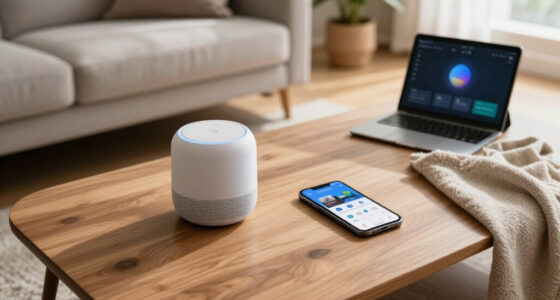
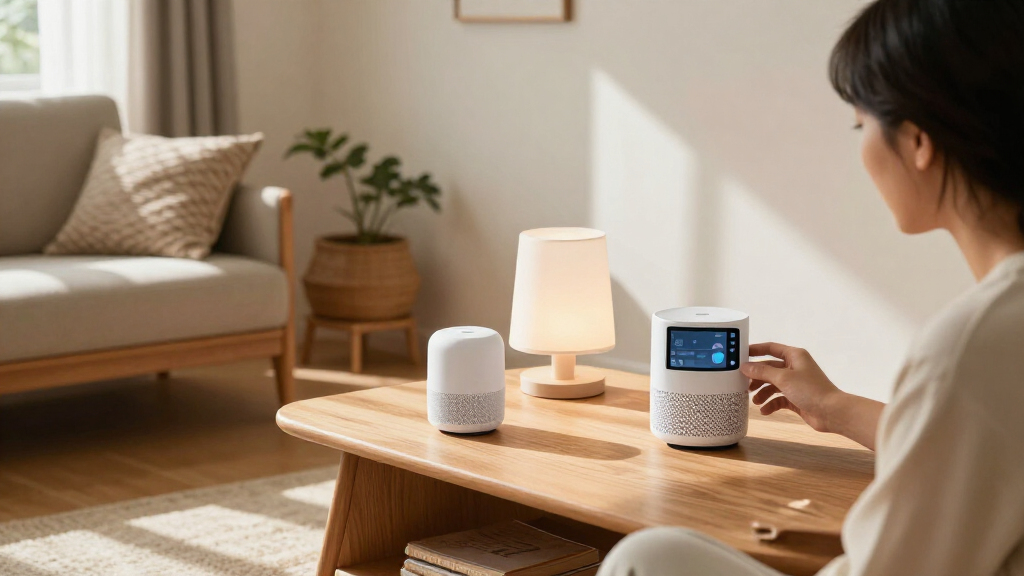
ThorstenMeyerAI.com has published a beginner’s guide to choosing AI-powered home automation devices that can respond to voice commands, schedules or supported sensor events. The guide covers a small system built with a phone, home Wi-Fi and devices such as a smart speaker, light, thermostat or plug, while stressing that features, compatibility and data handling vary by product.
The guide estimates that setup takes 45 to 90 minutes, depending on how many devices are added and whether apps need updates. It advises readers to check each product’s requirements before buying or pairing it, including its supported platform, Wi-Fi band, hub requirements and regional availability. Some devices require a 2.4 GHz Wi-Fi network or a specific hub; voice control alone does not guarantee support for every automation or AI feature. For more options, see AI-enabled home automation devices.
For a first setup, the guide recommends choosing a low-risk device, such as a lamp, rather than starting with a lock, alarm, heater or other equipment that can affect safety or access. Its steps include using the manufacturer’s official app, updating device firmware, connecting to the specified network, and giving devices distinct names and room assignments so voice commands and routines can identify them. Readers comparing control options can also explore AI automation hubs.
It also advises securing the account with a unique password and multifactor authentication when available, updating the router through its official controls, and reviewing permissions and household access. Before enabling AI features, users are told to check whether voice, sensor or usage data is handled locally or sent to a cloud service. The source says to review recording and activity-history settings and to learn how to pause a camera or microphone.
Small Setup Choices Shape Home Privacy
Home automation can make routine tasks easier, but adding connected devices also means managing network access, account security and personal data. The guide’s practical emphasis is that these issues are part of setup, not optional extras to address after a device is already running.
Compatibility checks can also prevent buyers from discovering that a device needs a hub, a particular Wi-Fi band, a subscription or a platform feature they do not have. The source names Hubitat, SwitchBot and Green as possible options, but presents them as editorial recommendations with differing priorities rather than as a single solution for every household. It says Hubitat may suit people who prioritize local, multi-protocol automation and subscription-free AI-assisted routine building; SwitchBot may suit those seeking camera-aware chat control and bundled storage, subject to its subscription and device limits; and Green may appeal as a local automation base. These are the source’s assessments, not independently verified product comparisons.
Starting with a lamp gives a new user a way to learn pairing, naming and automation controls before connecting equipment with greater consequences. That staged approach can help a household identify setup or voice-recognition problems without first applying them to devices that control entry, heat or alarms.
Popular right now

Ninja Prestige Smart XL Pro Cook System 10-in-1 Air Fryer and Countertop Oven, Stainless Steel, DT551

Dyson Cyclone V10 Origin Cordless Vacuum

Vitamix VX1 Professional-Grade Blender, 64 oz, Black
As an affiliate, we earn on qualifying purchases.
From Pairing to First Routine
The source is a how-to guide rather than a report of a new product launch, company announcement or independent test. It describes setting up a small smart home system with a phone or tablet, manufacturer apps, compatible devices, power supplies and, where required, a hub. The guide also tells readers to keep the Wi-Fi password and device manuals available and to use only an app or account they can verify as the manufacturer’s official service.
Its sequence moves from selecting a compatible device and securing the network to app installation, firmware updates and pairing. Users then name the device, assign it to a room and set privacy preferences. The provided source material ends during the privacy-settings instructions; it does not include the remainder of the guide’s steps or a full account of creating and testing a routine.
The source includes affiliate disclosures, stating that it may earn a commission from qualifying Amazon purchases. Its recommendations should be read with that disclosure in mind. No testing data, product prices, comparative measurements or independent confirmation of the named products’ features is supplied in the material provided.
“We recommend Hubitat as the best overall choice when local, multi-protocol automation and subscription-free AI-assisted routine building matter more than beginner-friendly setup.”
— ThorstenMeyerAI.com, on Hubitat
Features and Data Practices Vary
The source does not identify specific device models, provide test results or explain how the three named platforms were evaluated. It also does not include a publication date, so the current availability, pricing and feature status of the recommendations cannot be established from the supplied material.
AI capabilities and data practices depend on the product and service. The guide notes that some processing may happen locally while other voice, sensor or usage data may go to a cloud service, but it does not specify which named devices handle data in which way, how long information is retained or what controls each service provides. Readers would need to consult the official product documentation and current account settings before enabling those features.
The source material cuts off partway through its privacy instructions. It does not confirm a completed setup, demonstrate that an automation works, or provide a full set of later testing and troubleshooting steps. Its setup duration is an estimate, not a guaranteed timeframe.
Verify Before Adding More Devices
The guide’s next practical step for readers is to confirm that the first device appears online in its app, that required updates are complete and that its privacy controls are understood. Users can then try a simple voice command or schedule and check that it controls the intended device before adding another automation.
Before expanding to cameras, locks, alarms or equipment that produces heat, readers should review the manufacturer’s installation and safety instructions, check platform and network compatibility again, and confirm what data features are enabled. Any wiring work or installation requiring specialist skills should be handled by a qualified person. The source provides no announced follow-up, product release or update date.
Key Questions
How long does the guide say a basic setup takes?
It estimates 45 to 90 minutes, depending on how many devices are added and whether apps need updates. The source does not present this as a guaranteed completion time.
What should a beginner automate first?
The guide recommends a low-risk device, such as a lamp. It advises against starting with locks, alarms, heaters or equipment that can affect safety or access.
Will every smart device work with any Wi-Fi network or platform?
No. The source says device requirements vary: some products need a 2.4 GHz network, a hub or a particular platform. Check the exact model’s official product information before setup.
Does an AI feature always process data at home?
No. The guide says some devices process commands locally, while others may send voice, sensor or usage data to a cloud service. It does not identify the data practices of specific models, so users should check the manufacturer’s documentation and settings.
Are the Hubitat, SwitchBot and Green recommendations independent test results?
The supplied material presents them as ThorstenMeyerAI.com’s editorial verdicts and includes an affiliate disclosure for qualifying Amazon purchases. It provides no test data or independent comparison results.
Source: ThorstenMeyerAI.com