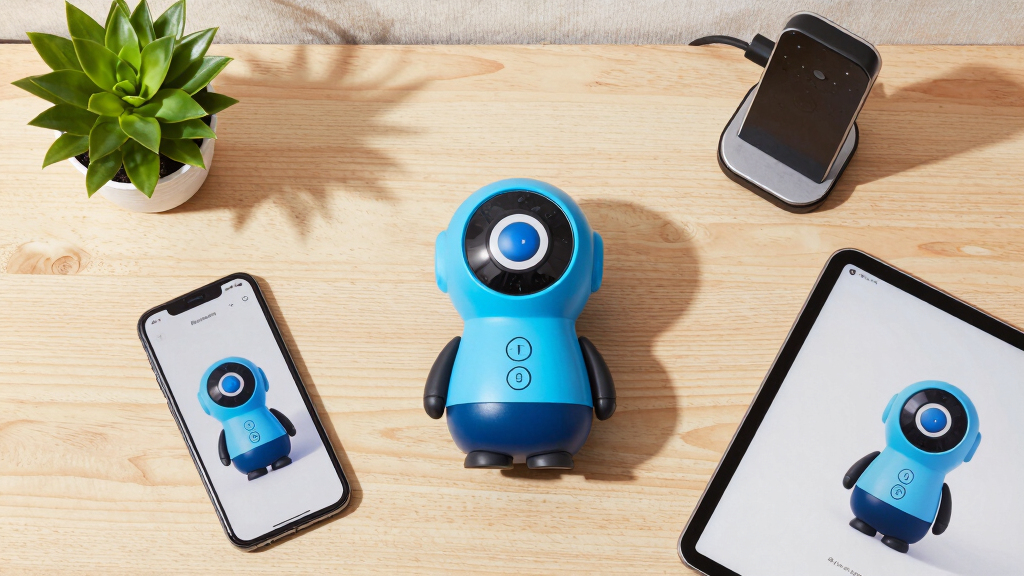

📊 Full opportunity report: RHEO On Steam: One Toy, Every Screen on ThorstenMeyerAI.com — validation score, market gap, and execution plan.

Get business pricing on office and shipping supplies
- Business-only prices and quantity discounts
- Tax-exempt purchasing
- Multiple users, one account, clear invoices
TL;DR
RHEO, a fluid art app known for its calming, no-skill-required design, is launching on Steam. It will work seamlessly across multiple devices, including PC, Steam Deck, and VR headsets, with a single purchase. The update emphasizes cross-platform syncing and immersive VR experiences.
RHEO is preparing for its upcoming release on Steam, bringing its cross-platform fluid art experience to PC, Steam Deck, Steam Machine, and VR headsets. This expansion confirms the app’s commitment to seamless, device-agnostic use, allowing users to access their personalized canvases across all their screens with a single purchase. The release underscores RHEO’s focus on intuitive, accessible creative play that requires no prior skill or manual, making it appealing for casual users and dedicated fans alike.
Originally launched on Apple devices and the web, RHEO is now making its way to Steam, with native support for Windows and Linux operating systems. The app’s core feature remains unchanged: a calming, fluid simulation that responds to touch or controller input, creating luminous trails and organic patterns that are both beautiful and meditative. The Steam version emphasizes cross-device synchronization via Steam Cloud, ensuring that settings, palettes, and custom looks are preserved and accessible whether on a desktop, Steam Deck, or in VR.
Designed from the ground up for various hardware, RHEO on Steam supports native gameplay on controllers, with haptic feedback integrated into the experience. In VR, it transforms into a fully immersive environment called the Veil, where users can reach out and paint directly in a curved, starry space, with each stroke accompanied by soft haptic pulses. The app also features a ‘self-running’ mode, turning RHEO into a calming screensaver with gentle, autonomous animations, suitable for desktops or living-room screens.
Additionally, hidden features include special presets unlocked through Steam achievements, which reveal new aesthetic modes, and ‘seeds’—shareable codes that allow users to replicate specific looks or flows exactly as they appeared originally. This creates a community aspect, encouraging sharing and rediscovery across the RHEO ecosystem, uniting web, Apple, and Steam versions into a single visual lineage.
One toy, every screen.
Drag a finger, a stick, or your hand and color blooms, swirls, and drifts like real fluid — glowing, breathing, never the same twice. No tutorial, no goals to grind. Now on PC, Steam Deck, Steam Machine, and in VR.
It gives away the good stuff on the first stroke.
Most creative tools make you earn it. Drag anywhere and trails of luminous dye spiral out, catching light and throwing soft glow across the canvas. Pick a palette or let one find you — every gesture looks intentional. A toy for five-minute breaks, an instrument for an hour, asking nothing of you either way.
The most alive screensaver you’ve owned.
Calm autopilot stirs the fluid on its own — slow gravity rings, drifting currents, the occasional comet or unfolding bloom. Ambient motion for a desk, a TV, or a quiet evening. Step back in whenever the mood strikes.
You don’t watch the fluid — you stand in it.
RHEO opens into the Veil: a vast curved canvas wrapped around you, stardust drifting into your space. Reach out and paint with your hands, each stroke answered by a soft haptic pulse. Less a game than a place to breathe.
Tied to Steam achievements
Striking presets reveal themselves as you play. Discover one and a gentle prompt slides in — tap to dive straight in, no menus, no fuss. Always one more flow waiting.
Every flow has a code
Share a seed and a friend opens the exact same starting point — down to the last swirl, and matched to the original web RHEO. Trade looks, collect favorites, rediscover the one that got away.
A calm, beautiful thing you own.
Buy it once and it follows you across every screen — no subscription, no ads, no goals to grind. PC, Steam Deck, Steam Machine, and Steam Frame VR from day one.
Independent commentary, produced with AI assistance under human editorial oversight. The views are the author’s own and may change. This describes a forthcoming product’s design and stated features — not business, financial, legal, or technical advice. RHEO for Steam is in development; features, platform support, performance, pricing, and timing are stated by the product and may change; behavior varies by hardware. The fluid motion is intense by nature; exercise appropriate caution if you are photosensitive. Steam, Steam Deck, Steam Machine, Steam Frame, and other names are trademarks of their respective owners; mention does not imply endorsement.
Why Cross-Platform Access and Ownership Matter
The Steam release of RHEO highlights a shift toward genuine cross-platform ownership, where a single purchase grants access to the same experience across multiple devices. This approach contrasts with typical app stores or subscription models, emphasizing user control and continuity. It caters to a growing audience seeking seamless, device-agnostic entertainment and creative tools, especially as VR and portable gaming devices become more mainstream. The integration of haptics and VR further broadens RHEO’s appeal, transforming it from a simple toy into an immersive, calming environment that can serve as a personal retreat or a shared experience.
As an affiliate, we earn on qualifying purchases.
RHEO’s Evolution from Web to Steam and VR
RHEO first gained attention on the web and Apple platforms, praised for its calming, accessible design and beautiful fluid simulations. Its philosophy centers on providing a no-pressure creative outlet, with no tutorials or skill barriers. Over the years, the app developed a dedicated user base, with features like customizable palettes, hidden presets, and shareable seeds. The move to Steam marks a significant step, leveraging native support for Windows and Linux, and expanding into VR with the Steam Frame headset, where it becomes an immersive, breathing canvas. This evolution reflects a broader trend of blending simple artistic tools with advanced hardware capabilities, aiming for a universal, device-independent experience.
“RHEO on Steam is about bringing a calming, accessible creative experience to every screen you own, with no barriers between devices.”
— Thorsten Meyer, developer
As an affiliate, we earn on qualifying purchases.
Remaining Questions About RHEO’s Steam Launch
Details about the exact release date, final pricing, and availability are still being finalized, with a planned price point of around €4.99. It is not yet confirmed whether all features, such as VR support and preset unlocks, will be available at launch or in future updates. Additionally, the extent of community sharing features and seed functionality remains to be clarified as development progresses.
As an affiliate, we earn on qualifying purchases.
Next Steps Toward RHEO’s Full Release and Adoption
RHEO is currently in the final testing phase, with a planned release on Steam soon. Users can wishlist the app now, and updates on the exact launch date are expected in the coming weeks. Post-launch, developers plan to support updates that expand preset collections, enhance VR interactions, and improve cross-device synchronization, aiming to solidify RHEO’s position as a universal, calming creative tool across all screens.
As an affiliate, we earn on qualifying purchases.
Key Questions
Will RHEO be free on Steam?
RHEO is planned to be priced at around €4.99 at launch, offering full access to its features across devices. Pricing may vary by region or platform, but no free version has been announced.
Can I use RHEO on my Steam Deck?
Yes, RHEO is designed to run natively on Steam Deck, supporting controller input and haptic feedback, providing a seamless experience similar to desktop use.
Will RHEO support VR on other headsets besides Steam Frame?
Currently, the focus is on Steam Frame VR, with plans to support other Steam-compatible VR headsets in future updates, but specific devices and timelines are still to be announced.
Are my settings and palettes saved across devices?
Yes, RHEO uses Steam Cloud synchronization to save your customizations and looks, ensuring continuity whether on desktop, Steam Deck, or VR.
Will there be multiplayer or sharing features?
While the app includes shareable seeds for replicating looks, there are no current plans for multiplayer or real-time sharing features beyond seed sharing.
Source: ThorstenMeyerAI.com
Halloween Picks
halloween
As an affiliate, we earn on qualifying purchases.