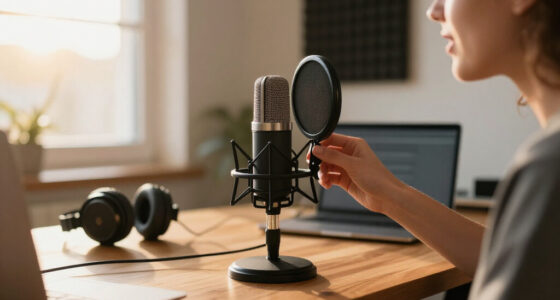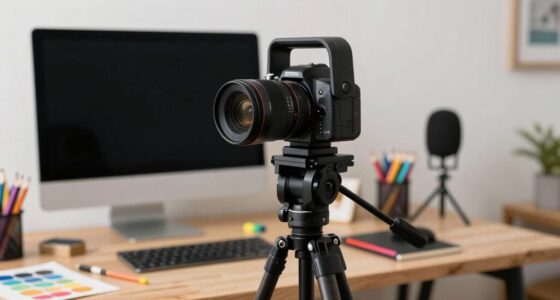
When choosing between mirrorless and PTZ cameras for your business videos, consider your team’s technical skills and filming needs. Mirrorless cameras deliver high-quality visuals and more control but require setup and expertise. PTZ cameras are easier to operate remotely, ideal for multi-angle shots with less effort. Lighting quality impacts both. Keep in mind your environment and goals, and explore further to find the perfect fit that boosts your professional content.

Get business pricing on office and shipping supplies
- Business-only prices and quantity discounts
- Tax-exempt purchasing
- Multiple users, one account, clear invoices
Key Takeaways
- Consider the desired video quality: mirrorless offers higher detail; PTZ is suitable for basic, multi-angle shots.
- Assess your team’s technical skill: mirrorless cameras require setup; PTZ cameras are easier to operate remotely.
- Evaluate lighting conditions: good lighting enhances both, but PTZ cameras rely more heavily on proper illumination.
- Determine your budget and future needs: mirrorless cameras may be more expensive; PTZ cameras provide versatile coverage at a lower cost.
- Plan for audio quality: use external microphones for either option to ensure professional sound clarity.
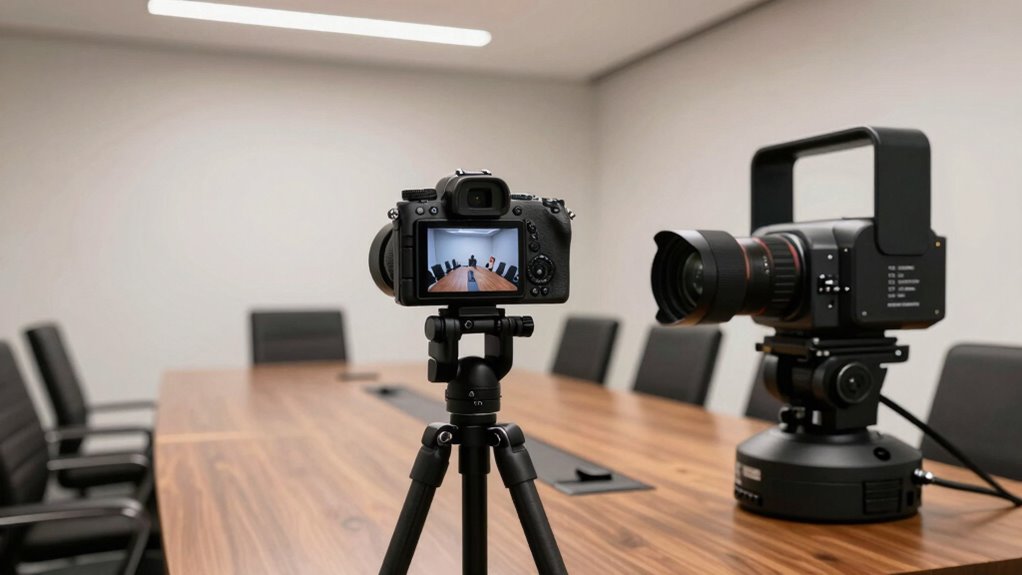
When choosing the right camera for your business video needs, understanding the differences between mirrorless and PTZ cameras is vital. Both options serve different purposes, and selecting the best fit depends on your team’s specific requirements. Mirrorless cameras are compact, versatile, and known for their high image quality, making them a popular choice for producing professional-looking videos. They excel when you need detailed visuals and greater control over settings like aperture, focus, and ISO. However, to guarantee your videos look polished, you’ll also need to pay close attention to your lighting setup. Good lighting can compensate for some limitations of smaller sensors and help you achieve sharper images with better color accuracy. Additionally, audio quality plays an indispensable role in professional videos, so investing in a good external microphone is recommended, regardless of the camera you choose.
In contrast, PTZ (pan-tilt-zoom) cameras are designed for ease of use and remote operation. They’re ideal for situations where you need to cover multiple angles or switch between shots seamlessly without manual intervention. PTZ cameras often come with preset positions and remote controls, allowing your team to focus on content rather than camera handling. This makes them especially suitable for live streaming or large meetings where multiple speakers are involved. While PTZ cameras might not match the level of detail that mirrorless cameras provide, they can still deliver decent image quality with proper lighting. A well-planned lighting setup ensures your subjects are well-lit, which helps compensate for any limitations in sensor size and maintains professional video standards. Moreover, understanding the sensor size of your camera can help you better evaluate its potential image quality and suitability for your needs. It’s also important to consider the ease of use of the camera system, especially if your team lacks extensive technical experience.
Furthermore, considering lighting conditions is crucial because it directly impacts your overall video quality, especially with less sensitive sensors in PTZ cameras. Audio quality is equally important with PTZ cameras, particularly because many models come with built-in microphones that may pick up background noise or produce echo. To improve overall sound, consider using external microphones connected to a mixer or audio interface. This ensures your voice comes through clearly, making your business presentations more engaging and professional. When comparing the two, think about how you’ll manage your lighting setup and audio. Mirrorless cameras require more effort to set up but provide superior image quality and flexibility, making them ideal if you’re producing high-end content. PTZ cameras, on the other hand, offer convenience and remote control, which can save time and simplify operations for small teams that prioritize ease of use over absolute image detail. Ultimately, your choice should align with your video goals, the environment you’re working in, and your team’s technical comfort level.
mirrorless camera for business videos
As an affiliate, we earn on qualifying purchases.
As an affiliate, we earn on qualifying purchases.
Frequently Asked Questions
How Do Mirrorless and PTZ Cameras Compare in Low-Light Performance?
In low-light conditions, mirrorless cameras usually outperform PTZ models because they have larger sensors with higher sensitivity, capturing more light for clearer images. They also often feature advanced image stabilization, reducing blurriness caused by shaky hands or movement. PTZ cameras tend to struggle in dim environments, resulting in grainier footage. If you need sharp, bright images in low light, a mirrorless camera is your best choice for business video.
What Are the Maintenance Requirements for Each Camera Type?
You’ll find that mirrorless cameras require regular lens customization to keep image quality essential, and their power consumption is generally higher, meaning you’ll need to plan for frequent recharging or power sources. PTZ cameras, on the other hand, demand less maintenance—mainly software updates and occasional cleaning—since they don’t have interchangeable lenses. This makes PTZs more reliable for continuous operation, especially in environments where minimal upkeep is paramount.
Can Mirrorless Cameras Be Used Remotely With Live Streaming?
Yes, mirrorless cameras can be used remotely with live streaming. With wireless functionality, you can control camera angles, focus, and settings from afar, providing flexible remote accessibility. Many models boast streaming compatibility, allowing seamless integration with platforms like YouTube or Facebook Live. This setup lets you deliver dynamic, real-time content while maintaining control without physically touching the camera, perfect for small teams seeking simplicity and sophistication.
How Do Audio Options Differ Between Mirrorless and PTZ Cameras?
You’ll find that audio options differ markedly between mirrorless and PTZ cameras. Mirrorless cameras typically rely on external audio connectivity, requiring you to connect separate microphones for better microphone quality. In contrast, PTZ cameras often come with built-in microphones or integrated audio inputs, making setup easier. However, the microphone quality on PTZs can vary, so if clear sound matters, you might prefer a mirrorless setup with a dedicated microphone.
What Is the Typical Lifespan of Each Camera Type in a Business Setting?
Think of your cameras as reliable workhorses—both mirrorless and PTZ typically last around 3 to 5 years in a business setting. Their durability depends on usage, handling, and maintenance. PTZ cameras often have slightly longer replacement cycles due to their robust build, while mirrorless cameras might need earlier upgrades if they endure frequent use or rough handling. Regular maintenance extends each camera’s lifespan, ensuring your investment keeps working smoothly.
As an affiliate, we earn on qualifying purchases.
Conclusion
In your pursuit of perfect business video, prioritize purpose over preference. Whether choosing a mirrorless marvel or a versatile PTZ, remember that the right camera aligns with your team’s needs, not just the noise of novelty. Carefully consider your space, style, and scalability, and select equipment that’s simple, scalable, and suited to your specific scenario. With wise, well-worn wisdom, you’ll wield the right tool to wow your viewers and win your wins.
external microphone for professional videos
As an affiliate, we earn on qualifying purchases.
As an affiliate, we earn on qualifying purchases.
video lighting kit for small business
As an affiliate, we earn on qualifying purchases.
As an affiliate, we earn on qualifying purchases.
Halloween Picks
halloween
As an affiliate, we earn on qualifying purchases.