A UPS provides backup power during outages and stabilizes power fluctuations, keeping your office devices running smoothly. Surge protectors, on the other hand, shield devices from voltage spikes caused by lightning or surges but don’t offer backup power. To guarantee your office stays operational and protected, it’s crucial to understand their differences and use both appropriately. Keep exploring to discover how proper power management can boost your office’s uptime and equipment lifespan.

Get business pricing on office and shipping supplies
- Business-only prices and quantity discounts
- Tax-exempt purchasing
- Multiple users, one account, clear invoices
Key Takeaways
- UPS provides backup power during outages, while surge protectors only shield against voltage spikes.
- UPS stabilizes power fluctuations, ensuring continuous device operation; surge protectors do not provide backup power.
- Regular maintenance of UPS batteries is essential for reliable backup during power failures.
- Surge protectors prevent immediate damage but do not offer prolonged power during outages.
- Using both devices together enhances overall office power protection and minimizes downtime.
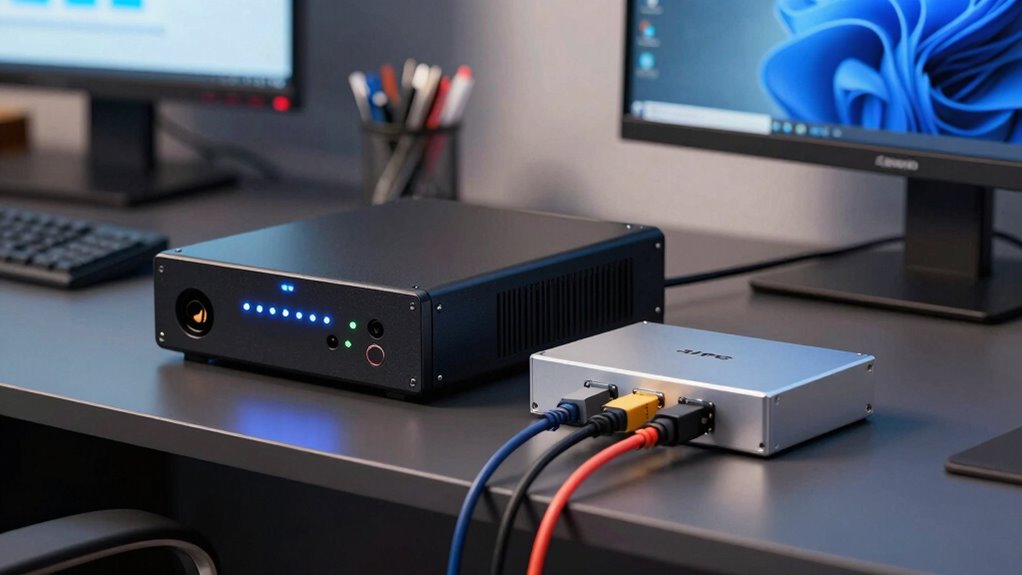
When it comes to protecting your electronic devices, understanding the difference between a UPS and a surge protector is essential. Both protect your equipment, but they serve different purposes and are suited for different needs. A UPS, or uninterruptible power supply, provides backup power during outages and stabilizes power fluctuations, ensuring your devices stay operational even when the grid falters. In contrast, a surge protector primarily shields your devices from voltage spikes caused by lightning strikes or sudden surges, preventing damage but offering no backup during outages. Knowing this distinction helps you choose the right device to maintain office productivity and safeguard your tech investments.
If you opt for a UPS, you’ll want to pay close attention to battery maintenance. A UPS relies on internal batteries to supply power when the main source fails, so these batteries need regular checks and occasional replacement to ensure they perform when needed. Without proper maintenance, the batteries can degrade, reducing the backup time or failing entirely when you need it most. Regularly testing the UPS, keeping it clean, and replacing batteries according to manufacturer recommendations keeps your system reliable. This proactive approach minimizes downtime, especially during unexpected power fluctuations, which can cause erratic device behavior or data corruption. Additionally, understanding the battery lifespan of your UPS can help you plan for replacements before failure occurs, ensuring continuous protection. Proper battery management is crucial for maintaining optimal performance and avoiding costly disruptions. Furthermore, staying informed about power management strategies can help optimize your office’s electrical system and extend the lifespan of your equipment.
UPS uninterruptible power supply for office
As an affiliate, we earn on qualifying purchases.
As an affiliate, we earn on qualifying purchases.
Frequently Asked Questions
Can a Surge Protector Protect Against Power Outages?
A surge protector can’t protect against power outages because it only guards against power surges caused by electrical wiring issues or lightning. When there’s an outage, the power supply stops entirely, and a surge protector can’t provide backup power. To keep your devices running during outages, you need a UPS. Surge protectors are great for preventing damage from sudden voltage spikes, but they don’t offer backup power during outages.
How Long Can a UPS Keep My Devices Running?
A UPS can keep your devices running for anywhere from a few minutes to over an hour, depending on its battery capacity. Your runtime estimation depends on the power load of your devices and the UPS’s battery capacity. Smaller, less powerful models may last only 5-10 minutes, enough to save work and shut down safely. Larger units with higher capacity can provide extended backup, giving you more time during outages.
Are All Surge Protectors Equally Effective?
Not all surge protectors are equally effective. Some offer better surge protection by using high-quality components to absorb power fluctuations, while others may provide minimal defense. Look for surge protectors with a high joule rating, indicating stronger protection against power fluctuations. Cheaper models might not safeguard your devices well during storms or power surges. Investing in a reputable surge protector guarantees your office equipment stays safer during voltage spikes.
What’s the Typical Lifespan of a UPS Battery?
Think of your UPS battery as a trusty horse that carries you through storms. Typically, it has a lifespan estimation of 3 to 5 years, depending on usage and environment. Over time, it wears out, and battery replacement becomes necessary to keep your system running smoothly. Regular maintenance and monitoring help you gauge its health, ensuring your office stays powered without unexpected outages or surprises.
Can Using Both a UPS and Surge Protector Cause Issues?
Using both a UPS and surge protector generally doesn’t cause issues if you consider equipment compatibility and electrical noise. The surge protector can shield against power surges before reaching the UPS, preventing unnecessary strain. However, verify your devices are compatible and that the surge protector doesn’t interfere with the UPS’s operation. Proper setup minimizes electrical noise and maintains your equipment’s safety and performance, keeping your office running smoothly.
surge protector with high joule rating
As an affiliate, we earn on qualifying purchases.
As an affiliate, we earn on qualifying purchases.
Conclusion
In the end, think of a UPS as your steadfast lighthouse, guiding your office safely through the stormy seas of power outages, while surge protectors are your vigilant guardians, shielding you from sudden voltage surges. Both play essential roles, but knowing when to summon each guarantees your workspace remains a fortress of uptime and productivity. By choosing wisely, you’re not just safeguarding equipment—you’re orchestrating a symphony of uninterrupted performance amidst the unpredictable currents of electricity.
As an affiliate, we earn on qualifying purchases.
dual device surge protector and UPS
As an affiliate, we earn on qualifying purchases.
As an affiliate, we earn on qualifying purchases.
Halloween Picks
halloween
As an affiliate, we earn on qualifying purchases.