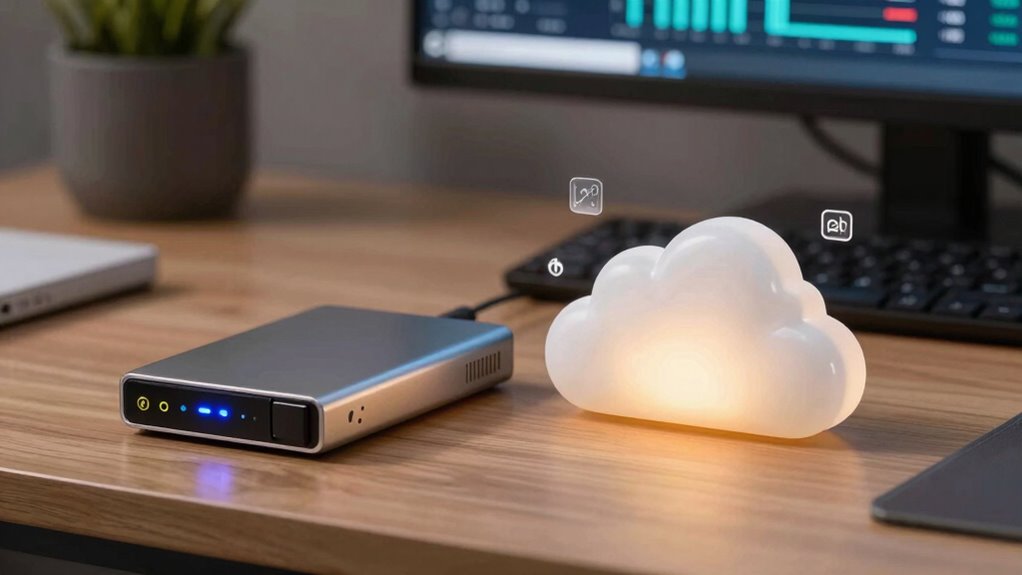

If you focus only on capacity when choosing between local and cloud backups, you miss important security, cost, and physical risk factors. Local backups are vulnerable to theft, hardware failure, and environmental damage like fire or flood. Cloud solutions often offer encryption, multi-factor authentication, and remote protection, boosting your data’s safety. Plus, ongoing costs and safety features can outweigh initial capacity savings. Keep exploring to discover how these factors can impact your backup strategy and long-term data security.

Get business pricing on office and shipping supplies
- Business-only prices and quantity discounts
- Tax-exempt purchasing
- Multiple users, one account, clear invoices
Key Takeaways
- Focusing solely on capacity overlooks critical security features like encryption and access controls offered by cloud services.
- Physical vulnerabilities such as theft or environmental damage make local backups riskier despite large storage capacity.
- Cloud backups provide redundancy and disaster recovery options that capacity alone cannot address.
- Long-term costs, including maintenance and upgrades, are often underestimated when only considering storage capacity.
- Security protocols and compliance measures in cloud services often surpass those achievable with local backups.

When it comes to protecting your data, choosing between local backup and cloud backup is a vital decision. While capacity often dominates your considerations—asking how much storage you need—there are other critical factors you might overlook, especially data security and cost analysis. Focusing solely on capacity can lead you to underestimate the importance of how your data is secured and how much you’ll spend over time.
Local backups typically involve physical devices like external hard drives or servers stored on-site. They give you direct control over your data, which can be reassuring for those worried about unauthorized access. However, data security isn’t just about having a backup; it’s about how well that backup is protected. Local devices are vulnerable to theft, physical damage, or hardware failure. If a fire or flood hits your location, your data could be lost despite having a local backup. It’s essential to consider encryption, access controls, and regular maintenance to ensure your local backup remains secure. Additionally, physical vulnerability should be taken into account when evaluating your backup options. Recognizing these vulnerabilities can help you develop comprehensive security strategies that address potential risks.
On the other hand, cloud backup services store your data on remote servers maintained by providers who invest heavily in security measures. These include encryption at rest and in transit, multi-factor authentication, and continuous monitoring. When you only focus on capacity, you might ignore the fact that cloud providers often have advanced security protocols that outperform what most individuals could implement on their own. This can significantly enhance your data security, especially if you’re handling sensitive information. Additionally, cloud backups are often designed with redundancy and disaster recovery in mind, providing extra layers of protection against data loss. Considering the security protocols offered by providers can be a crucial factor in your decision-making process.
Cost analysis is another aspect that’s often overshadowed by capacity considerations. Local backups usually involve a one-time hardware purchase, which can be cost-effective initially. But over time, you might face expenses for hardware upgrades, maintenance, and potential replacements. Cloud backup, conversely, involves ongoing subscription fees based on storage amount and features. While the upfront cost might seem higher or lower depending on the plan, you need to consider the total cost of ownership. Cloud services often include automation, scalability, and support, which can save you time and money in managing backups. Ignoring these ongoing costs and focusing solely on capacity can lead you to underestimate the true financial implications of your backup choice. Furthermore, evaluating long-term expenses can help prevent unexpected costs that may arise with either approach.
Ultimately, understanding the full picture—how your data will be protected and what it will cost you long-term—is essential. Capacity is just one piece of the puzzle. When evaluating local versus cloud backup, weigh data security options and perform a thorough cost analysis. Only then can you make a well-informed decision that truly safeguards your data and aligns with your budget.
external hard drive with encryption
As an affiliate, we earn on qualifying purchases.
As an affiliate, we earn on qualifying purchases.
Frequently Asked Questions
How Does Data Security Compare Between Local and Cloud Backups?
You might think local backups are safer, but cloud backups often use advanced encryption protocols, making data security robust. However, with local backups, physical vulnerabilities like theft or damage pose risks. Cloud providers continuously update security measures, whereas your physical devices can be more easily compromised. Ultimately, combining both methods gives you stronger protection—cloud encryption secures your data remotely, and local backups guard against physical threats.
What Are the Ongoing Costs Associated With Each Backup Method?
You should consider ongoing costs like maintenance, subscriptions, and energy expenses in your cost analysis. For local backups, storage management costs might include hardware upgrades or replacements over time. Cloud backups often involve recurring subscription fees based on storage capacity and data transfer, which can add up. Keep in mind, these ongoing costs impact your total budget, so evaluating long-term expenses helps you choose the most cost-effective backup solution.
How Easy Is It to Restore Data From Local vs. Cloud Backups?
Imagine a business facing a sudden data loss. Restoring from a local backup is quick and straightforward, often taking minutes, which enhances disaster recovery and user convenience. Cloud backups, however, may take longer depending on internet speed, but they offer remote access. You can restore data from anywhere, making them ideal for disaster recovery when physical access isn’t possible. Both methods prioritize user convenience, but their ease varies based on situation.
What Are the Environmental Impacts of Each Backup Type?
You might overlook the environmental impacts when choosing between local and cloud backups. Local backups often consume less energy overall, but require physical hardware that has an ecological footprint due to manufacturing and disposal. Cloud backups typically use large data centers with high energy consumption, though many now utilize renewable energy sources. Your choice affects not just storage capacity but also your overall ecological footprint and energy consumption, impacting the environment.
How Do Backup Options Integrate With Existing IT Infrastructure?
Like a well-oiled machine, your backup options seamlessly integrate with your existing IT infrastructure. You need to contemplate network integration, ensuring your backup solutions communicate effectively across networks, and hardware compatibility, so your existing hardware supports new backup tools without a hitch. This way, you avoid disruptions, maximize efficiency, and maintain smooth operations. Proper integration keeps your backups reliable and your system running like clockwork.
cloud backup service subscription
As an affiliate, we earn on qualifying purchases.
As an affiliate, we earn on qualifying purchases.
Conclusion
In the end, choosing between local and cloud backup isn’t just about capacity; it’s about understanding your specific needs and risks. Don’t fall into the trap of thinking more storage alone guarantees safety—think of it like trusting a knight with your data, not just a castle’s walls. By balancing both options, you guarantee your data’s security stands resilient against any digital dragon that comes your way. Remember, even in this digital age, a wise man knows the value of a backup plan.
multi-factor authentication security device
As an affiliate, we earn on qualifying purchases.
As an affiliate, we earn on qualifying purchases.
disaster recovery backup solution
As an affiliate, we earn on qualifying purchases.
As an affiliate, we earn on qualifying purchases.
Halloween Picks
halloween
As an affiliate, we earn on qualifying purchases.