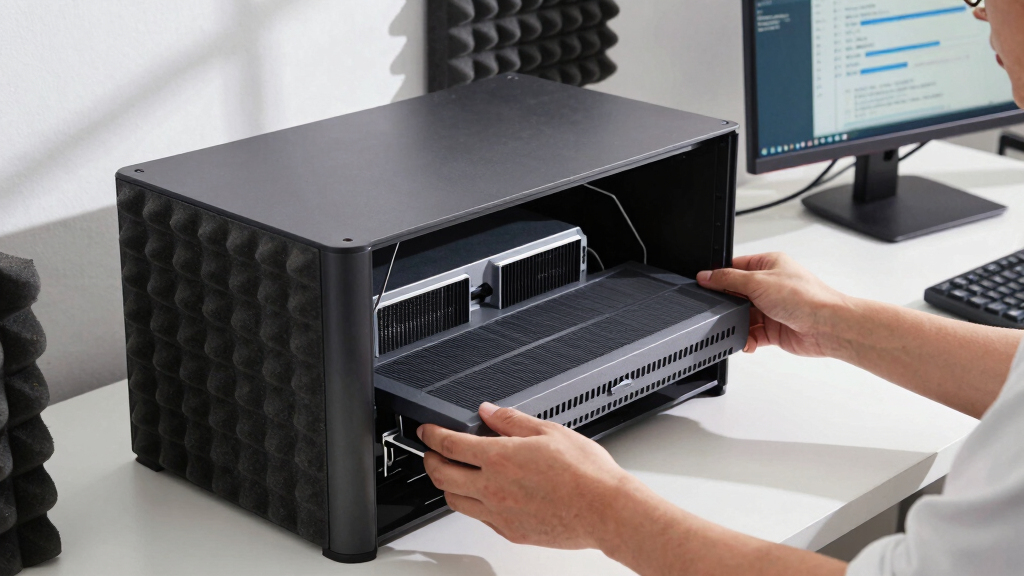

📊 Full opportunity report: How to Reduce Heat and Noise in a High-Power AI Workstation on ThorstenMeyerAI.com — validation score, market gap, and execution plan.

Get business pricing on office and shipping supplies
- Business-only prices and quantity discounts
- Tax-exempt purchasing
- Multiple users, one account, clear invoices
TL;DR
High-power AI workstations generate significant heat and noise due to sustained GPU load. Key solutions include undervolting GPUs, improving cooling, and optimizing airflow. This guide offers practical steps to reduce thermal and acoustic issues.
High-power AI workstations produce excessive heat and noise due to continuous GPU load, often surpassing typical gaming PC temperatures. This impacts workspace comfort and equipment longevity, making effective cooling and noise reduction essential.
Unlike gaming PCs, AI workstations operate under sustained loads, with GPUs running near full capacity for hours, generating significant heat and noise. The primary sources are the GPU fans, CPU, power supply, and case airflow. Key strategies include undervolting GPUs to reduce power consumption, improving cooling solutions—such as high-quality coolers and liquid cooling—and optimizing case airflow to prevent recirculation of hot air. These measures can significantly lower thermal output and fan noise, enhancing workspace comfort and system reliability.
Undervolting, in particular, is a cost-effective method to cut heat without sacrificing performance, especially in memory-bound inference workloads. Upgrading to better case fans, ensuring proper cable management, and using high-quality power supplies also contribute to lower operating temperatures and quieter operation. However, the effectiveness of each approach depends on the specific hardware setup and workload characteristics.
An AI workstation isn’t a gaming PC —
and that’s why it runs hot.
Local inference is a sustained load: the GPU sits near full power for hours with no loading screens, so the heat never dissipates and the fans never get a break. Here’s where the heat comes from — and the five levers that reduce it.
Why Managing Heat and Noise Is Critical for AI Workstations
Reducing heat and noise in high-power AI workstations is vital for maintaining hardware performance, extending component lifespan, and improving workspace comfort. Excessive heat can lead to thermal throttling, reducing inference speeds, while loud fans can create an unpleasant environment. Effective cooling and noise mitigation strategies enable more efficient, reliable AI workloads, especially in office or home settings where noise levels matter.
Popular right now

De'Longhi Rivelia Fully Automatic Espresso Machine with Milk Frother, White

Roborock Qrevo CurvX Robot Vacuum and Mop

Dyson V8 Cyclone Cordless Vacuum
As an affiliate, we earn on qualifying purchases.
Understanding the Unique Thermal Challenges of AI Workstations
AI workstations differ from gaming PCs because they operate under continuous, high-load conditions rather than bursty gaming loads. GPUs such as the RTX 5090 can draw 575W or more, with dual-GPU setups exceeding 800W, resulting in sustained heat output. Unlike gaming scenarios, where cooling can recover during idle periods, AI workloads require continuous thermal management. Previous industry insights emphasize that many setups suffer from throttling and noise due to inadequate cooling solutions and airflow design, highlighting the need for tailored cooling strategies.
“The key to managing heat and noise in AI workstations is understanding the sustained load profile and addressing the main heat sources directly.”
— Thorsten Meyer, AI hardware expert
Uncertainties in Optimal Cooling and Power Strategies
While undervolting and airflow improvements are well-supported, the optimal cooling solutions can vary based on specific hardware configurations, ambient conditions, and workload demands. The effectiveness of liquid versus air cooling, and the long-term impacts of undervolting, remain areas where further empirical data is needed. Additionally, the best practices for balancing noise reduction with cooling efficiency are still being refined.
Next Steps for Enhancing AI Workstation Cooling
Future developments include more advanced cooling technologies tailored for continuous high loads, such as improved liquid cooling systems and smarter airflow management. Hardware manufacturers are also expected to release GPUs with better power efficiency and thermal profiles. Users should monitor ongoing research and community testing to adopt emerging best practices and hardware upgrades that further reduce heat and noise.
Key Questions
How effective is undervolting GPUs for reducing heat and noise?
Undervolting can significantly lower GPU temperatures and fan noise with minimal performance impact, especially in memory-bound inference workloads, making it one of the most cost-effective strategies.
What cooling methods are best for high-power AI workstations?
High-quality air coolers, liquid cooling systems, and improved case airflow are effective options. The choice depends on budget, space, and noise tolerance, with liquid cooling offering the best thermal performance for sustained loads.
Can upgrading case fans alone reduce noise?
Upgrading to quieter, high-quality fans can reduce overall noise, but without addressing heat sources like GPU and CPU cooling, noise reduction will be limited.
Is it safe to undervolt my GPU long-term?
Yes, when done correctly, undervolting is safe and can extend hardware lifespan by reducing thermal stress. However, improper settings may cause instability, so adjustments should be made carefully.
What is the best way to improve airflow in a crowded AI workstation case?
Use high-quality, strategically placed intake and exhaust fans, manage cables to prevent airflow obstruction, and consider case modifications or upgrades to optimize ventilation.
Source: ThorstenMeyerAI.com