
🔍 Read the full analysis: Screenshot Blocking On Signal: What It Could Mean For AI Agents on ThorstenMeyerAI.com

Get business pricing on office and shipping supplies
- Business-only prices and quantity discounts
- Tax-exempt purchasing
- Multiple users, one account, clear invoices
TL;DR
Signal says new settings block screenshots and recordings on supported iPhones and limit screen-reading by AI assistants on supported Android devices. The protections do not change message encryption and do not cover every device or capture method; Signal is asking technology companies for a documented way to opt out of AI access.
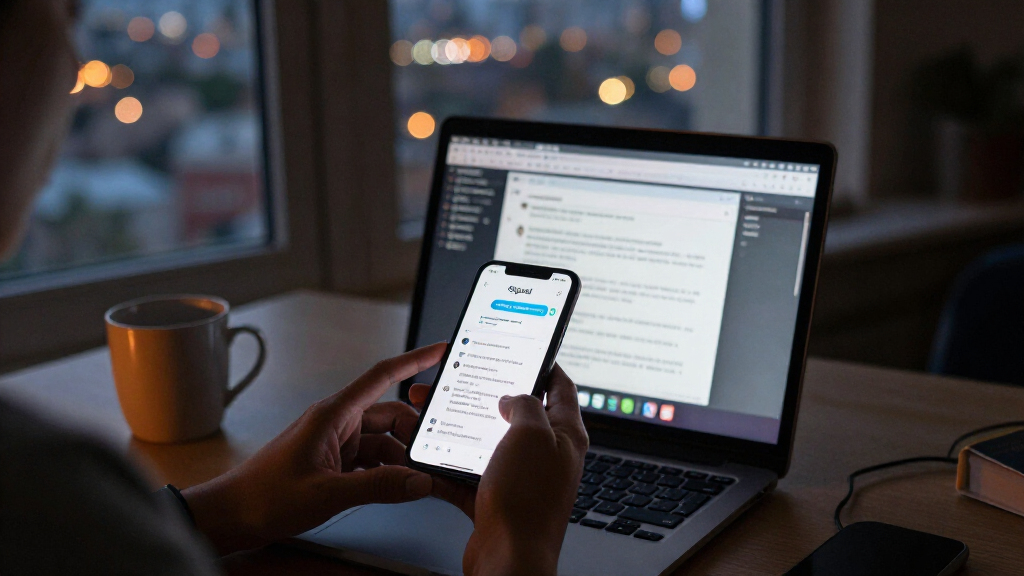
Signal has added screen-capture protections for supported iPhones and Android devices, aiming to limit access by AI assistants that can read what is displayed on a phone. The changes, announced November 20, block screenshots and recordings on qualifying iPhones by default and activate Android’s Screen security setting when an assistant first tries to read Signal’s screen, according to the company.
On iPhone, Signal says its “Block Siri AI” setting is on by default for Signal version 8.37 or later running iOS 27 or later. While enabled, it blocks screenshots and screen recordings in Signal, hides chats from the App Switcher and prevents on-device AI assistants from reading the app’s screen. Users can set it to remain on, turn it off, or disable it for 10 minutes, after which it reactivates.
On Android, Signal version 8.35.1 or later can turn on “Screen security” the first time an AI assistant tries to read the app’s screen. Signal says the feature blocks screenshots and recordings and hides Signal from the recent-apps list while active. Users can also enable it themselves under Settings → Privacy → App security → Screen security. If turned off from the warning prompt, Signal says it will switch back on after 90 days; disabling it through settings does not trigger that reminder.
Signal says the settings affect screen capture and on-device scanning, not message encryption or who is otherwise able to see messages. Its support guidance warns that turning protection off may let an assistant access chats, including messages sent by contacts. Signal president Meredith Whittaker described operating-system AI agents as an “existential threat to Signal” and called the measure “incomplete.”
Screen Access Becomes a Privacy Boundary
End-to-end encryption protects messages as they travel between devices, but it does not by itself prevent software from reading content after it appears on a screen. Signal’s move addresses that separate point of exposure: an assistant with screen-reading or capture access may encounter private messages outside the encrypted messaging channel. Signal says captured data could leave its control and be stored in a local database or on a remote server used by an assistant.
The change also signals a practical constraint for AI agents that operate through screen access. Some agents use visible content to answer questions or carry out actions in apps. Where an app blocks capture, those agents may not be able to read or interact with its content in the same way. That may affect people who use assistants to summarize conversations or automate tasks, as well as companies deploying agents across mobile workflows.
Signal is asking Apple, Google and Microsoft to provide a simple, documented way for apps to opt out of AI data access. Until such controls are available, the protections rely on device and operating-system behavior, and Signal says they cannot cover every route by which information might be captured.
Popular right now

Dyson V9 Motorbar Cordless Vacuum

Vitamix VX1 Professional-Grade Blender, 64 oz, Black

Samsung 65-Inch Q8F QLED 4K UHD Smart TV (2025)
As an affiliate, we earn on qualifying purchases.
Signal’s Earlier Screen-Capture Defense
This is not Signal’s first response to software that captures what is on a screen. In May 2025, it enabled Screen security by default in Signal Desktop on Windows 11 to guard chats against Microsoft’s Recall feature. Signal described Recall as taking screen captures, extracting text through optical character recognition and saving it in a searchable on-device database.
The current update targets mobile assistants with screen awareness. Apple described its Siri AI, released September 14, 2026, as able to answer questions or take actions related to screen content. Google said in May 2026 that Gemini Intelligence’s app automation could use screen or image context. Signal’s November 20 post says the new mobile controls are meant to restrict such assistants from potentially capturing and storing Signal data.
The settings are not a change to Signal’s encryption protocol. They are app-level barriers to certain forms of screen capture and scanning, and Signal’s own account distinguishes their scope from the protection encryption provides while messages are transmitted.
“can answer questions or take actions related to the content on a user’s screen”
— Apple, describing Siri AI
Protection Gaps Remain on Devices
Signal says it cannot reliably block screenshots on Mac. Its listed mobile measures also do not cover notifications or files, and they cannot protect the other person’s phone. The source material says Android protection may not work on devices where Signal cannot detect the assistant. It does not specify which devices or assistants fall into that category.
Signal’s announcement describes its intended safeguards, but the available details do not establish how every operating-system assistant handles attempted access, what data an assistant may retain in each case, or whether the measures prevent every possible capture method. The company itself calls the fix incomplete. The source material also does not provide independent testing of the settings across devices.
It remains unclear whether Apple, Google or Microsoft will introduce the app-level opt-out mechanism Signal is requesting, or how broadly any such control would apply. The described changes do not stop a person from photographing a screen with another device.
Platform Opt-Outs Remain the Next Test
For now, users with supported versions can review Signal’s privacy settings and decide whether to keep screen security enabled. On iPhone, the control is under Settings → Privacy → Block Siri AI; on Android, it is under Settings → Privacy → App security → Screen security. Signal warns that turning protection off may expose chats to assistants capable of reading the screen.
The next broader development is whether Apple, Google and Microsoft respond to Signal’s request for a documented app opt-out. Signal has not announced a timetable for that request, and no platform response is included in the available source material. The practical reach of the safeguards will also depend on device compatibility and whether operating systems provide reliable ways for apps to detect or block screen-reading tools.
Key Questions
What did Signal change?
Signal added Block Siri AI for supported iPhones and an Android Screen security setting. The features are intended to block screenshots and recordings and limit on-device assistants’ access to Signal’s screen.
Does this change Signal’s end-to-end encryption?
No. Signal says the setting affects screen capture and on-device scanning, not how messages are encrypted or who can otherwise see them.
Can users turn the protection off?
Yes. On iPhone, users can turn Block Siri AI off or choose a 10-minute pause. On Android, Screen security can be disabled in settings. Signal warns that doing so may expose chats to AI assistants.
Does the protection work on every device?
No. Signal says it cannot reliably block screenshots on Mac; the stated controls do not cover notifications, files or the recipient’s phone. Signal also says some Android devices may not allow it to detect an assistant.
What happens next?
Signal is asking Apple, Google and Microsoft for a documented way for apps to opt out of AI data access. No response or timetable from those companies is provided in the source material.
Source: ThorstenMeyerAI.com