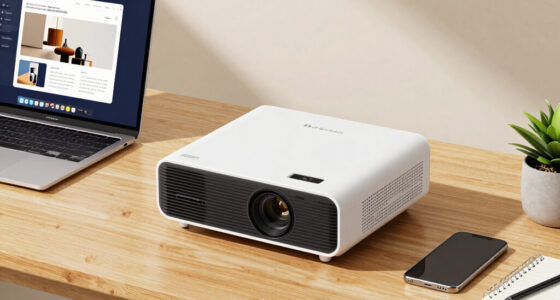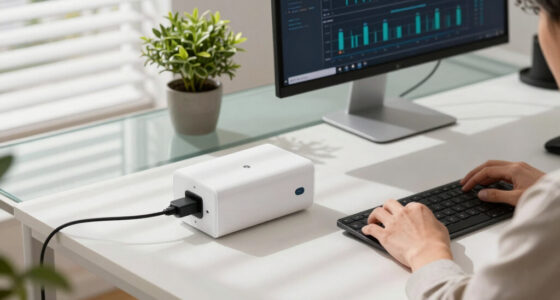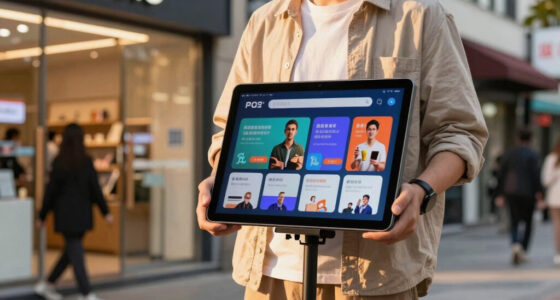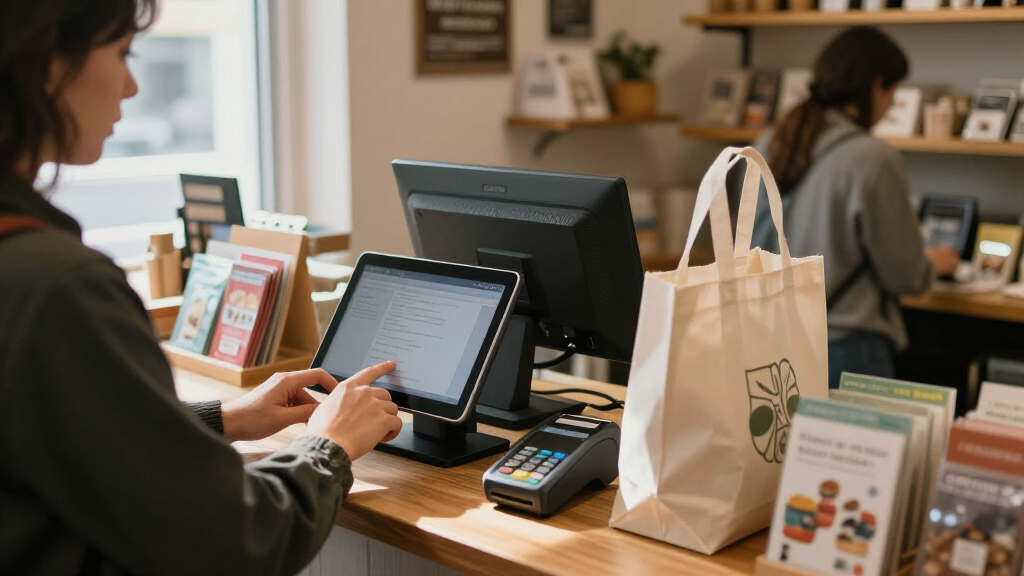

For most small businesses, I’d start with Square Register for its integrated checkout setup, then compare Square Terminal if portability matters or SumUp POS Lite for a compact touchscreen with integrated payments. The right point of sale system depends on more than the screen: hardware bundles, payment processing, inventory needs, and the realities of your counter or floor all shape the decision. All-in-one systems can simplify setup, while Windows terminals may suit businesses that want a larger, fixed station; handheld devices favor staff who need to take payments around the business. I compare 11 options below by their fit, flexibility, and tradeoffs so you can narrow the field to the setup that matches your operation.

Get business pricing on office and shipping supplies
- Business-only prices and quantity discounts
- Tax-exempt purchasing
- Multiple users, one account, clear invoices
Key Takeaways
- Square Register is the strongest starting point for many small businesses because its all-in-one format reduces the effort of assembling a checkout station; businesses that need mobility should compare it with Square Terminal or Square Handheld.
- SumUp POS Lite stands apart for a compact counter setup, while the larger Volcora and 19-inch touchscreen systems favor businesses with room for a fixed workstation.
- The Windows-based Volcora terminals and full-package restaurant systems prioritize hardware and a ready-made station; buyers should verify software capabilities and included peripherals before choosing them over payment-focused Square options.
- Square’s lineup offers several distinct ways to take payments: Register for a counter, Terminal for a portable checkout device, and Handheld for staff serving customers away from the till.
- Hardware size and bundle completeness are not the same as business fit. A second display, printer, or larger screen can add value only when the workflow uses it; otherwise, a simpler system may be easier to manage.
| Volcora Retail and Restaurant POS Terminal Machine with Windows 11 Professional, 15.6” Touch Screen, Black |  | Best for Windows-Based Counter Setups | Operating system: Windows 11 Professional | Display: 15.6-inch capacitive touchscreen | Resolution: 1366 x 768 | VIEW LATEST PRICE | See Our Full Breakdown |
| Touch Screen Computer POS System for Restaurant and Bar Full Package with Software and Printers |  | Best Bundled Restaurant Setup | Display: 17-inch touchscreen | Operating system: Linux | Included software: POS software | VIEW LATEST PRICE | See Our Full Breakdown |
| Volcora Retail and Restaurant POS Terminal Machine for Small Business, Dual Touch Screen, Windows 11 Professional, White |  | Best for Customer-Facing Second Screens | Operating system: Windows 11 Professional | Processor: Intel Core i5 | Memory: 4 GB | VIEW LATEST PRICE | See Our Full Breakdown |
| POS Software for iOS – Point of Sale System with Inventory Management and Cloud Printing |  | Best for Businesses With Existing Apple Devices | Platform: iOS, Mac Pad | Support and backup: Remote support, iCloud | Core features: Order management, customizable receipts, tax calculation | VIEW LATEST PRICE | See Our Full Breakdown |
| Square Register POS System – All-in-One Point of Sale for Retail & Small Business |  | Best for Guided Setup and Multiple Payment Types | Product type: All-in-one point of sale system | Package dimensions: 13 x 10 x 2 inches | Item weight: 4 pounds | VIEW LATEST PRICE | See Our Full Breakdown |
| SumUp POS Lite – Compact 13″ Touchscreen Point of Sale System with Integrated Payment Processing |  | Best for Low-Overhead Counter Service | Display size: 13 inches | Item weight: 6.11 pounds | Package dimensions: 15.05 x 12.01 x 5 inches | VIEW LATEST PRICE | See Our Full Breakdown |
| Square Register (2nd Generation) |  | Best for Busy Countertop Retail | Model number: A-SKU-0908 | Weight: 12.5 pounds | Power source: Corded electric | VIEW LATEST PRICE | See Our Full Breakdown |
| Square Handheld Portable POS Credit Card Machine for Restaurants, Retail, Beauty, and Services |  | Best for Taking Orders on the Floor | Dimensions: 7.04 x 3.12 x 0.62 inches | Item weight: 2.11 ounces | Manufacturer: Square | VIEW LATEST PRICE | See Our Full Breakdown |
| Square Terminal – Credit Card Machine to Accept All Payments | Mobile POS |  | Best Compact All-in-One Payment Station | Dimensions: 5.6 x 3.4 x 2.5 inches | Item weight: 14.7 ounces | Battery: 1 lithium-ion battery, included | VIEW LATEST PRICE | See Our Full Breakdown |
| Square POS Terminal Bundle – Pre-Programmed Point of Sale & Payment Device for Small Businesses |  | Best for Guided Setup | Battery: 1 lithium-ion battery, included | Contactless payments: Tap, Apple Pay, and Google Pay | Card payments: Chip | VIEW LATEST PRICE | See Our Full Breakdown |
| 19-Inch Touch Screen POS System for Restaurant and Bar with Full Package |  | Best Full-Service Restaurant Package | Display: 19-inch touch screen | Operating system: Linux | Included software: POS software | VIEW LATEST PRICE | See Our Full Breakdown |
More Details on Our Top Picks
Volcora Retail and Restaurant POS Terminal Machine with Windows 11 Professional, 15.6” Touch Screen, Black
The Volcora makes sense for a small shop or restaurant that wants a Windows 11 terminal rather than a bundled, software-specific register. Its 15.6-inch touchscreen and Intel Core i5 give it a familiar desktop-style setup, while Ethernet, HDMI, and USB connections leave room to attach compatible peripherals. Compared with the dual-screen Volcora, this model has a simpler display arrangement and takes less counter space; it also avoids the weight and bundled hardware of the restaurant package from Touch Screen Computer POS System. The tradeoff is that this is hardware only: you’ll need to choose POS software and add any required printer, scanner, or cash drawer. Four gigabytes of RAM and a 1366×768 screen are modest, so it fits focused checkout tasks better than busy multitasking.
Pros:- Compact touchscreen terminal with a stable metal base
- Windows 11 Professional and Intel Core i5 support a familiar PC-style setup
- Ethernet, HDMI, and USB provide useful connection options
- Lifetime warranty and US-based support are listed
Cons:- No POS software, printer, cash drawer, or other peripherals are included
- 4 GB RAM may limit multitasking headroom
- 1366×768 resolution is less sharp than higher-resolution displays
Best for: Small retailers or counter-service businesses that want a compact Windows terminal and already have, or plan to choose, compatible POS software and peripherals.
Not ideal for: Owners seeking a ready-to-run package with printers and software, or staff who need to keep several demanding applications open at once.
- Operating system:Windows 11 Professional
- Display:15.6-inch capacitive touchscreen
- Resolution:1366 x 768
- Processor:Intel Core i5
- Memory:4 GB RAM
- Storage:128 GB HDD
- Connectivity:Ethernet, HDMI, USB
- Color:Black
Our verdict“Choose this Volcora when you want a compact Windows POS terminal and are prepared to source the software and checkout accessories separately.”
Touch Screen Computer POS System for Restaurant and Bar Full Package with Software and Printers
This package targets restaurants and bars that would rather start with a coordinated checkout setup than assemble a terminal and peripherals one by one. It includes POS software, a cash drawer, a kitchen order printer, and a customer receipt printer, giving it a more complete restaurant orientation than the hardware-only Volcora terminal. The 17-inch touchscreen also offers more room for navigating orders than the 15.6-inch Volcora displays. Wireless connectivity can help when a counter layout makes cabling awkward, though wired connections are available too. The tradeoff is bulk: at 37.7 pounds, setup and relocation are less convenient than with the compact Volcora units. The listing gives limited detail about the software’s functions and update policy, so buyers should confirm that it fits their workflow before relying on it for daily service.
Pros:- Includes POS software, cash drawer, and two types of printers
- 17-inch touchscreen provides a large workspace for order entry
- Supports both wired and Wi-Fi connectivity
- Designed for restaurant and bar workflows
Cons:- At 37.7 pounds, it is difficult to move or reposition
- Software features and update details are limited in the supplied information
- A bundled setup may be less suitable for businesses that already own compatible peripherals
Best for: Independent restaurants or bars that need a terminal, kitchen and receipt printing, and a cash drawer in one package.
Not ideal for: Mobile vendors, very small counters, or owners who need clearly documented software capabilities and update terms before choosing a system.
- Display:17-inch touchscreen
- Operating system:Linux
- Included software:POS software
- Connectivity:Wired and Wi-Fi
- Included accessories:Cash drawer, kitchen order printer, customer receipt printer
- Weight:37.7 pounds
- Package dimensions:18 x 17 x 17 inches
Our verdict“Pick this package if your restaurant needs a bundled set of core checkout hardware, but verify the software fit before committing.”
Volcora Retail and Restaurant POS Terminal Machine for Small Business, Dual Touch Screen, Windows 11 Professional, White
The standout here is the second 11.6-inch touchscreen, which can give customers a more direct view of checkout interactions than the single-screen Volcora terminal. That arrangement may suit a shop or café where staff and customers both need a screen, while the compact metal base helps preserve counter space. Like its single-screen sibling, it runs Windows 11 Professional on an Intel Core i5 system and offers connections for other equipment. It is still a terminal rather than a full checkout package: unlike the restaurant bundle from Touch Screen Computer POS System, the supplied details do not list printers, a cash drawer, or POS software. Both Volcora models also share a 4 GB memory limit and 1366×768 resolution, so the extra screen improves interaction, not computing headroom or image sharpness.
Pros:- Dual 15.6-inch and 11.6-inch capacitive touchscreens support customer-facing use
- Compact metal construction suits space-conscious counters
- Intel Core i5 and Windows 11 Professional provide a familiar PC-based platform
- Includes multiple USB ports, serial ports, HDMI, audio input, and Ethernet
Cons:- 4 GB memory may restrict performance when running several applications
- POS software and checkout peripherals are not listed as included
- Both displays are specified at 1366×768 resolution
Best for: Small retailers, cafés, or service counters that want a staff display plus a customer-facing touchscreen in a compact Windows setup.
Not ideal for: Businesses that need a ready-to-use package with included software and printers, or that expect heavy multitasking from the terminal.
- Operating system:Windows 11 Professional
- Processor:Intel Core i5
- Memory:4 GB
- Storage:128 GB
- Touchscreens:15.6-inch and 11.6-inch capacitive LCD
- Display resolution:1366 x 768
- Connectivity:2 serial ports, 4 USB ports, HDMI, audio input, Ethernet
- Construction and color:Metal; white
Our verdict“Choose this Volcora over the single-screen model when a separate customer-facing display matters more than a bundled, ready-to-run setup.”
POS Software for iOS – Point of Sale System with Inventory Management and Cloud Printing
This option is software rather than a dedicated register, so it is a good fit for owners who already have compatible Apple hardware and want to avoid replacing it. Its feature set includes order management, tax calculations, customizable receipts, QR code ordering, and cloud printing, with listed links to Uber Eats and DoorDash. That flexibility contrasts with the Volcora terminals, which supply dedicated Windows hardware but leave the buyer to choose software. It may also suit businesses that need remote access and cloud backup without building a new counter setup from scratch. The constraint is platform dependence: it supports iOS and Mac Pad, not Windows or Android, and compatible cash drawers, scanners, and printers still need to be sourced. Buyers should also be comfortable configuring POS tools, as some features may take familiarity to set up.
Pros:- Works with compatible existing devices, avoiding a dedicated terminal purchase
- Includes order management, tax calculations, and customizable receipts
- Lists Uber Eats and DoorDash integrations
- Supports cloud printing, iCloud backup, and remote support
Cons:- Requires an iOS or Mac Pad device and does not support Windows or Android
- Cash drawers, barcode scanners, and printers are compatible accessories, not listed as included
- Some features may require POS setup experience, and included support is limited to one month
Best for: Small restaurants, cafés, grocers, or retailers already using compatible iOS devices and seeking software with delivery-platform integrations.
Not ideal for: Businesses without Apple hardware, owners who want a complete terminal-and-peripheral package, or teams that require broad Windows or Android compatibility.
- Platform:iOS, Mac Pad
- Support and backup:Remote support, iCloud
- Core features:Order management, customizable receipts, tax calculation
- Ordering and printing:QR code ordering, cloud printing
- Compatible peripherals:Cash drawers, barcode scanners, printers
- Delivery integrations:Uber Eats, DoorDash
- Listed industries:Grocery, restaurant, coffee shop, retail
Our verdict“Choose this software if your business already runs on compatible Apple devices and you want cloud-connected POS features without buying a dedicated terminal.”
Square Register POS System – All-in-One Point of Sale for Retail & Small Business
This Square Register is aimed at owners who prefer a preconfigured checkout system with setup assistance over choosing a Windows terminal and assembling software and accessories themselves. Its listed payment support includes EMV, contactless, Apple Pay, and Google Pay, giving small businesses ways to accept common card and wallet payments at the counter. Compared with the iOS POS software, it offers a dedicated register rather than relying on the buyer’s existing Apple device; compared with the restaurant package from Touch Screen Computer POS System, the supplied details emphasize setup and payment acceptance rather than included kitchen and receipt printers. The listing describes white-glove setup and ongoing support, but gives few hardware specifications beyond weight and package size. A new Square account is required for the stated promotional pricing, and this setup is positioned for small businesses rather than large enterprise operations.
Pros:- Pre-programmed setup can reduce initial configuration work
- White-glove setup and ongoing support are listed
- Supports EMV, contactless, Apple Pay, and Google Pay
- Designed for a range of small-business types
Cons:- Requires activation of a new Square account for the stated promotional pricing
- Supplied specifications provide little detail about display, connectivity, or included peripherals
- Positioned for small businesses rather than large enterprise operations
Best for: Small retailers and service businesses that want a preconfigured Square checkout with setup assistance and support for card and contactless payments.
Not ideal for: Large enterprises needing an enterprise-scale POS deployment, or restaurants that need a clearly specified kitchen printer and cash-drawer package included.
- Product type:All-in-one point of sale system
- Package dimensions:13 x 10 x 2 inches
- Item weight:4 pounds
- Battery requirement:Lithium-ion batteries required
- Battery inclusion:Batteries included
- Supported payment types:EMV, contactless, Apple Pay, Google Pay
- Setup and support:Preconfigured system, white-glove setup, ongoing support
Our verdict“Choose this Square Register if guided setup and multiple payment methods matter more than detailed hardware specifications or a restaurant-specific peripheral bundle.”
SumUp POS Lite – Compact 13″ Touchscreen Point of Sale System with Integrated Payment Processing
The SumUp POS Lite suits a small shop or service counter that wants a dedicated touchscreen without committing to fixed monthly fees. Its pre-installed software supports sales, item catalogs, and reports, while automated updates reduce the work of maintaining the system. At 13 inches and 6.11 pounds, it takes up less counter space and is easier to reposition than the Square Register (2nd Generation), which adds a customer-facing screen and more robust hardware.
The tradeoff is a stated 2.6% + 10 cents per card payment, which can add up for businesses with frequent or larger transactions. The product details also give less information about inventory depth and customer-management tools than Square Register. I’d choose it for a straightforward checkout setup, but compare processing terms and software needs before relying on it for complex operations.
Pros:- No fixed monthly fees or binding contracts are stated
- Pre-installed POS software includes sales, item catalog, and reporting functions
- Automated software updates reduce routine maintenance
- Compact 13-inch touchscreen design weighs 6.11 pounds
Cons:- The stated 2.6% + 10 cents per card payment may be costly at higher transaction volume
- Product details provide limited information about advanced POS features
- Smaller screen offers less workspace than the Square Register’s dual-display setup
Best for: Small retailers and appointment-based businesses seeking a compact touchscreen POS with no fixed monthly fee.
Not ideal for: High-volume businesses sensitive to per-transaction costs, or operators who need clearly documented advanced inventory and customer-management tools.
- Display size:13 inches
- Item weight:6.11 pounds
- Package dimensions:15.05 x 12.01 x 5 inches
- Payment fee:2.6% + 10 cents per card payment
- Stand:Aluminum
- Software:Pre-installed POS software with automated updates
- Listed functions:Sales control, item catalogs, and reports
Our verdict“Choose the SumUp POS Lite for a compact, fee-flexible counter setup, but compare processing costs if card volume is high.”
Square Register (2nd Generation)
The Square Register (2nd Generation) is the strongest fit here for a fixed checkout where staff and customers both benefit from a dedicated screen. Its dual responsive touchscreens support cashier interaction and customer payment, while the built-in software covers sales, inventory, and customer management. The IP54-rated construction is designed to resist spills and dust, a useful distinction from the lighter Square Terminal, which is better suited to portable checkout than an always-on counter station.
This setup is less flexible if your business needs to take payments around the floor: it weighs 12.5 pounds and requires corded power. Its listed Bluetooth, USB, and Wi-Fi connectivity offer options for accessories and network access, but the product is described as region-specific, so compatibility needs checking before purchase. I’d rank it above the simpler SumUp POS Lite for a busier, feature-oriented counter, while accepting its weight and fixed placement.
Pros:- Dual touchscreens support separate cashier and customer interactions
- Built-in software includes sales, inventory, and customer management
- IP54-rated design resists spills, dust, and everyday wear
- Supports major card payments and offers quick fund transfers
Cons:- Corded power limits use away from a fixed counter
- At 12.5 pounds, it is substantially less portable than the Square Terminal
- Regional compatibility may limit suitability for some businesses
Best for: Independent retailers with a regular checkout counter, customer-facing payment needs, and frequent daily transactions.
Not ideal for: Food trucks, pop-up sellers, and businesses that need cordless checkout or a system confirmed to work across multiple regions.
- Model number:A-SKU-0908
- Weight:12.5 pounds
- Power source:Corded electric
- Connectivity:Bluetooth, USB cable, and Wi-Fi
- Compatible devices:POS, smartphone, and tablet
- UPC:817044024196
Our verdict“Pick Square Register for a durable, dual-screen checkout station, not for mobile selling or cordless service.”
Square Handheld Portable POS Credit Card Machine for Restaurants, Retail, Beauty, and Services
The Square Handheld is aimed at businesses that need checkout to move with the customer: servers taking orders at a table, staff checking out shoppers on the floor, or service providers collecting payment on-site. Its built-in barcode scanner, offline-payment support, and battery-powered portability distinguish it from the counter-focused Square Register (2nd Generation). The water-resistant construction also makes it a more practical option for environments where a stationary screen is awkward or exposed.
That mobility comes with a setup caveat: the device requires a compatible smartphone or tablet for operation, so it is not a fully independent POS station according to the supplied details. It also lacks stated receipt printing, unlike the Square Terminal. I’d favor it when staff need to scan items and take payments away from the counter, but skip it if a self-contained checkout device or printed receipts are central to the workflow.
Pros:- Portable form supports checkout and order-taking away from the counter
- Offline-payment support can help keep transactions moving during connectivity interruptions
- Built-in barcode scanner is useful for retail item lookup
- Water-resistant construction is suited to demanding work settings
Cons:- Requires a compatible smartphone or tablet for operation
- No integrated receipt printer is specified
- Payment acceptance is described for major credit and debit cards, with no broader payment capabilities detailed
Best for: Restaurants, boutiques, and mobile service teams that need staff to scan items and take payments away from a fixed register.
Not ideal for: Businesses seeking a standalone POS terminal with built-in receipt printing or one that operates without a compatible phone or tablet.
- Dimensions:7.04 x 3.12 x 0.62 inches
- Item weight:2.11 ounces
- Manufacturer:Square
- ASIN:B0F6HQK29Q
- First available:May 13, 2025
- Payment support:Major credit and debit cards
- Additional functions:Offline payments and built-in barcode scanner
Our verdict“Choose the Square Handheld when staff mobility and barcode scanning matter more than standalone operation or receipt printing.”
Square Terminal – Credit Card Machine to Accept All Payments | Mobile POS
The Square Terminal combines payment acceptance and receipt printing in a small device, making it a more self-contained choice than the Square Handheld, whose supplied description does not mention a printer and requires a compatible phone or tablet. Its built-in battery allows cordless use for checkout away from an outlet, while the listed support for major credit and debit cards covers everyday payment needs. For a small counter with limited space, it is also far less substantial than the dual-screen Square Register (2nd Generation).
The product information is thinner on inventory, reporting, and other day-to-day management tools, so I would treat it primarily as a compact payment and sales device rather than assume it replaces a larger POS setup. Full functionality is described as requiring a Square services subscription, which adds a dependency beyond the hardware itself. It makes the most sense for a small operation prioritizing portable payments and printed receipts over expansive register features.
Pros:- Accepts major credit and debit cards
- Built-in battery supports cordless operation
- Integrated receipt printing avoids needing a separate printer
- No long-term contracts or hidden fees are stated
Cons:- Full functionality requires a subscription to Square services
- The supplied details do not explain inventory or broader management features
- Offers less checkout visibility than the dual-screen Square Register
Best for: Small retailers, salons, and service businesses needing a portable card terminal with built-in receipt printing.
Not ideal for: Businesses that need detailed inventory or customer-management features from the device, or want full functionality without a Square services subscription.
- Dimensions:5.6 x 3.4 x 2.5 inches
- Item weight:14.7 ounces
- Battery:1 lithium-ion battery, included
- Payment acceptance:Major credit and debit cards
- Receipt printing:Built-in
- Power use:Cordless operation supported by built-in battery
- Service requirement:Square services subscription required for full functionality
Our verdict“Pick Square Terminal for portable card payments and printed receipts in a compact package, rather than as a feature-rich register.”
Square POS Terminal Bundle – Pre-Programmed Point of Sale & Payment Device for Small Businesses
The Square POS Terminal Bundle is the most appealing pick here for owners who want help getting a small-business POS ready, thanks to personalized onboarding support from a U.S.-based team. Its pre-programmed setup and support for tap, chip, Apple Pay, and Google Pay aim to make the initial checkout configuration more approachable than piecing together a system independently. Compared with the Square Terminal, which is described mainly as a payment and receipt device, this bundle is positioned as an all-in-one POS option for several small-business settings.
The tradeoff is that the details leave questions about specific software functions, hardware layout, and ongoing service requirements. Buyers must also set up a new Square account before shipping, adding a step before the device arrives. Its listed audience spans retail, restaurants, salons, boutiques, and food trucks, but the product is explicitly aimed at small businesses rather than larger operations. I’d pick it for setup guidance, not for a well-documented feature set.
Pros:- Includes personalized onboarding support from a U.S.-based team
- Pre-programmed POS and payment device is intended to simplify initial setup
- Accepts tap, chip, Apple Pay, and Google Pay
- Listed for several small-business types, including retail, restaurants, salons, and food trucks
Cons:- A new Square account must be set up before shipping
- Supplied details do not specify the full range of software functions
- Product is described as suited to small businesses and may not meet larger enterprise needs
Best for: First-time POS buyers at small shops, salons, restaurants, or food trucks who want personalized help setting up a Square account and checkout system.
Not ideal for: Larger businesses needing enterprise-scale capabilities, or buyers who want detailed hardware and software specifications before choosing.
- Battery:1 lithium-ion battery, included
- Contactless payments:Tap, Apple Pay, and Google Pay
- Card payments:Chip
- Industry suitability:Retail, restaurant, salon, boutique, food truck, and small business
- Onboarding:Personalized support from a U.S.-based team
- Account requirement:New Square account setup required before shipping
- Bundle type:Pre-programmed POS and payment device
Our verdict“Choose this bundle if guided onboarding matters more than having every hardware and software detail specified upfront.”
19-Inch Touch Screen POS System for Restaurant and Bar with Full Package
This system earns its place for small restaurants and bars that want ordering and kitchen printing in one package. Its 19-inch touch screen gives staff a larger workspace than the SumUp POS Lite’s 13-inch display, while the included wireless tablet can support order taking away from the main station. A customer receipt printer, kitchen printer, and cash drawer also reduce the need to assemble separate hardware.
The tradeoff is a more involved setup than a compact payment terminal such as the Square Terminal: the listing notes that configuration is needed, and wireless ordering depends on a WiFi network. The system runs Linux, so buyers should confirm the included software fits their workflow and that they can get help with setup. Its 30 days of premium support may be useful during installation, but extended service is optional.
Pros:- 19-inch touch screen provides a large area for navigating orders at a fixed counter.
- Includes a customer receipt printer, kitchen order printer, and cash drawer.
- Wireless ordering tablet supports taking or managing orders away from the main station.
- Includes 30 days of premium support, with optional extended service.
Cons:- Wireless tablet ordering requires a working WiFi network.
- Setup and configuration may take more effort than using a compact system such as the Square Terminal.
- The listing does not specify software capabilities or payment-processing details, so buyers should confirm compatibility before purchase.
Best for: Small restaurants, bars, and quick-service counters that need a fixed checkout station, kitchen ticket printing, and a tablet for taking orders.
Not ideal for: Mobile vendors or very small shops that need a simple, portable payment device; this package depends on a WiFi network for wireless ordering and may require configuration.
- Display:19-inch touch screen
- Operating system:Linux
- Included software:POS software
- Cash storage:Cash drawer
- Customer printer:Receipt printer
- Kitchen printer:Kitchen order printer with 25-foot cord
- Wireless ordering:Tablet included for order taking and management
- Support:30 days of premium support; extended service optional
Our verdict“Choose this package if your restaurant needs a large counter display, kitchen tickets, and tablet-based ordering, but skip it if you want a portable system with minimal setup.”
How We Picked
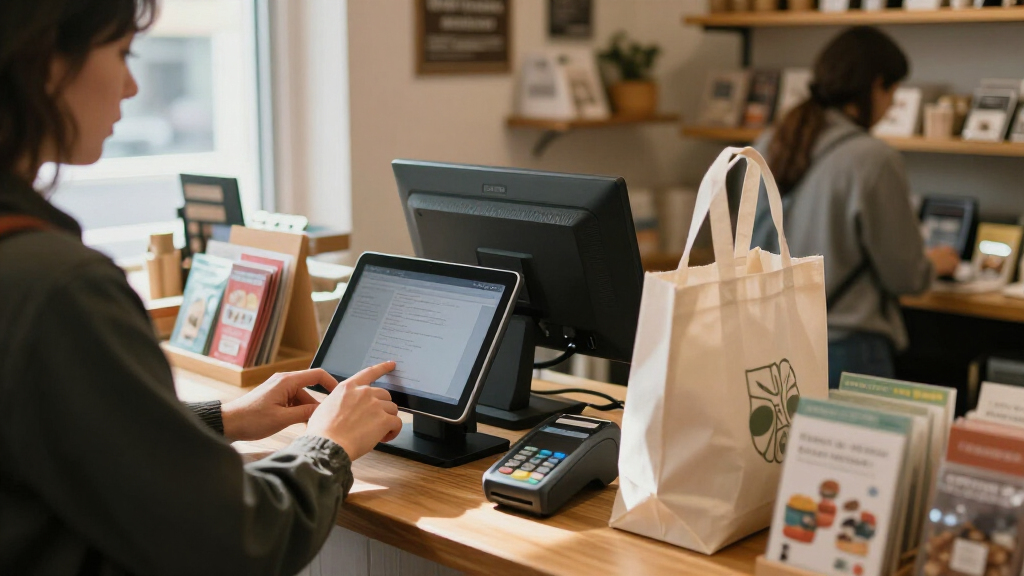
I compared these point of sale systems for small business by how well their form factor and package fit common shop, restaurant, bar, beauty, and service workflows. My criteria included checkout usability, mobility, screen and peripheral setup, payment integration, inventory or software claims, and how clearly a buyer can tell what is included. I gave weight to systems that make the intended setup easy to understand, rather than treating a long hardware bundle as proof of a better POS.
The order favors versatility and a clear path to everyday checkout first, then more specialized advantages such as portability, compact size, or a large fixed display. Square Register leads as a broadly useful counter option; other Square devices rank by how specifically they serve mobile checkout. The Windows terminals and full-package systems can suit a dedicated station, but their fit depends more on confirming software, peripheral compatibility, and support details before purchase. I treat product naming and listed hardware as a starting point, not a substitute for checking the exact package and service terms.
Factors to Consider When Choosing Point Of Sale Systems For Small Business
Before choosing a model, I’d map the system to the work it needs to do each day. These broader decisions can matter more than screen size or the number of accessories in a bundle.
Match the setup to where customers pay
Start by noting where transactions happen: at a fixed counter, at tables, in a queue, or across a service area. A stationary register can make sense when the checkout point is stable and staff need a consistent workstation. Mobile devices can shorten lines or let staff finish a sale where the customer is, but they need a reliable wireless connection and a plan for charging and storage. A common mistake is buying a portable device for a business that actually needs a durable, dedicated counter station. I’d choose the payment location first, then compare screen size and accessories against that workflow.
Check the complete cost of taking payments
The hardware purchase is only one part of a POS decision. Ask how payment processing is priced, whether there are monthly software or service charges, and what fees apply to different payment methods or business volumes. A device with integrated processing can simplify setup, but it may limit your choice of processor or change your ongoing costs. Before committing, estimate transactions by payment type and ask how refunds, disputes, and chargebacks are handled. I’d compare the full cost over a realistic operating period rather than choosing by the device alone.
Separate a hardware bundle from POS capability
A touchscreen, receipt printer, cash drawer, or customer display can make a package feel ready to use, but those items do not tell you what the software can do. Confirm that the system supports the tasks your operation depends on, such as item-level inventory, modifiers, split payments, staff permissions, or sales reporting. Restaurant and bar operators should check menu changes and order handling; retailers may care more about stock tracking and product variants. Ask whether included peripherals are compatible with the software and whether setup or updates require separate services. This check helps prevent paying for a large bundle that still lacks a core workflow.
Plan for connectivity and downtime
Every POS depends on a working connection in some way, but offline behavior varies by device and service. Find out whether the system can record transactions during an outage, what functions stop working, and how pending payments are processed once service returns. Also check whether your internet setup can support terminals, printers, and other connected devices during busy periods. Businesses that operate at events or in older buildings may need stronger wireless coverage or a backup connection. I’d make a simple downtime plan before relying on any system for every sale.
Think about staff, training, and growth
The best interface is one staff can learn quickly without slowing down service. Consider how many employees need separate access, whether permissions can limit sensitive actions, and how easy it is to update products or menus. A small operation may prefer a simpler setup over advanced tools it will not use, while a growing business should check whether adding locations, devices, or users is supported. Avoid choosing solely for anticipated growth if it adds complexity today; instead, identify the next likely change and confirm the system can handle it. Training time and the quality of available support belong in the decision alongside features.
Verify compatibility and support before ordering
POS listings can use similar language while referring to very different combinations of software, hardware, and payment service. Confirm the operating system, included peripherals, software subscription, warranty, and technical support channel for the exact configuration you plan to buy. If you already use accounting, ecommerce, or inventory tools, check whether the POS connects to them directly or requires manual work. For a Windows-based terminal or a preconfigured bundle, ask who handles software updates and replacement parts. A few specific questions before purchase can prevent a costly mismatch after the equipment arrives.
Frequently Asked Questions
Should I choose an all-in-one register or buy a touchscreen terminal bundle?
I’d choose an all-in-one register when a single counter device and a straightforward checkout setup are the main goals. A touchscreen bundle may fit better if your business needs a larger workstation or specific peripherals such as a receipt printer and customer-facing display. Compare the listed hardware with the software capabilities, since a complete-looking bundle may not include the tools your workflow needs. Also check whether the terminal can use your preferred payment processor and whether ongoing software or support costs apply. The better choice is the one that covers your daily tasks without leaving you to source missing equipment.
Can I run a small business with a handheld or mobile POS instead of a register?
Yes, a mobile POS can handle checkout for businesses that take payments at tables, on the shop floor, or during appointments. It may be less suitable as the only station if staff need a large product view, frequent receipt printing, or a fixed cash-drawer workflow. Check battery life, connectivity needs, payment methods, and how the device is secured when not in use. Some businesses pair a handheld with a counter register so staff can serve customers in both settings. I’d map your busiest transaction flow before deciding whether mobile hardware can replace or should supplement a register.
What should I verify before buying a POS system advertised as a full package?
Ask for an exact list of included hardware and confirm whether the operating software, POS application, payment processing, and support are included or separate. Check that printers, drawers, scanners, and displays work with the software version supplied. Then verify the functions your business relies on, such as inventory, menu modifiers, employee access, and reporting. A bundle can reduce the work of finding compatible devices, but it does not automatically provide a complete business workflow. I’d request written details on warranty, setup, updates, and replacement support before ordering.
How do I compare POS payment costs when the hardware listings do not show the full fees?
Compare the processing terms separately from the device and software. Ask for rates and any additional charges by transaction type, including keyed payments, refunds, disputes, and recurring service fees. Use your own expected monthly transaction count and average sale to estimate total processing costs rather than relying on a headline rate. Check whether using a particular terminal requires a specific processor, since that can affect your ability to switch later. If the business is new, favor clear fee terms and confirm how to get help with account or payment issues.
Which POS features should a new small business set up before its first day?
Start with accurate products or menu items, tax settings, payment methods, and receipt preferences. Set employee permissions and create individual logins where available, so sales and sensitive actions are easier to track. Test a full sale, refund, and end-of-day process before opening, including any printer or cash drawer connected to the system. If inventory matters, enter initial stock and decide who will update counts when deliveries arrive or sales occur. A short staff walkthrough and a written backup plan for internet or device problems can prevent avoidable interruptions.
Conclusion
For the best overall fit, I’d choose Square Register if you want a counter-based, all-in-one checkout setup. For value through a compact footprint, consider SumUp POS Lite, while the Square Terminal or Square Handheld makes more sense for businesses where payments happen away from a fixed till. For beginners, Square’s clearly differentiated register and mobile options offer a simpler starting point than assembling a Windows terminal package, though you should still review software and processing terms. For a premium or larger fixed station, compare the Volcora dual-screen and 19-inch full-package systems after confirming their exact software, peripherals, and support. Retailers should prioritize inventory and product management, restaurants should verify ordering and table workflows, and service businesses should favor a setup that moves easily with staff. Choose the system that fits your actual checkout routine, not the one with the most hardware in the box.
Halloween Picks

Panefright Halloween Window Projector – Scary Projector for Spooky Decor

Haunted Hill Farm 2-Ft. Zombie Raccoon Halloween Animatronic

10 ft Halloween Inflatable Archway with Built-in LEDs
As an affiliate, we earn on qualifying purchases.