
Choosing the right conference camera FOV instantly boosts your meeting room’s professionalism and engagement. A wide FOV captures more of the space and participants, creating an immersive experience that impresses viewers. A narrow FOV emphasizes the speaker, reducing background distractions and offering a polished look. Balancing the right FOV with your room size and virtual background setup makes a noticeable difference. Keep exploring to discover how to optimize your setup for maximum impact.

Get business pricing on office and shipping supplies
- Business-only prices and quantity discounts
- Tax-exempt purchasing
- Multiple users, one account, clear invoices
Key Takeaways
- A wider FOV captures more of the room, making meetings feel more inclusive and engaging for remote participants.
- Proper FOV selection enhances virtual background effectiveness by balancing background visibility and focus on speakers.
- Upgrading to cameras with adjustable FOV allows customization for room size and meeting style, improving professionalism.
- A narrow FOV emphasizes the speaker, reducing background distractions and creating a more polished appearance.
- The right FOV choice enhances overall meeting clarity, making your conference room upgrade immediately noticeable.
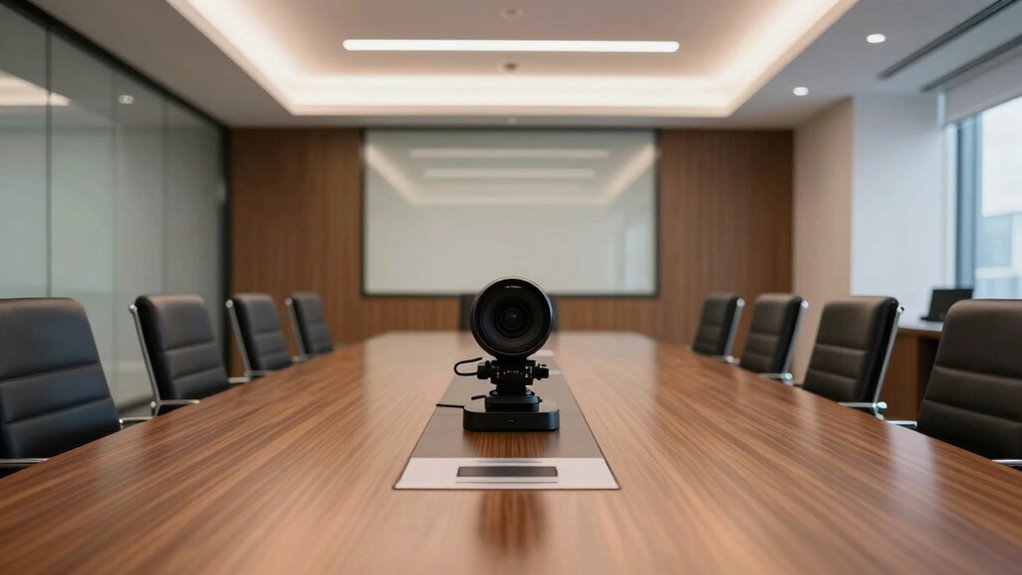
Have you ever wondered how the field of view (FOV) on a conference camera affects your virtual meetings? The FOV determines how much of your room and surroundings are captured on camera, influencing how your team perceives your space and professionalism. When you choose a camera with a wide FOV, you can comfortably include more of your environment, which is especially helpful if you want to showcase your workspace or include multiple participants in the shot. Conversely, a narrower FOV focuses tightly on you, minimizing distractions and emphasizing your presence during meetings. This simple choice can substantially impact the clarity and engagement of your virtual interactions.
Your choice of FOV also plays a role in how seamlessly your virtual background integrates with the camera feed. A wider FOV captures more background, making it essential to select a virtual background that isn’t overly cluttered or distracting. If your background is busy or poorly lit, it can detract from your message and appear unprofessional. On the other hand, a narrower FOV can help create a more controlled visual environment, where your background is less prominent, allowing virtual backgrounds to blend smoothly. This balance ensures your virtual presentation looks polished and focused, regardless of your actual surroundings. Additionally, understanding the camera’s capabilities helps you select equipment that aligns with your specific needs, maximizing both clarity and field of view for a seamless virtual experience. Choosing the right camera specifications can significantly enhance your overall virtual communication.
adjustable field of view conference camera
As an affiliate, we earn on qualifying purchases.
As an affiliate, we earn on qualifying purchases.
Frequently Asked Questions
How Does Camera Field of View Affect Meeting Productivity?
A wider camera field of view boosts meeting productivity by capturing everyone clearly, reducing distractions caused by poor framing. Good lighting conditions and high camera resolution guarantee clear visuals, making interactions more engaging and effective. When your camera accurately captures participants’ expressions and body language, communication improves, decisions get made faster, and everyone stays focused. So, optimizing the field of view, lighting, and resolution directly enhances your meeting experience.
What Is the Optimal Field of View for Small Conference Rooms?
Think of your camera lens as an artist’s brush, capturing the room’s essence. For small conference rooms, a suitable field of view is typically around 90-120 degrees—wide enough to include everyone without distortion. Good room acoustics enhance this clarity, ensuring audio matches the visual. This balanced view makes remote participants feel present, fostering effective communication and collaboration without overwhelming the space or missing essential details.
Can Adjustable FOV Cameras Enhance Remote Participant Experience?
Yes, adjustable FOV cameras can profoundly enhance remote participant experience by providing a panoramic view, capturing more of the room, and making remote attendees feel more included. They allow you to adapt the view based on privacy concerns or room size, ensuring sensitive areas are hidden when needed. This flexibility helps create a seamless, engaging meeting environment, making everyone feel connected without compromising privacy or missing important visual details.
How Do Different FOVS Impact Camera Placement Options?
Different FOVs considerably impact your camera placement options. A wide FOV provides panoramic coverage, allowing you to cover entire rooms with fewer cameras, but it can introduce lens distortion, making faces appear stretched or skewed. Narrow FOVs require more precise placement to focus on specific areas or individuals, offering clearer images without distortion. Choosing the right FOV depends on your room size and the desired coverage, balancing coverage and image clarity.
Are Wider FOVS Suitable for All Types of Conference Rooms?
Wider FOVs aren’t suitable for all conference rooms, especially if room acoustics and lighting conditions vary. They can capture more space, but poor acoustics may cause echo issues, and uneven lighting can affect video quality. If your room has challenging acoustics or inconsistent lighting, a narrower FOV might be better. Consider your space’s unique characteristics to guarantee ideal video quality and clear audio during meetings.
As an affiliate, we earn on qualifying purchases.
Conclusion
Upgrading your conference camera’s field of view transforms your meeting experience instantly. You’ll notice how much smoother and more engaging your discussions become, like switching from a typewriter to a sleek laptop. Don’t wait for the future—embrace this upgrade now, and make your meetings as effective as the days of yore’s town criers. A wider view isn’t just a tech upgrade; it’s the secret sauce that keeps everyone on the same page and the conversation flowing.
zoom conference camera with autofocus
As an affiliate, we earn on qualifying purchases.
As an affiliate, we earn on qualifying purchases.
professional webcam with narrow FOV
As an affiliate, we earn on qualifying purchases.
As an affiliate, we earn on qualifying purchases.
Fall Picks
fall essentials
As an affiliate, we earn on qualifying purchases.