
Designing an effective email dashboard involves using segmentation to customize views, highlighting key groups and their responses for clearer insights. Incorporate visual cues like color-coding, graphs, and heat maps to quickly interpret complex data. Focus on relevant KPIs such as open rates, click-throughs, and conversions, ensuring the layout remains clean and intuitive. Employ real-time updates for instant responses and regularly refine your approach—future success depends on how well you adapt strategies, so keep exploring the details.

Get office and shipping supplies delivered free — and shop member deals
- Fast, free delivery on millions of items
- Access to Prime Big Deal Days deals on October 6–7
- Prime Video, Amazon Music and more included
Key Takeaways
- Incorporate audience segmentation to create targeted views and identify high-performing groups for strategic focus.
- Use visual cues like color-coding, graphs, and heat maps to quickly interpret complex email metrics.
- Prioritize real-time data updates for immediate insights and swift campaign adjustments.
- Design a clean, intuitive layout highlighting key KPIs such as open rates, click-throughs, and conversions.
- Regularly review and refine visualizations and metrics to ensure ongoing relevance and data-driven decision-making.

Have you ever wondered how to create an email dashboard that provides clear, actionable insights at a glance? The key lies in designing a dashboard that not only displays data but also helps you make smarter decisions quickly. To do this effectively, you need to focus on how you present your email marketing metrics. Start by understanding that email personalization isn’t just about customizing individual emails; it’s also about tailoring your dashboard to reflect the segments that matter most to your campaigns. By incorporating campaign segmentation into your dashboard, you can track how different groups respond to your messages, revealing patterns that can optimize future efforts. When you segment your audience, you create focused views that highlight specific behaviors, such as open rates, click-throughs, and conversions within each segment. This targeted approach helps you identify which segments perform best and where to allocate your resources. Additionally, understanding the audience segmentation process can help you develop more precise strategies for engagement and retention.
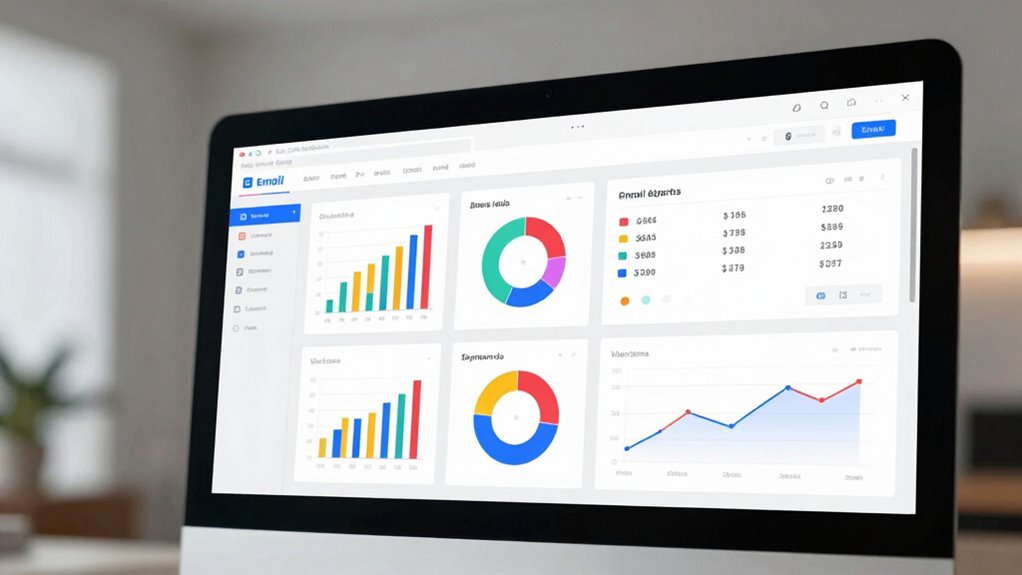
Designing your dashboard with these segments in mind makes it easier to spot trends and anomalies. For example, if a particular segment shows a low open rate, you can dig deeper into why that’s happening—maybe the subject line isn’t resonating or the timing isn’t right. Conversely, high-performing segments can inform your future email personalization strategies, allowing you to craft more relevant messages that resonate with specific groups. Make sure your dashboard visually emphasizes these segments, perhaps with color-coding or separate panels, so you can instantly grasp which parts of your campaign are thriving and which need adjustments. Additionally, leveraging visualization techniques like graphs and heat maps can enhance your ability to interpret complex data at a glance. Incorporating real-time data updates can further improve your responsiveness by providing current insights to act upon immediately.
Another essential aspect is choosing the right metrics to display. Focus on KPIs that directly impact your goals, like open rates, click-to-open ratios, conversions, and bounce rates. Keep the layout clean and intuitive, avoiding clutter that can distract you from the main insights. Use visual elements like graphs and heat maps to illustrate performance over time or across segments, enabling you to quickly identify shifts in engagement. Remember, your goal is to turn data into decisions fast, so prioritize clarity and relevance. Recognizing key performance indicators that matter most to your campaigns ensures your dashboard remains focused and effective.
Finally, regularly review and update your dashboard to reflect changes in your campaigns and audience behavior. As your email personalization efforts evolve and you refine your segmentation strategies, your dashboard should adapt accordingly. With a well-designed dashboard that emphasizes segmentation insights and key metrics, you’ll be empowered to make smarter, data-driven decisions that improve your email marketing results every time.
email marketing dashboard software
As an affiliate, we earn on qualifying purchases.
As an affiliate, we earn on qualifying purchases.
Frequently Asked Questions
How Can I Ensure My Email Dashboard Is Mobile-Friendly?
To guarantee your email dashboard is mobile-friendly, adopt a responsive layout that adapts seamlessly to different screen sizes. Prioritize clear, concise visuals and avoid clutter. You should also enable user customization, allowing users to adjust views for their needs. Test your dashboard across various devices regularly, gather user feedback, and optimize accordingly. This approach ensures a smooth, accessible experience, making data insights easily available anytime, anywhere.
What Are the Best Tools for Creating Email Dashboards?
Think of the best tools for creating email dashboards as your Swiss Army knife for data. Platforms like Tableau, Power BI, and Klipfolio shine with email visualization and dashboard customization features. They let you craft interactive, user-friendly dashboards that adapt to your needs. These tools help you turn complex data into clear insights, making decision-making smoother. With them, you’re armed to build dashboards that truly speak your data’s language.
How Often Should I Update Dashboard Data for Accuracy?
You should update your dashboard data regularly to guarantee accuracy, ideally with real-time updates where possible. For most email campaigns, a daily data refresh works well, capturing recent insights without overwhelming your system. If you track critical metrics or want immediate insights, opt for real-time updates. Consistent data refreshes keep your dashboard reliable, helping you make informed decisions swiftly and effectively.
What Security Measures Protect Sensitive Email Data?
Imagine locking a treasure chest to protect your most valuable gems. That’s what encryption protocols do for your email data, turning it into an unreadable code for outsiders. You also set strict access controls, like keys for only trusted individuals, ensuring sensitive information stays secure. Together, these measures shield your email data from breaches, giving you peace of mind knowing your information remains confidential and protected from unauthorized access.
How Do I Train My Team to Interpret Dashboard Insights?
To train your team to interpret dashboard insights, focus on effective team training that emphasizes understanding data visualization. Show them how to read charts, identify trends, and connect data to decision-making. Use real-world examples and interactive sessions to boost engagement. Encourage questions and ongoing learning. By emphasizing these skills, your team will become confident in turning dashboard insights into smarter, data-driven decisions.
As an affiliate, we earn on qualifying purchases.
Conclusion
By mastering email dashboard design, you open a powerhouse of insights that can transform your decision-making overnight. When you craft dashboards that are intuitive and data-driven, you’re wielding a tool so powerful, it could turn your entire strategy into a well-oiled machine. Remember, a smartly designed dashboard isn’t just a fancy display—it’s your secret weapon for turning raw data into game-changing actions. Get it right, and watch your success skyrocket beyond the stars!
real-time email campaign tracker
As an affiliate, we earn on qualifying purchases.
As an affiliate, we earn on qualifying purchases.
As an affiliate, we earn on qualifying purchases.
Halloween Picks
halloween
As an affiliate, we earn on qualifying purchases.