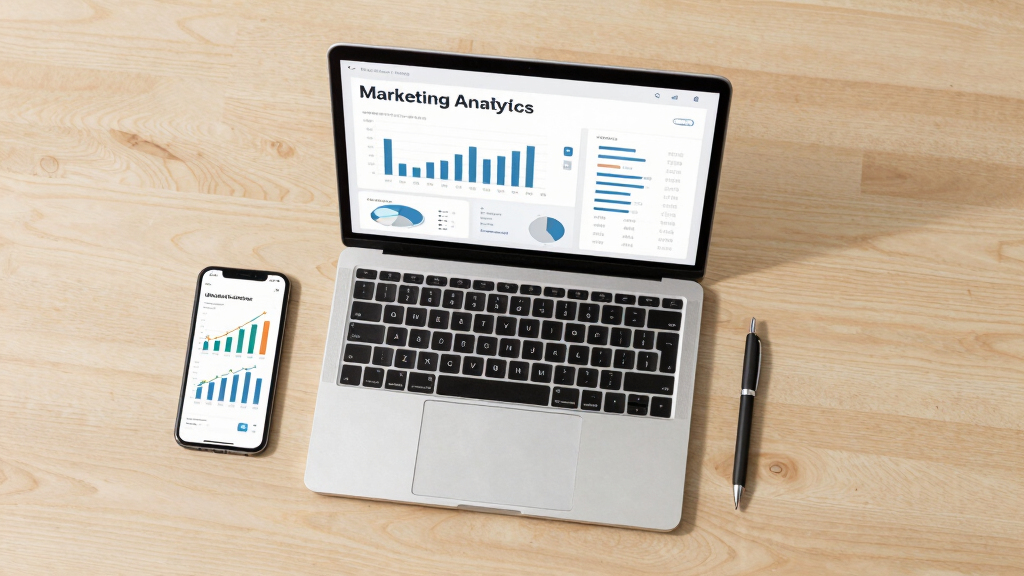

This guide teaches marketers how to select, set up, and interpret data from marketing analytics tools. It is designed for those who want to measure campaign effectiveness, optimize marketing strategies, and improve return on investment. The process involves choosing the right tools, configuring them correctly, and analyzing the data to make informed decisions. This task requires some familiarity with digital marketing concepts and basic data interpretation skills.

Get business pricing on office and shipping supplies
- Business-only prices and quantity discounts
- Tax-exempt purchasing
- Multiple users, one account, clear invoices

Marketing Analytics and Data Science: Tools and Models
- ✔ Focus: Tools and models in marketing data science
- ✔ Audience: Intermediate to advanced professionals
- ✔ Format: Book

Marketing Analytics: Essential Tools for Data-Driven Decisions
- ✔ Focus: Tools and strategies for marketing decision-making
- ✔ Audience: Marketing managers and business strategists
- ✔ Format: Book

Digital Marketing Analytics: Making Sense of Consumer Data in a Digital World
- ✔ Focus: Digital consumer data analysis
- ✔ Audience: Digital marketing teams
- ✔ Format: Book
Difficulty: Intermediate | Time: 2-4 hours
What You’ll Need
Tools & Materials:
- Google Analytics account
- Marketing automation platform (e.g., HubSpot, Mailchimp)
- Data visualization software (e.g., Tableau, Power BI)
Knowledge:
- Basic understanding of marketing metrics (CTR, conversion rate, ROI)
- Familiarity with website and campaign data
- Ability to navigate web-based tools
Marketing Analytics and Data Science: Tools and Models
<p>This book stands out for its thorough coverage of <strong>tools and models used in marketing analytics and data science</strong>. It offers an in-depth look at data-driven decision-making processes, making it ideal for professionals seeking a solid technical foundation. Compared with other options, it is more comprehensive and better suited for those with some background in analytics or data science. However, its <em>technical language can be daunting for beginners</em> and some chapters lack detailed examples, which might hinder practical application.</p>
Pros:
- Comprehensive coverage of marketing analytics tools
- Includes practical models for data-driven decisions
- Suitable for professionals with some technical background
Cons:
- Lacks detailed real-world examples in some sections
- Can be overly technical for beginners
- No digital tools or software integrations discussed
Best for: Data analysts and marketing professionals seeking an in-depth technical guide
Not ideal for: Beginners or those looking for quick, practical strategies without heavy technical detail
Bottom line: A robust resource for technical marketers and data scientists aiming to deepen their analytics toolkit.
“A robust resource for technical marketers and data scientists aiming to deepen their analytics toolkit.”
Marketing Analytics: Essential Tools for Data-Driven Decisions
<p>This book provides a clear overview of <strong>key marketing analytics tools and techniques</strong> aimed at improving business decision-making. Its strength lies in practical insights and strategic advice, making it a good starting point for teams needing actionable guidance. Unlike more technical volumes, it emphasizes <em>applying analytics tools in real-world contexts</em>. The main limitation is that it offers little detail on specific features or software, which might leave some readers wanting more technical depth.</p>
Pros:
- Focuses on practical tools and strategies
- Helps improve decision-making processes
- Accessible for non-technical audiences
Cons:
- Lacks detailed product reviews or technical specs
- Limited depth on specific tools or software features
- Primarily strategic, not technical
Best for: Marketing managers and business strategists looking for straightforward, actionable analytics insights
Not ideal for: Analytics professionals seeking detailed technical or coding guidance
Bottom line: A practical guide for marketers seeking to leverage analytics for smarter decisions without the technical overwhelm.
“A practical guide for marketers seeking to leverage analytics for smarter decisions without the technical overwhelm.”
Digital Marketing Analytics: Making Sense of Consumer Data in a Digital World
<p>This resource excels in explaining <strong>how digital marketing analytics can help understand consumer behavior</strong> and optimize strategies. It offers <em>practical examples and insights into digital data analysis techniques</em>, making it ideal for marketing teams focused on digital channels. However, it does not include detailed technical instructions or digital tools, which could limit its usefulness for those looking for hands-on implementation. Its focus on digital landscape makes it less relevant for traditional marketing analytics.</p>
Pros:
- Provides comprehensive insights into digital analytics
- Practical examples relevant to online marketing
- Helps understand consumer behavior in digital spaces
Cons:
- Lacks detailed technical or coding guidance
- No digital tools or software integrations discussed
- Limited applicability outside digital marketing
Best for: Digital marketing teams and analysts focused on online consumer data
Not ideal for: Traditional marketers or those needing detailed technical instructions
Bottom line: A valuable resource for digital marketers aiming to interpret consumer data and refine online strategies.
“A valuable resource for digital marketers aiming to interpret consumer data and refine online strategies.”
As an Amazon Associate we earn from qualifying purchases.
Before You Start
Review your existing marketing channels and campaigns. Confirm you have access to your website’s data and campaign platforms. Prepare your target KPIs and goals to align your analytics setup accordingly.
Step-by-Step Instructions
Step 1: Select the appropriate analytics tools
Identify which analytics tools suit your needs based on your marketing channels and goals. For website traffic, use Google Analytics. For email campaigns, choose your email platform’s analytics. For overall reporting, consider data visualization software.
Tip: Prioritize tools that integrate easily with your existing platforms to streamline data collection.
Check: You have documented a list of tools with access credentials and integration options.
Step 2: Set up accounts and connect data sources
Create or log into your accounts for Google Analytics, email platforms, and visualization tools. Connect these tools to your website, email campaigns, and other marketing channels following each platform’s setup instructions.
Tip: Double-check that tracking codes are correctly installed on your website and that data flows into your analytics dashboards.
Check: Real-time data appears in your analytics tools, confirming connections are active.
Step 3: Define key performance indicators (KPIs)
Establish the metrics that align with your marketing objectives, such as traffic volume, bounce rate, conversion rate, customer acquisition cost, or campaign ROI. Set clear targets for each KPI.
Tip: Use SMART criteria (Specific, Measurable, Achievable, Relevant, Time-bound) for your KPIs.
Check: KPIs are documented with baseline values and target goals in your analytics plan.
Step 4: Configure dashboards and reports
Create custom dashboards in your visualization software or within your analytics tools to display your KPIs. Set up scheduled reports or alerts for key changes or thresholds.
Tip: Limit dashboards to relevant metrics to avoid information overload and focus on actionable insights.
Check: Dashboards display up-to-date data reflecting your KPIs, and reports are scheduled or generated successfully.
Step 5: Collect and analyze initial data
Allow data to accumulate over a predefined period (e.g., one week). Review the dashboards to identify trends, anomalies, or issues in your marketing campaigns.
Tip: Compare initial data against your baseline and targets to gauge early performance.
Check: Data shows meaningful patterns aligned with your marketing activities, ready for deeper analysis.
Step 6: Interpret and act on insights
Use the reports to identify underperforming channels, high-cost campaigns, or opportunities for optimization. Adjust your marketing strategies accordingly.
Tip: Document insights and planned actions for ongoing improvement.
Check: Your marketing actions are informed by data, leading to measurable changes or tests.
Common Mistakes to Avoid
- Ignoring data quality or incomplete tracking setup — Verify tracking codes are correctly installed and test data flow before analyzing comprehensive reports.
- Focusing on vanity metrics without business impact — Align metrics with specific business goals and KPIs that drive real results.
- Overloading dashboards with too many metrics — Limit dashboards to the most relevant KPIs and update them regularly to keep focus.
Troubleshooting
Problem: Data not appearing or delayed in analytics tools
Solution: Check tracking code installation, verify data source connections, and ensure no filters are blocking data flow.
Problem: Discrepancies between data sources
Solution: Compare setup configurations, ensure consistent date ranges, and validate that data collection methods align.
What Success Looks Like
You can view accurate, real-time dashboards reflecting your KPIs, and your data-driven decisions lead to observable improvements in marketing performance.
Next Steps
Regularly review your analytics dashboards, refine your KPIs, and explore advanced features like A/B testing or automation. Consider training team members on analytics tools to foster data-driven decision-making.
Frequently Asked Questions
How often should I review my marketing analytics?
Review your dashboards weekly or bi-weekly to stay informed about campaign performance and react promptly to trends or issues.
What if I see conflicting data between tools?
Check the setup and data collection methods in each tool. Ensure tracking codes are correctly installed and that date ranges and filters are consistent across platforms.
Can I automate reporting?
Yes, most analytics and visualization tools support scheduled reports and alerts that notify you of key metric changes automatically.
Halloween Picks
halloween
As an affiliate, we earn on qualifying purchases.