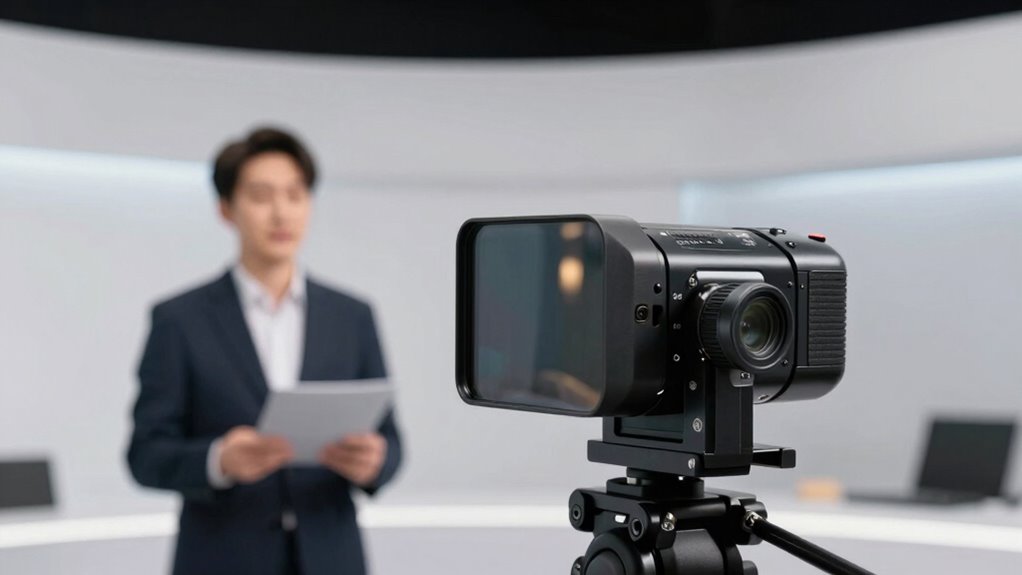

Choosing the right teleprompter size depends on your typical distance from the device. Larger screens are better if you stand farther away, helping you see the script comfortably without tilting your head or losing eye contact. Smaller options work well if you’re close to the camera and can modify text size easily. Proper size ensures smooth delivery, natural angles, and cleaner streams. Keep reading to discover how to optimize your setup for professional results.

Get business pricing on office and shipping supplies
- Business-only prices and quantity discounts
- Tax-exempt purchasing
- Multiple users, one account, clear invoices
Key Takeaways
- Match teleprompter size to your typical reading distance to ensure comfortable script reading and maintain natural eye contact.
- Larger screens support longer viewing distances but require careful lighting to prevent reflections and glare.
- Smaller teleprompters are ideal for close setups, offering easier lighting control and simpler camera angles.
- Consider content volume and ergonomics to select a size that allows easy reading without causing strain or awkward head movements.
- Proper size selection streamlines setup, improves script visibility, and enhances overall recording quality for cleaner streams.
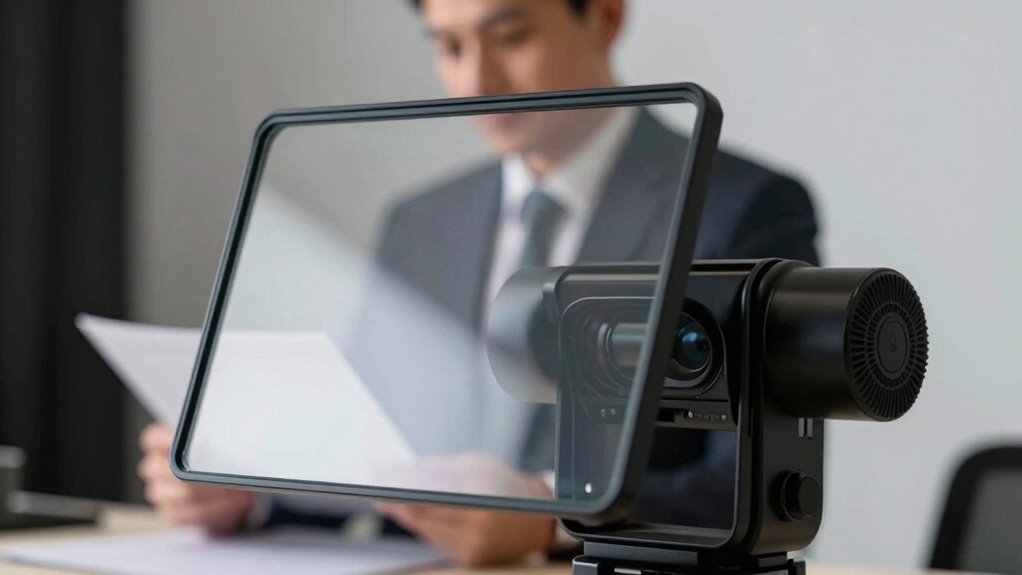
Choosing the right teleprompter size is vital because it directly affects how comfortably you can read your script from various distances. When you select a size that matches your typical setup, it guarantees you stay engaged with your audience without straining your eyes or losing eye contact. If the teleprompter is too small, you’ll find yourself squinting or leaning forward to see the text clearly, which can disrupt your camera angles and make your delivery seem less natural. Conversely, a too-large teleprompter might block your view of the camera lens or cause awkward head movements, impacting the overall professionalism of your recording.
The size of your teleprompter also plays a key role in how you manage lighting setups. Larger screens tend to reflect more light, requiring careful adjustment of your lighting to prevent glare or unwanted reflections. Proper lighting is vital to maintaining a clean, professional look, especially because reflections on the glass can interfere with your shot. You’ll want to position your lights at angles that minimize reflections on the teleprompter glass, which can be tricky if the screen is oversized or placed too close to your camera. Smaller teleprompters, on the other hand, are easier to light and control, but they might limit your reading distance, forcing you to lean in or adopt uncomfortable camera angles. Additionally, considering the content volume you plan to deliver can help determine the appropriate size, ensuring you have enough space for your script without compromising your setup. Being aware of teleprompter ergonomics can further enhance your comfort during recordings.
Your choice of teleprompter size should also consider the distance between you and the device. If you usually record from a distance, a larger screen helps you read comfortably without having to lean forward or squint. This allows you to maintain natural camera angles, keeping your head level and your eye contact consistent. When you’re closer to the teleprompter, a smaller size can still be effective, provided the text size is adjustable. This setup enables you to keep your camera angles steady and your lighting more straightforward, since you won’t need as much space or complex lighting adjustments.
Ultimately, matching your teleprompter size with your typical recording environment helps streamline your setup. It guarantees clear, easy reading, ideal camera angles, and proper lighting, making your streams cleaner and your recordings smoother. When you pay attention to these factors, you’ll find it easier to focus on your delivery rather than fighting with equipment, resulting in more confident and professional-looking videos.
professional teleprompter for recording
As an affiliate, we earn on qualifying purchases.
As an affiliate, we earn on qualifying purchases.
Frequently Asked Questions
How Do I Choose the Right Teleprompter Size for My Camera?
To choose the right teleprompter size for your camera, consider your camera’s width and your shooting environment. Larger teleprompters are better for wide shots and studio setups, while smaller ones suit handheld or compact cameras. Check teleprompter accessories for compatibility considerations, ensuring the device fits securely and aligns well with your camera. Ultimately, select a size that balances readability and portability, making your recordings easier and more professional.
What Is the Ideal Reading Distance for Different Teleprompter Sizes?
Studies show that maintaining eye contact enhances audience engagement considerably. For different teleprompter sizes, the ideal reading distance varies: smaller screens typically need a closer distance of about 12-18 inches to keep your reading angle natural, while larger screens can be placed 18-24 inches away. This helps you sustain good eye contact, avoid looking down or away, and deliver a more confident, seamless performance.
How Does Teleprompter Size Impact On-Screen Appearance?
You’ll notice that teleprompter size directly affects your on-screen appearance. A larger teleprompter allows you to keep eye contact, enhancing audience engagement, while a smaller one might cause you to look away or seem less confident. To optimize your delivery, customize your script layout to suit the teleprompter size, ensuring smooth reading. This balance helps you connect better with viewers, making your presentation more natural and persuasive.
Can I Use a Smaller Teleprompter for Live Streaming?
Yes, you can use a smaller teleprompter for live streaming. Just make certain it’s positioned correctly to maintain eye contact and avoid eye strain. Keep your script well-formatted for quick reading, and practice voice modulation to sound natural. A smaller teleprompter can work if you adjust your reading distance and focus on clear, engaging delivery. It’s all about balancing visibility with comfort for a smooth, professional stream.
How Do Lighting Conditions Affect Teleprompter Readability?
Lighting conditions greatly impact teleprompter readability. Bright ambient lighting can cause glare, making it harder to see the script clearly. To improve visibility, you should reduce glare by adjusting your environment or using anti-glare screens. Proper lighting guarantees your teleprompter text remains clear and easy to read, enabling smoother delivery. Keep your setup well-lit but avoid direct light that creates reflections or glare on the teleprompter screen.
As an affiliate, we earn on qualifying purchases.
Conclusion
Choosing the right teleprompter size and reading distance is like tuning a musical instrument—you want everything to be in perfect harmony for a smooth, confident performance. When you find that sweet spot, your delivery flows effortlessly, making your streams cleaner and recordings easier. Remember, a well-matched setup isn’t just a detail; it’s the foundation that lets your message shine through, like a lighthouse guiding viewers safely to your content.
teleprompter with glare reduction
As an affiliate, we earn on qualifying purchases.
As an affiliate, we earn on qualifying purchases.
compact teleprompter for close-up videos
As an affiliate, we earn on qualifying purchases.
As an affiliate, we earn on qualifying purchases.
Halloween Picks
halloween
As an affiliate, we earn on qualifying purchases.