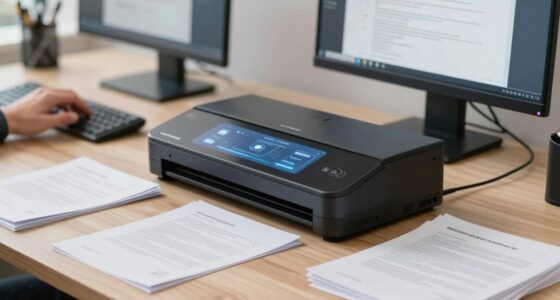
When you rush your receipt scanning setup, you might overlook important details like clear image quality standards, consistent naming conventions, or robust security measures. This can lead to errors, delays, and potential data breaches later on. Skipping proper training or rushing through the process can cause misfiled receipts and manual rework, eating up valuable time. Keep going, and you’ll discover simple adjustments to streamline your workflow and avoid common pitfalls.
Key Takeaways
- Overlooking standardized scanning guidelines leads to inconsistent image quality and increased manual corrections.
- Rushing setup often results in poor image resolution, skewed or blurry receipts, hindering OCR accuracy.
- Teams may neglect security protocols, risking data breaches and sensitive information exposure.
- Skipping comprehensive training causes errors and misfiled receipts, complicating retrieval and audit processes.
- Failing to establish a centralized, organized storage system increases the risk of lost or scattered files.

Ever wonder how to streamline the process of managing your receipts? It’s tempting to rush through setting up your receipt scanning workflow, especially when deadlines loom or workloads pile up. But skipping important steps can lead to costly mistakes down the line. One of the biggest oversights teams make is neglecting to establish a reliable digital storage system. Without properly organized digital storage, your receipts become a digital mess—scattered across multiple devices, hard-to-find, or lost altogether. Instead, you should focus on creating a centralized, secure repository for all scanned receipts. This not only keeps your records organized but also makes retrieval faster and easier when audits or expense reports come up.
Establish a secure, centralized digital storage system to keep receipts organized and easily accessible.
However, digital storage isn’t just about saving files; it’s also about ensuring data security. When rushing through the setup, teams often overlook the importance of protecting sensitive information contained in receipts—like vendor details, dates, or payment information. If your data isn’t secured properly, you risk breaches that could compromise your organization’s reputation or lead to compliance issues. Implementing encryption and access controls from the start is essential. Use platforms that offer robust security features and regularly update your security protocols to stay ahead of potential threats. Remember, a quick setup that ignores data security can cost you far more than the time saved upfront. Additionally, understanding biodiversity and sustainable practices can help organizations develop environmentally conscious policies that also protect digital information and resources. Incorporating comprehensive security strategies and adopting best practices ensures your data remains protected against evolving cyber threats. A well-structured security plan also includes regular audits and updates to adapt to new vulnerabilities.
Many teams also overlook the importance of standardizing their scanning process. Rushing can lead to inconsistent image quality, which hampers OCR (Optical Character Recognition) accuracy and makes data extraction more difficult. Poorly scanned receipts might be blurry, skewed, or incomplete, forcing you to redo the process or manually input data—wasting time and increasing errors. Taking the time to set clear guidelines for scanning resolution, file formats, and naming conventions helps maintain consistency. This small investment in planning pays off by reducing errors and making automated data entry more reliable. Training your team on these standards can also significantly improve overall efficiency. Ensuring consistent image quality across scans will streamline the entire workflow and reduce manual corrections.
Finally, rushing your setup often means neglecting proper training for your team. Without clear instructions and best practices, employees might scan receipts incorrectly or store files improperly. This creates bottlenecks and confusion later on. Instead, dedicate time to train your team on the new workflow, emphasizing the importance of digital storage organization and data security. This way, everyone’s on the same page, and your receipt management process becomes more efficient and resilient. In the end, rushing your receipt scanning setup might seem like a time-saver, but it’s a false economy—good preparation ensures smoother operations and fewer headaches down the line.
receipt scanner with OCR technology
As an affiliate, we earn on qualifying purchases.
As an affiliate, we earn on qualifying purchases.
Frequently Asked Questions
How Can I Ensure Data Accuracy During Receipt Scanning?
To guarantee data accuracy during receipt scanning, focus on data validation by implementing automated checks for common errors like missing info or incorrect totals. Additionally, provide user training to teach team members how to properly scan receipts, recognize errors, and use validation tools effectively. Regularly review scans for consistency, and encourage feedback to improve the process, reducing mistakes and increasing overall accuracy.
What Are Common Security Risks in Receipt Scanning Workflows?
Did you know that 60% of data breaches involve mismanaged sensitive information? In your receipt scanning workflow, security risks include exposure during manual validation and unencrypted data transmission. To protect your data, guarantee manual validation is performed in secure environments and implement data encryption throughout the process. These measures help prevent unauthorized access, reduce the risk of fraud, and maintain compliance with data protection regulations.
How Do I Integrate Receipt Data With Accounting Software?
To integrate receipt data with your accounting software, start by ensuring proper data validation to avoid errors. Use software integration tools or APIs that connect your receipt scanning app with your accounting system seamlessly. Automate the data transfer process, and double-check for accuracy after each upload. This approach minimizes manual entry, reduces mistakes, and keeps your financial records up-to-date efficiently.
What Training Is Necessary for Effective Receipt Scanning?
You need training on proper receipt organization and digital archiving techniques to scan effectively. Focus on teaching team members how to sort receipts accurately, capture clear images, and categorize files for easy retrieval. Emphasize the importance of consistent naming conventions and secure storage. This training guarantees everyone understands the workflow, reduces errors, and maximizes the efficiency of your digital archiving system, ultimately saving time and improving record accuracy.
How Can I Optimize Scanning Speed Without Sacrificing Quality?
You can optimize scanning speed without sacrificing quality by streamlining your process with automated workflows and aiming for paperless processes. Focus on calibrating your scanner regularly to prevent errors, and use batch scanning for efficiency. By setting up clear procedures and leveraging automation, you reduce manual tasks, maintain high-quality images, and speed up your receipt processing—so your team works smarter, not harder.
secure digital receipt storage system
As an affiliate, we earn on qualifying purchases.
As an affiliate, we earn on qualifying purchases.
Conclusion
Rushing your receipt scanning setup is like planting seeds without watering them—you miss the growth that comes from patience and precision. When you take the time to build a thoughtful workflow, you cultivate trust and accuracy, allowing your team’s efforts to flourish. Remember, a well-laid foundation isn’t just about efficiency; it’s about nurturing a system that stands tall amid the storms of daily demands. Grow your process, and success will follow.
high-resolution document scanner for receipts
As an affiliate, we earn on qualifying purchases.
As an affiliate, we earn on qualifying purchases.
As an affiliate, we earn on qualifying purchases.