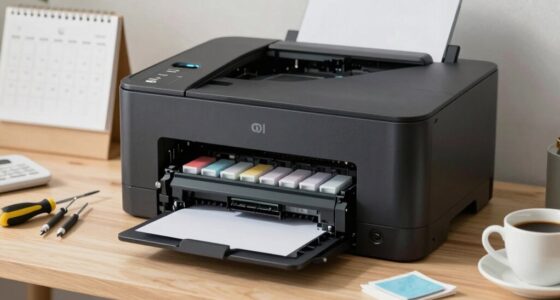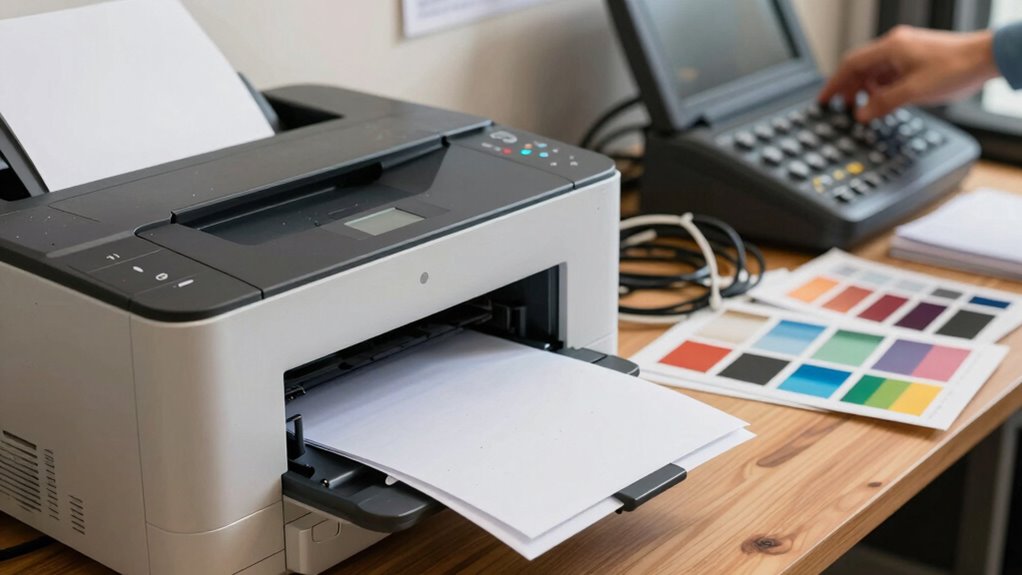

Your costs per page come from more than just ink and paper, including maintenance, energy, and employee time. Without simple rules like duplex printing or draft mode, workflows become inefficient, leading to unexpected expenses and breakdowns. Overlooking these factors causes costs to spiral and workflows to break down. Staying aware of these cost elements and setting clear rules can keep expenses under control. If you keep going, you’ll discover how to fine-tune your print workflows for better savings.

Get business pricing on office and shipping supplies
- Business-only prices and quantity discounts
- Tax-exempt purchasing
- Multiple users, one account, clear invoices
Key Takeaways
- Complex factors like maintenance, energy, and employee time contribute to hidden costs, complicating the true cost per page.
- Without simple rules, inefficiencies such as unnecessary printing and poor maintenance scheduling cause workflow breakdowns.
- Overlooking maintenance and toner costs leads to unexpected expenses, disrupting print workflows and increasing costs.
- Regular monitoring and basic rules (e.g., duplex printing) help control costs and prevent workflow disruptions.
- Clear guidelines and tracking tools ensure consistent, cost-effective printing processes, avoiding breakdowns caused by overlooked expenses.

Ever wondered how much each printed page truly costs your business? Understanding your cost per page is more than just tallying up ink or paper. It involves considering multiple factors that can fluctuate and affect your overall expenses. When you break it down, you’ll see that print workflows can quickly become complicated without simple rules to guide you. One major aspect is maintenance costs, which include servicing your printers, replacing worn-out parts, and addressing potential breakdowns. These costs aren’t always predictable and can vary based on the volume of printing and the age of your equipment. Overlooking maintenance can lead to unexpected expenses that inflate your cost per page, so it’s crucial to factor in regular servicing when evaluating your printing costs. Additionally, understanding cost management strategies can help you optimize your expenses and avoid surprises. Implementing cost tracking tools can further enhance your ability to monitor these variables in real-time, leading to more informed decision-making. Proper monitoring can also reveal patterns that help you schedule maintenance proactively, reducing downtime and costs over the long term.
Toner pricing is another critical element that influences the true cost of each page. While it may seem straightforward—just buy toner and replace it when empty—the actual costs can differ considerably depending on your toner supplier, cartridge compatibility, and purchase volume. Some providers offer bulk discounts, reducing your overall toner expenses, but inconsistent pricing or buying cheaper, incompatible cartridges might lead to printing issues or more frequent replacements, increasing your costs in the long run. Understanding your toner’s cost per cartridge, along with its yield (the number of pages it can print), helps you calculate a more accurate cost per page. This, in turn, allows you to compare different toner options and choose the most cost-effective solution for your needs. It is also important to consider printer lifespan to ensure your investment remains economical over time.
Beyond maintenance and toner, other hidden costs can sneak into your calculations, like energy consumption, paper waste, or even the time employees spend managing print jobs. These may seem minor but add up over time. When your print workflow lacks clear rules or cost awareness, it can lead to overspending and inefficiencies. A comprehensive approach to cost control involves regularly monitoring all aspects of printing expenses to identify and address inefficiencies promptly. You might find yourself printing unnecessarily or using expensive supplies without realizing the impact on your budget. Establishing simple rules—such as setting default duplex printing, using draft mode for internal documents, or monitoring toner levels regularly—can help control these expenses. Keeping an eye on maintenance schedules and toner pricing not only reduces costs but also ensures your printers operate smoothly, preventing disruptions that could stall your workflow. Regularly reviewing these cost factors can uncover new savings and improve overall efficiency.
As an affiliate, we earn on qualifying purchases.
Frequently Asked Questions
How Can I Reduce My Cost per Page Effectively?
To reduce your cost per page effectively, focus on improving printing efficiency and toner savings. Use duplex printing and draft mode for non-essential documents, which cuts paper and toner use. Regularly maintain your printers to prevent inefficiencies, and choose high-yield toner cartridges to maximize savings. Tracking your printing habits helps identify areas to cut costs, ensuring you get the most value out of every print job.
What Factors Influence Cost per Page Calculations?
You influence your cost per page mainly through print quality and paper selection. Higher print quality often uses more ink or toner, increasing costs. Thicker or specialty papers also raise expenses per page. By choosing standard paper and balancing print quality with your needs, you can effectively lower your costs. Being mindful of these factors helps you manage your print workflow budget more efficiently.
Is Cost per Page Different for Color and Black-And-White Printing?
Yes, cost per page differs for color printing and black-and-white printing. You’ll find that color printing generally costs more because it uses more ink and involves more complex processes. Black-and-white printing is usually cheaper, as it requires only black ink or toner. When you manage print workflows, understanding these differences helps you optimize costs, choose the right printing mode, and prevent overspending on unnecessary color prints.
How Often Should I Review My Cost per Page Metrics?
Think of your print budget as a garden needing regular tending. You should review your cost per page metrics every quarter to catch weeds early and guarantee your equipment’s lifespan isn’t shortened by unseen costs. Regular checks help you spot trends, optimize spending, and keep your print workflow healthy. Staying proactive allows you to nurture your printing environment, preventing costly surprises down the line.
Can Cost per Page Help Identify Printer Maintenance Issues?
Yes, cost per page can help you identify printer maintenance issues. By monitoring maintenance indicators and tracking consumables, you notice sudden increases in costs, which often signal problems like toner leaks or drum wear. Regularly analyzing your cost per page allows you to catch these issues early, preventing costly repairs and downtime. Keeping an eye on these metrics guarantees smoother print workflows and extends your printer’s lifespan.
As an affiliate, we earn on qualifying purchases.
Conclusion
Understanding your cost per page isn’t just about saving money—it’s about uncovering hidden pitfalls in your print workflow. If you ignore these simple rules, you risk surprises that could disrupt your entire process. But what if the most significant issue isn’t what you see now, but what’s lurking beneath the surface? The real challenge lies ahead. Stay vigilant, and you might just master the secrets to a seamless, cost-effective print operation—before it’s too late.
As an affiliate, we earn on qualifying purchases.
energy-efficient office printers
As an affiliate, we earn on qualifying purchases.
As an affiliate, we earn on qualifying purchases.
Halloween Picks
halloween
As an affiliate, we earn on qualifying purchases.