
A strong preview text sets the stage for effective email messaging by acting as a mini teaser that complements your subject line and highlights key benefits. It helps clarify your call to action and guides recipients on what to do next, boosting open rates and engagement. Tailoring preview texts to your audience guarantees relevance and resonance, forming the foundation for persuasive communication. Keep going to discover how strategic crafting can elevate your entire email campaign.
Listen free for 30 days with Audible
Thousands of audiobooks and originals — cancel anytime.
As an affiliate, we earn on qualifying purchases.
Key Takeaways
- Preview text sets the initial tone, influencing recipient interest and engagement before they open the email.
- It serves as a crucial complement to the subject line, filling gaps and reinforcing messaging.
- Effective preview text aligns with the call to action, guiding recipients toward desired responses.
- Personalization and relevance in preview text strengthen audience connection and boost engagement.
- Strategic crafting of preview text enhances overall campaign messaging and increases conversion potential.
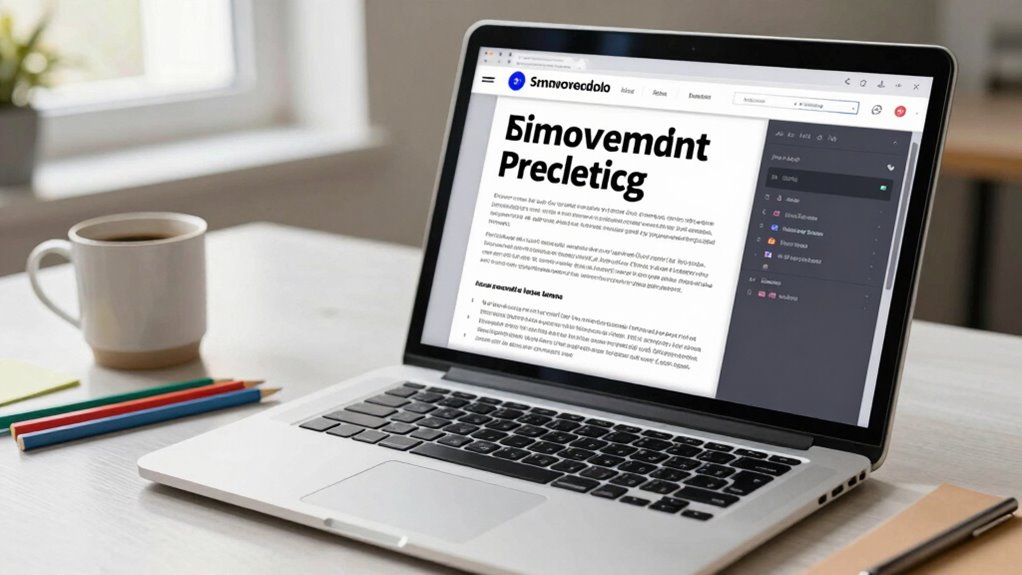
Have you ever wondered why some email subject lines grab your attention while others go unnoticed? The secret often lies in the preview text—those few words that appear next to or below the subject line in your inbox. The preview text acts as a second chance to communicate your value proposition. If your subject line piques curiosity but leaves too much unsaid, the preview text can fill in the gaps, clarifying your intent and encouraging recipients to open. Think of it as a mini teaser—highlighting benefits or exclusive offers without giving everything away. When you align your call to action with the preview text, you make it easier for your audience to understand what you want them to do next, whether that’s clicking a link, making a purchase, or signing up for an event. A clear, compelling preview text can significantly boost your open rates because it complements the subject line with an additional layer of persuasion. Additionally, understanding the importance of content relevance can help you craft preview texts that truly resonate with your audience. Tailoring your preview text based on audience segmentation ensures that your messaging feels personalized and relevant, thereby increasing engagement. Recognizing the role of preview text strategy in your overall email marketing allows you to optimize your messaging effectively. Crafting effective preview text also involves understanding how to craft compelling messages, making sure each word adds value and entices the reader. Ultimately, crafting effective preview text is about understanding your audience and delivering a message that complements your call to action. It’s the first impression after the subject line, and it should work in harmony to persuade your recipient to open, read, and act. By paying close attention to this small but powerful element, you set the foundation for stronger messaging that can lead to better engagement and conversion. When done well, your preview text becomes an essential part of your overall email strategy—one that starts with clarity, relevance, and a deep understanding of your audience segmentation.
As an affiliate, we earn on qualifying purchases.
Frequently Asked Questions
How Does Preview Text Impact Email Open Rates?
You can boost email open rates by using preview text effectively. Personalization tactics make your preview more relevant, catching recipients’ attention and encouraging them to open. Incorporate visual enhancements like emojis or bold text to make your preview stand out in crowded inboxes. When your preview complements your subject line and offers a clear value, recipients are more likely to open your email, increasing engagement from the start.
What Are Common Mistakes in Crafting Preview Text?
You often make mistakes in preview text by using font choices that are hard to read or inconsistent with your brand. Avoid cluttering it with too much information, and steer clear of generic messages. Also, neglecting color schemes that clash or don’t stand out can reduce engagement. Keep it concise, relevant, and visually appealing to entice recipients to open your email. Clear font choices and complementary color schemes are key.
How Long Should Preview Text Ideally Be?
You should aim for about 40 to 50 characters, or roughly 3 to 4 lines, aligning with length guidelines for ideal impact. While concise preview text captures attention, its visual placement—just below the subject line—can make a big difference. Too long, and it risks truncation; too short, and it may not pique curiosity. Balance is key, ensuring your message is clear without overwhelming the reader.
Should Preview Text Match the Email Subject Line?
No, your preview text shouldn’t match the email subject line exactly. Instead, use personalization tactics to make it complement the subject line, creating curiosity or adding value. Incorporate visual enhancements in your preview text, like emojis or bolded words, to catch the reader’s eye. This combined approach encourages recipients to open your email, as they see a cohesive, engaging message that builds anticipation without repetition.
How Can I Test the Effectiveness of My Preview Text?
You can’t afford to overlook the power of testing your preview text—it’s like trying to navigate a maze blindfolded! Use A/B testing with different personalized techniques and visual enhancements to see what resonates most. Track open rates, click-throughs, and engagement metrics to identify which version sparks curiosity. Regularly analyzing this data guarantees your preview text becomes irresistibly compelling, driving more opens and boosting your email success.
email marketing personalization tools
As an affiliate, we earn on qualifying purchases.
As an affiliate, we earn on qualifying purchases.
Conclusion
So, next time you’re tempted to skip over crafting a solid preview, remember—it’s basically your message’s secret handshake. Skimp on it, and you might as well shout into the void. Stronger messaging begins here, yet somehow, many still ignore it. Think of your preview as that witty opening line in a conversation—you want to pique curiosity, not bore or confuse. After all, who doesn’t love a good tease that actually delivers?
email campaign A/B testing software
As an affiliate, we earn on qualifying purchases.
As an affiliate, we earn on qualifying purchases.
email engagement analytics software
As an affiliate, we earn on qualifying purchases.
As an affiliate, we earn on qualifying purchases.
Fall Picks
fall essentials
As an affiliate, we earn on qualifying purchases.