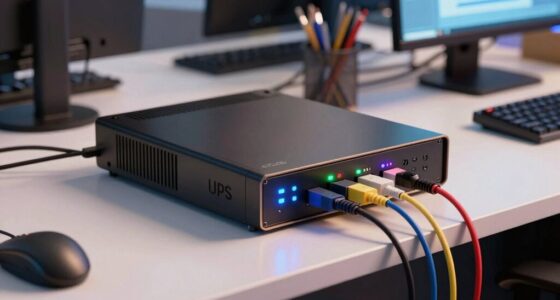
Proper router placement is often overlooked but vital for a reliable network in your office. Keep your router in a central, open spot away from interference sources like microwaves or cordless phones. Elevate it on a shelf and avoid hiding it behind furniture or in closets. This simple fix can drastically improve signal strength and reduce disruptions. If you want to maximize your network’s performance and security, there’s more to discover below.
Key Takeaways
- Place routers centrally in open, elevated locations to ensure consistent signal coverage throughout the office.
- Avoid hiding routers behind furniture, in closets, or near thick walls to prevent signal disruptions.
- Keep routers away from electronic interference sources like microwaves and cordless phones.
- Position antennas vertically and avoid enclosed spaces for optimal signal reach.
- Regularly update router firmware to maintain security and enhance performance alongside proper placement.
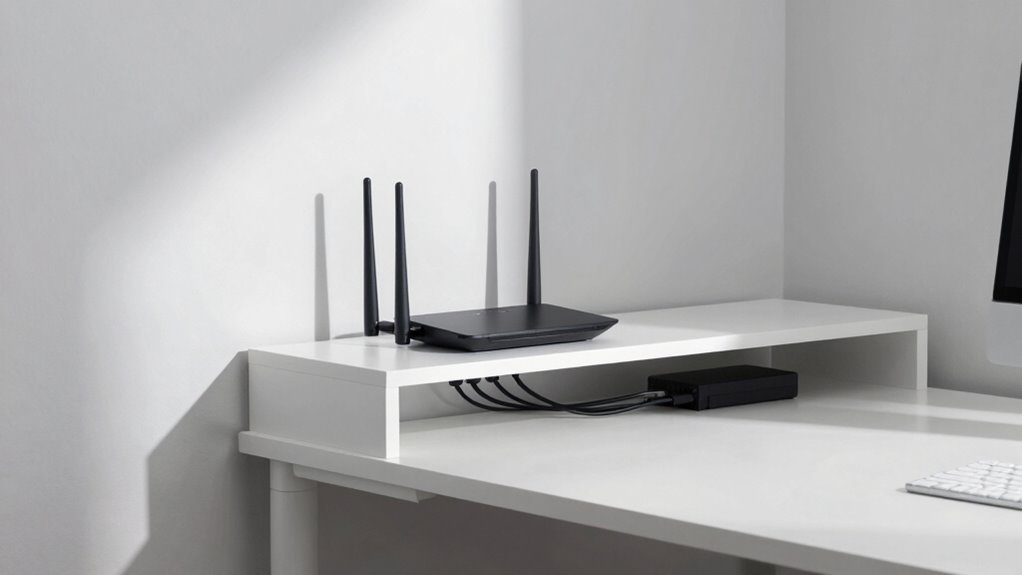
Have you ever experienced slow or dropped Wi-Fi signals in your office? If so, you’re not alone. Many small teams overlook the importance of proper router placement, often waiting too long before addressing connectivity issues. The truth is, where you position your router directly impacts the reliability of your network. Poor placement can cause weak signals and frequent disruptions, frustrating your team and hampering productivity. To fix this, you need to think carefully about the router’s location, especially considering factors like wireless security and signal interference.
Proper router placement boosts Wi-Fi reliability, security, and reduces interference for a more efficient office network.
First, consider the importance of wireless security. Your router’s placement isn’t just about signal strength; it also affects how secure your network is. Placing your router in a central, open location makes it easier to monitor and update security settings. Avoid hiding it in closets, behind furniture, or near windows, where signals can leak outside your office, exposing you to potential security breaches. Keeping the router in a visible, centralized spot helps ensure that only authorized personnel access the network, reducing the risk of external threats. Proper placement also facilitates wireless security best practices, helping to prevent unauthorized access.
Signal interference is another critical factor. Many small offices have multiple electronic devices—cordless phones, microwaves, Bluetooth gadgets—each of which can interfere with Wi-Fi signals. Placing your router near these devices can cause slowdowns and dropped connections. Instead, position your router away from such electronics, ideally in an open space with minimal interference. Walls, especially those made of concrete or metal, also block signals, so avoid placing your router behind thick barriers. Elevating the router on a shelf or high desk often improves coverage by reducing obstacles and promoting a stronger, more stable connection throughout the office. Additionally, understanding wireless interference sources can help you choose the best spot to maximize signal quality. It’s also beneficial to select a router with interference mitigation features for environments with multiple electronic devices.
Beyond choosing the right location, pay attention to the router’s orientation and antenna positioning. If your router has adjustable antennas, aim them vertically to maximize coverage. Also, ensure the router is not tucked into tight corners or enclosed in cabinets, which can considerably reduce signal reach. Regularly updating your router’s firmware is essential for maintaining wireless security and optimizing performance, so don’t neglect these software updates along with physical placement. Additionally, understanding wireless security best practices can further protect your network from potential threats and unauthorized access. By fine-tuning these physical and software configurations, you can significantly enhance your network’s reliability and security.

TP-Link AX1800 WiFi 6 Router (Archer AX21 V5) – Dual Band Wireless Internet, Gigabit, Easy Mesh, Works with Alexa – A Certified for Humans Device, Free Expert Support
DUAL-BAND WIFI 6 ROUTER: Wi-Fi 6(802.11ax) technology achieves faster speeds, greater capacity and reduced network congestion compared to…
As an affiliate, we earn on qualifying purchases.
As an affiliate, we earn on qualifying purchases.
Frequently Asked Questions
How Often Should I Upgrade My Office Router?
You should upgrade your office router every 3 to 5 years, but more importantly, prioritize regular router maintenance and firmware updates. Keeping firmware current guarantees your router runs smoothly and stays secure against threats. If you notice slow speeds, frequent disconnections, or outdated firmware alerts, consider upgrading sooner. Staying proactive with maintenance and updates helps prevent downtime and maintains reliable connectivity for your team.
What Safety Concerns Are Associated With Router Placement?
Placing your router improperly can pose safety concerns and interfere with signals. Make sure it’s positioned to minimize interference by avoiding thick walls, metal objects, or other electronics. Keep it off the floor to prevent physical safety hazards like tripping or overheating. Proper placement enhances interference mitigation, reducing signal disruptions and preventing overheating risks, which keeps your workspace safer and your network more reliable.
How Can I Secure My Office Wi-Fi Network Effectively?
You might think a simple password keeps your office Wi-Fi secure, but that’s not enough. Instead, you should enable strong encryption protocols like WPA3 and create separate guest networks. These steps protect sensitive data and limit access. Ironically, many overlook these basics, risking breaches. Securing your Wi-Fi isn’t complicated—just guarantee your network uses robust encryption and keeps guest access isolated from your main systems.
Do Different Office Layouts Require Different Router Types?
Yes, different office layouts often need different router types to guarantee ideal coverage and performance. For open-plan spaces, consider a high-performance, mesh router system that blends with your office aesthetics and minimizes visual clutter. In smaller or segmented offices, a traditional router with a sleek design might suffice. Choosing the right router based on your office’s layout helps maintain reliable Wi-Fi, without compromising office aesthetics or router aesthetics.
Can Multiple Routers Improve Wi-Fi Reliability in the Office?
Yes, multiple routers can boost Wi-Fi reliability by battling device interference and extending signal range. When you deploy several routers strategically, you create a seamless, strong signal that covers every corner of your office. This setup reduces dead zones, minimizes interference, and guarantees a more consistent connection. By spreading out routers, you improve overall network stability, making it easier for your team to work without frustrating disruptions or slowdowns.
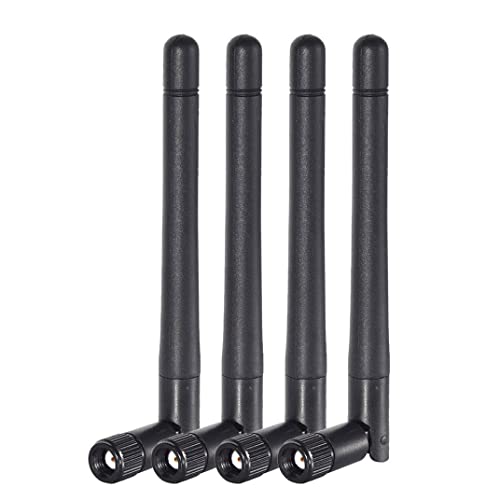
Bingfu Dual Band WiFi 2.4GHz 5GHz 5.8GHz 3dBi MIMO RP-SMA Male Antenna (4-Pack) for WiFi Router Wireless Network Card USB Adapter Security IP Camera Video Surveillance Monitor
Dual Band WiFi: 2.4GHz (2400 – 2485 MHz),5GHz/5.8GHz (5150 – 5850 MHz); Gain: 3dBi; Direction: Omni-directional; Antenna Connector:…
As an affiliate, we earn on qualifying purchases.
As an affiliate, we earn on qualifying purchases.
Conclusion
Proper router placement is like laying a solid foundation—you might delay it, but it’ll cause issues down the line. Don’t wait until Wi-Fi drops or slowdowns disrupt your work; taking action now guarantees a reliable connection for your team. Think of your router as the heart of your office network—placing it wisely keeps everything running smoothly. So, prioritize your router placement today, and enjoy seamless connectivity like a well-oiled machine.
TP-Link AX1800 WiFi 6 Router (Archer AX21 V5) – Dual Band Wireless Internet, Gigabit, Easy Mesh, Works with Alexa – A Certified for Humans Device, Free Expert Support
DUAL-BAND WIFI 6 ROUTER: Wi-Fi 6(802.11ax) technology achieves faster speeds, greater capacity and reduced network congestion compared to…
As an affiliate, we earn on qualifying purchases.
As an affiliate, we earn on qualifying purchases.
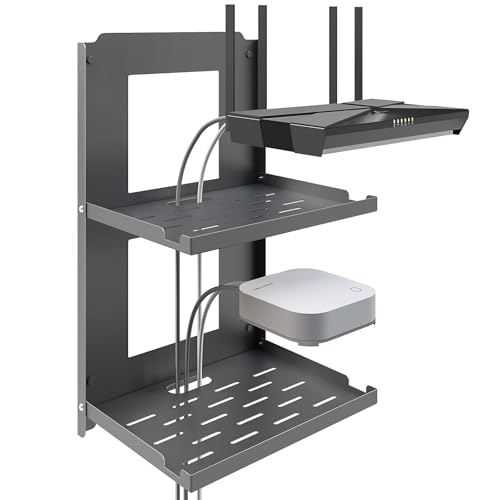
SKIKEN 2-Tier Router Shelf Wall Mount Foldable – 10 inch Metal Outlet Shelf w/Cable Holes | Dual-Layer Organize & Connect for Router and Modem & Smart Home Decor | Folds Up & Stackable (Medium)
【Dual-Layer Foldable Design】SKIKEN's 2-tier metal router shelf features a space-saving foldable design. Both tiers can be folded flat…
As an affiliate, we earn on qualifying purchases.
As an affiliate, we earn on qualifying purchases.