
📊 Full opportunity report: Best Quiet Case Fans + the Airflow Setup That Actually Works on ThorstenMeyerAI.com — validation score, market gap, and execution plan.

Get business pricing on office and shipping supplies
- Business-only prices and quantity discounts
- Tax-exempt purchasing
- Multiple users, one account, clear invoices
TL;DR
This article identifies the best quiet case fans for 2026 and explains the airflow setup that ensures effective cooling with minimal noise. It highlights top models like Noctua NF-A12x25 and Arctic P12 Pro, emphasizing the importance of large, slow-moving fans and proper placement.
In 2026, the top quiet case fans recommended for high-performance workstations are the Noctua NF-A12x25 and Arctic P12 Pro, which combine high airflow with low noise. These fans, paired with a specific airflow setup, enable effective cooling without sacrificing silence, crucial for AI and workstation builds.
The Noctua NF-A12x25 is widely regarded as the best-engineered 120mm fan, moving over 100 CFM at less than 16 dB, thanks to its refined bearing and motor. Its larger counterpart, the NF-A14, offers similar performance in 140mm size, ideal for case intake and exhaust.
The Arctic P12 Pro and P14 PWM PST are valued for offering near-premium performance at a fraction of the cost—around $8.50 per fan—delivering high airflow and static pressure suitable for radiators and dense heatsinks. The be quiet! Silent Wings 4 is recommended for ultra-quiet operation, maintaining low noise even at higher RPMs.
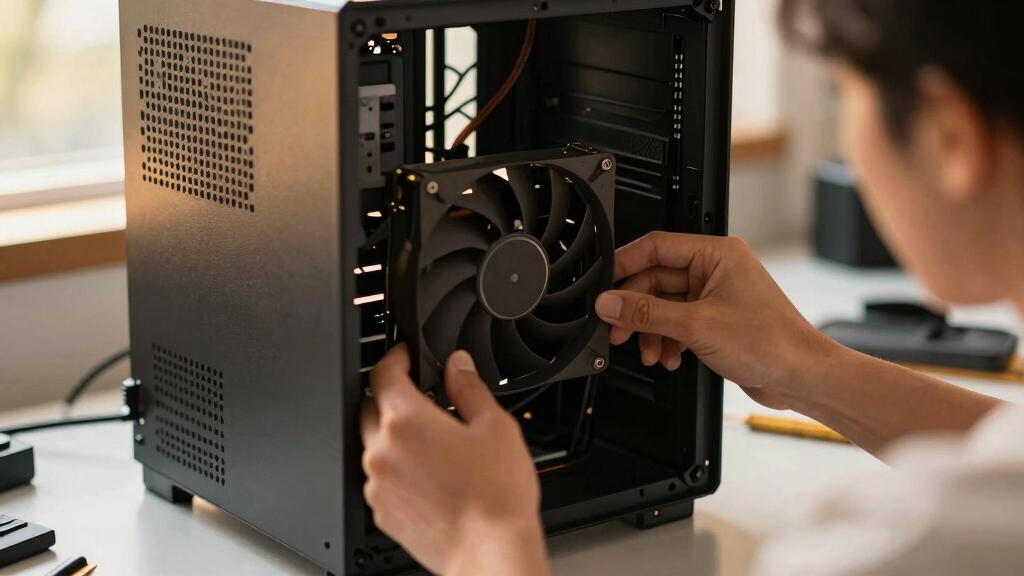
The key principle is to use larger fans running at lower RPMs to move air gently and quietly. This approach balances cooling and noise, especially when fans are properly placed as intake and exhaust, with static-pressure fans used behind radiators or filters.
Best quiet case fans
+ the airflow that works.
The best fan won’t help if it’s pointed the wrong way. The whole recipe: big fans, running slowly, in a clean front-to-back path, with slightly more intake than exhaust. Build a config in Part 2 and watch the pressure balance respond.
Why Quiet Fans and Proper Airflow Matter in 2026
Effective cooling with minimal noise enhances productivity and comfort, especially in AI and high-performance workstations. Using the right fans and airflow setup reduces thermal throttling and prolongs hardware lifespan, making it essential for professionals relying on quiet, reliable systems. The recommendations also offer cost-effective solutions for builders on a budget, ensuring high performance without excessive noise or expense.As an affiliate, we earn on qualifying purchases.
2026 Cooling Trends and Proven Fan Choices
Recent testing and reviews confirm that larger fans running at lower RPMs provide the best balance of noise and airflow. The Noctua NF-A12x25 has consistently ranked as the top-engineered fan, while Arctic's P12 Pro offers comparable performance at a lower price. Proper airflow setup, emphasizing front-to-back flow with large intake and exhaust fans, remains a core principle for quiet, efficient cooling. These insights build on previous years' findings, emphasizing the importance of fan size, placement, and tuning for optimal results."Big and slow fans outperform small, fast fans in both noise and cooling efficiency, especially when paired with a well-designed airflow setup."
— Thorsten Meyer, expert on PC cooling
high airflow low noise computer fans
As an affiliate, we earn on qualifying purchases.
As an affiliate, we earn on qualifying purchases.
Remaining Questions About Long-Term Performance and Compatibility
While these fans are highly rated in current testing, long-term durability and compatibility with all case sizes and configurations remain to be fully confirmed. The optimal airflow setup may vary depending on specific case layouts and components, and real-world noise levels can differ based on installation and ambient conditions.As an affiliate, we earn on qualifying purchases.
Next Steps for Builders and Enthusiasts in 2026
Manufacturers are expected to release updated fan models with further noise reduction and efficiency improvements. Builders should focus on selecting larger fans for intake and exhaust, tuning fan curves for low RPM operation, and ensuring proper placement of static-pressure fans behind radiators. Testing in specific setups will help refine these recommendations further. Monitoring new releases and community feedback will guide ongoing optimization.static pressure fans for radiators
As an affiliate, we earn on qualifying purchases.
As an affiliate, we earn on qualifying purchases.
Key Questions
Are larger fans always better for quiet cooling?
Generally, yes. Larger fans moving air at lower RPMs tend to be quieter and more efficient, provided they fit in your case and are properly configured.
Can I use these fans in any case?
Most modern cases support 120mm and 140mm fans, but always check your case specifications for maximum fan size and mounting options before purchasing.
Is static-pressure airflow necessary for radiators?
Yes. Static-pressure fans are designed to push air through dense heatsinks or radiators, ensuring effective cooling without excessive noise.
How should I tune my fan curves for quiet operation?
Set fans to run at low RPMs at typical operating temperatures, gradually increasing only if temperatures rise significantly. Many motherboard BIOS or fan control software allow precise tuning for optimal noise and cooling balance.
Source: ThorstenMeyerAI.com
Fall Picks
fall essentials
As an affiliate, we earn on qualifying purchases.