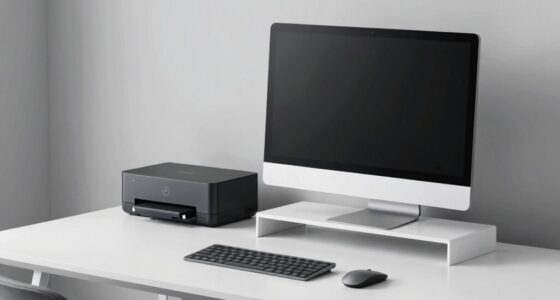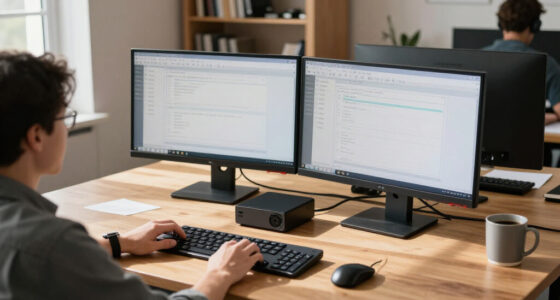
To improve your workspace, take a moment to slow down and consider your computer placement and cable management. Place your monitor at eye level and keep frequently used devices within easy reach to boost comfort and efficiency. Use cable clips or trays to tidy up cords, reducing clutter and trip hazards. Using wireless accessories can add flexibility and help create a cleaner environment. Stay tuned to learn how these simple tweaks can transform your work experience seamlessly.

Get business pricing on office and shipping supplies
- Business-only prices and quantity discounts
- Tax-exempt purchasing
- Multiple users, one account, clear invoices
Key Takeaways
- Proper monitor placement reduces neck and eye strain, enhancing overall ergonomic comfort.
- Wireless accessories decrease cable clutter, promoting a cleaner, more flexible workspace.
- Effective cable management prevents tripping hazards and extends device lifespan.
- Organized layouts improve troubleshooting efficiency and simplify workspace cleaning.
- Prioritizing ergonomic positioning boosts productivity and supports employee health.

Proper computer placement and cable management are essential for creating a safe, efficient, and organized workspace. When you position your equipment thoughtfully, you reduce strain on your body and streamline your daily tasks. Start by considering ergonomic adjustments—make sure your monitor is at eye level to prevent neck strain, and your keyboard and mouse are within comfortable reach. This setup helps you maintain good posture throughout the day, which is critical for long-term comfort and health. Wireless accessories can markedly enhance this arrangement by eliminating clutter caused by tangled cords. Using wireless keyboards, mice, and speakers not only keeps your desk tidy but also allows for more flexible positioning, giving you the freedom to optimize your workspace without worrying about cable length or tangling.
Proper placement and cable management create a safe, organized workspace that boosts comfort and productivity.
Cable management is often overlooked, but it’s fundamental for safety and efficiency. Loose or tangled cables can cause accidents, such as tripping hazards, and make it difficult to find the right connection quickly. Use cable clips, sleeves, or under-desk trays to route cables neatly along designated paths. Labeling cords can also save time when you need to troubleshoot or switch devices. When cables are properly managed, you create a cleaner environment that promotes focus and reduces stress. Plus, it’s easier to clean around a well-organized setup, preventing dust buildup and potential overheating. Additionally, proper cable management can extend the lifespan of your devices by reducing wear and tear caused by unnecessary bending or pulling. Incorporating ergonomic adjustments into your setup further enhances your comfort and prevents repetitive strain injuries. Paying attention to workspace organization can also boost overall productivity, as a clutter-free environment minimizes distractions and helps you stay focused on your tasks.
In addition to physical organization, consider how your computer placement affects your workflow. Position your monitor directly in front of you, about an arm’s length away, to minimize eye strain. Keep frequently used devices within easy reach to avoid unnecessary stretching or twisting. If possible, invest in adjustable stands or mounts that allow you to tweak the height and angle of your monitor or laptop. This flexibility is a key part of ergonomic adjustments, enabling you to customize your setup for maximum comfort. Wireless accessories further support this fluidity, giving you the ability to move devices around without being tethered by cables, which can improve your posture and reduce repetitive strain. Proper workspace layout is also crucial for creating an efficient environment that promotes productivity and comfort.
ergonomic monitor stand adjustable
As an affiliate, we earn on qualifying purchases.
As an affiliate, we earn on qualifying purchases.
Frequently Asked Questions
How Can I Optimize Workspace for Multiple Monitors?
To optimize your workspace for multiple monitors, focus on ergonomic positioning and monitor calibration. Arrange screens at eye level to reduce neck strain, keeping them close enough to avoid excessive head movement. Use adjustable stands for precise height and angle adjustments. Calibrate each monitor for consistent color and brightness, ensuring a seamless workflow. Proper cable management also helps keep your workspace tidy, preventing distractions and accidental disconnections.
What Are the Best Cable Management Tools for Desktops?
Did you know that cluttered cables can decrease productivity by up to 10%? To keep your workspace tidy, use cable organizers like clips, sleeves, or cable trays. Wireless adapters can reduce cable clutter altogether. These tools help prevent tangling and improve airflow, making your desk safer and more efficient. With the right cable management, you’ll enjoy a cleaner, more organized workspace that boosts your focus and comfort daily.
How Often Should I Review Computer Placement Strategies?
You should review your computer placement strategies every few months to guarantee ergonomic positioning and efficient power outlet planning. Regular checks help prevent discomfort and reduce clutter, making your workspace safer and more productive. Consider adjusting your setup if you notice discomfort or if your equipment needs change. By staying proactive, you ensure your workspace remains ergonomic, organized, and optimized for your work habits.
Are Wireless Solutions Better for Office Cable Clutter?
Wireless solutions are often better for reducing office cable clutter, with over 60% of employees citing improved workspace organization as a key benefit. Wireless connectivity eliminates tangled cords, making cable organization easier and more efficient. Plus, it offers flexibility for device placement, reducing trip hazards and freeing up valuable desk space. Overall, embracing wireless tech can streamline your office setup, creating a cleaner, safer, and more productive environment.
What Safety Precautions Should I Consider With Cable Management?
You should prioritize electrical safety by ensuring cables don’t overload power strips or outlets. Use cable organizers to prevent tripping hazards and keep cables away from heat sources to reduce fire risks. Regularly inspect cords for damage or fraying, replacing any compromised ones. Avoid running cables across walkways or under carpets, which can cause fire hazards or electrical issues. Proper cable management not only keeps your workspace safe but also maintains a professional appearance.
wireless keyboard and mouse combo
As an affiliate, we earn on qualifying purchases.
As an affiliate, we earn on qualifying purchases.
Conclusion
As you reconsider your office setup, remember that the choices you make now can ripple through your team’s productivity and safety. The placement of computers and the way you manage cables aren’t just about organization—they could be the difference between smooth operations and unexpected disruptions. So, will you rush into the usual quick fix or pause to craft a smarter, more resilient workspace? The decision is yours, but the stakes are higher than you might think.
cable management clips and trays
As an affiliate, we earn on qualifying purchases.
As an affiliate, we earn on qualifying purchases.
As an affiliate, we earn on qualifying purchases.
Halloween Picks
halloween
As an affiliate, we earn on qualifying purchases.