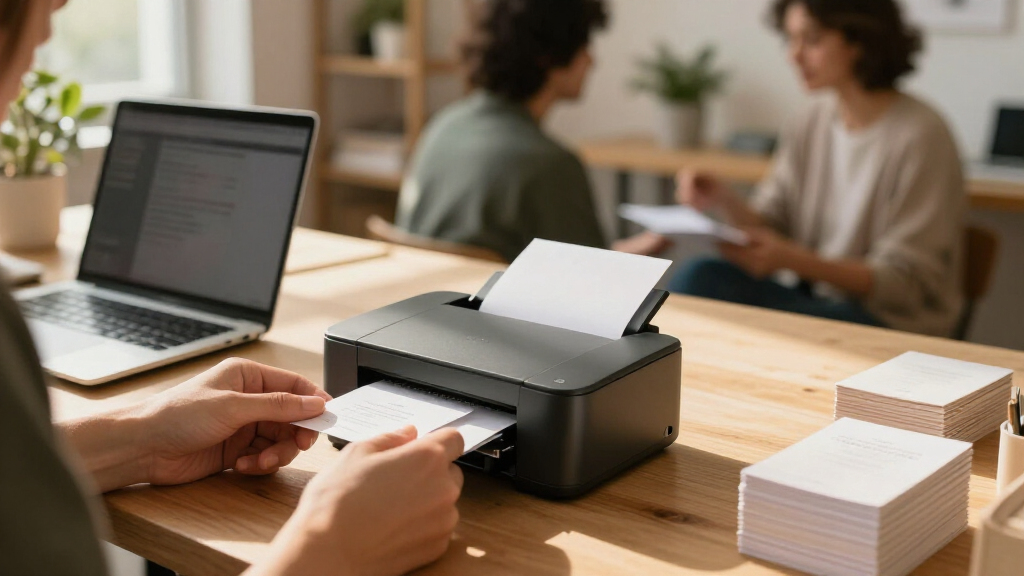

Among these seven business card printers, I’d choose the Evolis Primacy 2 as the best overall for businesses that need dedicated, dual-sided plastic card printing. The Magicard 300 is a strong alternative for a straightforward dual-sided card workflow, while the Brother INKvestment MFC-J1365DW suits paper cards and general office printing. The main choice is between purpose-built PVC card systems and ordinary inkjets, which differ in card compatibility, workflow, and the kind of output they produce. Dedicated printers can simplify recurring plastic-card jobs, but they call for compatible supplies and a more specialized setup. Read on for how each option fits a different business need.

Get office and shipping supplies delivered free — and shop member deals
- Fast, free delivery on millions of items
- Access to Prime Big Deal Days deals on October 6–7
- Prime Video, Amazon Music and more included
Key Takeaways
- The dedicated card printers are the better fit for PVC business cards: Evolis Primacy 2, Magicard 300, Zebra ZC100 LT, Bodno Seaory S25, and Bodno Magicard 400X are purpose-built card systems, unlike the Brother and Epson office inkjets.
- Dual-sided printing is a meaningful workflow advantage: the Evolis Primacy 2, Magicard 300, and Bodno Magicard 400X can suit designs that need contact details or branding on both sides; the Seaory S25 is single-sided.
- Bundled software and supplies shape setup, not just convenience: the Zebra, Seaory, and Bodno Magicard bundles pair card hardware with software and supplies, while buyers should check compatibility and replenishment needs before choosing.
- Office inkjets serve a different job: the Brother MFC-J1365DW and Epson EcoTank ET-4800 can print paper card layouts alongside everyday documents, but they are not substitutes for dedicated PVC card printers.
- The best choice depends on material and workflow before printer features: decide whether you need paper or plastic, one- or two-sided cards, and occasional or repeat production before comparing models.
| Brother INKvestment MFC-J1365DW Wireless Color All-in-One Inkjet Printer |  | Best for Office Tasks Beyond Cards | Printer type: Color inkjet all-in-one | Functions: Print, copy, scan | Connectivity: Wireless, USB, Wi-Fi Direct, cloud apps | VIEW LATEST PRICE | See Our Full Breakdown |
| Evolis Primacy 2 Dual-Sided Card Printer and Supplies Bundle |  | Best Overall Dedicated Card Printer | Printer type: Dye sublimation | Printing: Automatic duplex, dual-sided | Print speed: Up to 280 color cards per hour | VIEW LATEST PRICE | See Our Full Breakdown |
| Magicard 300 Dual-Sided ID Card Printer and Supplies Bundle |  | Best for Guided Setup | Printer type: Dye sublimation | Printing: Automatic duplex, color | Resolution: 300 dpi | VIEW LATEST PRICE | See Our Full Breakdown |
| Zebra ZC100 LT ID Card Printer with CloudBadging Software and Supplies |  | Best for Crisp Single-Sided Cards | Printer type: Dye sublimation | Color resolution: 600 × 600 dpi | Black-and-white resolution: 300 × 300 dpi | VIEW LATEST PRICE | See Our Full Breakdown |
| Bodno Seaory S25 Single-Sided ID Card Printer with Bronze Edition Software and Supplies |  | Best for Occasional One-Off Cards | Printer type: Direct-to-card | Printing: Single-sided, color | Print resolution: 300 × 300 dpi | VIEW LATEST PRICE | See Our Full Breakdown |
| Bodno Magicard 400X Dual-Sided ID Card Printer – Bronze Edition with Complete Supplies Package & Software |  | Best Complete Package for Dual-Sided Cards | Printer type: Direct-to-card | Card format: ID card, 3.37 × 2.125 inches | Printing: Dual-sided color | VIEW LATEST PRICE | See Our Full Breakdown |
| Epson EcoTank ET-4800 Wireless All-in-One Color Printer |  | Best for General Office Printing Alongside Cards | Model: ET-4800 | Printing: Wireless color | Ink system: Cartridge-free refillable tanks | VIEW LATEST PRICE | See Our Full Breakdown |
| business card printer | Printer type | Connectivity | Printing | Print speed |
|---|---|---|---|---|
| Brother INKvestment MFC-J1365D | Color inkjet all-in-one | Wireless, USB, Wi-Fi Direct, cloud apps | — | Up to 16 ppm black; 9 ppm color |
| Evolis Primacy 2 Dual-Sided Ca | Dye sublimation | USB and Ethernet | Automatic duplex, dual-sided | Up to 280 color cards per hour |
| Magicard 300 Dual-Sided ID Car | Dye sublimation | USB | Automatic duplex, color | 3 color pages per minute; 12 black-and-white pages per minute |
| Zebra ZC100 LT ID Card Printer | Dye sublimation | USB 2.0 | — | 12 pages per minute |
| Bodno Seaory S25 Single-Sided | Direct-to-card | USB 2.0 | Single-sided, color | — |
| Bodno Magicard 400X Dual-Sided | Direct-to-card | USB | Dual-sided color | — |
| Epson EcoTank ET-4800 Wireless | — | — | Wireless color | — |
More Details on Our Top Picks
Brother INKvestment MFC-J1365DW Wireless Color All-in-One Inkjet Printer
I’d choose the Brother MFC-J1365DW when business cards are one part of a broader home-office printing workload, not the only job. Unlike the dedicated card printers here, it handles printing, copying, and scanning, with wireless, USB, Wi-Fi Direct, and cloud connectivity for everyday documents. Automatic duplex printing is useful for two-sided pages, but it does not make this a dedicated dual-sided card printer: the product details do not specify card-stock compatibility or card-printing performance. The 150-sheet tray and included ink make it convenient for routine work, while the single-sided 20-page feeder means double-sided documents need extra handling. Compared with the Evolis Primacy 2, it offers more office functions but lacks that model’s purpose-built card workflow. I’d skip it if consistent, dedicated CR-80 card production is the priority.
Pros:- Prints, copies, and scans in one compact office device
- Offers wireless, USB, Wi-Fi Direct, and cloud-app connectivity
- Automatic duplex printing helps with two-sided everyday documents
- Includes ink cartridges and a 150-sheet paper tray
Cons:- Product details do not specify card-stock compatibility or dedicated business-card handling
- The 20-page automatic document feeder is single-sided
- Cloud and mobile functions may require internet access or an app
Best for: Small-business owners who need an all-in-one for documents and occasional card jobs, and who will confirm their card stock is compatible before printing.
Not ideal for: Businesses that need reliable, dedicated CR-80 production or automatic two-sided card printing; this is an office inkjet, not a purpose-built card printer.
- Printer type:Color inkjet all-in-one
- Functions:Print, copy, scan
- Connectivity:Wireless, USB, Wi-Fi Direct, cloud apps
- Paper tray capacity:150 sheets
- Automatic document feeder:20 pages, single-sided
- Duplex printing:Automatic, two-sided
- Print speed:Up to 16 ppm black; 9 ppm color
- Display:1.8-inch color display
Our verdict“Choose the Brother if you need a versatile office all-in-one with occasional card printing, not a dedicated business-card production machine.”
Evolis Primacy 2 Dual-Sided Card Printer and Supplies Bundle
For businesses that regularly need finished cards from a dedicated machine, I rank the Evolis Primacy 2 first. Its automatic dual-sided dye-sublimation printing avoids manually flipping cards, and the stated capacity of up to 280 color cards per hour suits teams producing batches rather than a card at a time. The bundle includes a ribbon, 100 blank CR-80 cards, and design software, so it provides a clear starting point for an in-house workflow. Compared with the Magicard 300, the Primacy 2 has a stated higher color-card throughput and adds Ethernet alongside USB; the Magicard, by contrast, specifies an LCD and a smaller footprint. The tradeoff is a substantial 18 × 16 × 14-inch body and 300 × 300 dpi resolution. Optional touchscreen and higher-capacity feeder are not included.
Pros:- Automatically prints both sides of cards
- Rated for up to 280 color cards per hour
- Bundle includes a color ribbon, 100 blank cards, and design software
- USB and Ethernet connectivity with a three-year warranty
Cons:- Large 18 × 16 × 14-inch footprint takes more workspace than the Magicard 300
- 300 × 300 dpi resolution may not suit buyers seeking finer specified detail
- Optional LCD touchscreen and 200-card feeder are not included
Best for: Small and midsize organizations that print batches of two-sided CR-80 cards and want Ethernet as well as USB connectivity.
Not ideal for: Very small offices with limited desk space, or buyers who need a listed LCD touchscreen or a higher specified print resolution.
- Printer type:Dye sublimation
- Printing:Automatic duplex, dual-sided
- Print speed:Up to 280 color cards per hour
- Resolution:300 × 300 dpi
- Connectivity:USB and Ethernet
- Compatibility:Windows and Mac
- Card size:CR-80
- Dimensions:18 × 16 × 14 inches
- Warranty:3 years
Our verdict“Choose the Primacy 2 for batch-oriented, automatically duplexed CR-80 card production with supplied starter materials and Ethernet connectivity.”
Magicard 300 Dual-Sided ID Card Printer and Supplies Bundle
The Magicard 300 suits buyers who value clear setup prompts and an included starter bundle more than fast batch output. It prints both sides automatically, and its LCD supplies setup messages and instructions—a practical distinction from the USB-only Zebra ZC100 LT, whose listed details do not include a display. The package also includes a color ribbon, 100 PVC cards, design software, and a three-year warranty, giving a new card-printing station the basics to get started. Against the Evolis Primacy 2, the Magicard is more compact at 16 × 8 × 10 inches, but its listed color speed is only three pages per minute, compared with the Primacy’s stated 280 cards per hour. USB-only connectivity also limits network placement. I’d pick it for guided, modest-volume duplex work, not throughput-heavy teams.
Pros:- Automatically prints both sides of color cards
- LCD provides setup messages and instructions
- Bundle includes a color ribbon, 100 PVC cards, and design software
- Three-year warranty and technical support
Cons:- Listed color speed is limited to 3 pages per minute
- USB is the only specified connectivity option
- Smaller listed media dimensions may limit use to card-sized jobs
Best for: Small offices or departments setting up a dedicated two-sided card printer for modest batches, especially users who want on-device setup guidance.
Not ideal for: Organizations printing large batches quickly or teams that need Ethernet or other network connectivity.
- Printer type:Dye sublimation
- Printing:Automatic duplex, color
- Resolution:300 dpi
- Print speed:3 color pages per minute; 12 black-and-white pages per minute
- Connectivity:USB
- Display:LCD
- Included supplies:Color ribbon, 100 PVC cards, design software
- Dimensions:16 × 8 × 10 inches
- Warranty:Three years
Our verdict“Choose the Magicard 300 if guided setup and automatic two-sided printing matter more than high-volume speed or network connectivity.”
Zebra ZC100 LT ID Card Printer with CloudBadging Software and Supplies
I’d put the Zebra ZC100 LT on the shortlist when fine color detail and a compact setup matter more than automatic two-sided output. Its 600 × 600 dpi color resolution is higher than the 300 × 300 dpi listed for the Evolis Primacy 2 and Magicard 300, making it the clearest resolution-led option in this group. It also includes CloudBadging software, blank cards, ribbon, and labels, while automatic card-thickness adjustment helps accommodate different card stock without manual adjustment. The main compromise is manual duplexing: printing both sides takes an extra handling step, unlike the Primacy 2 and Magicard 300. USB 2.0 is the only listed connection, and black-and-white resolution is 300 × 300 dpi. I’d favor it for detailed single-sided cards, not a hands-off two-sided workflow.
Pros:- 600 × 600 dpi color resolution is higher than the 300 × 300 dpi specified for the Primacy 2 and Magicard 300
- Includes CloudBadging software, blank cards, ribbon, and labels
- Automatic card-thickness adjustment simplifies media setup
- Compact design with capacity for up to 200 cards
Cons:- Duplex printing is manual, unlike the Evolis Primacy 2 and Magicard 300
- USB 2.0 is the only listed connectivity option
- Black-and-white resolution is 300 × 300 dpi
Best for: Small organizations creating detailed, primarily single-sided CR80 cards that value bundled badging software and a compact printer.
Not ideal for: Teams that routinely print two-sided cards in batches or need automatic duplexing, since cards must be handled manually for the reverse side.
- Printer type:Dye sublimation
- Color resolution:600 × 600 dpi
- Black-and-white resolution:300 × 300 dpi
- Print speed:12 pages per minute
- Maximum media size:CR80
- Maximum capacity:200 cards
- Connectivity:USB 2.0
- Duplex printing:Manual
Our verdict“Choose the Zebra ZC100 LT for detailed color on mostly single-sided cards, but pick the Primacy 2 or Magicard 300 for automatic duplexing.”
Bodno Seaory S25 Single-Sided ID Card Printer with Bronze Edition Software and Supplies
For a very small operation that prints cards one at a time, the Bodno Seaory S25 keeps the setup straightforward: manual feed, USB, a 100-print color ribbon, and Bronze Edition software with templates and drag-and-drop tools. Its Windows, Mac, and Linux compatibility is broader than the Windows-and-Mac support listed for the Evolis Primacy 2, which may help mixed-computer workplaces. This is the least suited option here for batch work, though: unlike the Primacy 2 and Magicard 300, it prints only one side, and each card is manually fed. The Zebra ZC100 LT also supports manual duplexing, but it offers higher stated color resolution and up to 200-card capacity. The S25’s 300 × 300 dpi and 100-print ribbon make more sense for occasional issuance than frequent production.
Pros:- Bronze Edition software includes templates and drag-and-drop design tools
- Compatible with Windows, Mac, and Linux
- Includes a YMCKO ribbon rated for up to 100 prints
- Includes lifetime software support and a two-year hardware warranty
Cons:- Manual feed is intended for low-volume, one-card-at-a-time printing
- Prints single-sided only, unlike the Evolis Primacy 2 and Magicard 300
- 300 × 300 dpi resolution is lower than the Zebra ZC100 LT’s listed color resolution
Best for: Small businesses, clubs, or offices that issue a few single-sided cards at a time and want templates across Windows, Mac, or Linux.
Not ideal for: Teams producing frequent batches or two-sided business cards; manual feeding and single-sided printing add handling and limit output.
- Printer type:Direct-to-card
- Printing:Single-sided, color
- Print resolution:300 × 300 dpi
- Color ribbon capacity:100 prints
- Feed system:Manual
- Connectivity:USB 2.0
- Compatibility:Windows, Mac, and Linux
- Card size:3.375 × 2.125 inches
- Warranty and software support:2-year hardware warranty; lifetime software support
Our verdict“Choose the Seaory S25 for occasional single-sided card runs and broad operating-system compatibility, not for batch or duplex production.”
Bodno Magicard 400X Dual-Sided ID Card Printer – Bronze Edition with Complete Supplies Package & Software
I’d choose the Magicard 400X for a small organization that needs finished, dual-sided ID cards without assembling a separate supplies and software setup. The included 300-print YMCKO ribbon and lifetime-licensed software reduce setup work, while the four-year warranty and lifetime support offer a longer support window than many basic printer bundles. Compared with the Magicard 300, this model’s appeal is its clearly specified complete package and Mac as well as Windows support; the supplied details don’t establish a speed advantage over that alternative. Its 300 dpi color output suits standard card graphics and identification details, but color printing is rated at just 3 ppm, so it is a poor match for high-volume batches. USB-only connectivity also makes it less convenient to share across a network.
Pros:- Dual-sided printing supports card layouts with information on both faces.
- Includes a 300-print YMCKO ribbon and lifetime-licensed software.
- Compatible with Windows and Mac.
- Four-year full warranty and lifetime support are specified.
Cons:- Color print speed is only 3 ppm, limiting batch throughput.
- USB-only connectivity lacks built-in network integration.
Best for: Small offices, schools, and membership organizations that need dual-sided ID cards, use Windows or Mac, and want ribbon and software included.
Not ideal for: Teams printing large card batches or needing shared network access, since color output is rated at 3 ppm and connectivity is USB only.
- Printer type:Direct-to-card
- Card format:ID card, 3.37 × 2.125 inches
- Printing:Dual-sided color
- Color resolution:300 × 300 dpi
- Color print speed:3 ppm
- Connectivity:USB
- Included ribbon:300-print YMCKO
- Software license:Lifetime
- Warranty:Four-year full warranty
Our verdict“Choose the Magicard 400X if you need a ready-to-use dual-sided ID card package with included supplies; skip it for faster, network-shared production.”
Epson EcoTank ET-4800 Wireless All-in-One Color Printer
The Epson EcoTank ET-4800 is the broadest-purpose option here, but I would not treat it as a dedicated business card printer. Its refillable ink tanks and wireless printing suit offices producing everyday documents, graphics, and occasional card stock jobs, while the built-in scanner and copier add practical value beyond printing. That flexibility contrasts with the Bodno Magicard 400X, which is built specifically for dual-sided ID cards and includes card-printing software and a ribbon. The Epson’s supplied details don’t specify card dimensions, card-stock compatibility, or business-card finishing, so buyers should confirm that their intended stock works before choosing it for cards. It also lacks listed print-speed and connectivity specifics beyond wireless, making workload planning less certain than with a dedicated card model.
Pros:- Refillable ink tanks replace small disposable cartridges.
- Handles text, photos, and graphics for general office tasks.
- Flatbed scanner and copier add functions beyond printing.
- Wireless printing and a color display support convenient everyday operation.
Cons:- Not specified as a dedicated business card or ID card printer.
- No print speed or detailed connectivity options are provided.
- The supplied information does not specify supported card-stock sizes or card-printing software.
Best for: Small offices that primarily print documents and graphics, need scanning and copying, and only occasionally produce business cards on compatible stock.
Not ideal for: Organizations making ID badges or frequent, consistent business-card runs, since dedicated card support, card dimensions, and card-printing supplies are not specified.
- Model:ET-4800
- Printing:Wireless color
- Ink system:Cartridge-free refillable tanks
- Print technology:Micro Piezo Heat-Free
- Additional functions:Flatbed scanning and copying
- Display:Color display
Our verdict“Pick the ET-4800 for a wireless office printer that can handle occasional card-stock projects, not for regular or dedicated business card production.”
How We Picked
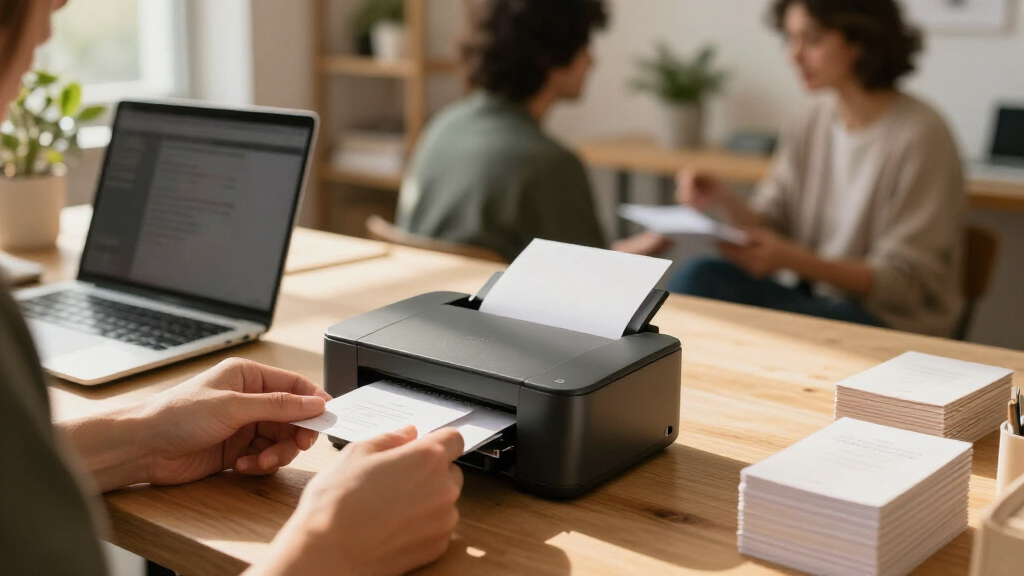
I ranked these options by how directly they address business-card production, then by the workflow they support. The first distinction is material: five products are dedicated ID card printers for plastic cards, while the Brother and Epson are general-purpose color inkjets better suited to paper stock and mixed office use. Within the dedicated group, I gave weight to dual-sided capability, bundled supplies and software, and how clearly the product fits a particular production need.
The ranking also reflects tradeoffs a buyer may face after purchase: specialized supplies, setup requirements, card compatibility, and whether a printer can serve other office tasks. The Evolis Primacy 2 leads as a balanced dedicated dual-sided option; the Magicard models and Zebra each appeal to different workflow preferences, while the single-sided Seaory trades two-sided output for a more focused setup. The Brother and Epson rank lower for plastic-card work, but remain relevant for businesses whose “business cards” are printed on paper and who value general office functionality.
| business card printer | Printer type | Connectivity | Printing |
|---|---|---|---|
| Brother INKvestment MFC-J1365D | Color inkjet all-in-one | Wireless, USB, Wi-Fi Direct, cloud apps | — |
| Evolis Primacy 2 Dual-Sided Ca | Dye sublimation | USB and Ethernet | Automatic duplex, dual-sided |
| Magicard 300 Dual-Sided ID Car | Dye sublimation | USB | Automatic duplex, color |
| Zebra ZC100 LT ID Card Printer | Dye sublimation | USB 2.0 | — |
| Bodno Seaory S25 Single-Sided | Direct-to-card | USB 2.0 | Single-sided, color |
| Bodno Magicard 400X Dual-Sided | Direct-to-card | USB | Dual-sided color |
| Epson EcoTank ET-4800 Wireless | — | — | Wireless color |
Factors to Consider When Choosing Business Card Printers
Before choosing a model, settle the production job rather than comparing headline features alone. Material, quantity, design layout, and who will operate the printer affect which category makes sense and what ownership will involve.
Choose the card material before choosing the printer
Plastic and paper business cards are different print jobs, and a printer designed for one should not be assumed to handle the other. Dedicated card printers in this roundup are intended for card workflows, while office inkjets such as the Brother and Epson are aimed at paper printing and general documents. Check the supported card type, thickness, and dimensions in the manufacturer’s specifications before ordering supplies. A common mistake is buying an inkjet because it is versatile, then discovering that the desired plastic cards are incompatible. If paper cards meet your needs, consider whether a print shop or suitable office printer offers a simpler route than buying dedicated card hardware.
Match single-sided or dual-sided output to the design
A two-sided card can keep the front uncluttered while reserving the reverse for a booking link, service list, or alternate language. Dual-sided models in this group include the Evolis Primacy 2, Magicard 300, and Bodno Magicard 400X; the Bodno Seaory S25 is single-sided. If every card needs information on both faces, a single-sided machine may add manual handling or another production step. On the other hand, paying for two-sided capability may add complexity when the back will remain blank. Decide whether the reverse side has a recurring business purpose, not just a one-time design idea.
Estimate volume and plan for supply replenishment
Order size and frequency affect whether a dedicated printer is practical for your operation. A business printing employee or customer cards repeatedly may value an in-house workflow, while occasional paper-card needs may not justify specialized hardware and supplies. Bundles that include supplies can help a buyer start with a matched setup, but the bundle does not answer how easy it will be to replenish materials later. Check the cost and availability of compatible cards, ribbons, and other required consumables directly with the seller or manufacturer. Avoid choosing based only on what arrives in the box; ownership depends on what you can source after the initial supply runs out.
Check software and computer compatibility before purchase
Card printers depend on a workable path from design to finished card, so verify operating-system support, connection options, and software requirements in advance. Some listed bundles pair the printer with card software, such as the Zebra ZC100 LT with CloudBadging or the Bodno models with Bronze Edition software. Confirm whether the included software supports your desired layouts, data fields, and user accounts rather than assuming a bundle matches every workflow. Shared workstations, cloud-based processes, or strict IT policies can change which setup is easiest to maintain. A short compatibility check before ordering can prevent a capable printer from becoming difficult to use.
Decide whether a dedicated printer or an office all-in-one fits better
A dedicated card printer focuses on producing plastic cards; an all-in-one inkjet also handles ordinary office printing and scanning. The Brother MFC-J1365DW and Epson EcoTank ET-4800 may make sense when paper cards are part of a wider document workload, but their versatility does not make them direct replacements for PVC card systems. Dedicated hardware is usually the more relevant category for repeat plastic-card production, while an all-in-one may reduce the number of separate devices in a small office. Compare the actual tasks you need each week, including scanning and copying, against the card material you plan to print. Choosing one machine to cover incompatible jobs can create more friction than keeping the workflows separate.
Frequently Asked Questions
Can a regular office inkjet print plastic business cards?
Do not assume that an office inkjet can print on plastic cards just because it prints in color. The Brother MFC-J1365DW and Epson EcoTank ET-4800 are general-purpose printers, whereas the Evolis, Magicard, Zebra, and Seaory models are dedicated card printers. Check the printer maker’s supported media and card dimensions before buying supplies. If your design needs PVC cards, choose hardware specifically intended for that material. If you want paper cards, an inkjet may fit, but confirm that the paper stock works with the printer and produces the finish you want.
Do I need a dual-sided business card printer?
You need dual-sided output only if your regular card design calls for printing on both faces. It can be useful for separating a logo and contact details from a QR code, service information, or a second language. In this roundup, the Evolis Primacy 2, Magicard 300, and Bodno Magicard 400X offer dual-sided printing, while the Bodno Seaory S25 is single-sided. If the reverse side will stay blank, a single-sided model may be a more direct fit. Check whether your design is likely to change before paying for a capability you may rarely use.
Are bundled card-printer supplies enough to start printing?
A bundle can reduce the work of sourcing a first set of materials, but its contents vary and should not be treated as identical across products. Read the listing to confirm which cards, ribbons, software, and quantities are included, and check whether anything required for installation is sold separately. Also verify that the included supplies match the card type and printing method you intend to use. Before choosing a bundle, find a reliable source for compatible replacements. That check matters most for businesses planning recurring production rather than a one-time batch.
Should I buy an all-in-one printer if I only need business cards occasionally?
An all-in-one may be sensible if the cards are paper-based and the office also needs everyday printing, scanning, or copying. The Brother and Epson options in this lineup serve that mixed-use role, unlike the dedicated card printers, which focus on plastic-card production. Occasional orders may also be easier to send to a print provider, particularly if you need a polished paper finish or a large batch. Compare the time spent setting up and printing cards with the value of keeping production in-house. If the requirement is plastic cards, a general-purpose inkjet is not the right shortcut.
What should I verify before ordering a card printer for a small team?
Check that the printer supports your card material and size, and confirm whether you need single- or dual-sided output. Then review software compatibility, connection options, and whether the setup works with the computers and accounts your team already uses. Ask who will create card layouts and manage supplies, since a printer that fits one person’s workflow may be awkward for a shared office. Confirm what the bundle includes and how compatible consumables can be replenished. These checks help prevent a mismatch between the printer’s intended workflow and the way your team actually produces cards.
Conclusion
My best overall pick is the Evolis Primacy 2 for businesses seeking a dedicated dual-sided plastic-card workflow. For a best value starting point among the listed bundles, I’d compare the Zebra ZC100 LT and Bodno Seaory S25 against your needs: the Zebra includes CloudBadging software and supplies, while the Seaory is a focused single-sided option. The best premium-style fit for buyers wanting dual-sided capability and a complete bundled setup is the Bodno Magicard 400X; confirm its software and supplies match your process. For beginners printing paper cards alongside office documents, the Brother MFC-J1365DW is the more direct all-in-one fit, while the Epson EcoTank ET-4800 suits buyers who also want a general office printer. Choose the Magicard 300 if you want another dedicated dual-sided option, and skip the inkjets for plastic cards: material compatibility should settle the decision first.
Halloween Picks
halloween
As an affiliate, we earn on qualifying purchases.