To keep your scanned documents useful later, adopt consistent naming rules that reflect key details like date, document type, and project. Use clear, descriptive filenames with a standardized pattern, avoiding spaces and special characters. Regularly review and update your conventions, and train your team to follow them strictly. This disciplined workflow guarantees files stay organized and accessible over time. Continue to explore more tips that will help you maintain an effective digital filing system.

Get business pricing on office and shipping supplies
- Business-only prices and quantity discounts
- Tax-exempt purchasing
- Multiple users, one account, clear invoices
Key Takeaways
- Establish a consistent, descriptive naming convention incorporating key details like date, document type, and project name.
- Avoid special characters and spaces; use underscores or hyphens for clear separation.
- Regularly review and update naming rules to adapt to organizational changes.
- Train team members to follow established naming standards for uniformity.
- Use logical, chronological, or categorical patterns to facilitate easy retrieval and long-term usefulness.
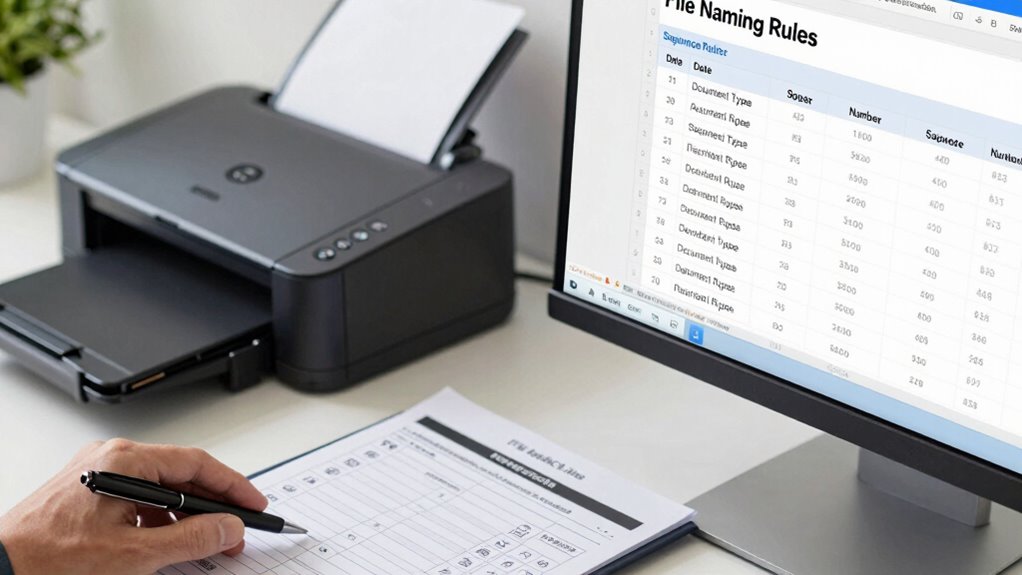
When managing scanned documents, having clear and consistent file naming rules is essential to stay organized and find files quickly. Without a systematic approach, your digital workspace can become cluttered, making it hard to locate specific documents when you need them. That’s where effective file naming conventions come into play. They facilitate digital organization by creating a predictable structure that anyone accessing the files can understand immediately. Consistent labeling ensures that every file follows the same pattern, reducing confusion and saving time. Instead of searching through hundreds of files, you’ll be able to identify what you need at a glance, which is especially valuable when handling large volumes of scanned documents.
Implementing a sound workflow rule for file naming begins with choosing a logical structure. Decide on a format that captures the most critical information—such as date, document type, or project name—and stick to it. For example, you might use a pattern like “YYYYMMDD_DocumentType_Project”—20230427_Invoice_ClientX. This way, files are sorted chronologically or by category, making navigation straightforward. When you maintain consistent labeling, you avoid the chaos of random or vague filenames like “Scan1” or “Document.” Instead, each filename becomes a mini-description, providing context without opening the file. This consistency also helps when sharing files with colleagues or integrating them into larger systems, as everyone can understand the naming logic. Additionally, adopting a standardized naming system improves efficiency across teams and simplifies digital archiving. Using a consistent format also minimizes errors during file transfers or backups, ensuring data integrity. Regularly reviewing and updating your naming conventions ensures they adapt as your digital organization needs evolve.
Choose a logical, consistent format like YYYYMMDD_DocumentType_Project for clear, organized file naming.
Furthermore, understanding the impact of digital organization on overall productivity can motivate adherence to these rules. Another key aspect of effective file naming rules is avoiding special characters and spaces, which can cause issues across different operating systems or cloud services. Use underscores or hyphens to separate elements, and keep filenames concise but descriptive. For instance, “20230427_Invoice_ClientX” is clearer and more reliable than “2023/04/27 Invoice ClientX.” Regularly reviewing and updating your naming conventions ensures they adapt as your digital organization needs evolve. Training team members on these rules promotes uniformity, preventing new files from falling out of step with the established system.
Ultimately, adopting a disciplined workflow rule for file naming fosters better digital organization and minimizes lost or misfiled documents. It streamlines your process, saves time, and enhances productivity by making your scanned documents instantly recognizable and easy to retrieve. When you prioritize consistent labeling, managing a large library of scanned files becomes manageable rather than overwhelming. Every time you scan and save a document, following your naming conventions guarantees that your digital files remain organized, accessible, and ready for future use.
file naming convention templates for scanned documents
As an affiliate, we earn on qualifying purchases.
As an affiliate, we earn on qualifying purchases.
Frequently Asked Questions
How Do I Choose the Best File Naming Convention for My Organization?
To choose the best file naming convention, focus on maintaining naming consistency across your organization. Use clear, descriptive names that reflect the document content and date. Incorporate a logical folder hierarchy to organize files systematically, making retrieval easy. Avoid vague terms, and stick to a standard format everyone understands. Regularly review and update your naming rules to guarantee they support efficient document management and keep your digital files organized and accessible.
Should I Include Version Numbers in Scanned Document Names?
Yes, including version numbers in scanned document names improves version control and maintains naming consistency. It helps you track updates and guarantees everyone accesses the latest file. Use clear, sequential numbering like v1, v2, or dates to avoid confusion. This practice simplifies file management, prevents accidental overwrites, and keeps your digital archive organized, especially when multiple revisions or edits occur over time.
How to Handle Duplicate File Names in a Filing System?
To handle duplicate file names, you should implement effective duplicate file management and naming conflict resolution strategies. When a conflict occurs, add unique identifiers like dates, version numbers, or brief descriptions to the filename. This approach prevents overwriting and keeps your files organized. Regularly review your filing system to identify duplicates, and consider automated tools for better duplicate detection and resolution, ensuring your digital files stay clear and easily accessible.
What Tools Can Automate File Naming for Scanned Documents?
You can automate file naming for scanned documents using tools that leverage Optical Character Recognition (OCR) and cloud storage integration. OCR extracts text from scanned images, enabling automatic, descriptive file names based on document content. Cloud storage platforms like Google Drive or Dropbox often include automation features or integrate with third-party apps like Zapier, which can set up rules to rename files automatically, ensuring your documents stay organized and easy to find later.
How Often Should File Naming Standards Be Reviewed or Updated?
Think of your file naming standards as a garden needing regular tending. You should review them periodically—at least annually—to maintain file naming consistency and guarantee seamless document version control. As your organization grows or processes change, updates become essential to prevent confusion and keep files organized. Regular reviews help adapt standards to evolving needs, ensuring your digital files remain accessible, accurate, and easy to manage over time.
digital document organization software
As an affiliate, we earn on qualifying purchases.
As an affiliate, we earn on qualifying purchases.
Conclusion
By following these file naming rules, you guarantee your scanned documents stay organized and accessible. Think of your digital files as a well-kept library—each name a clear signpost guiding you to what you need. Without consistent rules, chaos ensues, making retrieval frustrating. So, embrace these simple practices; they turn clutter into clarity. After all, in a world full of digital noise, a clear filename is your best shortcut to order.
file naming tools for scanned files
As an affiliate, we earn on qualifying purchases.
As an affiliate, we earn on qualifying purchases.
cloud storage with file naming features
As an affiliate, we earn on qualifying purchases.
As an affiliate, we earn on qualifying purchases.
Evergreen bestsellers Picks
bestsellers
As an affiliate, we earn on qualifying purchases.