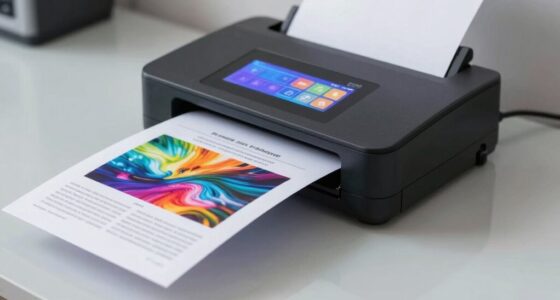

To keep digital files useful later, you should aim for high data accuracy and seamless workflow integration. Guarantee your OCR system can handle various document types and formats, and regularly verify its performance. Combining technology with human oversight helps catch errors and improves results over time. Continuous updates and feedback help adapt to changing standards. If you want to understand how to set effective rules that maintain the quality and usefulness of your digital files, keep exploring this topic.

Get business pricing on office and shipping supplies
- Business-only prices and quantity discounts
- Tax-exempt purchasing
- Multiple users, one account, clear invoices
Key Takeaways
- Ensure high-quality, clear images to maximize OCR accuracy for future use.
- Integrate OCR seamlessly into existing workflows to streamline data processing and retrieval.
- Implement regular validation and manual review to maintain long-term data reliability.
- Continuously update and refine OCR systems based on feedback and document variations.
- Use automated and human oversight to adapt to diverse document types and preserve data usefulness.

Optical Character Recognition (OCR) has become an essential tool for business teams aiming to streamline document processing and improve accuracy. When you implement OCR solutions, your goal is to convert physical or scanned documents into editable, searchable digital files. But to truly reap the benefits, you need to set clear expectations around data accuracy and workflow integration. Accurate data extraction is the backbone of any effective OCR system; if your OCR results are riddled with errors, it can lead to costly mistakes and wasted time. You should expect your OCR technology to deliver high levels of data accuracy, especially with clear, high-quality images. Regularly verifying and refining the OCR process helps assure that the data captured is reliable. It’s also vital to understand that no OCR system is perfect, so establishing a process for manual review or correction when necessary is part of maintaining overall data integrity.
Workflow integration plays a key role in making OCR useful later. When you integrate OCR into your existing business processes, it becomes more than just a tool — it transforms into a seamless part of your operational flow. You should expect OCR solutions to fit smoothly into your digital ecosystem, whether that’s your document management system, CRM, or enterprise resource planning (ERP) platform. Proper integration reduces manual data entry, minimizes errors, and accelerates the movement of information across departments. This not only saves time but also boosts overall efficiency. When OCR results are properly linked to your workflows, you can automate repetitive tasks such as data entry, invoice processing, or record keeping, freeing up your team to focus on higher-value activities. Additionally, understanding the importance of automated grammar analysis tools can help identify passive voice and other writing issues that may impact clarity and professionalism in your digital documents. Recognizing that data accuracy depends on both the technology and ongoing human oversight emphasizes the need for continuous monitoring and improvement. Incorporating quality assurance practices can further enhance the reliability of OCR outputs and ensure long-term success. Moreover, adopting training and feedback mechanisms allows your team to continuously improve OCR performance based on real-world usage and corrections.
Another key expectation is that your OCR system should be adaptable to different document types and formats. Business documents come in various styles and layouts, and your OCR solution should handle this diversity without compromising accuracy. The system should also support continuous improvement, learning from corrections and feedback to enhance future performance. Additionally, you should anticipate regular updates and support from your OCR provider to keep pace with evolving document standards and security requirements. Ultimately, your success with OCR hinges on setting realistic expectations around data accuracy and workflow integration. When you understand that OCR isn’t just about converting images to text but about creating reliable, actionable data that feeds into your broader business processes, you’ll be better positioned to leverage its full potential. By aligning your needs with the technological capabilities of OCR, you guarantee that your digital files remain useful, accurate, and ready to support your business’s growth and efficiency.
As an affiliate, we earn on qualifying purchases.
Frequently Asked Questions
How Does OCR Handle Handwritten Versus Typed Text?
You’ll find OCR handles typed text very accurately, thanks to consistent text formatting, making digital files easy to search and edit. Handwriting recognition, however, is more challenging; it requires advanced algorithms to interpret varied handwriting styles. While typed text benefits from high accuracy, handwritten recognition may need manual correction afterward. Understanding these differences helps you choose the right OCR tools for your needs, ensuring your digital files remain useful later.
What Are the Common OCR Errors to Watch For?
Imagine your digital files as delicate puzzles. Common OCR errors include misinterpreted characters due to font recognition struggles, especially with unusual fonts or handwriting. Layout analysis can falter, mixing up columns or headers, making the puzzle harder to solve. These errors can distort critical data, so you must watch for mistaken letter shapes, spacing issues, and misaligned text. Vigilance guarantees your digital files stay accurate and trustworthy.
How Secure Is OCR Processing for Sensitive Data?
OCR processing can be secure if you implement proper measures. You should use data encryption during transmission and storage to protect sensitive information. Additionally, setting strict access controls ensures only authorized personnel can view or modify the data. While no system is entirely foolproof, combining encryption with access controls substantially reduces risks, helping you safeguard sensitive data throughout the OCR workflow.
Can OCR Improve Searchability of Scanned Documents?
Think of OCR like a librarian who instantly catalogs every book in a library, making them easy to find. Yes, OCR greatly improves the searchability of scanned documents, transforming static images into accessible digital archives. This accessibility enhancement allows you to locate specific information quickly, streamlining digital archiving. Without OCR, finding data is like searching for a needle in a haystack—OCR simplifies this by turning images into searchable, organized content.
What Industries Benefit Most From OCR Technology?
You’ll find OCR technology especially beneficial in industries like healthcare, finance, and legal sectors, where efficient document management and accurate data extraction are vital. It helps you digitize paper records, making searchability and organization easier. By automating data extraction, OCR reduces manual effort, minimizes errors, and guarantees your digital files remain useful and accessible over time, streamlining workflows and improving overall productivity in these data-intensive industries.
document management OCR software
As an affiliate, we earn on qualifying purchases.
As an affiliate, we earn on qualifying purchases.
Conclusion
By setting clear OCR expectations, you turn your digital files into reliable, searchable treasures. Imagine your team’s workflow as a well-oiled machine, smoothly sorting through mountains of documents with ease. When everyone understands the rules, your files become like sturdy maps, guiding you effortlessly through data. Embrace these standards, and watch your digital landscape transform into a vibrant, organized archive—ready to support your business journey at every turn.
OCR integration tools for business
As an affiliate, we earn on qualifying purchases.
As an affiliate, we earn on qualifying purchases.
As an affiliate, we earn on qualifying purchases.
Fall Picks
fall essentials
As an affiliate, we earn on qualifying purchases.